Run payroll faster.
Automate incentives accurately.
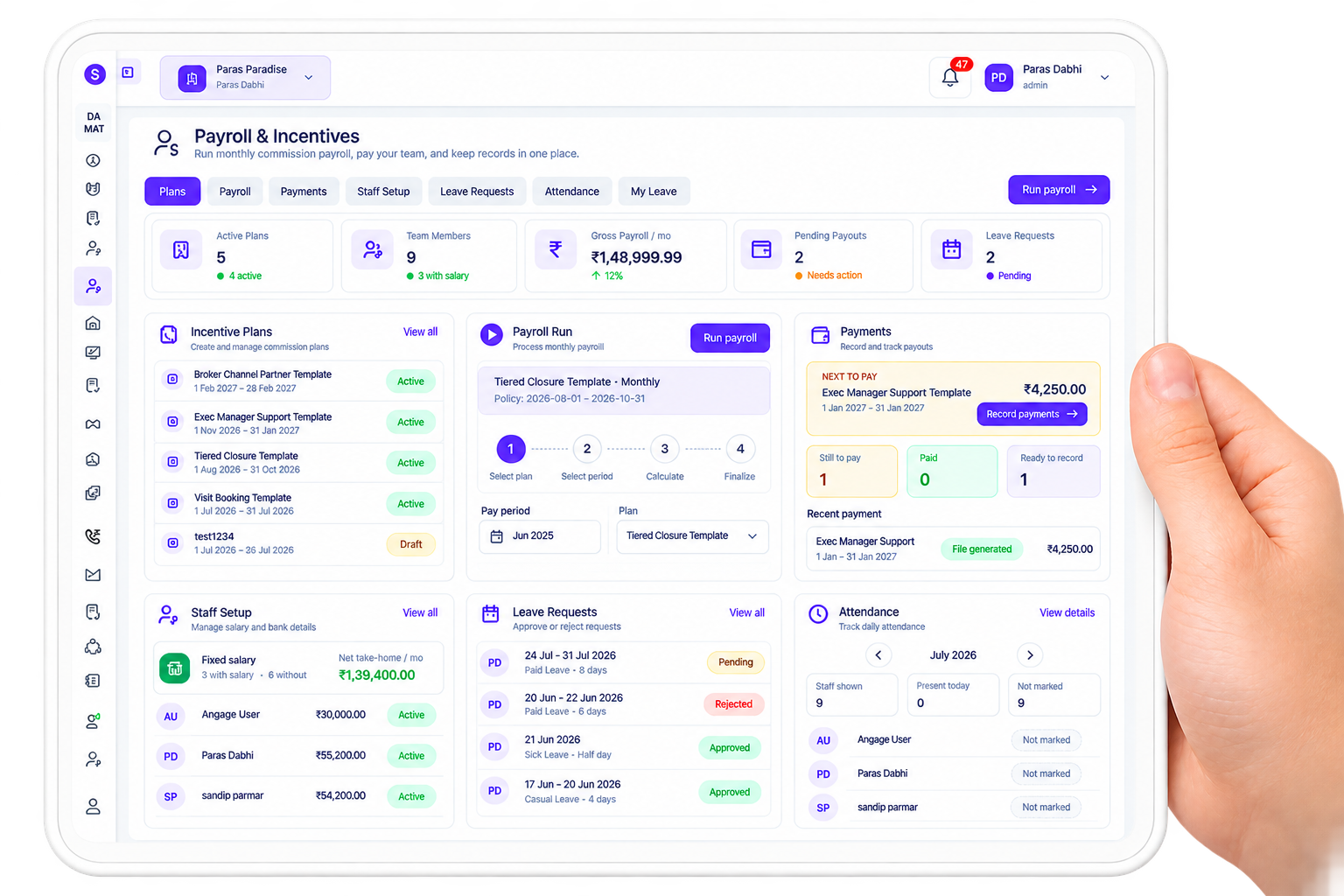
Manage salary, commissions, payouts, leave, and attendance from one connected workflow. Create incentive plans, calculate monthly payroll, track payment status, and keep staff records accurate without manual spreadsheets.
Automated Payroll
Salary and commission in one run
Flexible Incentives
Create rules based on plans and performance
Leave & Attendance Sync
Keep payroll accurate with real staff records
Payment Tracking
Record, review, and monitor every payout
BUSINESS INTELLIGENCE
From basic salary, Auto commissions to bank payout,every payout stays clear
Stellivo keeps your employee attendance, performance targets, custom incentive structures, and final bank transfers perfectly synced—so no calculation is missed and financial tracking remains transparent.

Weekly & Monthly
Auto-generated
100% Approved
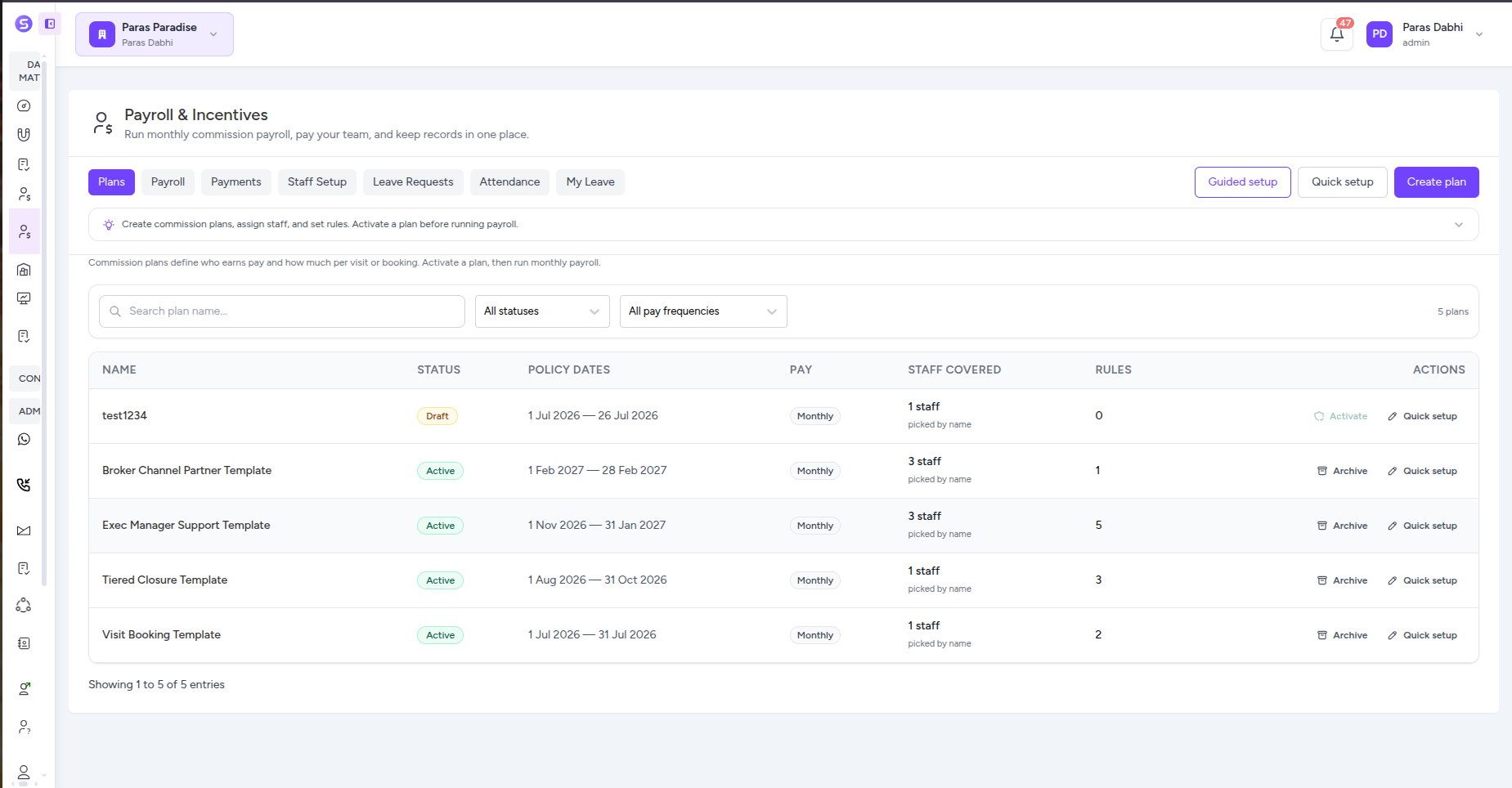
Build Commission Plans That Match How Your Team Gets Paid
Create incentive plans, assign the right staff, define visit and booking commissions, and configure payout rules in one guided workflow. Stellivo gives finance and sales teams a clear structure for deciding who earns, what they earn, and when each incentive should be paid.
Flexible
Commission rules
1 Flow
Setup to activation
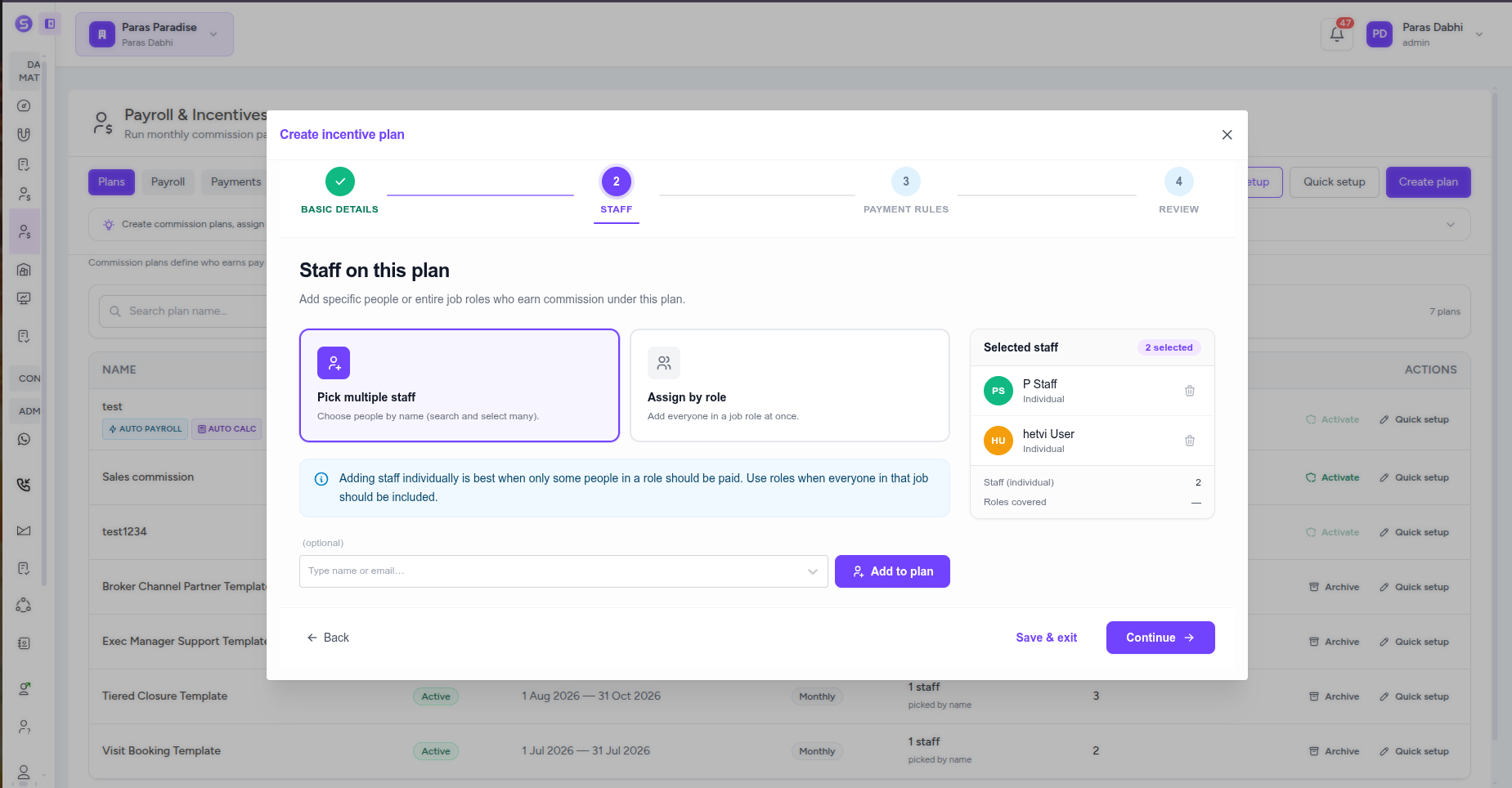
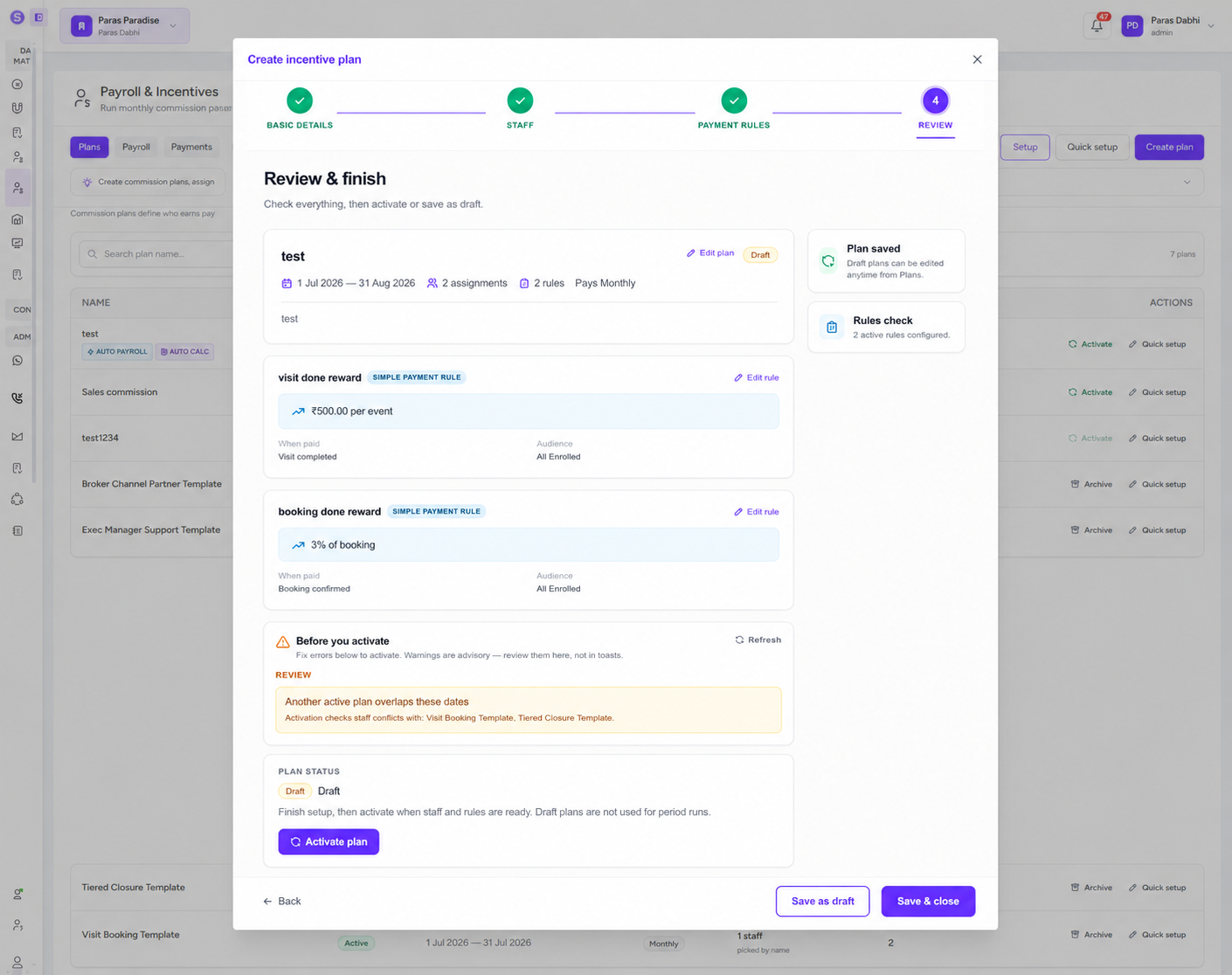
Guided Plan Setup
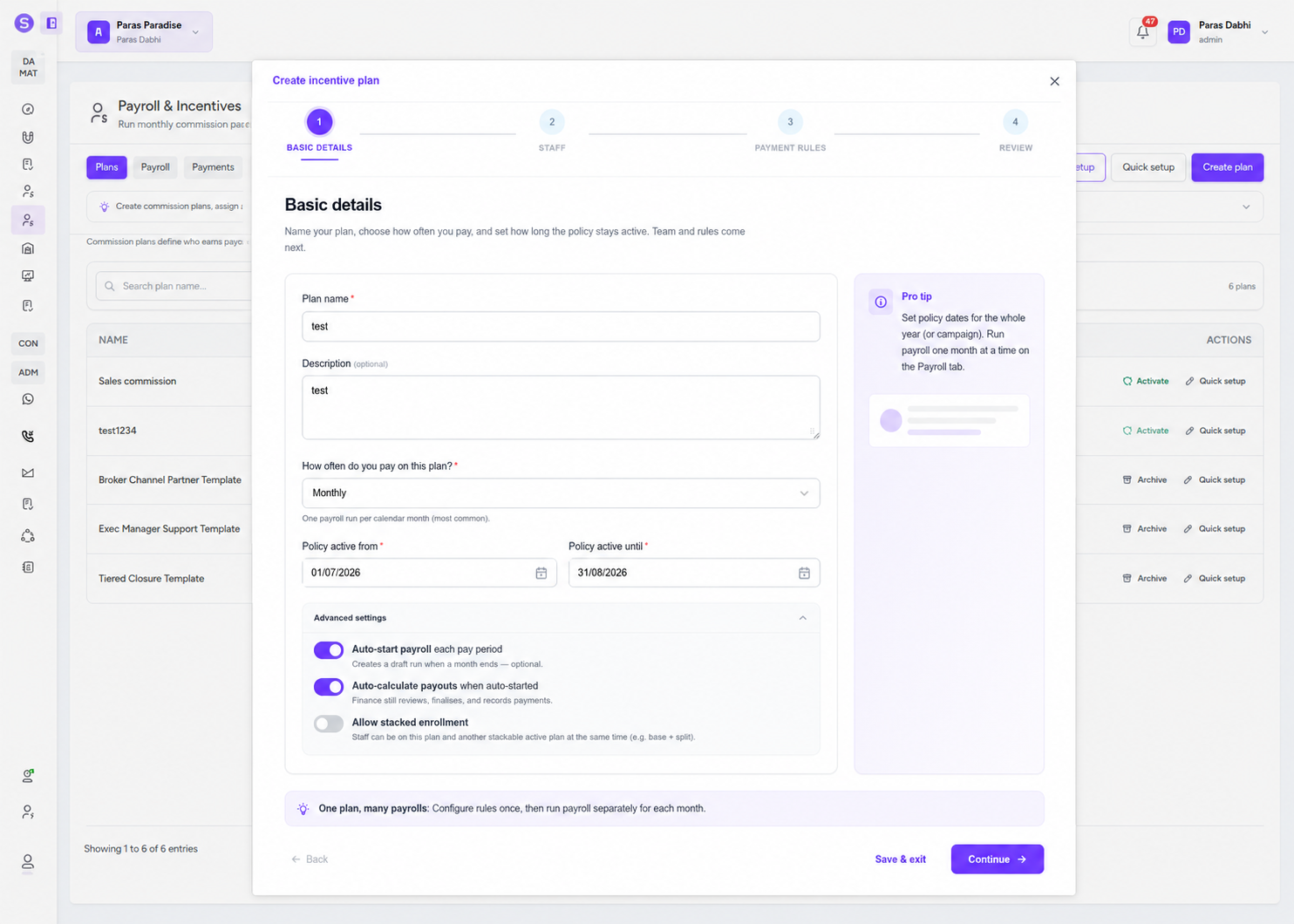
Create a commission plan step by step, choose the pay frequency and policy dates, assign staff, add payment rules, and review everything before activation.
Staff & Role Assignment
Choose exactly who should earn from a plan by adding individual staff members or assigning entire job roles when the same incentive applies to the whole team.
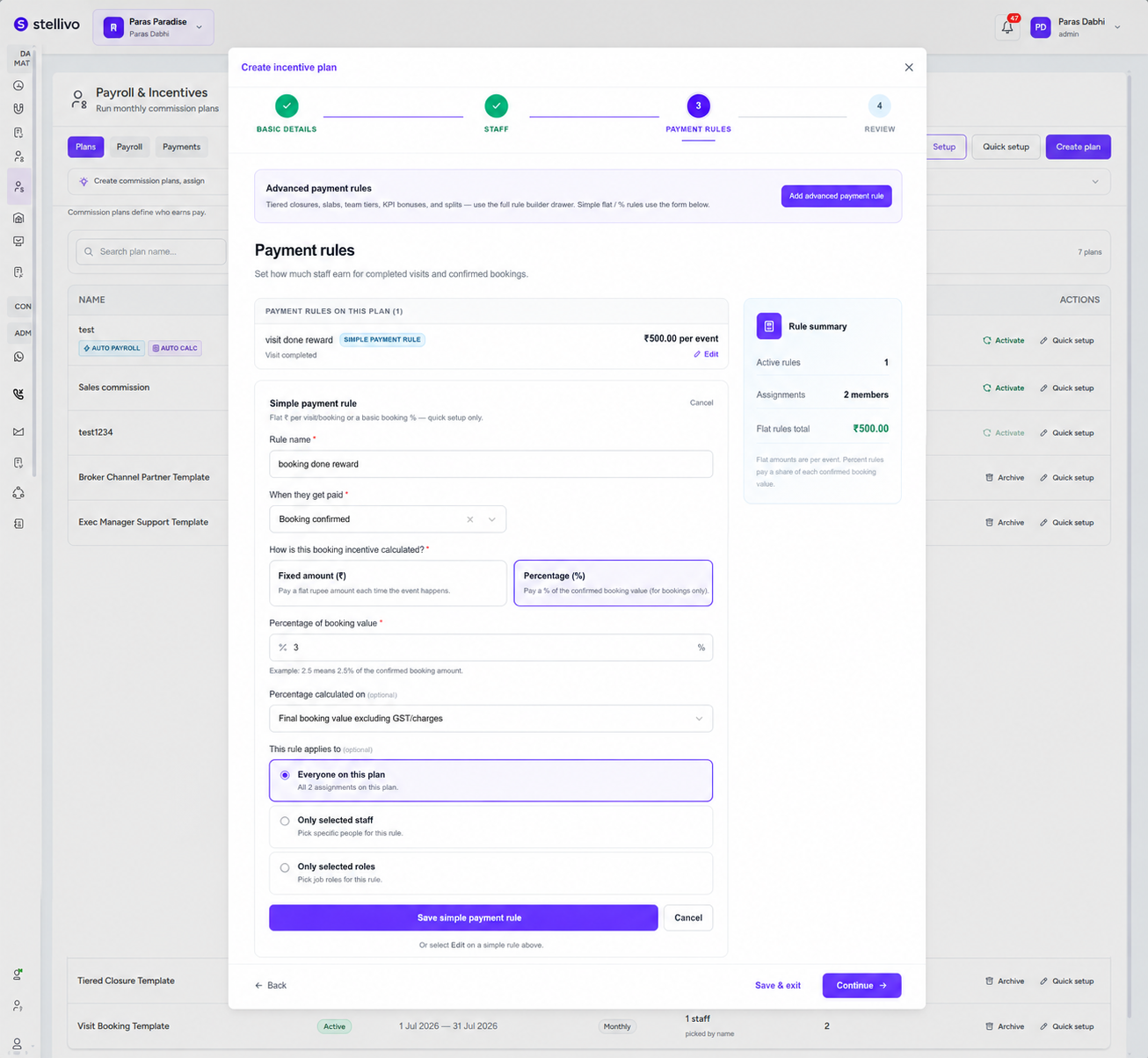
Visit & Booking Incentives
Reward completed site visits with a fixed amount and pay booking commissions as a fixed value or percentage of the confirmed booking amount.
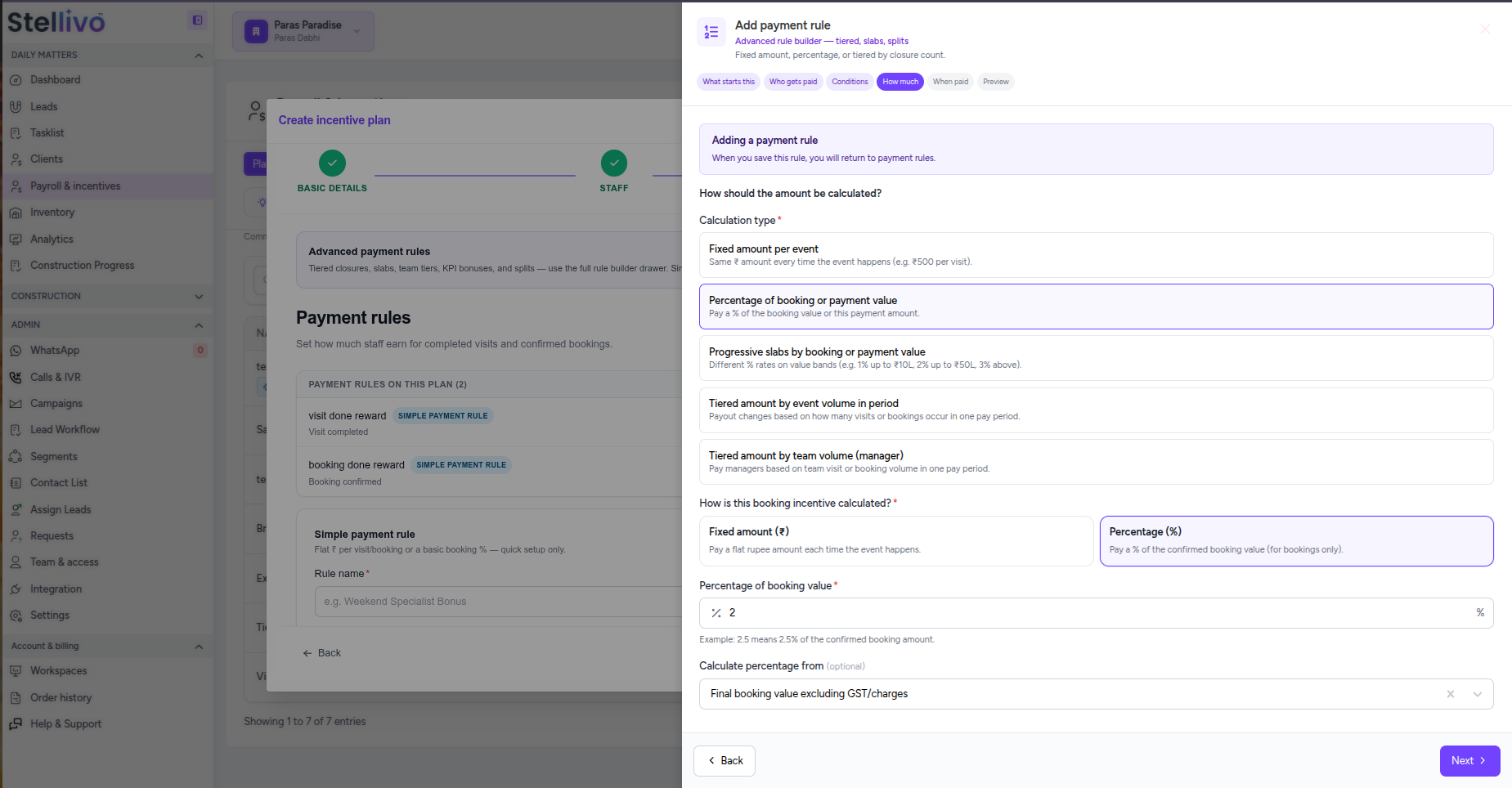
Advanced Payment Rules
Create detailed payout structures for booking confirmations, payments received, KPI bonuses, attendance bonuses, tiered commissions, and other business events.
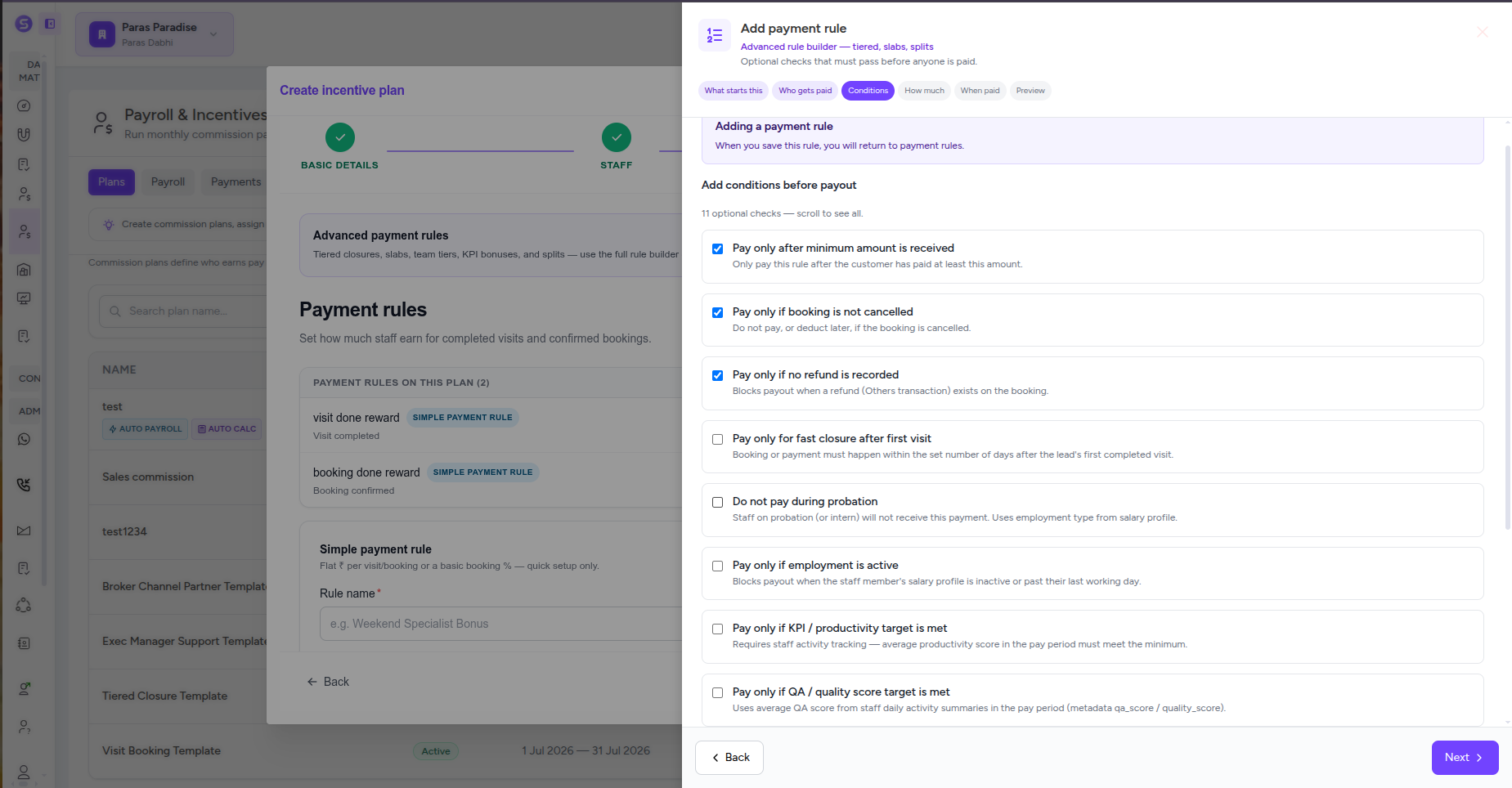
Conditions, Splits & Payout Timing
Control when commission is eligible, who receives it, how it is split, and whether it is paid immediately, held for later, or released after specific conditions are met.
Review Before Activation
Preview each rule, check staff assignments, identify overlapping plans, review warnings, and confirm the complete setup before the plan becomes active for payroll.
Calculate, Review and Finalise Payroll From One Place
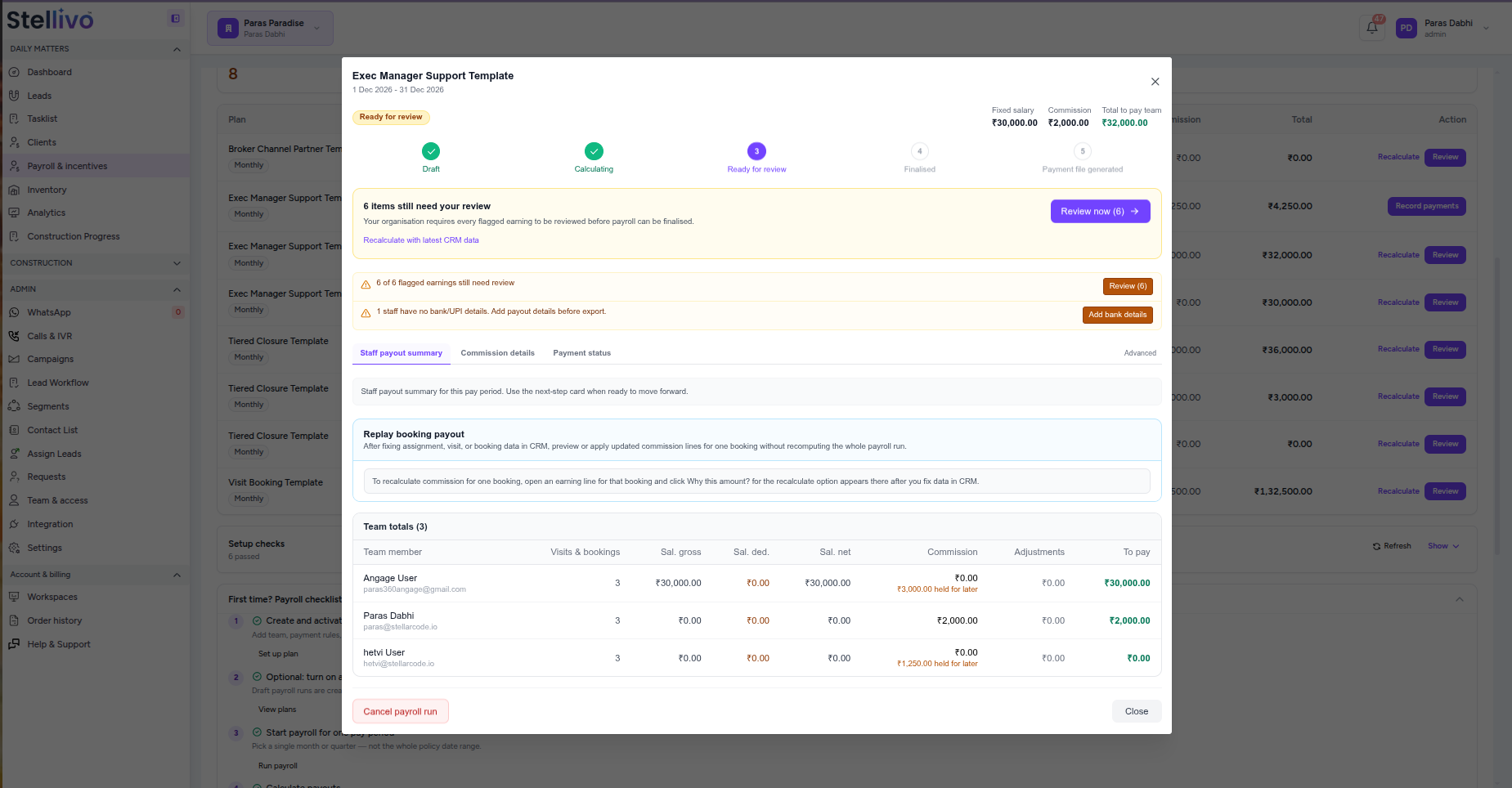
Run payroll for one pay period at a time and let Stellivo calculate salary, commissions, held payouts, and adjustments automatically. Review every earning, resolve flagged items, finalise the run, and keep payment records connected to the same payroll workflow.
5 stages
Payroll lifecycle
1 view
Salary + commission
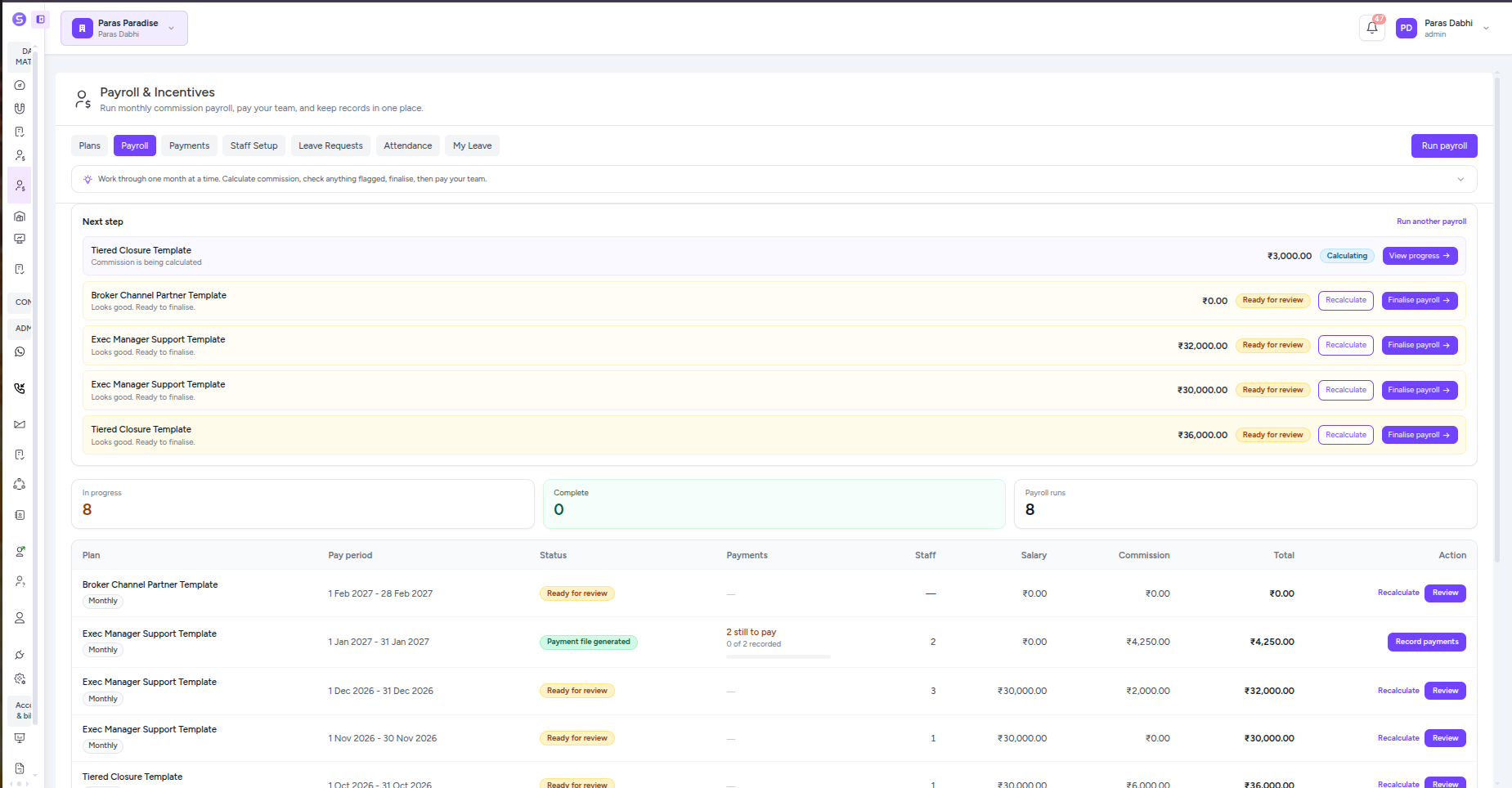
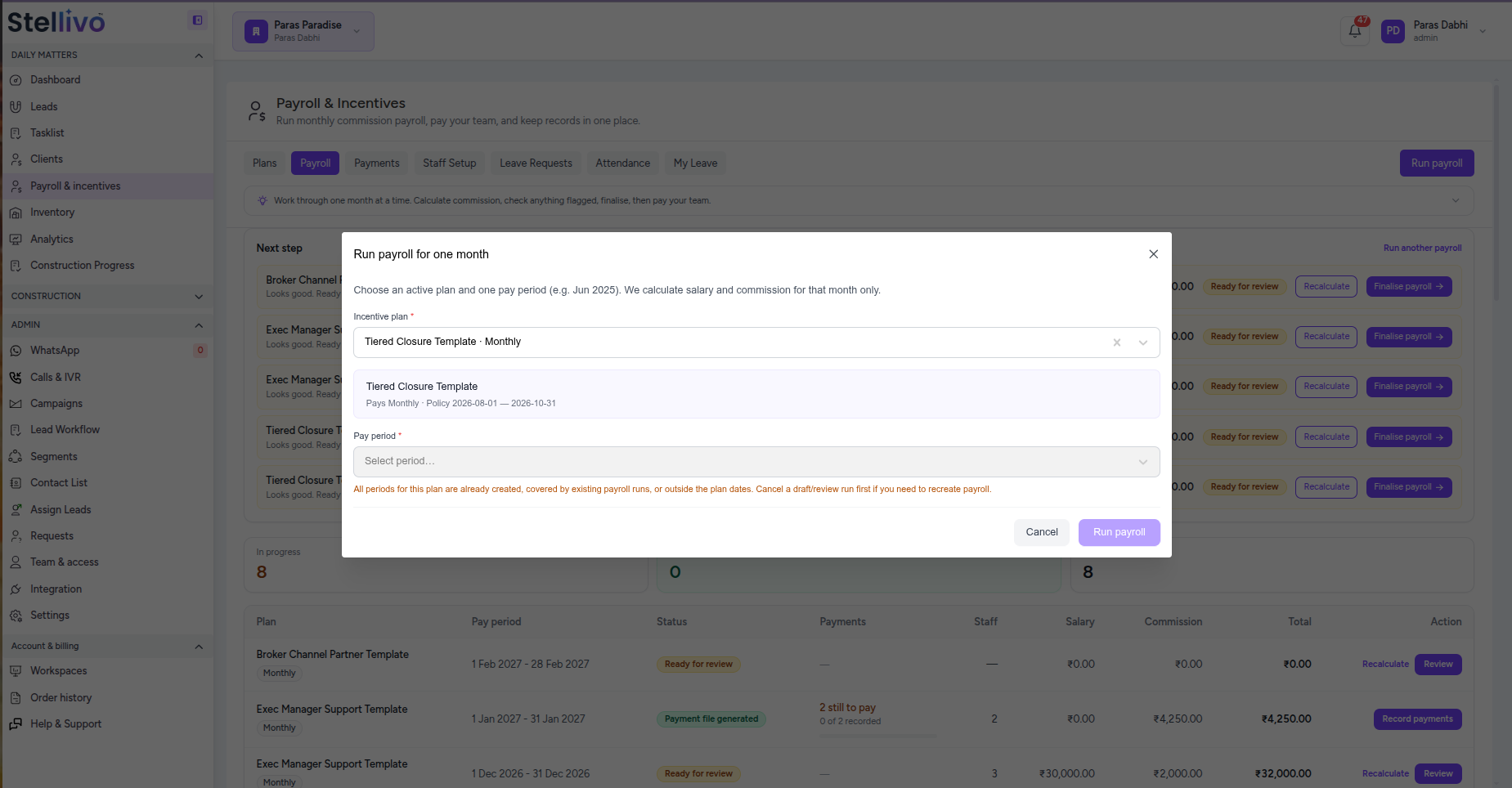
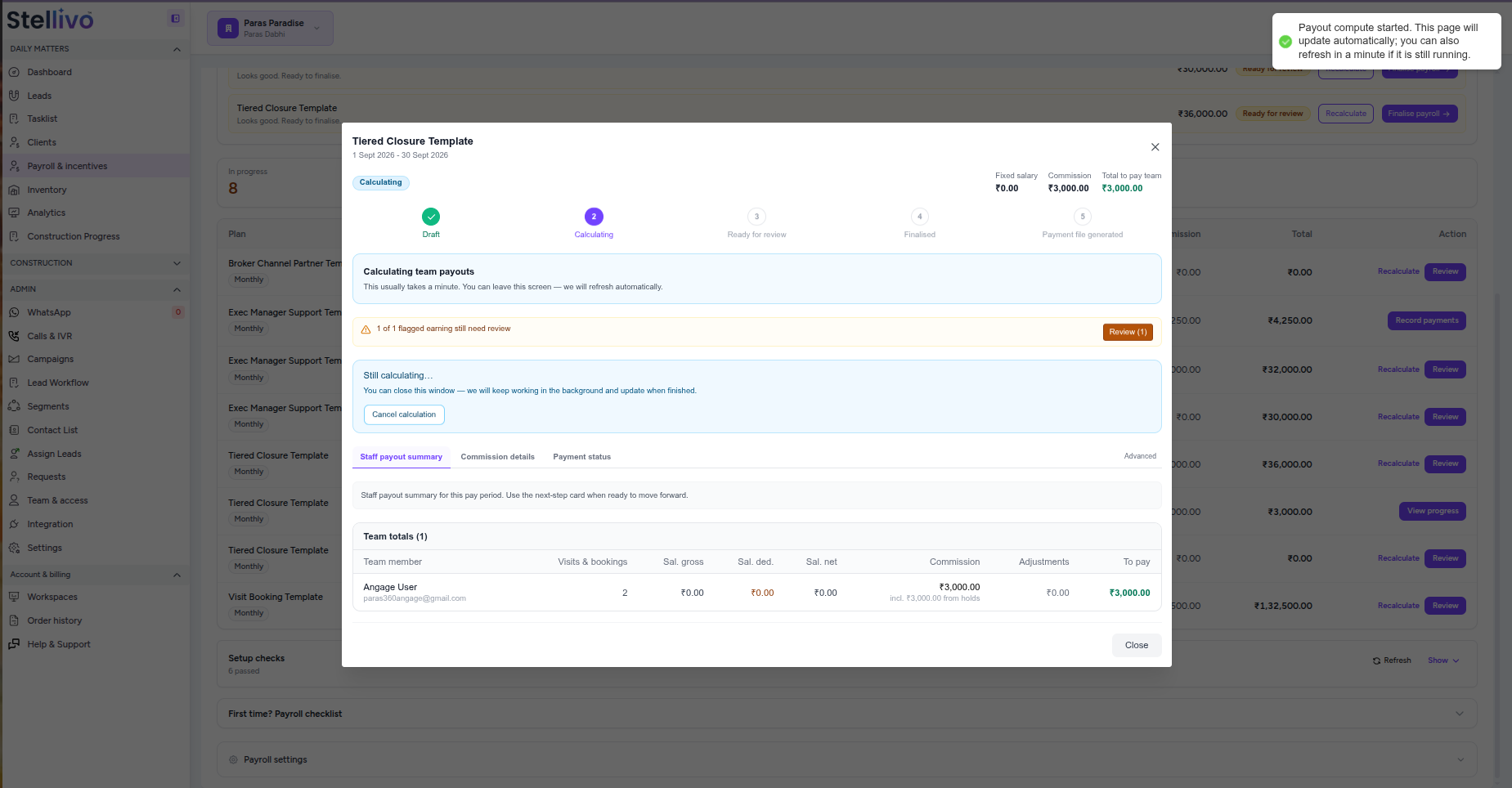
Monthly Payroll Runs
Start payroll for a specific incentive plan and pay period instead of processing the entire policy range at once. Keep every month as a separate, trackable payroll run.
Automatic Salary & Commission Calculation
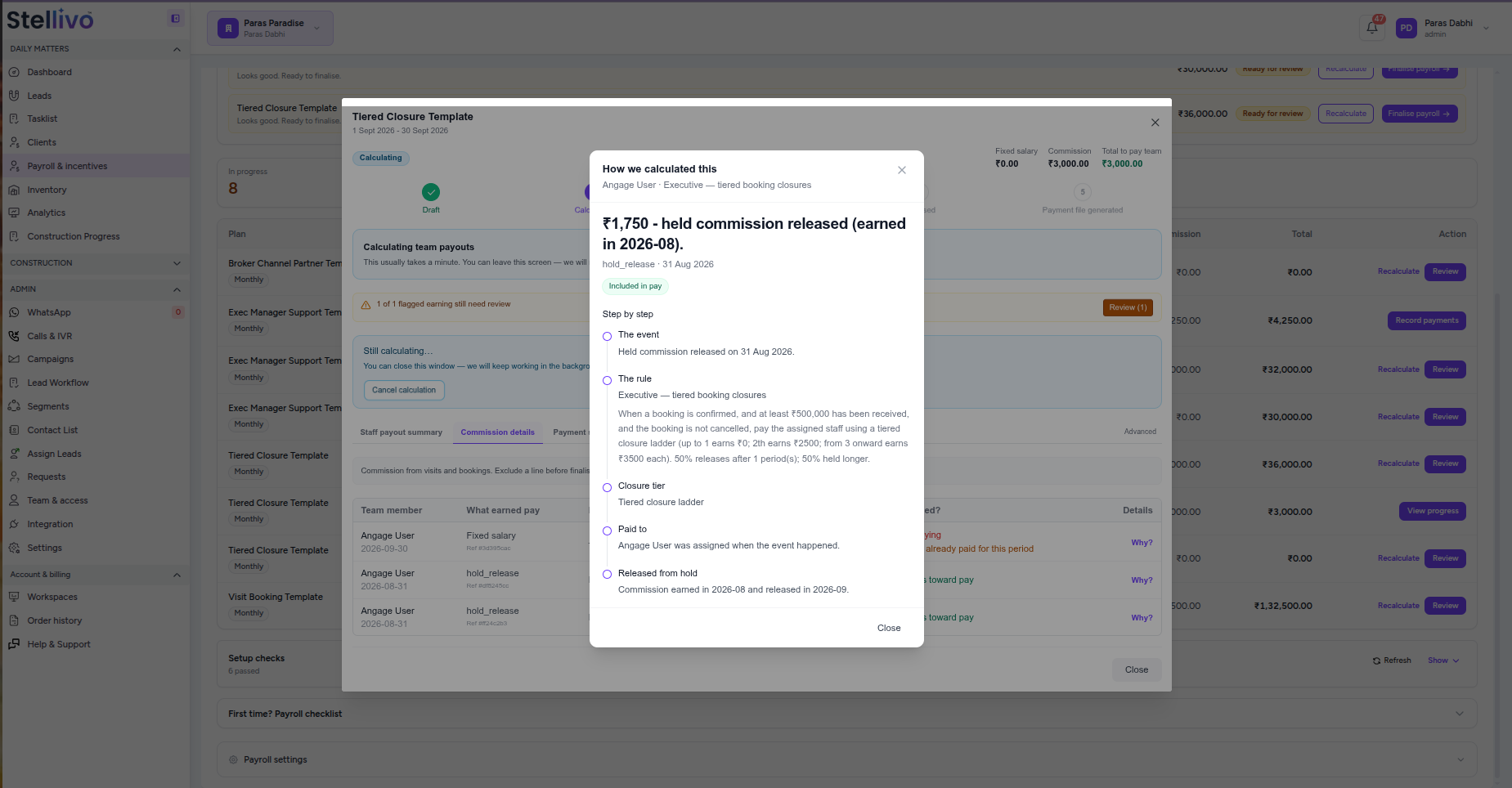
Calculate fixed salary, visit incentives, booking commissions, released holds, bonuses, deductions, and adjustments using the active payroll rules and latest CRM data.
Staff Payout Summary
See each team member’s salary, commission, adjustments, and final amount to pay in one clear view before payroll is finalised.
Commission-Level Review
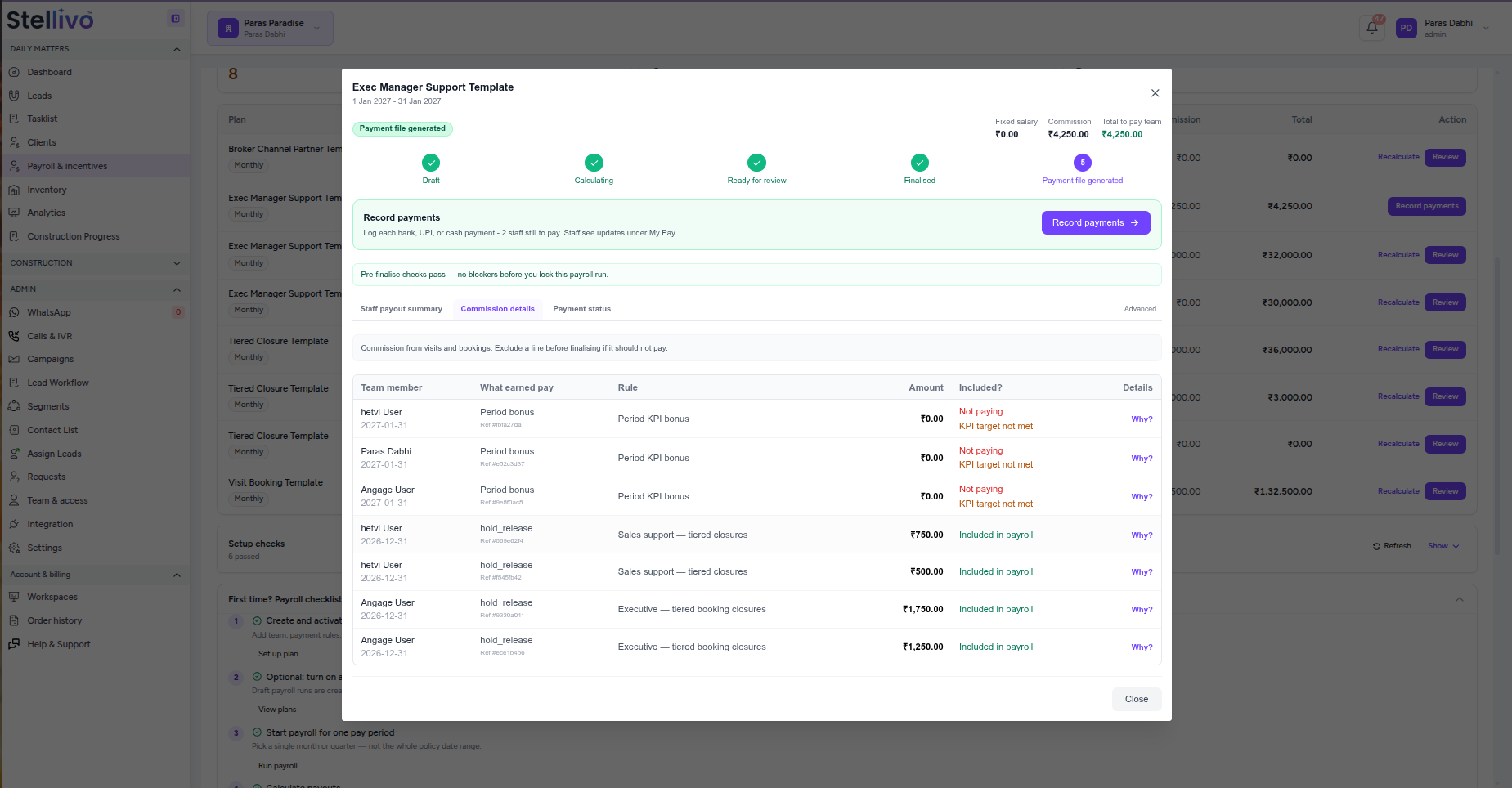
Inspect every earning separately to see which rule generated it, the amount calculated, whether it counts toward pay, and why a payout was included or blocked.
Flagged Earnings & Review Checks
Surface missing data, failed conditions, duplicate issues, KPI failures, and other flagged earnings before finalisation so finance can review exceptions instead of discovering them after payment.
Finalise, Export & Record Payments
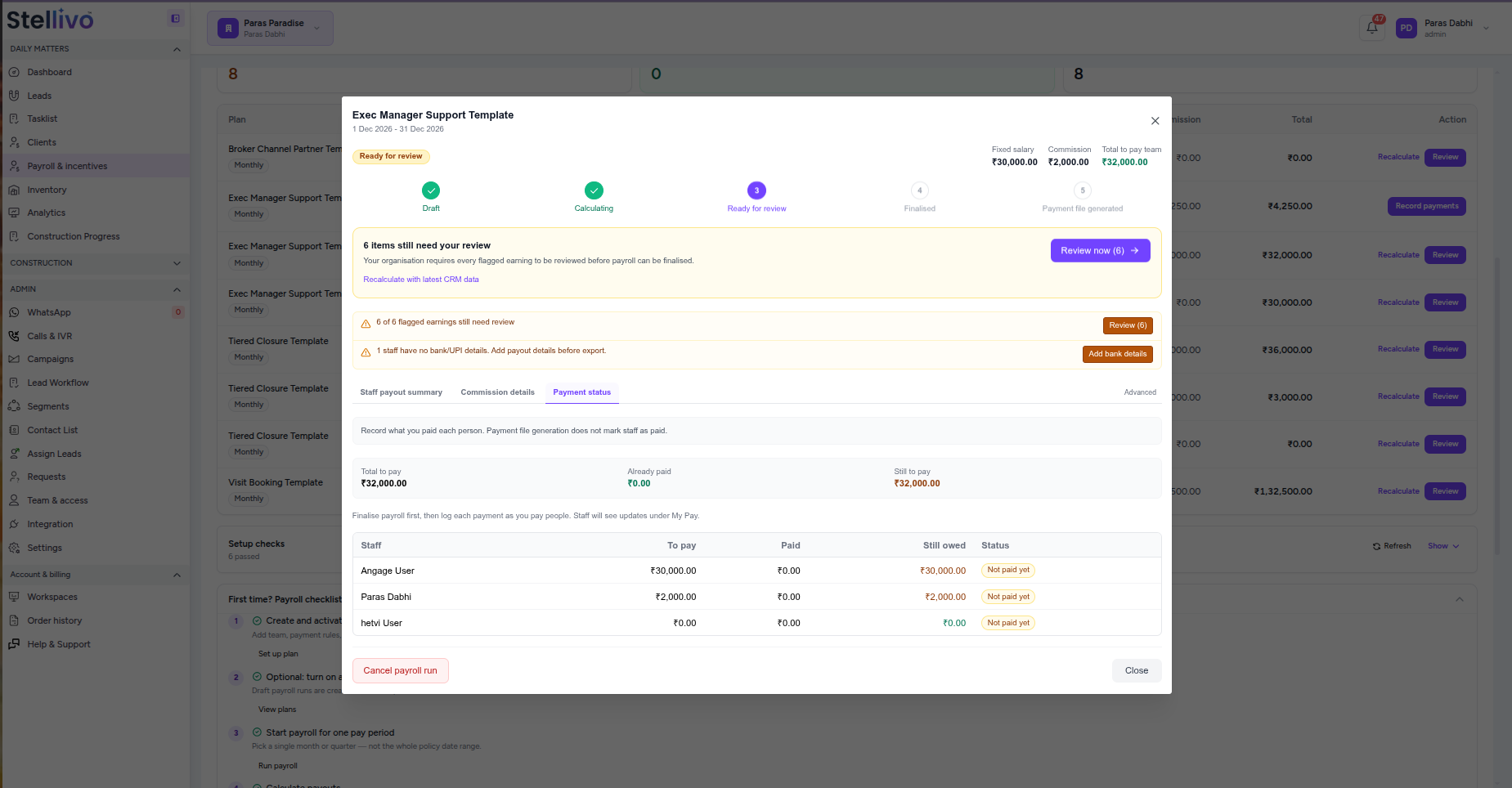
Lock the reviewed payroll, generate the payment file, download payout details, and record bank transfer, UPI, or cash payments while tracking what has been paid and what is still owed.
Track Every Payment and Give Staff Complete Pay Visibility
Keep payroll records accurate after the calculation is complete. Finance can record bank, UPI, or cash payments, track partial and outstanding amounts, and maintain payment history while each staff member gets a clear My Pay view of salary, commission, held payouts, payment status, and payslips.
3 states
Payment tracking
1 view
Earned, paid & owed
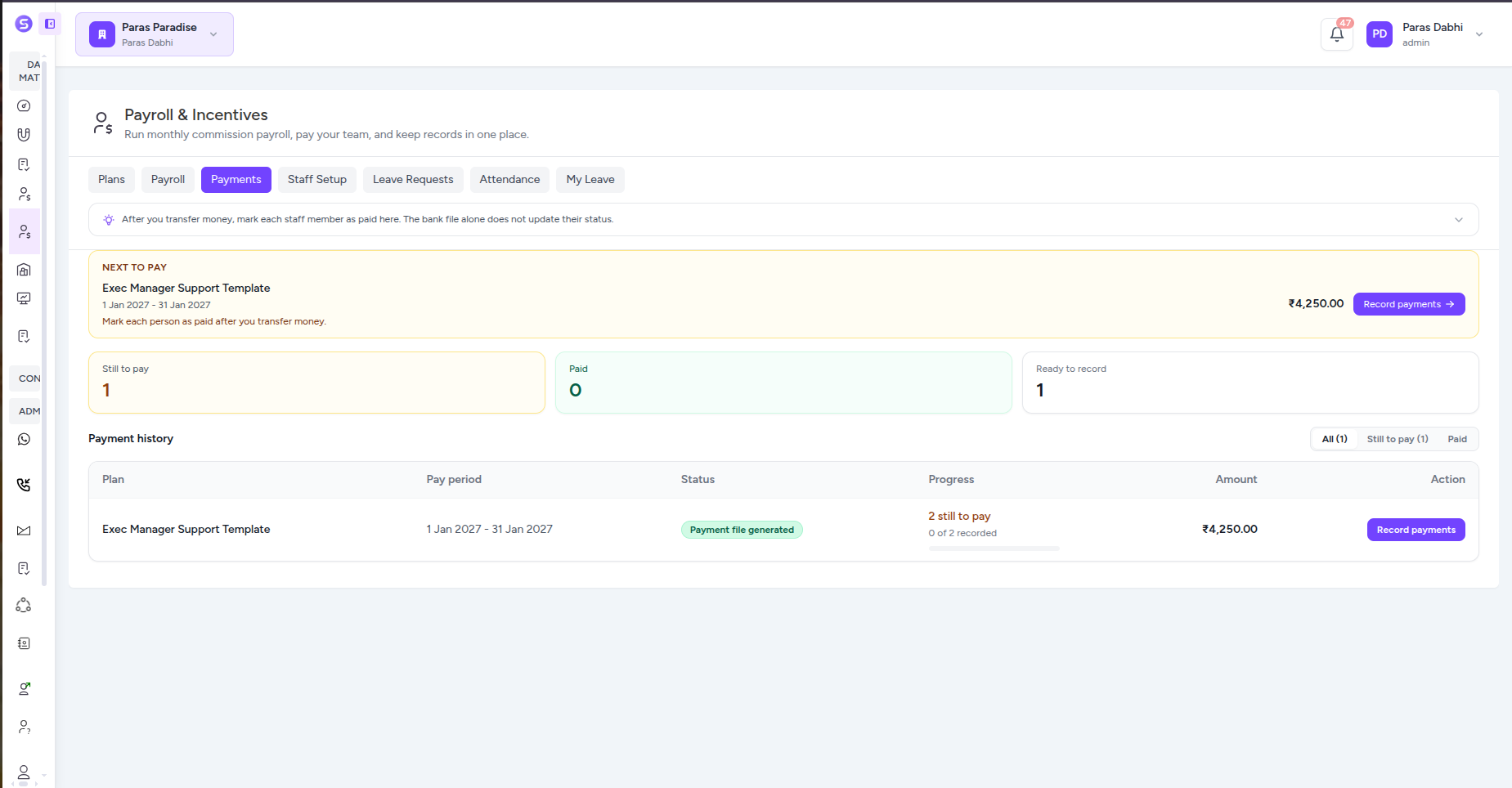
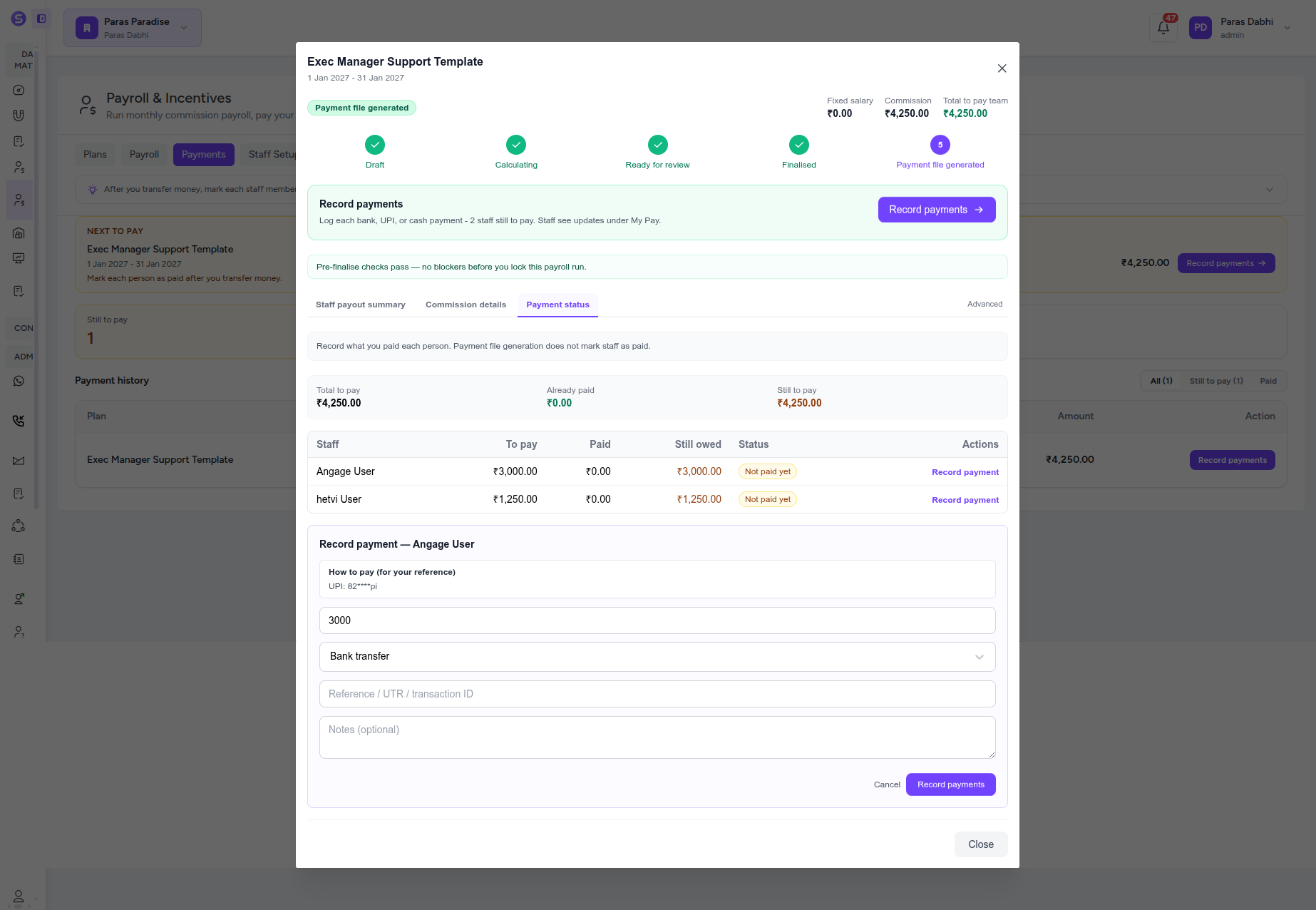
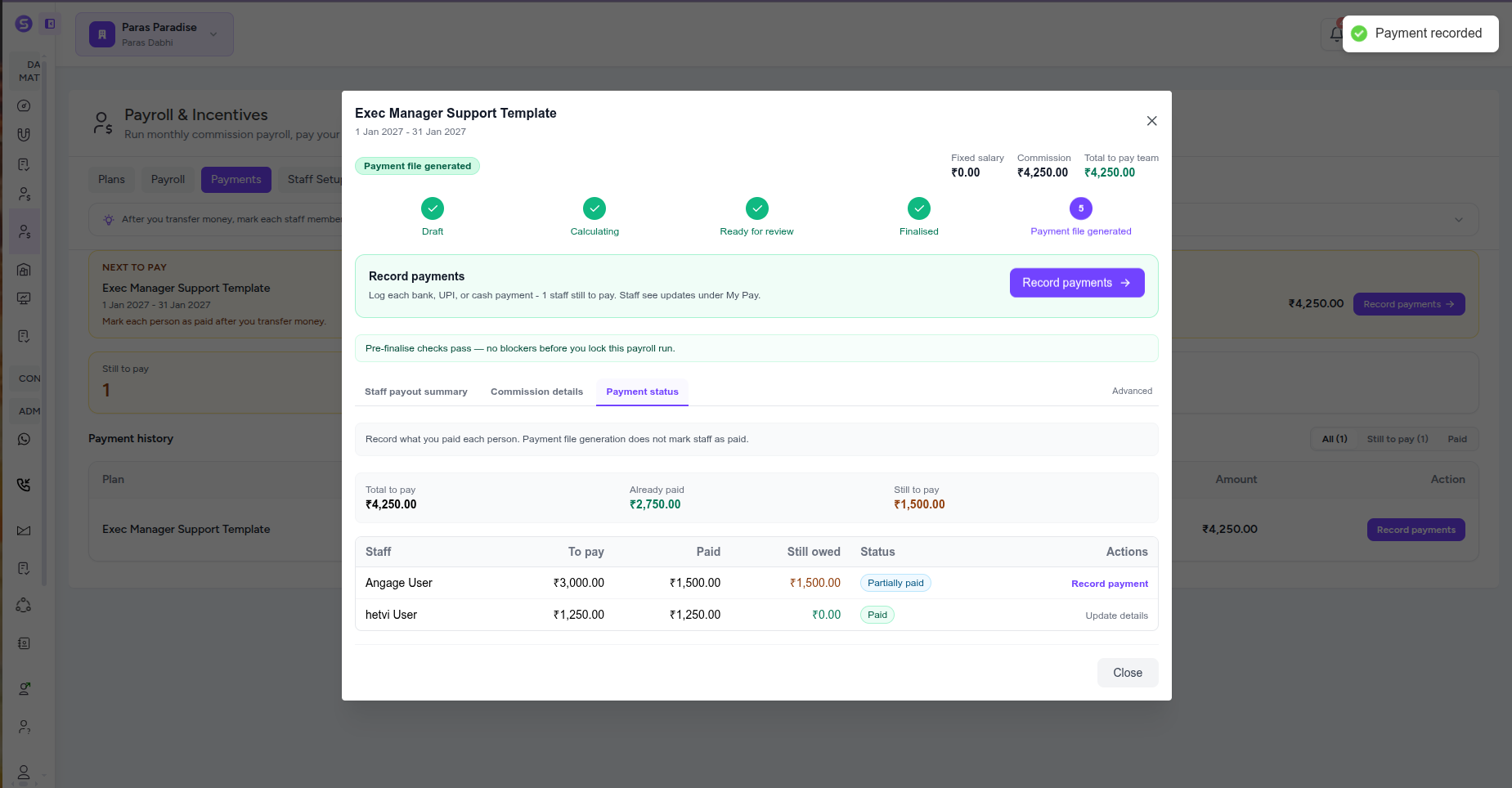
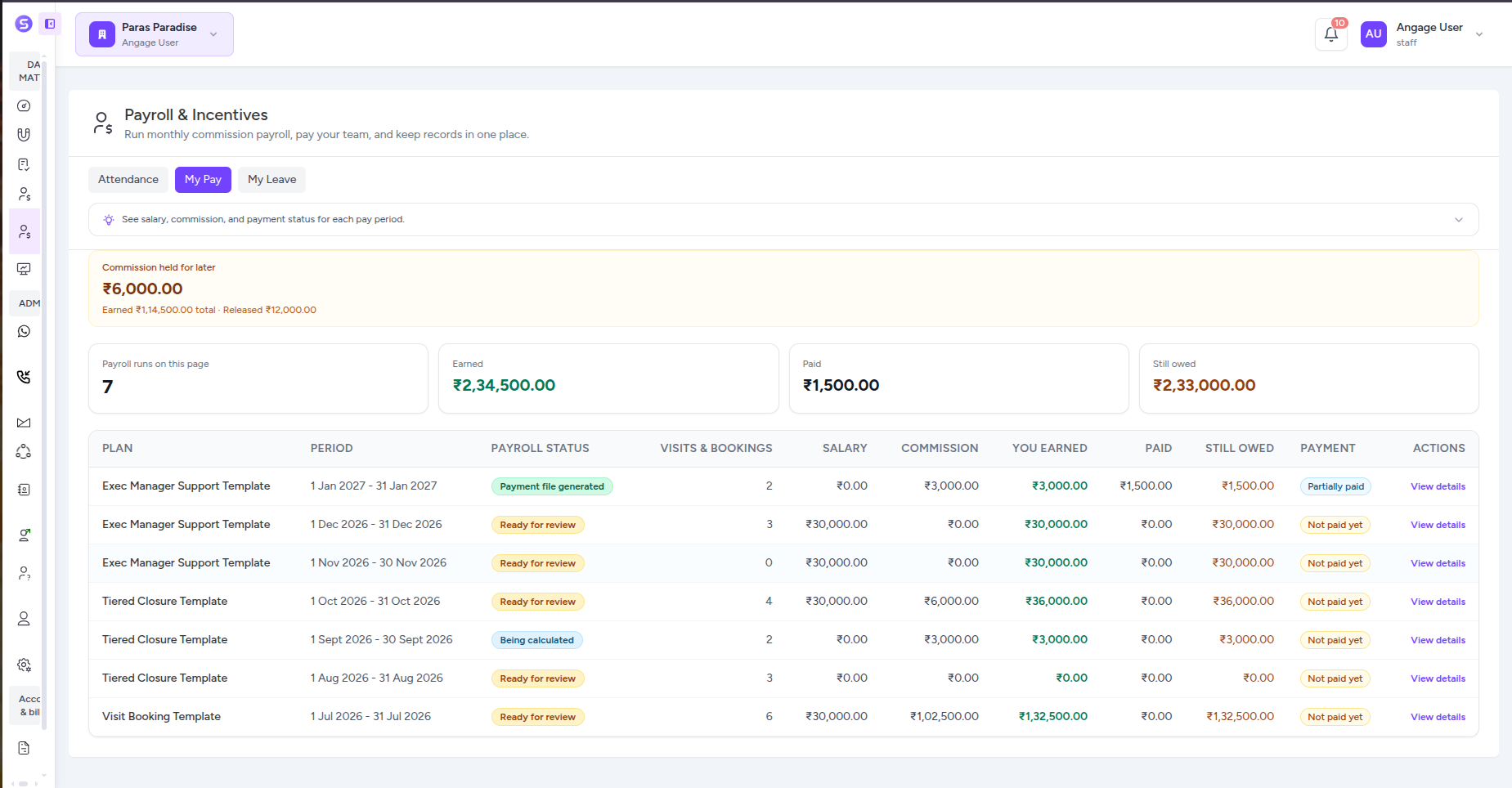
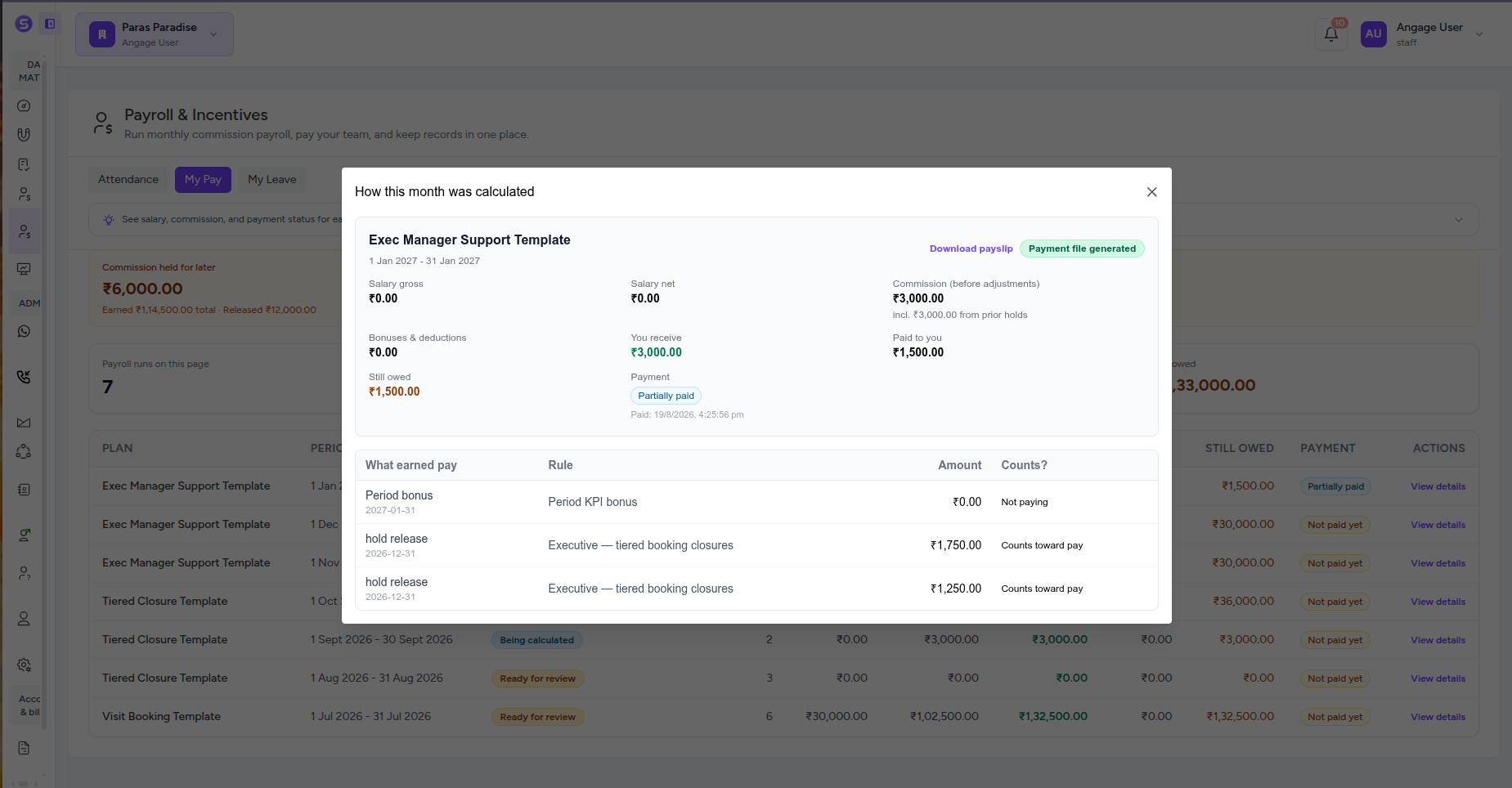
Payment Queue & History
See which payroll is ready to pay, how much is outstanding, and the status of previous payrolls from one payment dashboard with clear paid and pending views.
Record Actual Payments
Log each payment after money is transferred, choose bank transfer, UPI, cash, or another supported method, and save transaction references and notes for a clear audit trail.
Partial & Full Payment Tracking
Record payments in parts when needed and automatically see what has already been paid, what remains outstanding, and whether each staff member is unpaid, partially paid, or fully paid.
Employee My Pay Dashboard
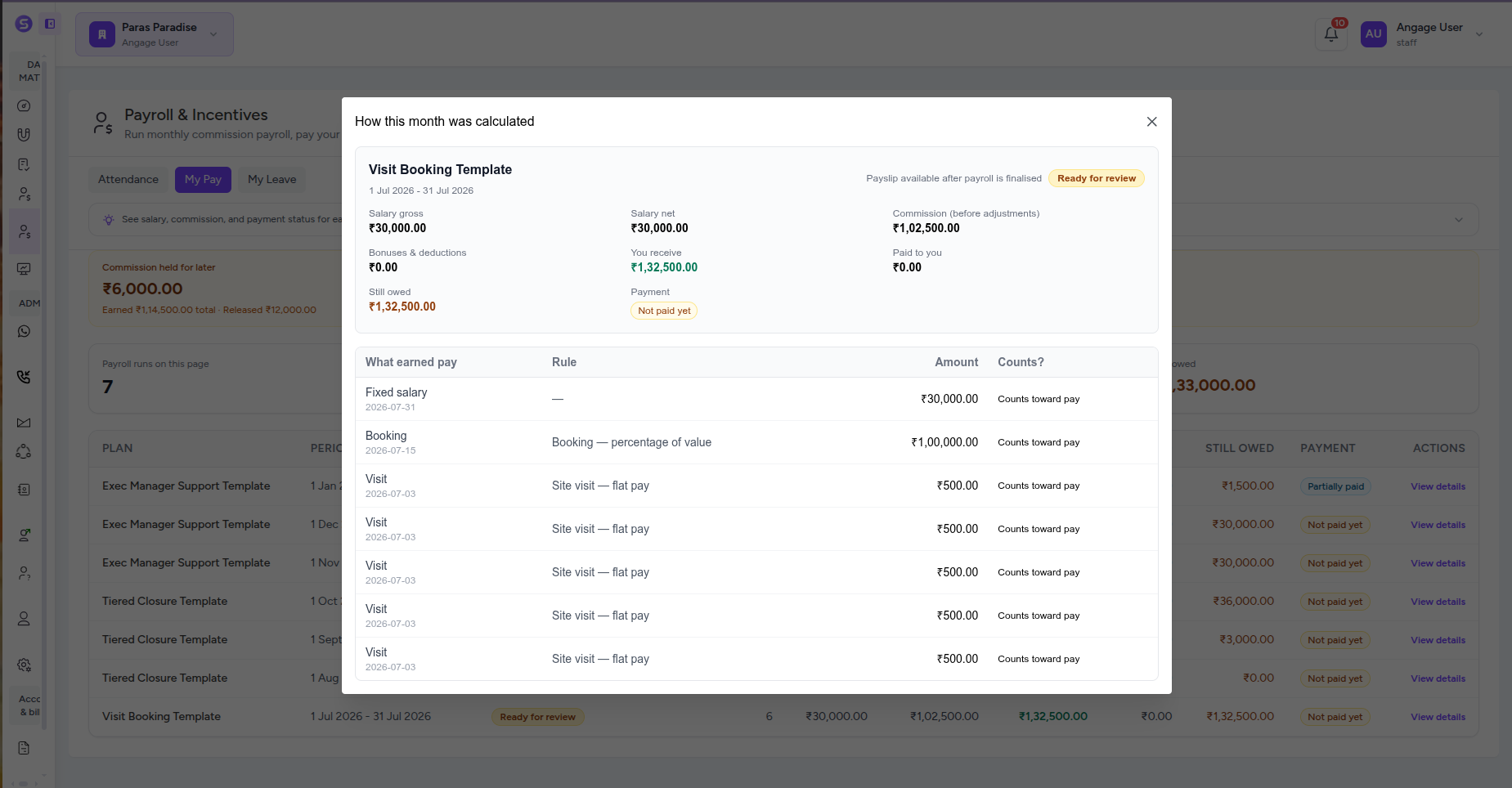
Give every staff member their own pay view with salary, commissions, total earnings, payments received, outstanding amounts, payroll status, and pay-period history.
Clear Earnings & Hold Breakdown
Let staff see exactly what contributed to each month’s pay, including salary, visits, bookings, bonuses, released commissions, and amounts held for a future period.
Payslips & Payment Records
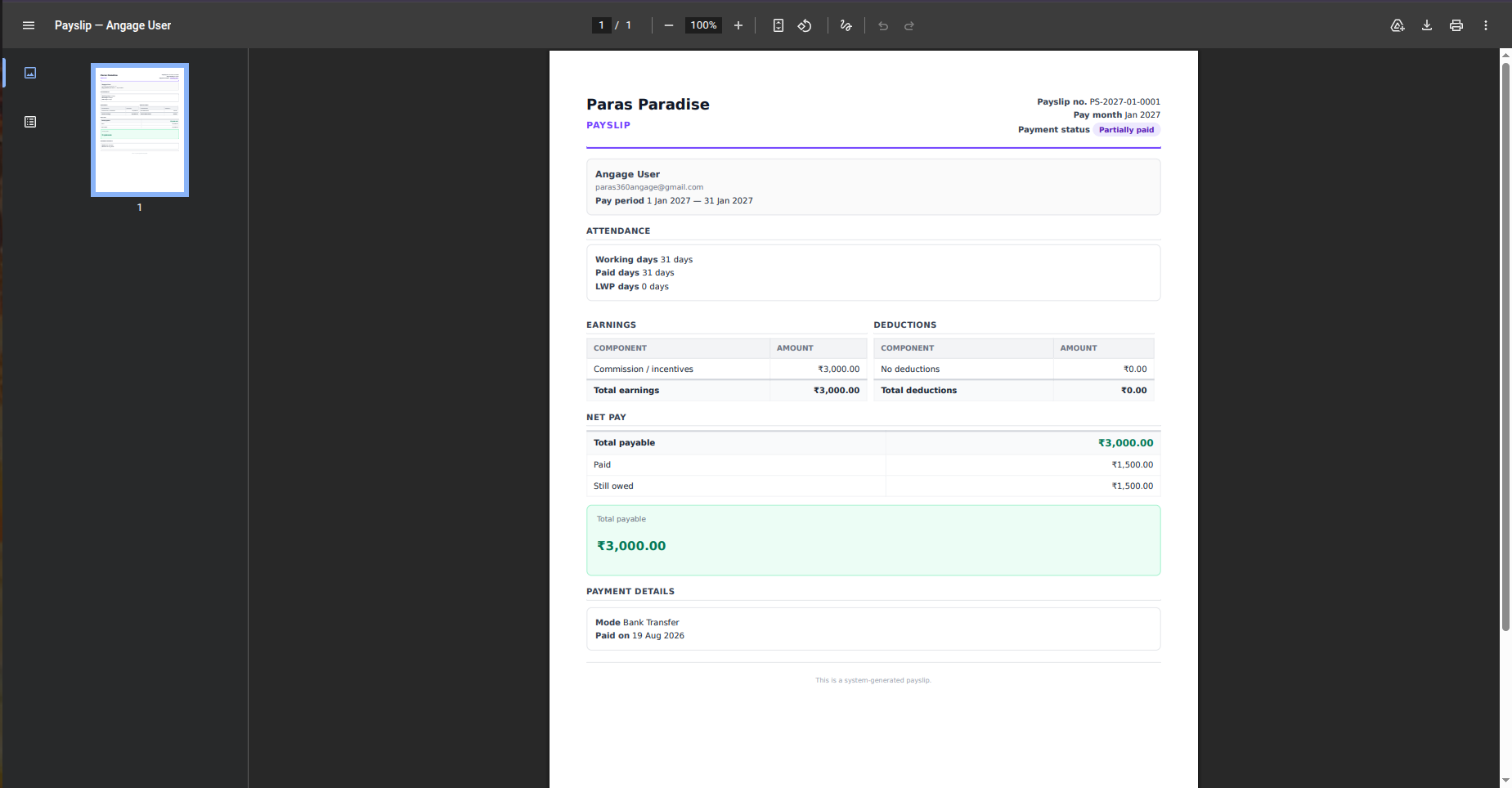
Generate a clear payslip for each staff member with the pay period, attendance, earnings, deductions, total payable, amount paid, balance due, and payment details.
Set Up Every Employee for Accurate Payroll
Set up salary structures, statutory deductions, bank or UPI details, employment dates, and paid leave balances for every team member. Stellivo keeps the employee-level information payroll depends on organised before each monthly run begins.
3 areas
Salary, payout & leave
2 modes
Salary structure
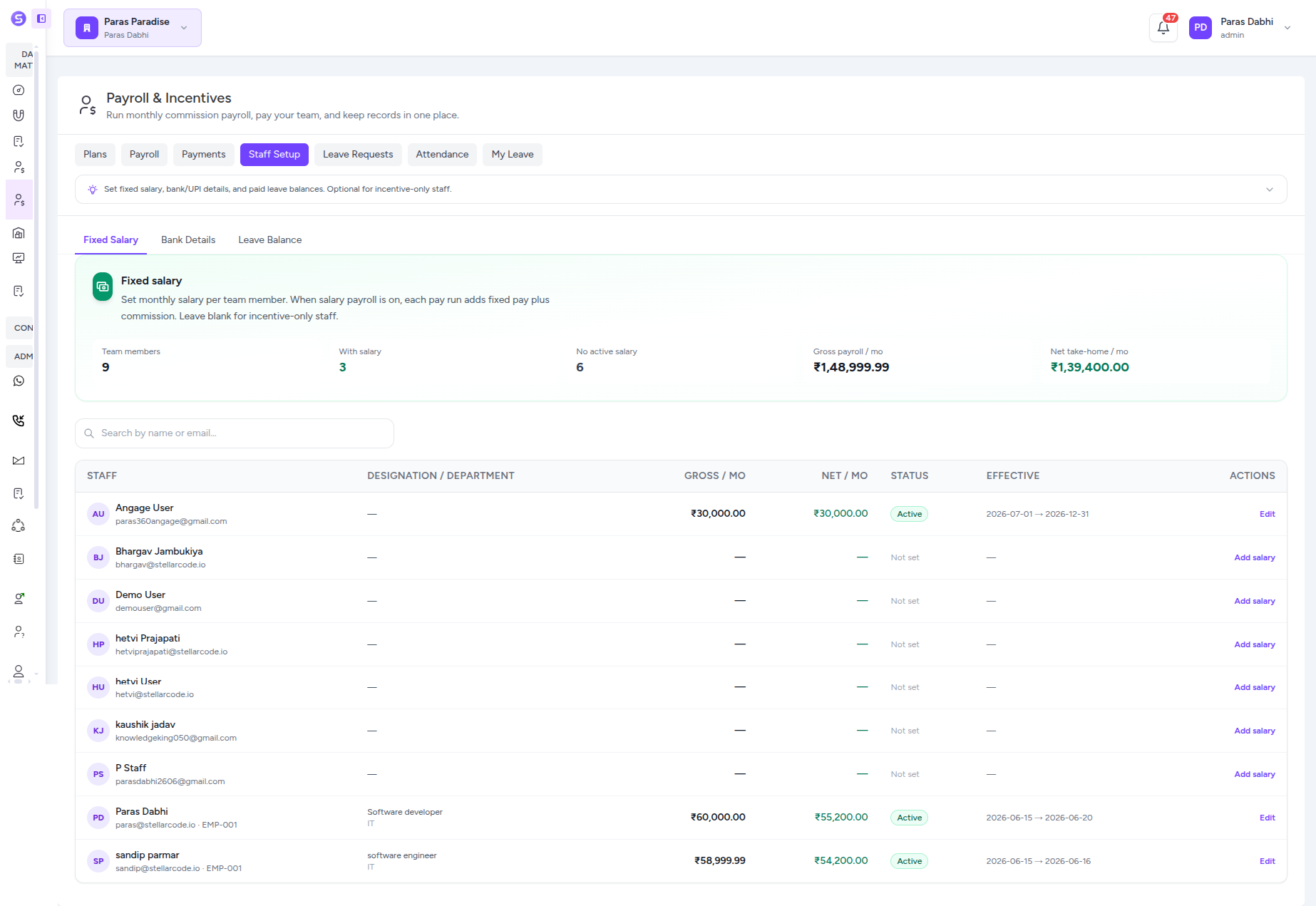
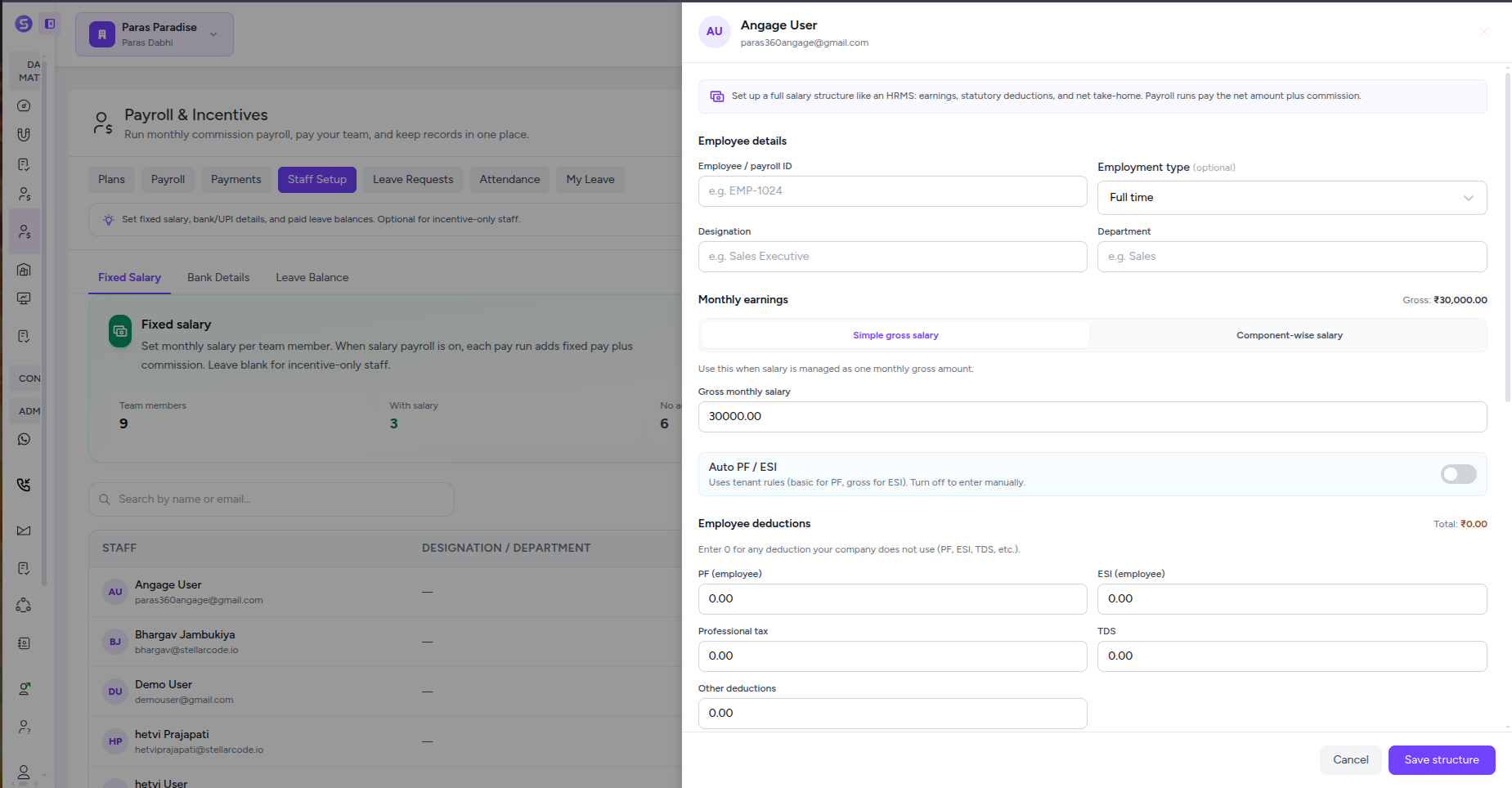
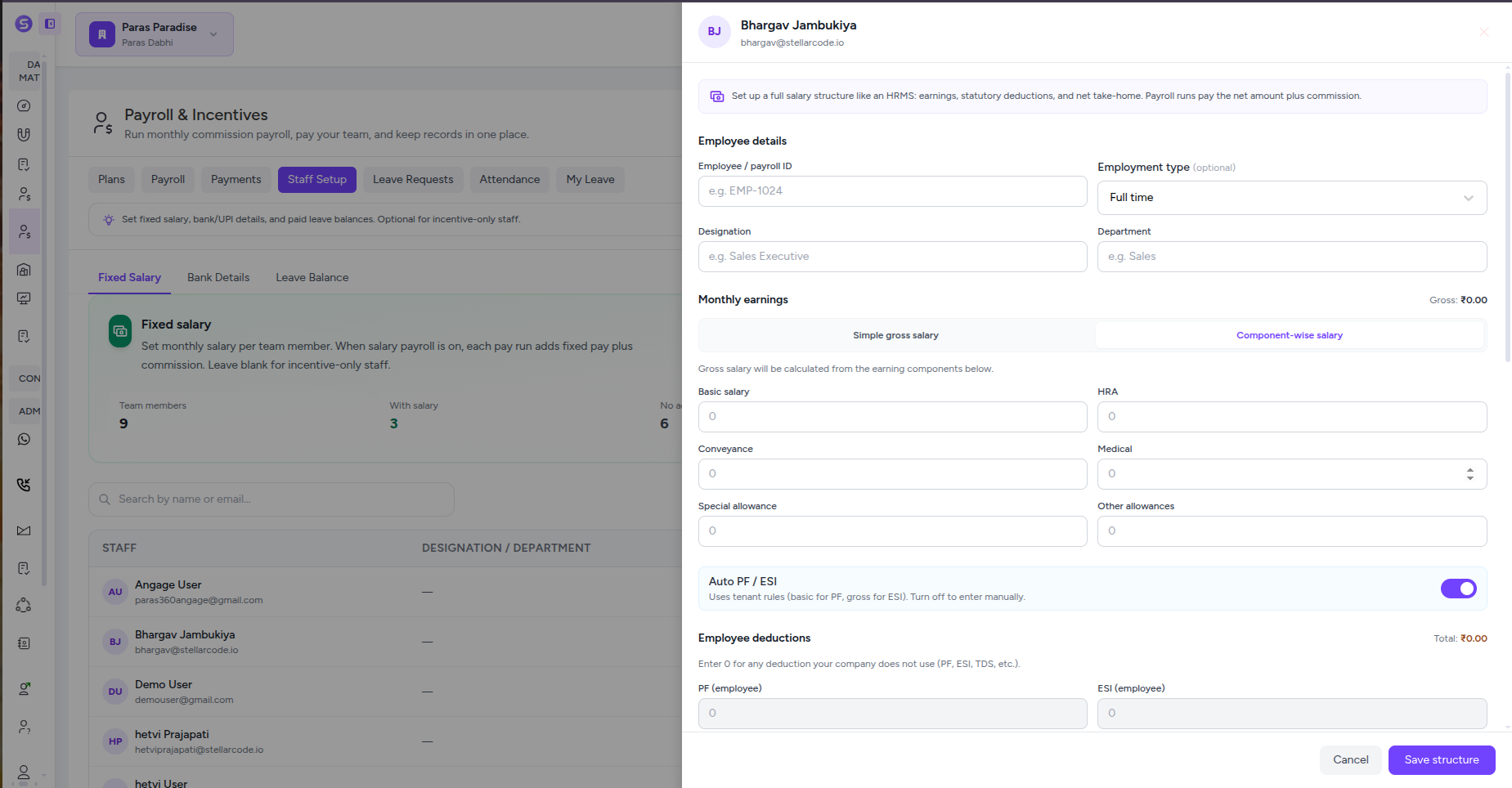
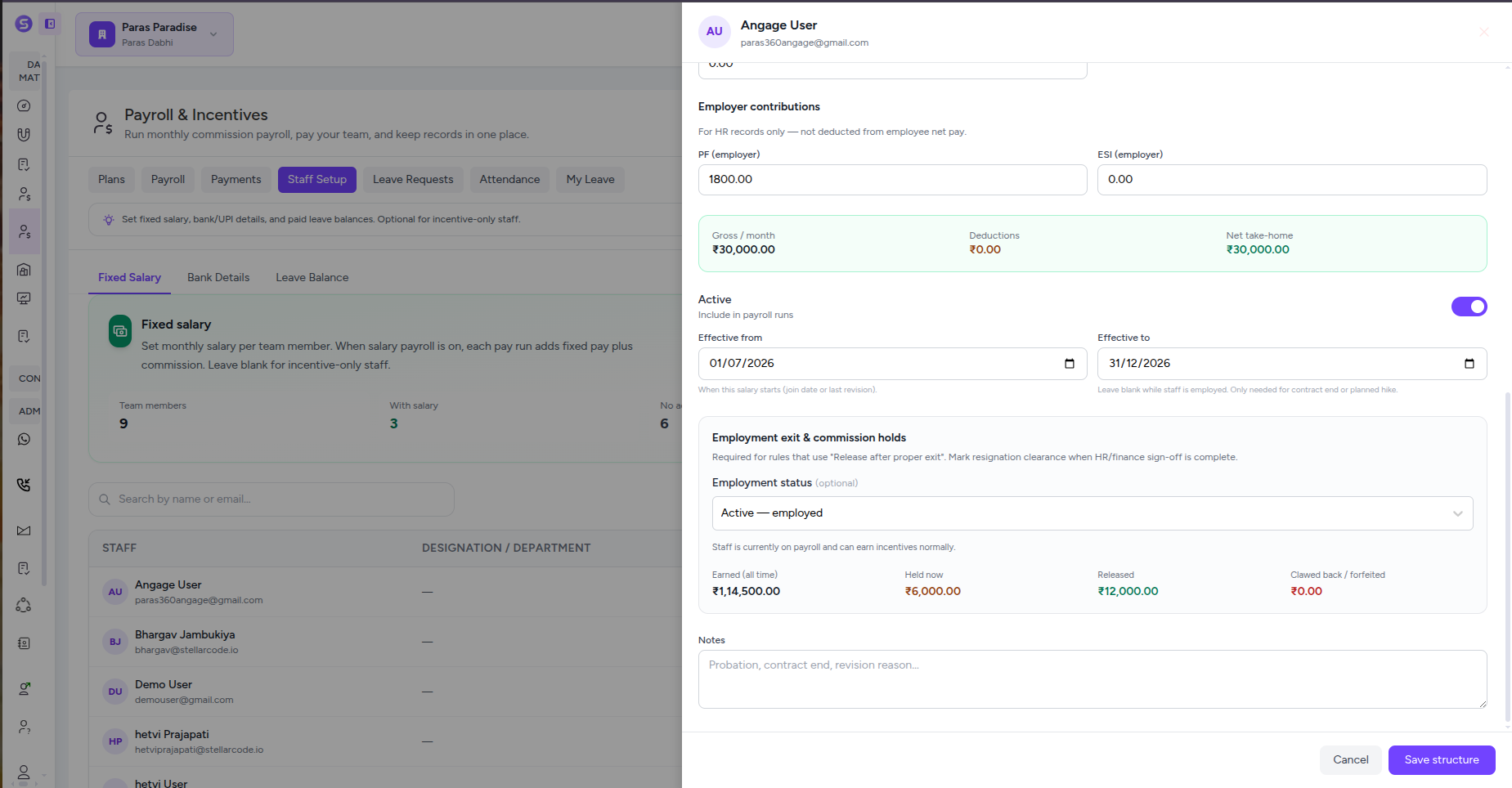
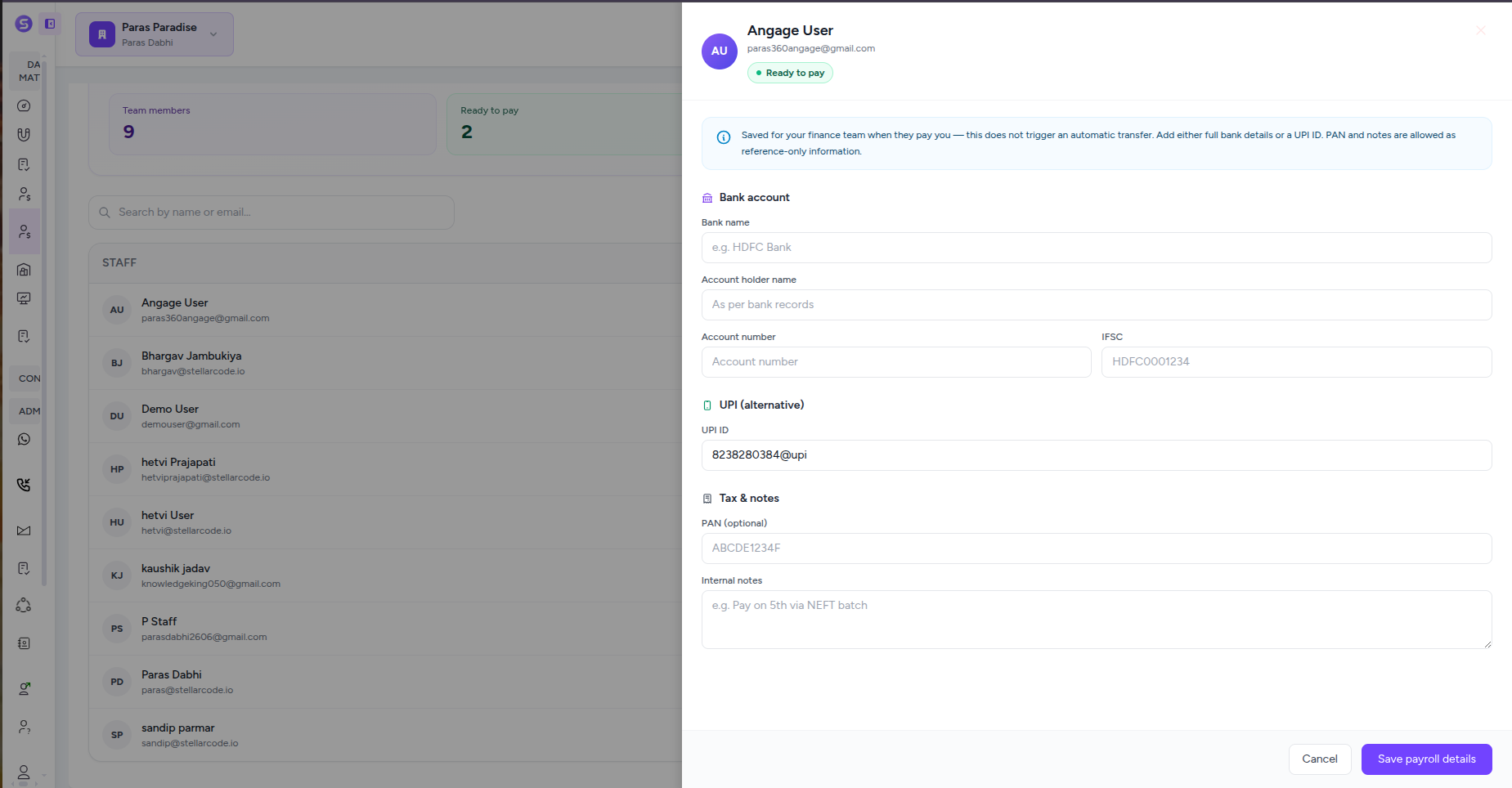
Employee Salary Profiles
Set each employee’s payroll ID, employment type, designation, department, monthly salary, active status, and effective dates so payroll uses the right salary for the right period.
Flexible Salary Structures
Use one simple gross monthly salary or build a component-wise structure with Basic, HRA, conveyance, medical, special allowance, and other earning components.
Deductions & Statutory Contributions
Configure PF, ESI, professional tax, TDS, other deductions, and employer contributions while keeping gross salary, deductions, and net take-home clearly separated.
Employment Status & Commission Holds
Control when salary is active, record employment status and exit details, and keep visibility into commission that has been earned, held, released, clawed back, or forfeited.
Bank & UPI Payout Details
Store the payout information finance needs for each employee, including bank account details, IFSC, UPI ID, PAN, and internal payment notes, with clear setup and ready-to-pay statuses.
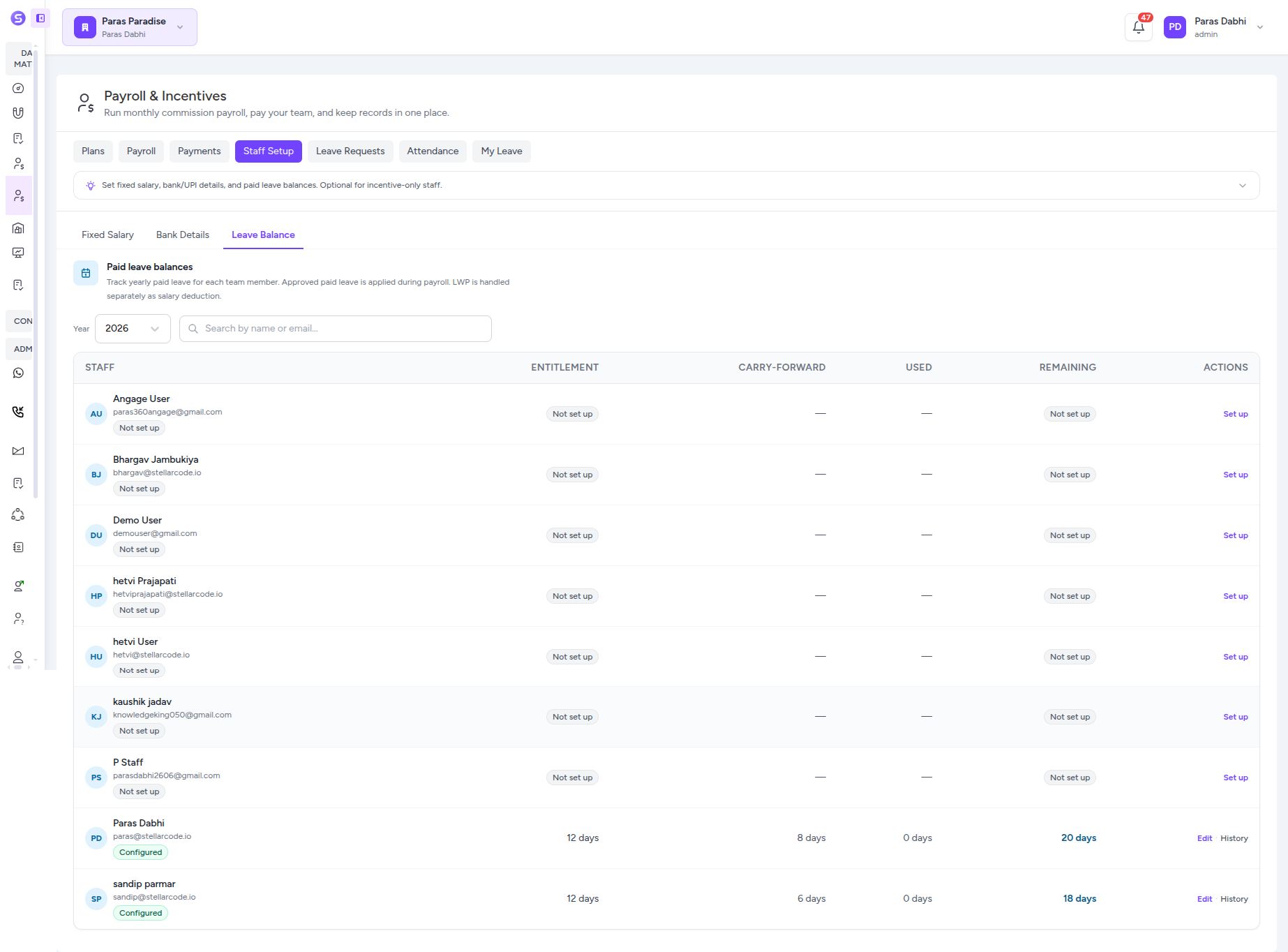
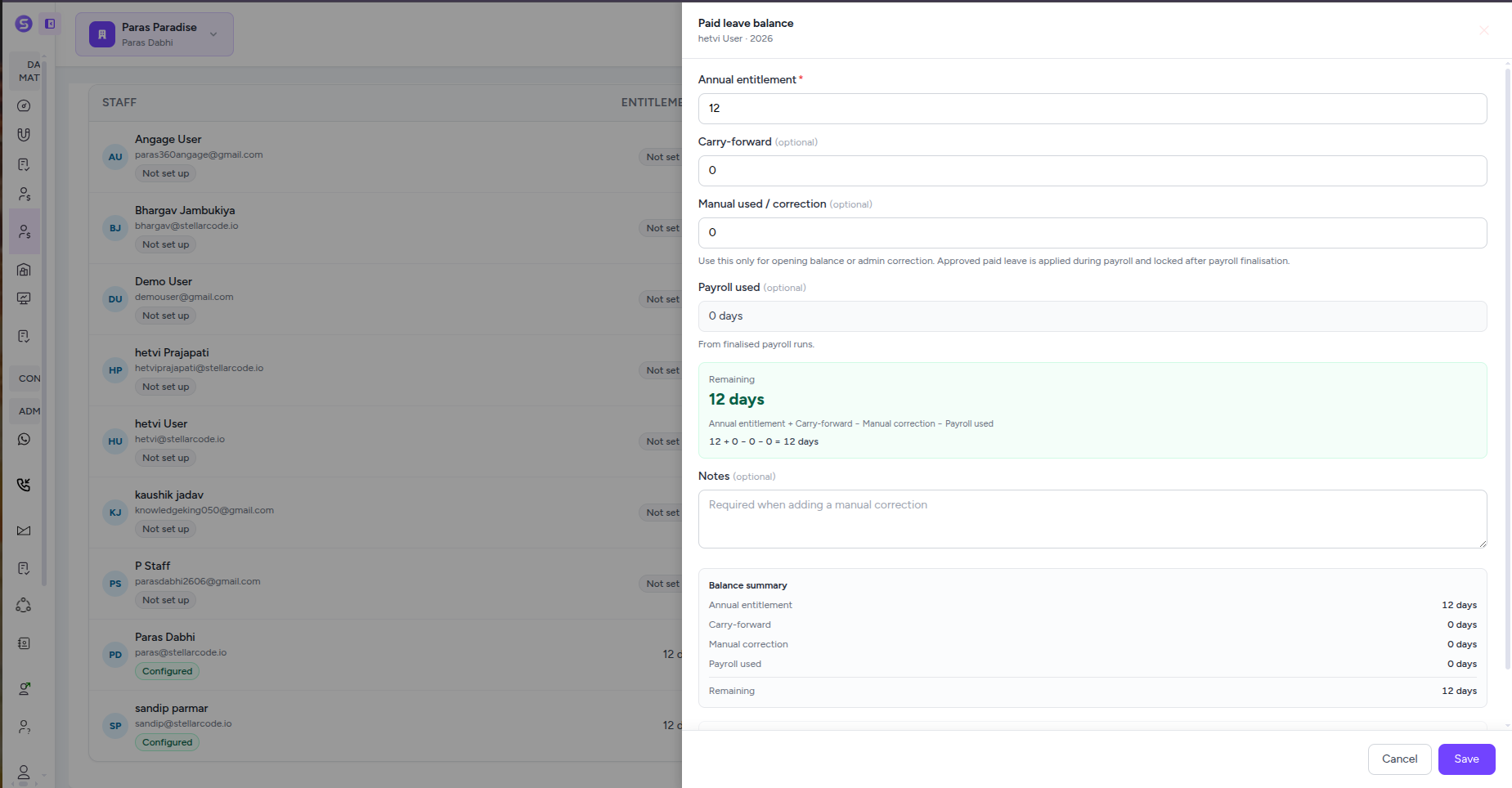
Paid Leave Balance Management
Track annual entitlement, carry-forward days, manual corrections, payroll-used leave, and remaining balances for every employee, with history showing how each balance changed.
Manage Leave Requests Without Losing Payroll Context
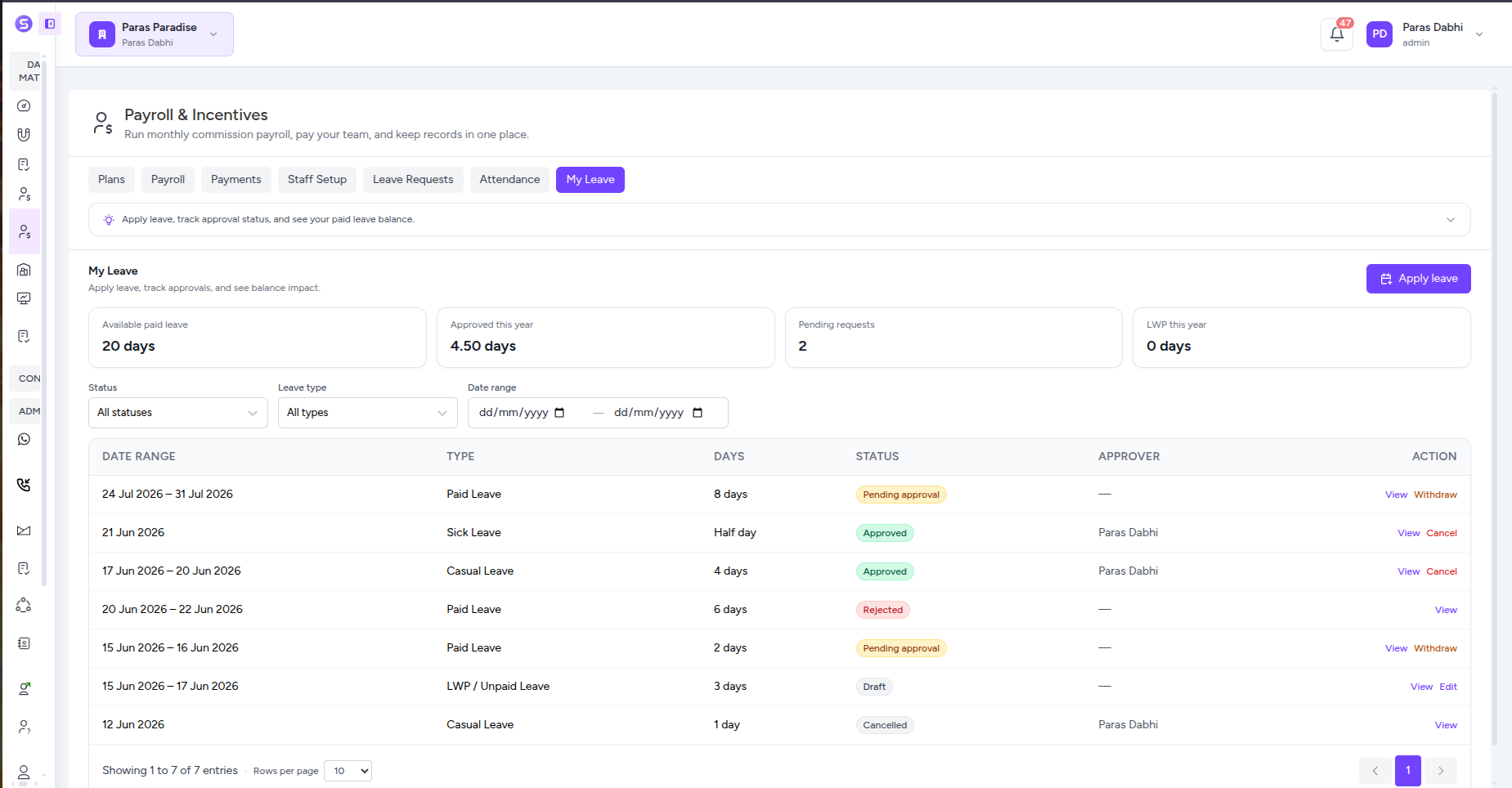
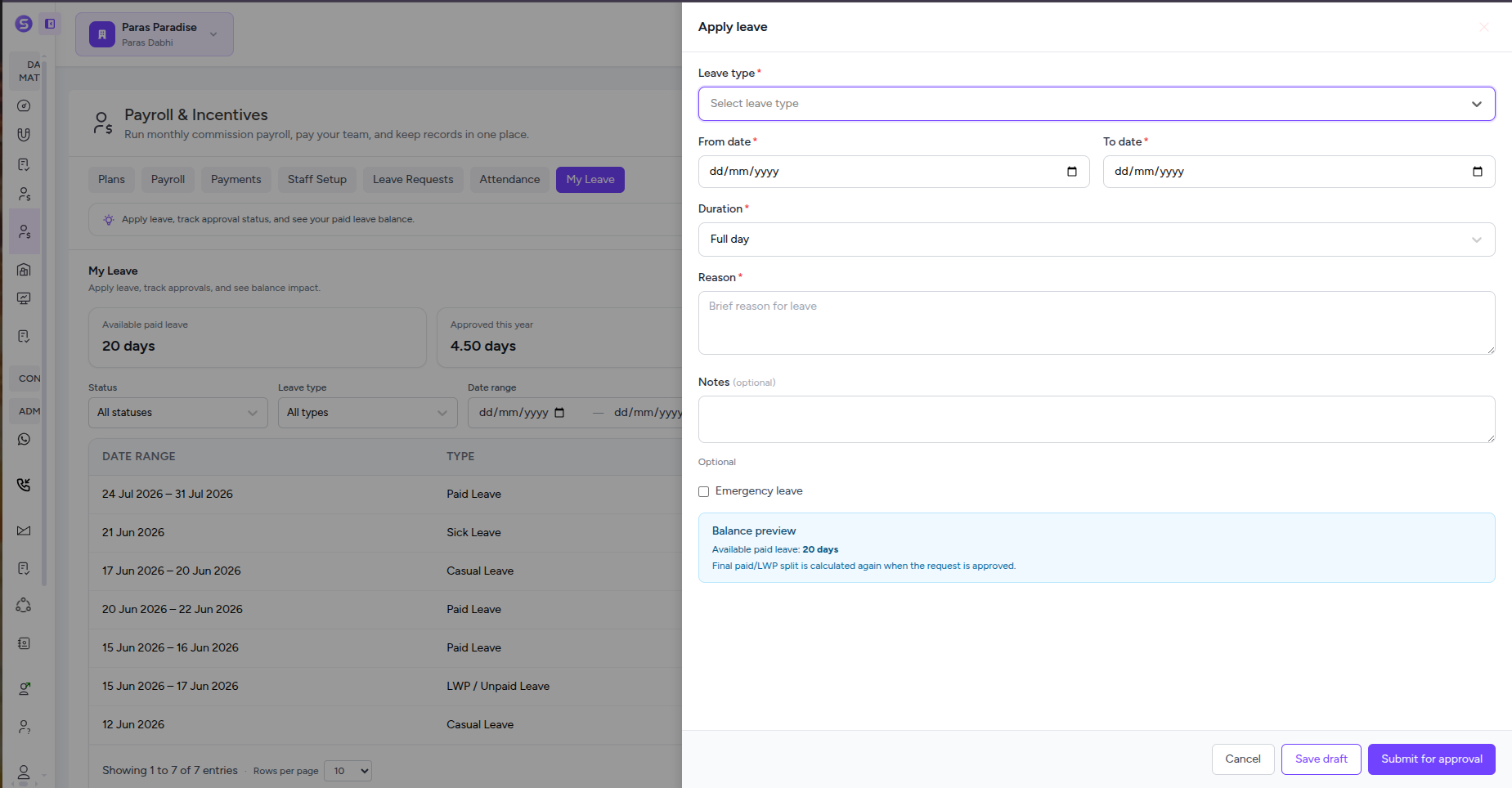
Let employees apply for paid, sick, casual, or unpaid leave while managers review every request with real-time balance context. Approve, reject, withdraw, or cancel leave with a clear history, and keep approved leave connected to the payroll period where it belongs.
1 workflow
Request to payroll
Full history
Every leave action
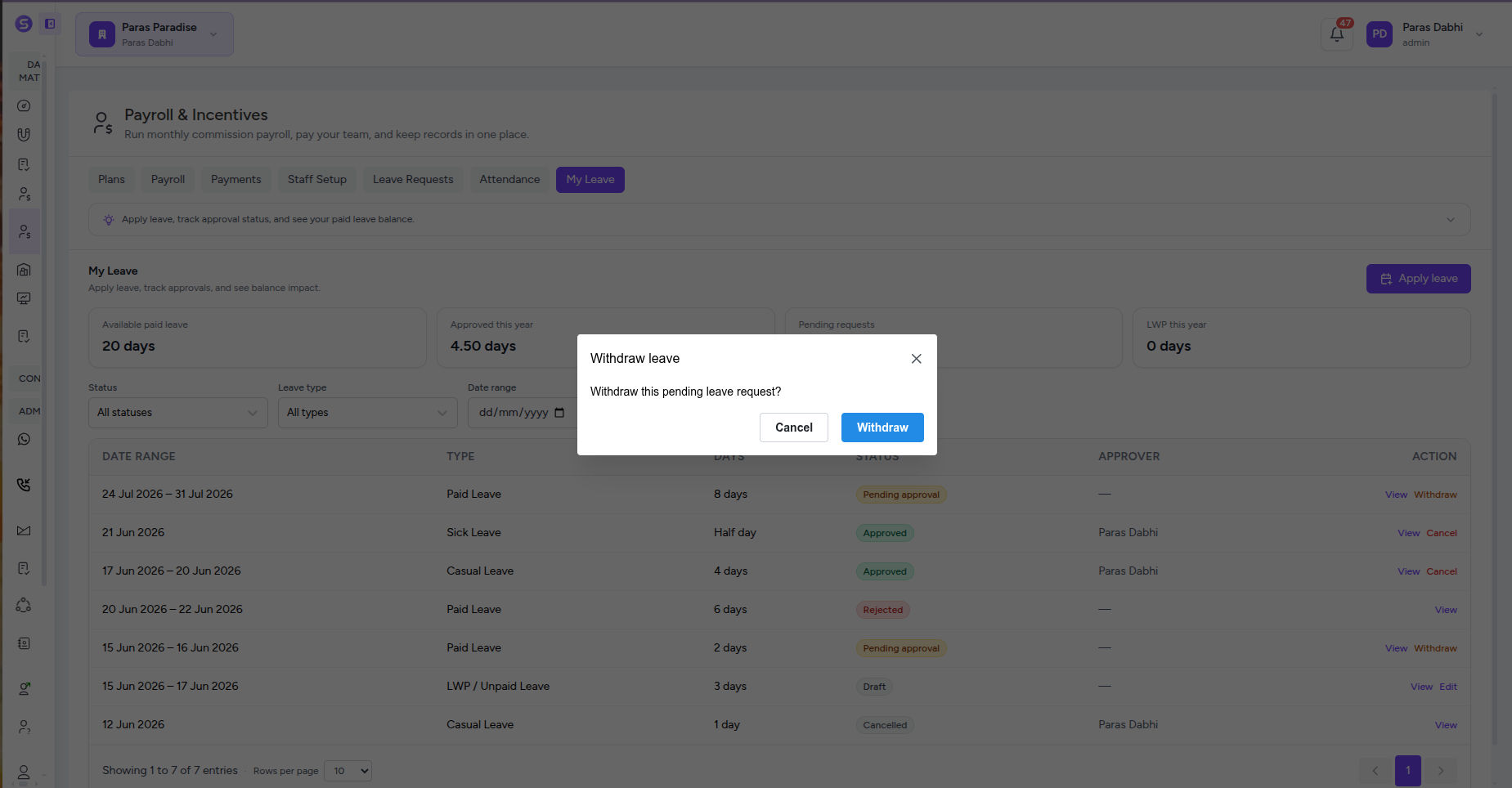
Employee Leave Requests
Let employees apply for leave from My Leave by choosing the leave type, dates, duration, reason, and notes, then save a draft or submit it directly for approval.
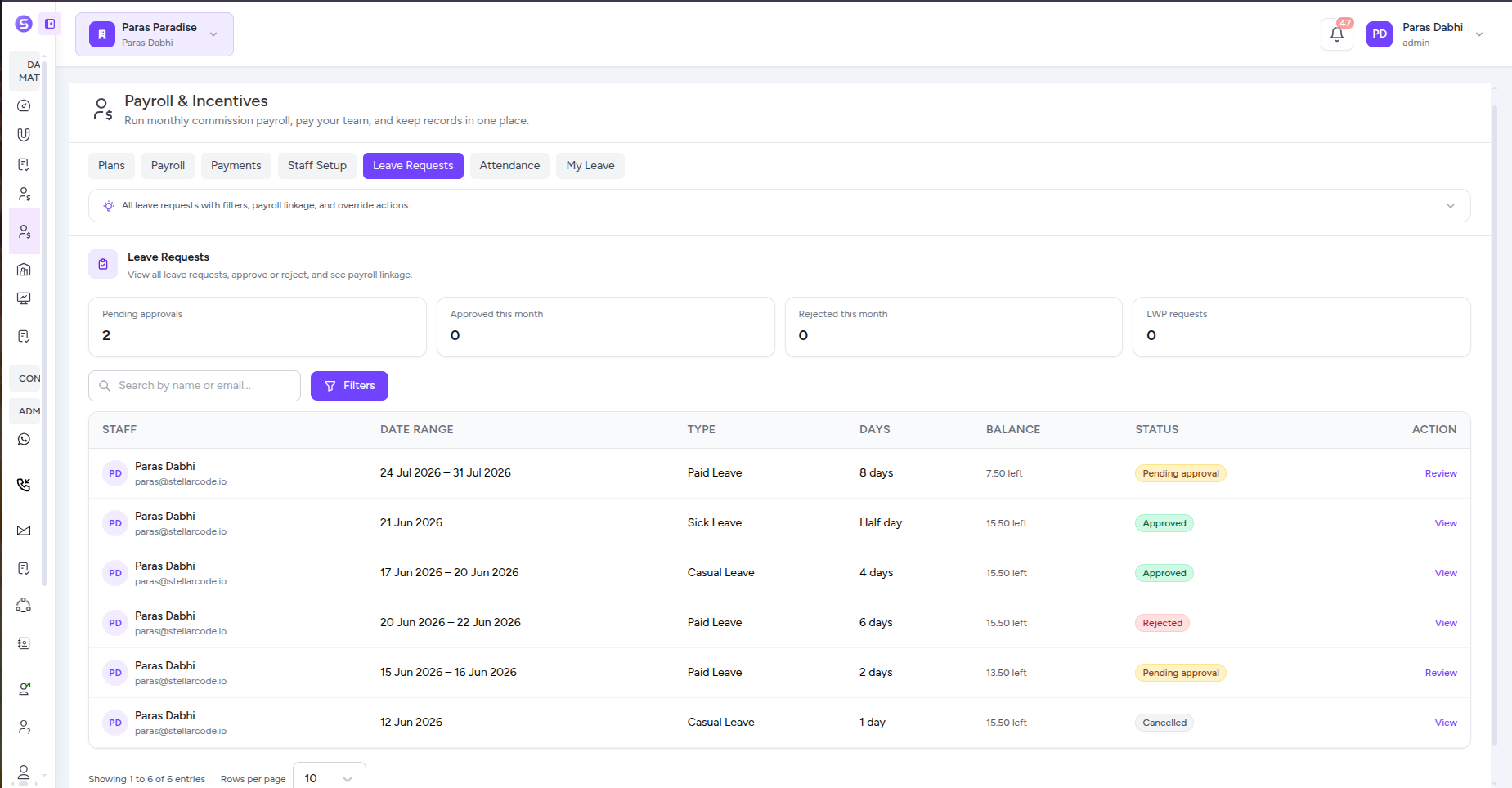
Approval Queue & Filters
Give managers one place to review pending, approved, rejected, cancelled, and unpaid leave requests with employee search, filters, dates, leave type, days, balance, and status.
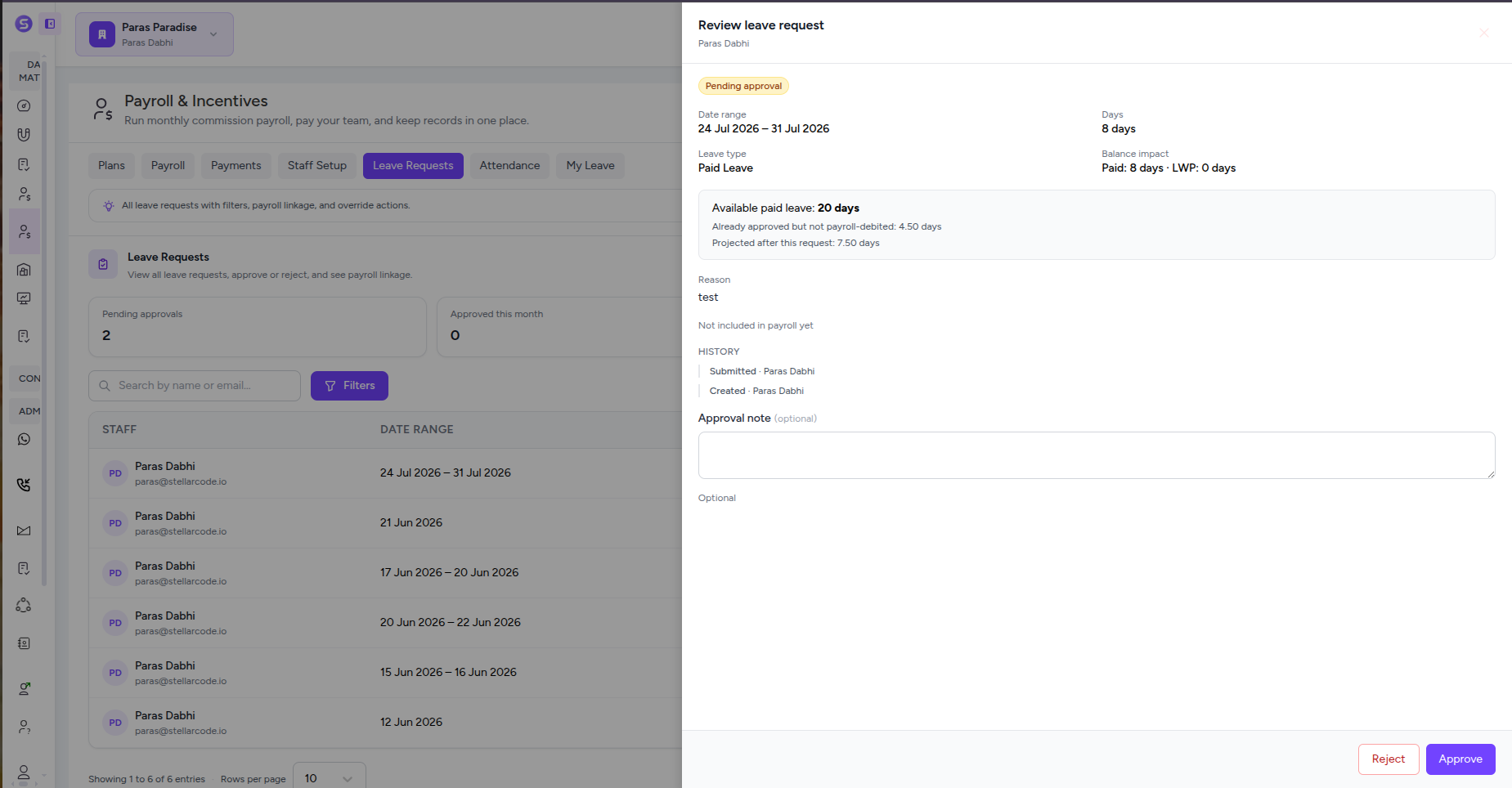
Balance-Aware Approval
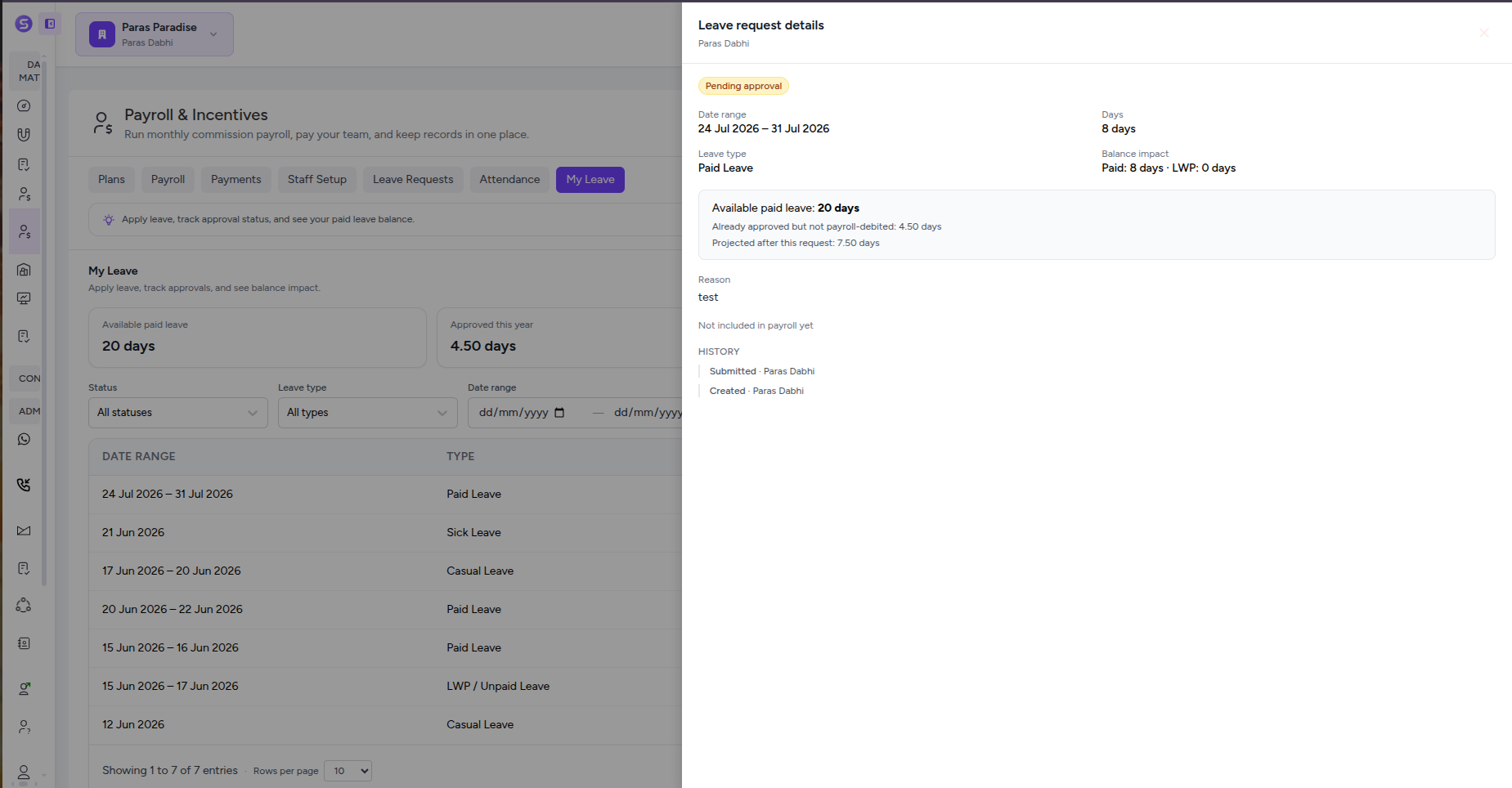
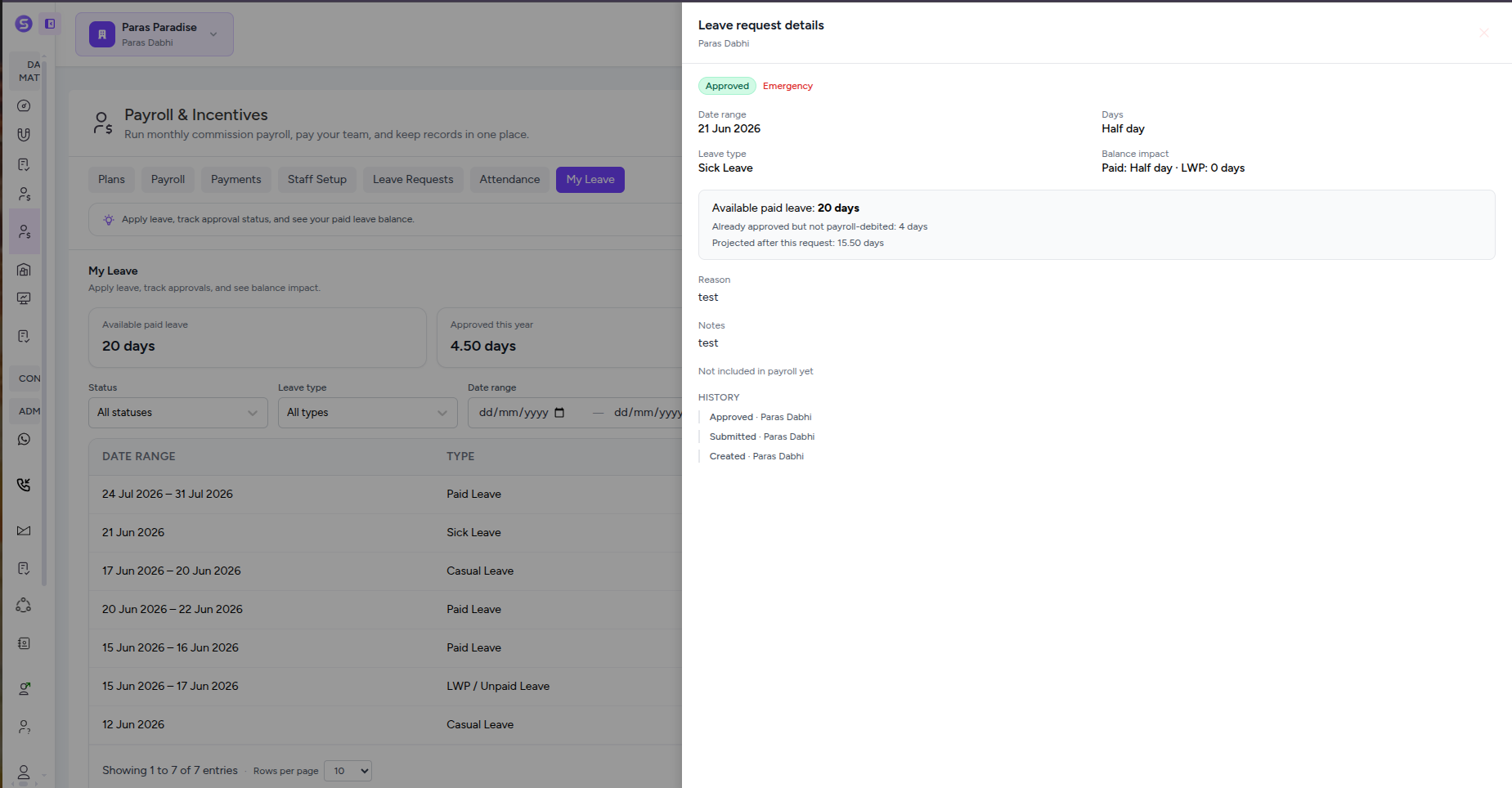
Review each request with the employee’s available paid leave, previously approved leave, projected remaining balance, and paid-versus-LWP impact before making an approval decision.
Approve, Reject & Add Context
Approve or reject requests directly from the review panel, add approval notes, identify emergency leave, and preserve the decision with the employee’s request details.
Employee Status & Self-Service
Employees can see available leave, approved days, pending requests, unpaid leave, approvers, and every request status from My Leave without asking HR for updates.
Withdrawals, Cancellations & History
Allow pending requests to be withdrawn, approved leave to be cancelled when permitted, and keep a chronological history of submission, approval, rejection, cancellation, and other changes.
Track Attendance and Feed Payroll With the Right Workday Data
Track daily attendance, review monthly work patterns, sync approved leave, define company or employee-specific schedules, and include LWP in payroll when required. Stellivo keeps attendance rules and payroll inputs connected instead of managing them in separate systems.
Daily + Monthly
Attendance views
1 sync
Attendance to payroll
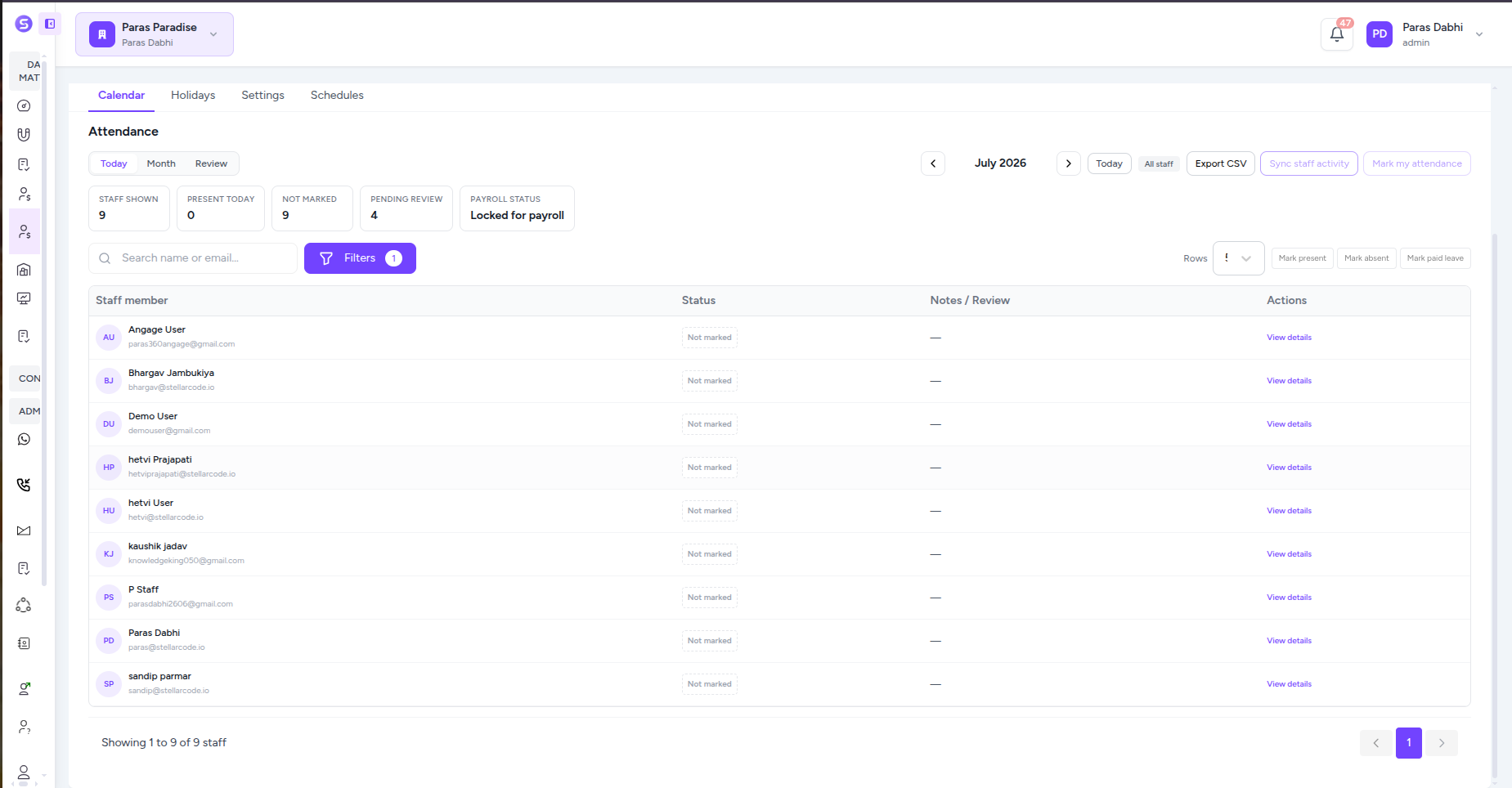
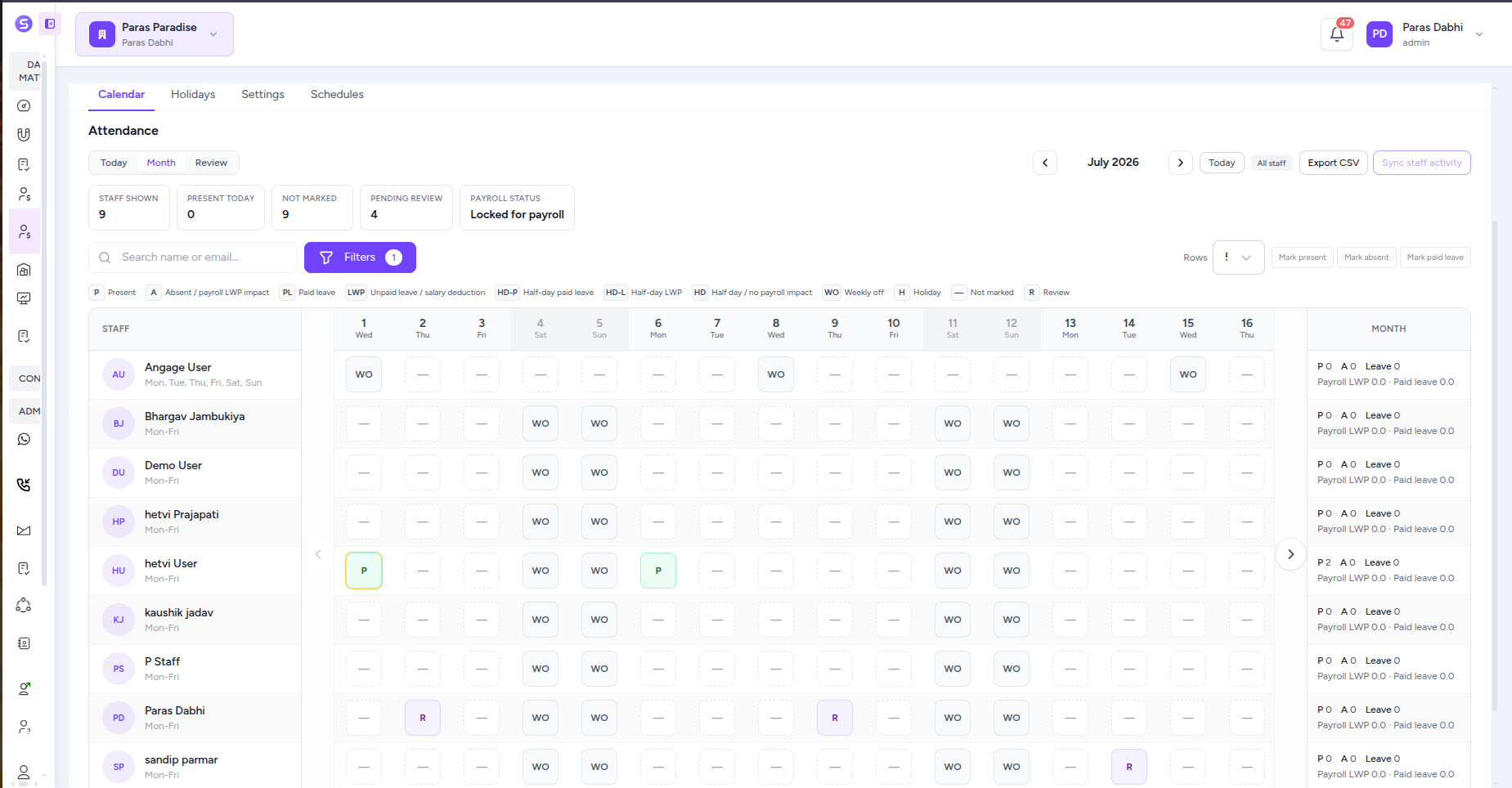
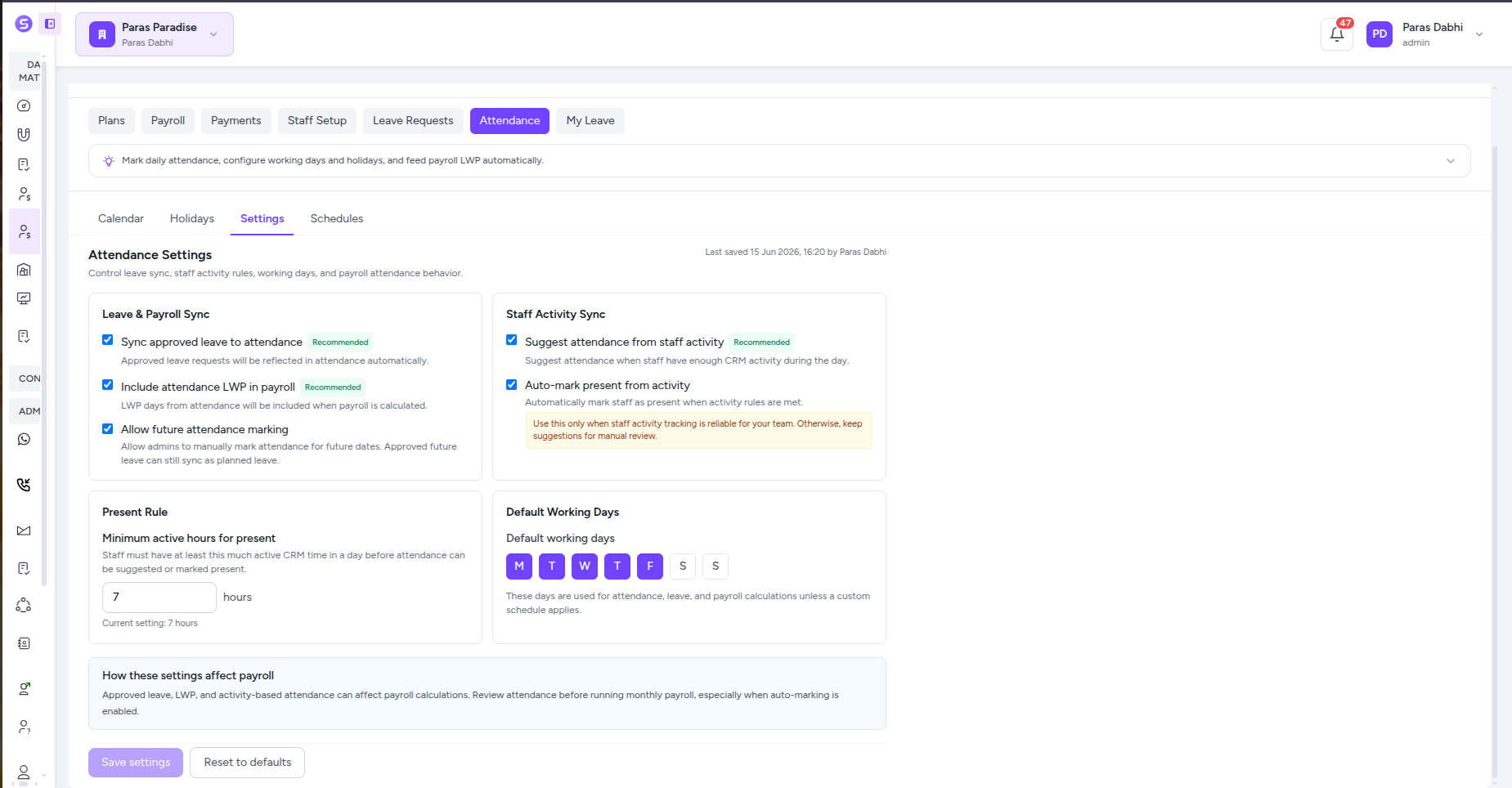
Daily Attendance Control
See who is present, absent, on leave, unmarked, or waiting for review and manage daily attendance from one staff list with search, filters, and quick attendance actions.
Monthly Attendance Calendar
Review each employee across the full month with clear day-by-day states for present, absent, paid leave, unpaid leave, half days, weekly offs, holidays, unmarked days, and items requiring review.
Leave & Payroll Sync
Sync approved leave into attendance automatically and include attendance LWP in payroll calculations so approved leave, unpaid days, and salary impact stay connected.
Activity-Based Attendance
Use staff activity as an attendance signal, suggest attendance from CRM activity, or auto-mark present when the configured active-hours rule is met.
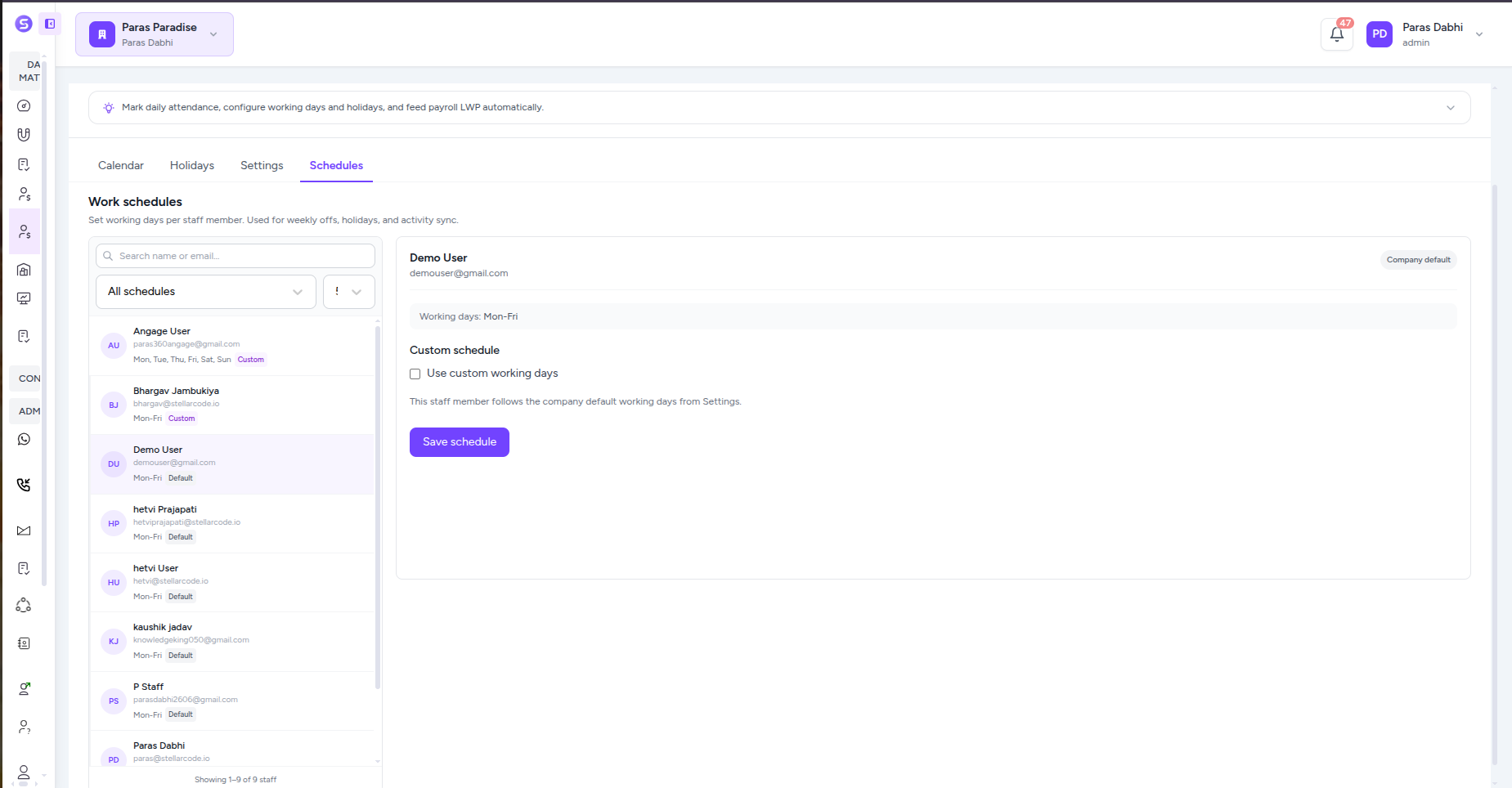
Company Working-Day Rules
Define the company’s default working week so attendance, leave, weekly offs, and payroll calculations use the same working-day foundation.
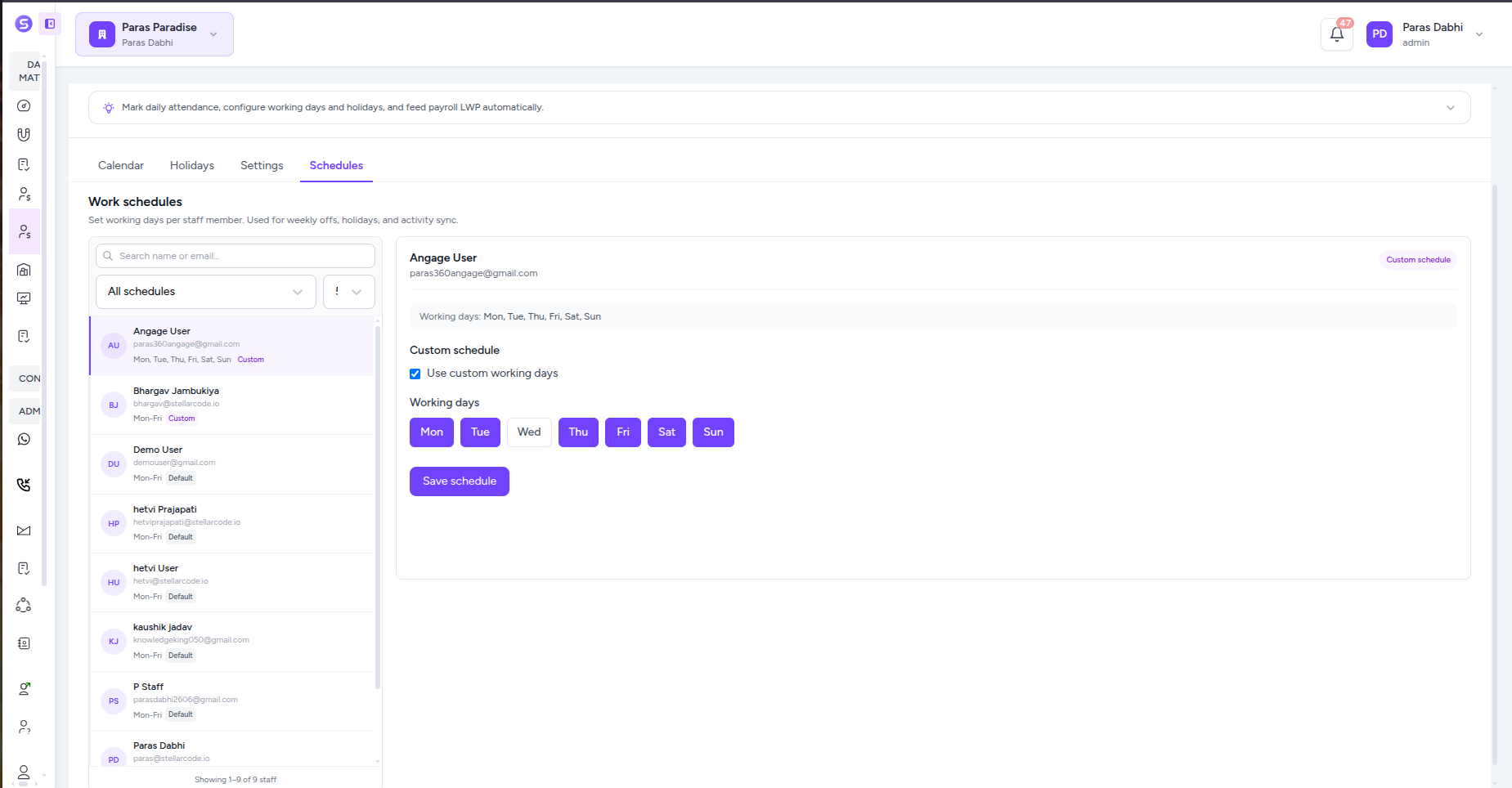
Custom Staff Schedules
Override company defaults for individual employees when their workweek is different, while everyone else can continue using the shared company schedule.
Built For The Teams Who Move Real Estate Forward
Stellivo helps builders, brokers, channel partners, and construction teams work with connected data, clearer responsibilities, and better visibility across real estate sales, communication, inventory, construction, and reporting workflows.

For Builders & Developers
Manage projects, leads, clients, bookings, inventory, documentation, communication, construction progress, and business visibility from one connected real estate CRM platform.
- Project and inventory control
- Booking and client visibility
- Reports and business tracking

For Brokers & Channel Partners
Track assigned leads, customer interactions, follow-ups, visits, bookings, commissions, project-wise activity, revenue visibility, and partner performance.
- Lead and follow-up tracking
- Booking and commission visibility
- Partner performance insights

For Construction & Operations Teams
Manage inventory, stocks, GRN, delivery, quotations, invoices, branches, warehouses, tasks, issues, RFIs, material planning, and site coordination.
- Stock, GRN, and delivery tracking
- Task, issue, and RFI management
- Material planning and coordination
Not sure which plan fits your team?
Talk to our teamReal Estate Software Built for Experts
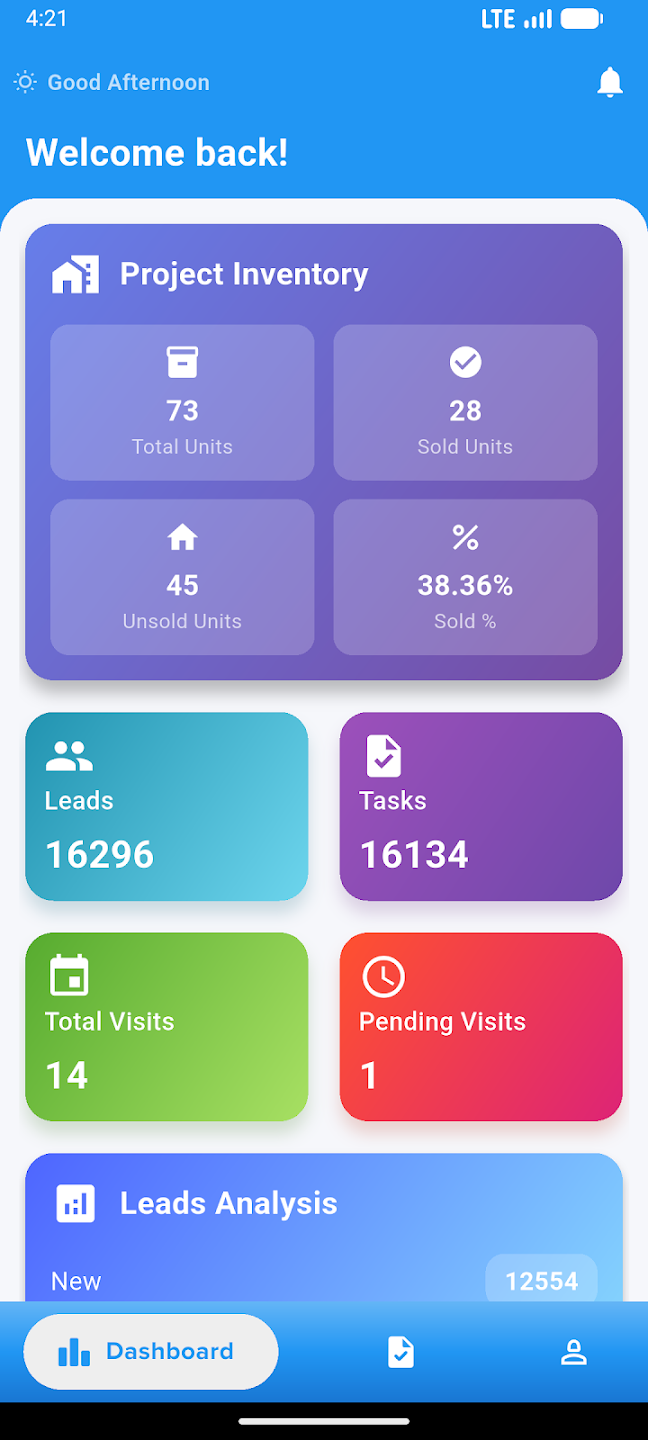
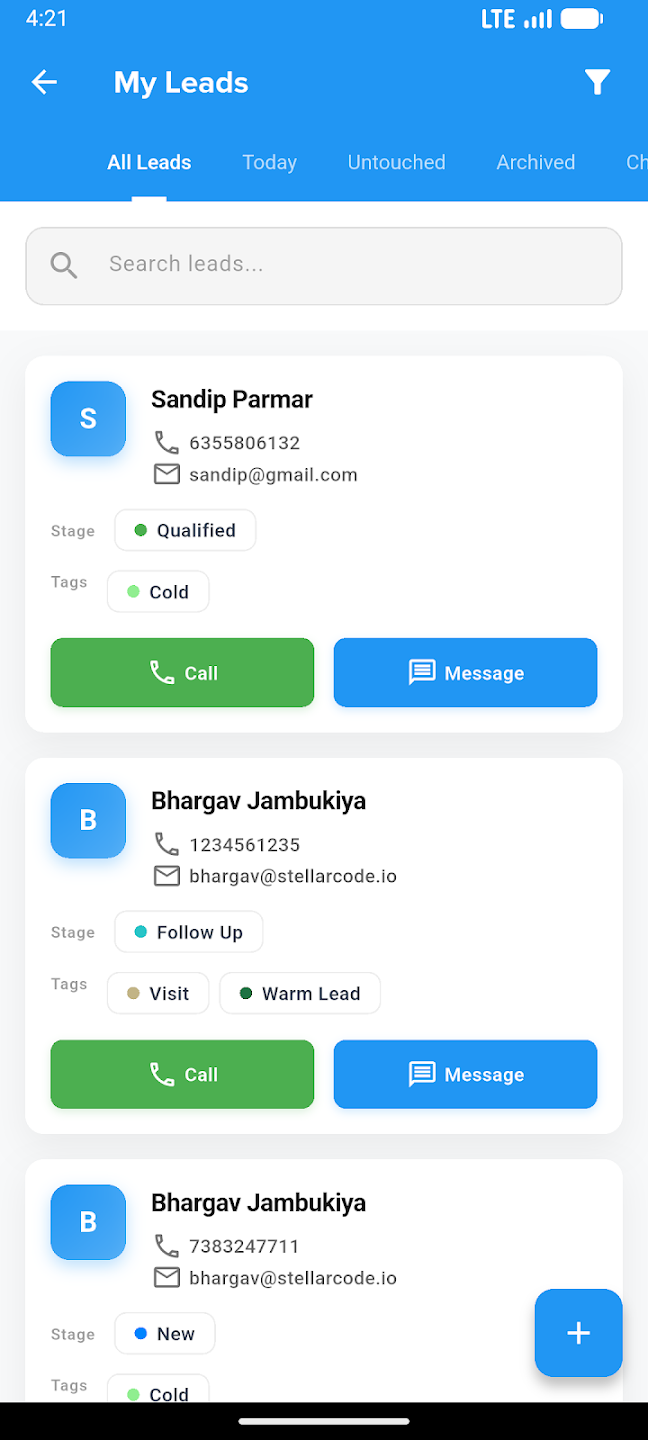
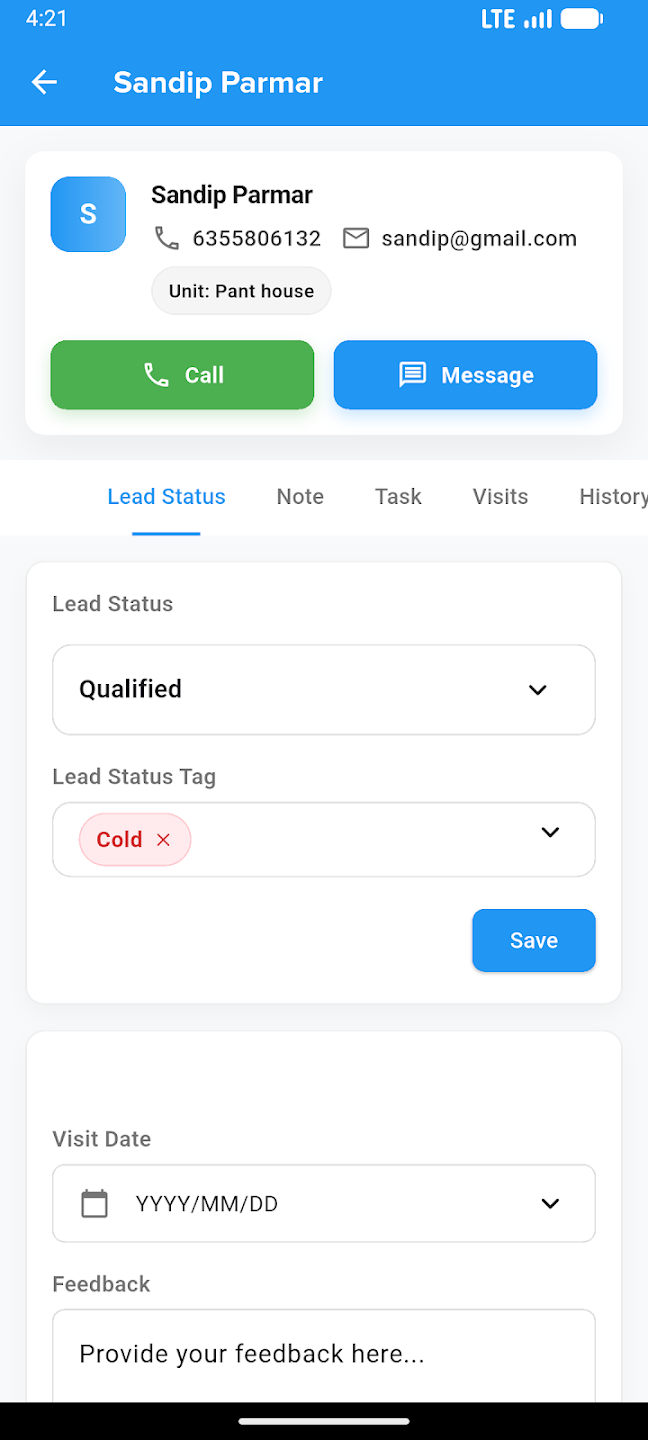
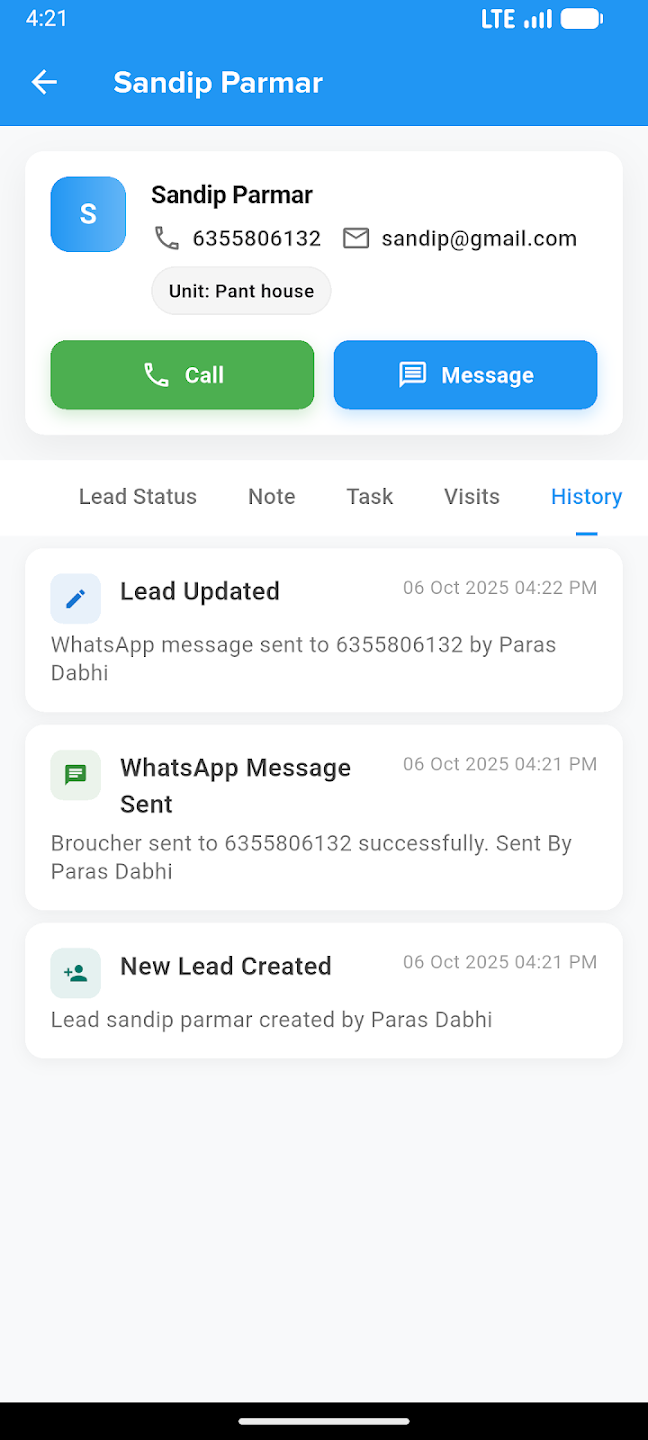
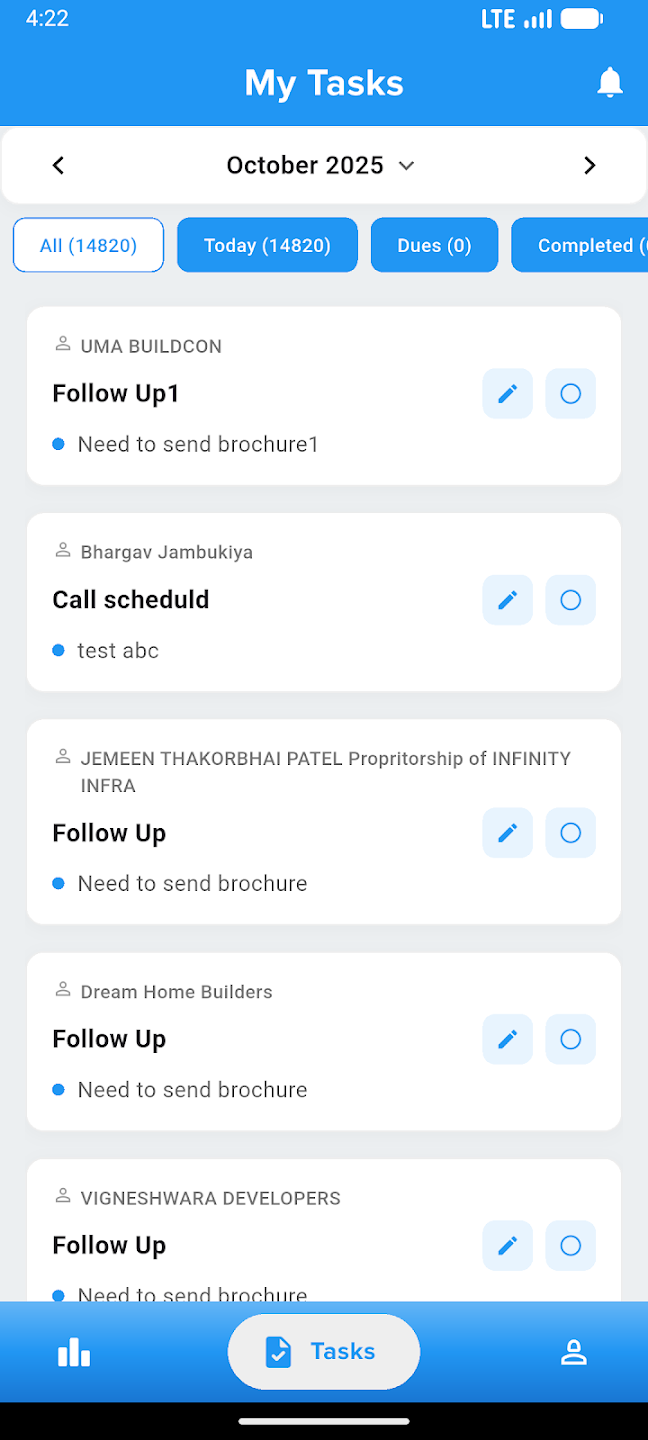
Take your business everywhere. Manage leads, track construction progress, and close deals right from the palm of your hand with our powerful mobile companion.