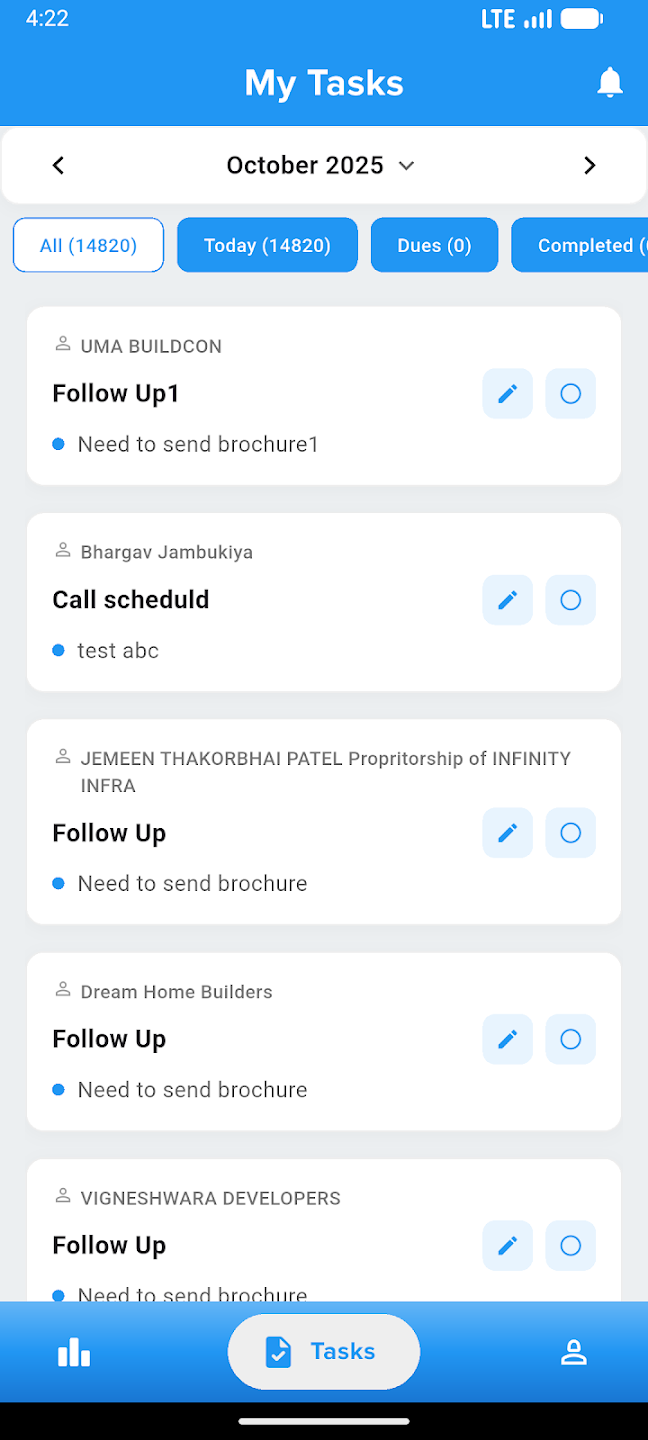
Run Business Calls From One CRM-connected IVR System
Integrated With CRM or Available Standalone
Make and receive calls directly from the CRM, connect TeleCMI or your telephony provider, use browser softphone, route incoming calls to the right agents, assign caller IDs, sync recordings, and track call performance from one clean workspace.
Active Calls
127
How Stellivo IVR Works for You
5 simple steps to modernize your business communication workflow.
Connect Provider
Seamlessly link TeleCMI or your preferred telephony provider in minutes.
Assign Agents
Map staff members to specific caller IDs and routing groups.
Active Calling
Start making and receiving calls via the browser-based softphone.
Auto-Sync Logs
Recordings and call details are automatically synced to lead cards.
Analyze Growth
Monitor agent performance and call volume with real-time analytics.
Manage Inbound, Outbound & Recorded Calls
Run business calling inside Stellivo with inbound call handling, click-to-call, synced recordings, and team performance — all connected with your CRM workspace.
4
Core Call Workflows
1
Provider Connected
CRM Linked
Lead & Client Calls
Full
Call History
CRM-connected Calling
Make and manage calls directly from lead and client records, with every call linked to the right customer profile.
Incoming Call Handling
Route incoming calls to the right team members or agents so inquiries are handled faster and more professionally.
Outgoing Click-to-call
Call prospects directly from CRM records without switching to another phone app or external dialer.
Synced Call Recordings
Automatically sync answered call recordings and review them later for follow-up, training, and quality checks.
Staff Call Analytics
Track answered calls, missed calls, call volume, duration, and team-wise calling performance.
Setup Guidance
Configure IVR provider credentials, agent credentials, TeleCMI users, caller IDs, and staff-number mapping from one place.
Make and Receive Calls Without Leaving the CRM
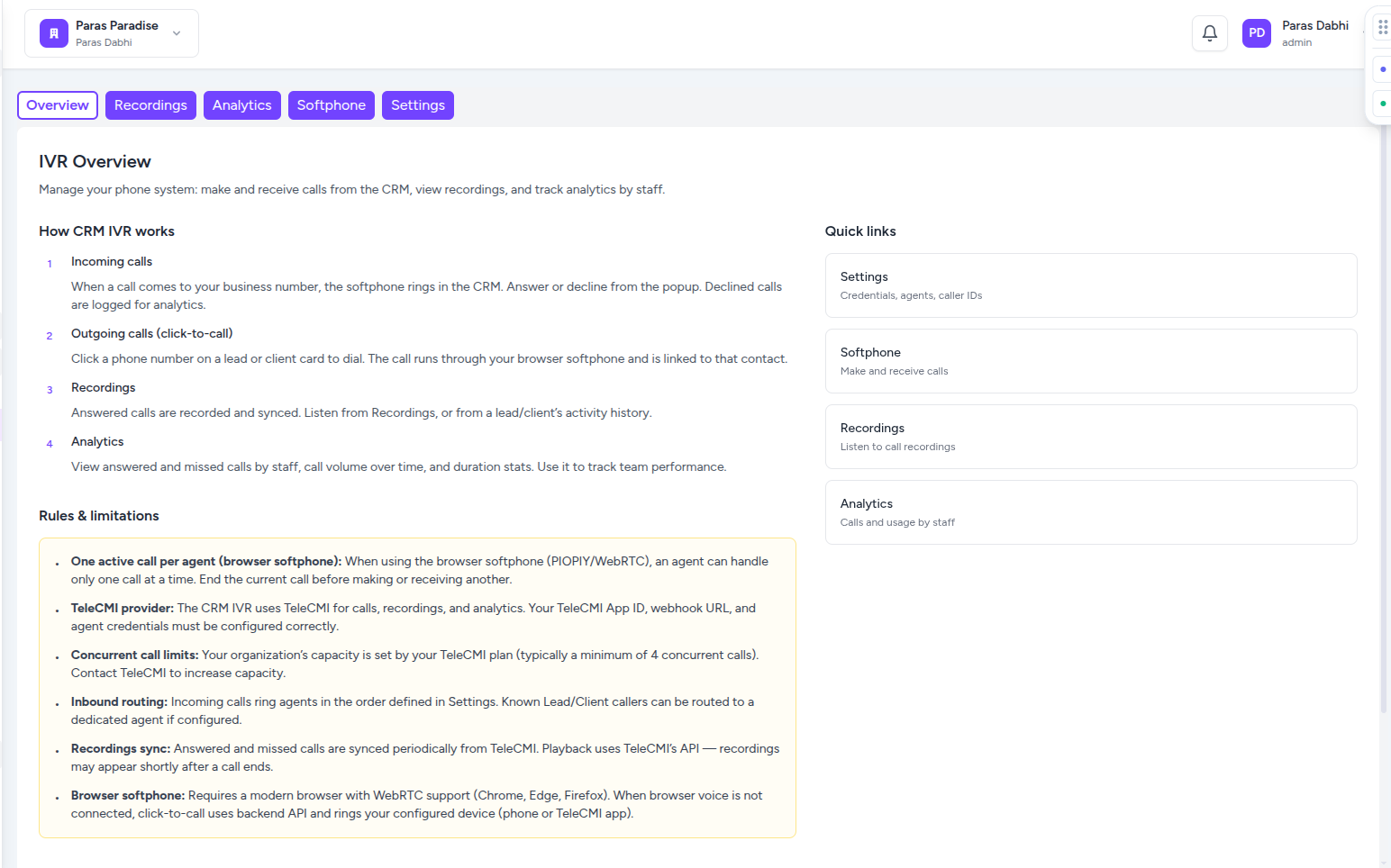
Use Stellivo's browser-based softphone to connect agents, set online or break status, receive inbound calls, make outbound calls, and start click-to-call directly from lead or client records.
Online
Agent Status
WebRTC
Browser Calling
Live
Call Feed
1-Click
Dial from CRM
Browser Voice Calling
Make and receive calls directly from the browser using WebRTC, without switching to a separate phone app.
Online, Break and Dialer Status
Let agents control their availability with online, break, and dialer states so incoming calls are routed properly.
Live Call Feed
View active and recent call activity inside the CRM to understand what is happening in real time.
Click-to-call From CRM
Call prospects directly from lead or client records and keep the call connected to the right customer profile.
Agent Credential Connection
Connect each CRM user with telephony credentials so agents can securely use browser calling and assigned caller IDs.
No Separate Phone App
Keep calling, lead context, call activity, recordings, and analytics inside one connected Stellivo workspace.
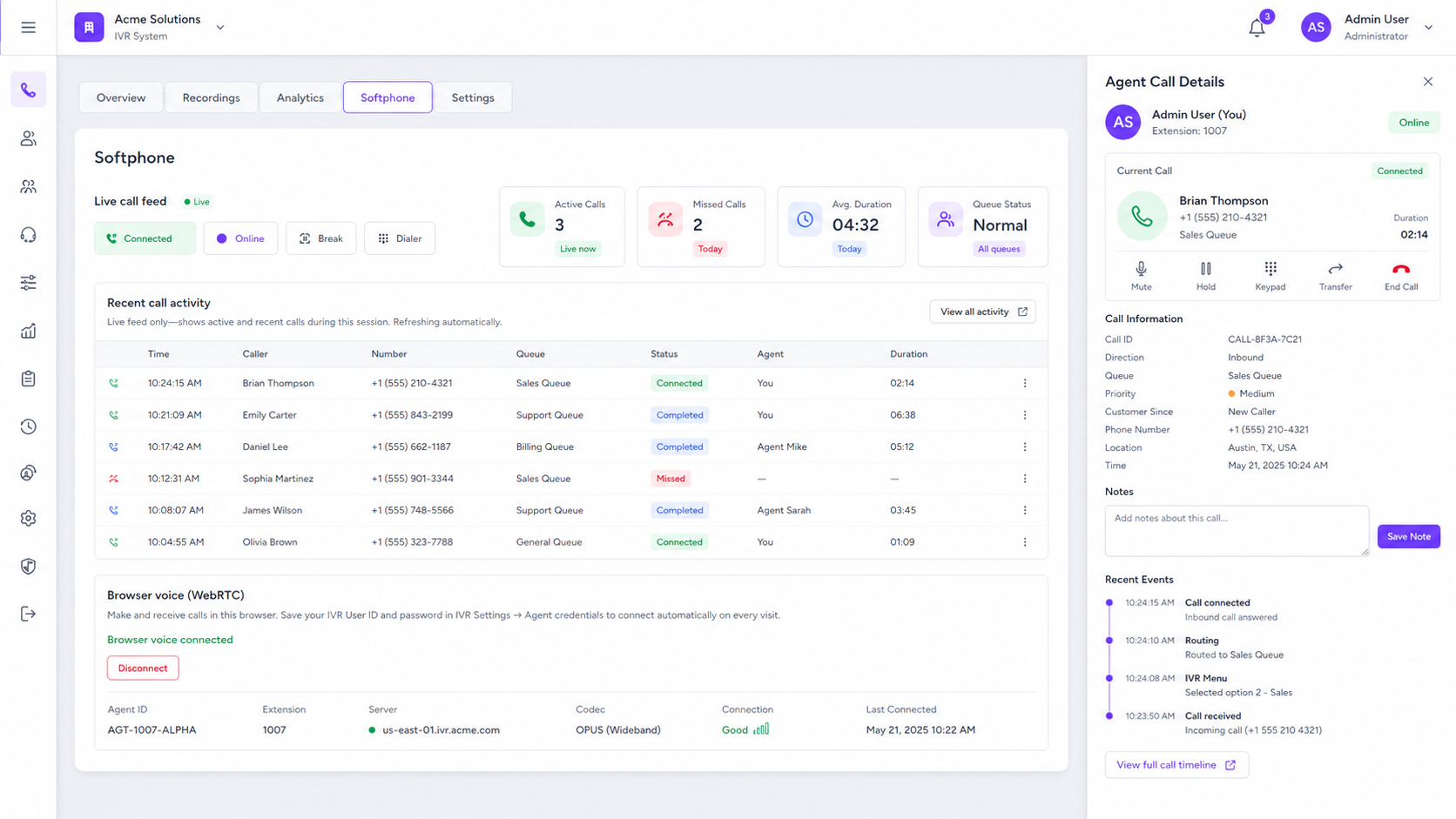
Keep Every Important Call Recorded, Synced and Searchable
Review inbound, outbound, missed, and answered call records from one IVR workspace. Filter by direction and status, and play recordings inside the CRM.
All
Call Logs
Synced
Records
In-CRM
Playback
Filtered
Search
Inbound/Outbound Logs
Track every incoming and outgoing call with direction, caller details, duration, and timestamp.
Missed Call Visibility
Identify missed calls quickly so your team can follow up before opportunities are lost.
Recording Playback
Play synced call recordings directly inside Stellivo without switching to another telephony dashboard.
Filter by Direction/Status
Filter recordings by inbound, outbound, answered, or missed status to find the right call faster.
Lead/Client Activity History
Keep call records connected with the correct lead or client profile for complete communication context.
Training and Review
Use recordings for quality checks, manager review, dispute handling, and team performance improvement.
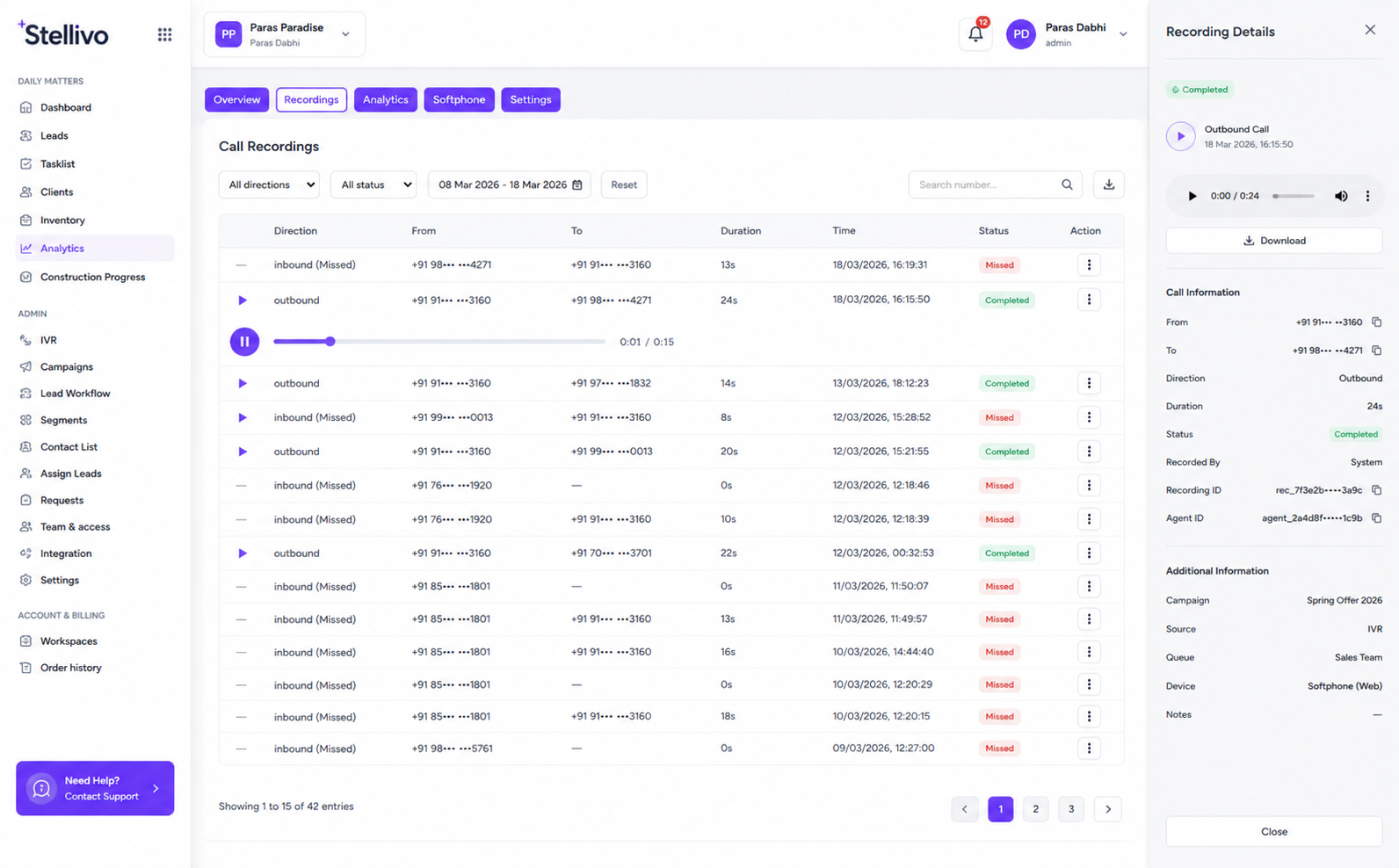
Track Call Volume, Missed Calls and Team Calling Performance
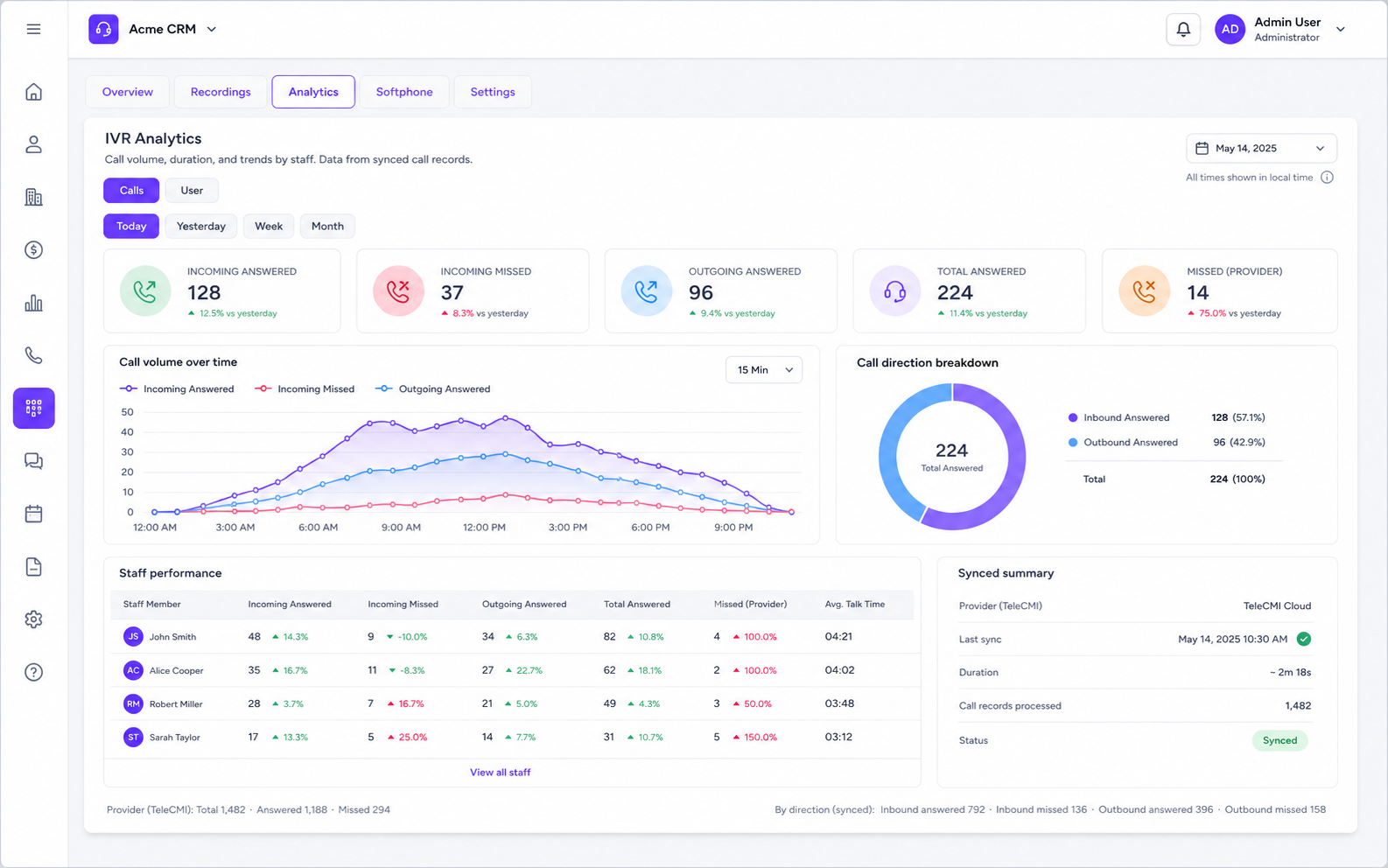
Use IVR analytics to monitor incoming calls, volume over time, and staff-wise performance from one CRM-connected reporting view.
847
Answered
123
Missed
654
Outgoing
1,501
Total Calls
Answered vs Missed Calls
Track how many calls were answered or missed so managers can improve team availability.
Incoming Call Analytics
Monitor inbound call volume and understand how quickly your team handles new inquiries.
Outgoing Call Analytics
Track outbound follow-up calls made from CRM lead and client records.
Call Volume Over Time
View calling trends by day, week, or month to understand peak inquiry periods.
Staff-wise Reports
Compare staff performance using answered calls, missed calls, outbound calls, and call duration.
Bottleneck Detection
Identify missed-call patterns, low response periods, and overloaded teams before leads are lost.
Built for managers who need calling visibility
Turn call data into better follow-ups
With Stellivo IVR analytics, sales managers can see where calls are being answered, where leads are being missed, and which team members need support.
Explore IVR AnalyticsConfigure Provider, Agents and Caller IDs With Control
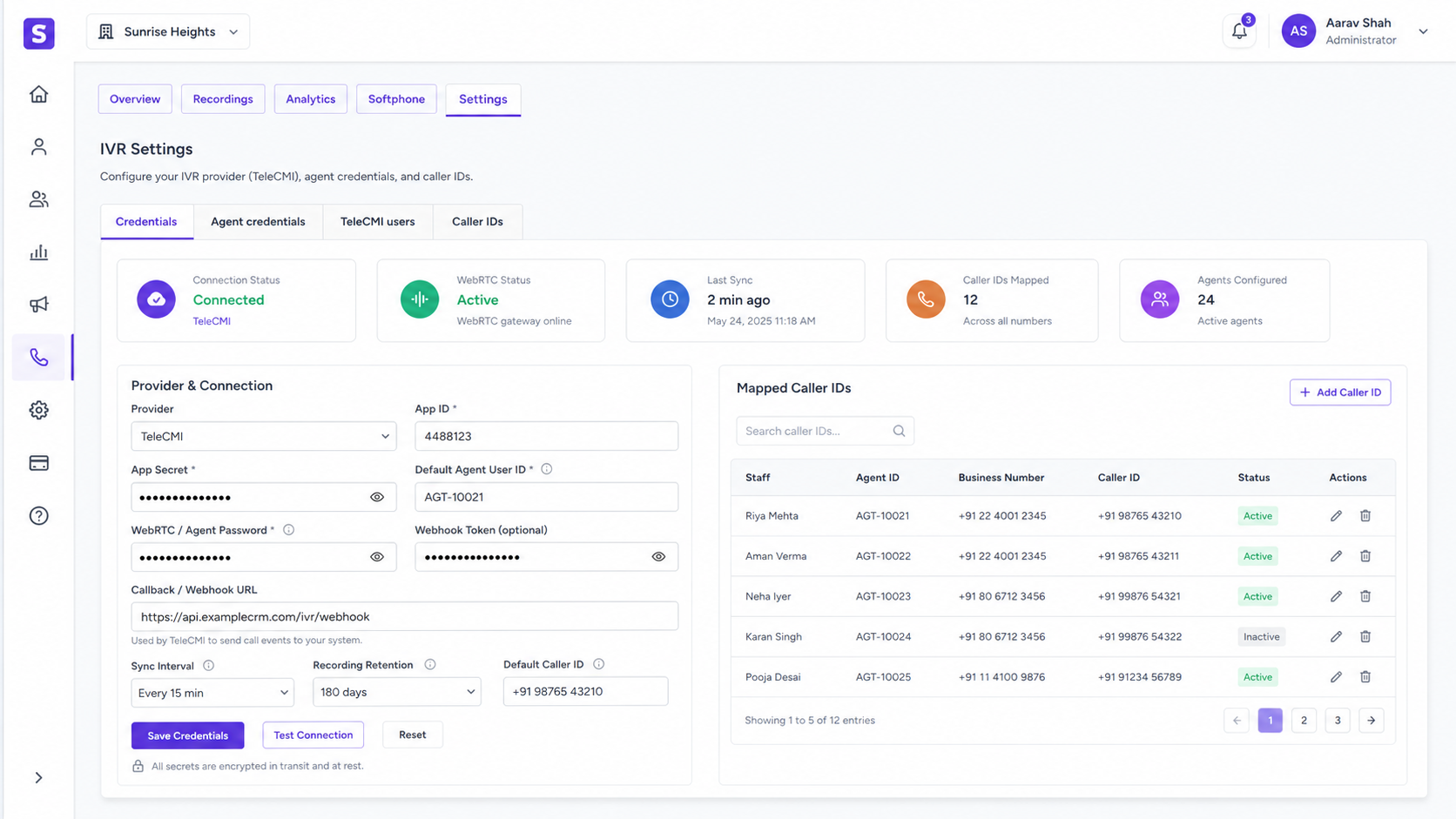
Connect your telephony provider, add IVR credentials, manage agent credentials, sync TeleCMI users, and control which staff can use which business number.
1
Caller ID
2
TeleCMI Users
TeleCMI
Provider
Secure
Configuration
Provider Credentials
Connect TeleCMI or other telephony providers using App ID, App Secret, default agent, and webhook token.
Agent Mapping
Link each CRM staff member with their IVR user ID and WebRTC credentials for browser calling.
TeleCMI User Sync
Sync provider users into Stellivo and map them with CRM users for clean call ownership.
Caller ID Assignment
Assign business numbers to staff so outbound calls use the correct caller ID.
Default Agent Fallback
Route calls to a default agent when no dedicated staff mapping is available.
Secure Configuration
Keep credentials protected while call logs, recordings, and analytics sync safely into the CRM.
Built for secure calling operations
Keep your calling setup clean, secure and CRM-connected
With Stellivo IVR settings, admins can manage provider setup, staff credentials, caller IDs, and call routing without depending on separate tools.
Explore IVR SettingsConnect Calls and WhatsApp for Complete Customer Communication
Use IVR for voice calls and WhatsApp for messages, templates, campaigns, chatbot replies, and lead communication. One connected system for calls and chats.
Voice + Chat
Connected
CRM Context
Preserved
Unified
Workspace
24/7
Availability
Voice and Message Together
Manage customer calls and WhatsApp conversations from one connected communication suite.
Missed Call Follow-up
Automatically follow up missed calls with WhatsApp messages so no inquiry is lost.
Lead/Client Context
Keep call logs, recordings, WhatsApp chats, and follow-ups connected to the same lead or client.
Sales Team Productivity
Give sales teams one workspace for calls, messages, reminders, and customer communication.
Better Customer Response
Combine voice calls, WhatsApp replies, campaigns, templates, and chatbot automation for faster engagement.
Standalone or CRM Bundle
Use IVR alone, WhatsApp alone, WhatsApp + IVR together, or both inside the full Stellivo CRM.
One Communication Layer for Calls and WhatsApp
IVR with CRM
Full real estate CRM + calling
Standalone IVR
Just the calling system
WhatsApp + IVR
Voice + messaging suite
Full Communication Suite
CRM + WhatsApp + IVR
Built for Real Estate Teams
An IVR calling system designed specifically for real estate sales, inquiry handling, site visit coordination, manager monitoring, and team performance workflows.
Sales Follow-up Calling
Call new leads directly from the CRM, track every follow-up, and keep call activity connected with the lead timeline.
Inquiry Response Teams
Handle inbound buyer inquiries, missed calls, and callback requests from one connected calling workspace.
Manager Call Monitoring
Review call recordings, missed calls, and team activity to improve quality, accountability, and sales discipline.
Missed Call Recovery
Identify missed calls quickly and follow up before high-intent prospects move to another builder or project.
Site Visit Coordination
Use calls to confirm visits, coordinate timing, update lead activity, and keep sales teams aligned.
Staff Performance Tracking
Track answered calls, missed calls, outbound calls, call duration, and staff-wise calling performance.
Need IVR without the full CRM?
Use Stellivo IVR as a standalone calling system, connect it with the CRM, or combine it with WhatsApp for a complete customer communication workflow.
IVR with CRM
Standalone IVR
WhatsApp + IVR
Need Only a Calling System? Use Stellivo IVR as a Standalone Module
Businesses that only need calling can use Stellivo IVR separately without the full CRM. Manage browser calling, caller IDs, agent credentials, inbound routing, recordings, missed calls, call logs, and analytics from one focused IVR workspace.
Browser Softphone
WebRTC calling without apps
Call Recordings
Auto-save and playback
Caller ID Control
Assign business numbers
Agent Management
Staff credentials and routing
Call Analytics
Performance tracking
CRM Upgrade Ready
Add CRM anytime
Ready to Transform Your Calling System?
Book a demo to see how Stellivo IVR works standalone or integrated with CRM and WhatsApp.
Real Estate Software Built for Experts
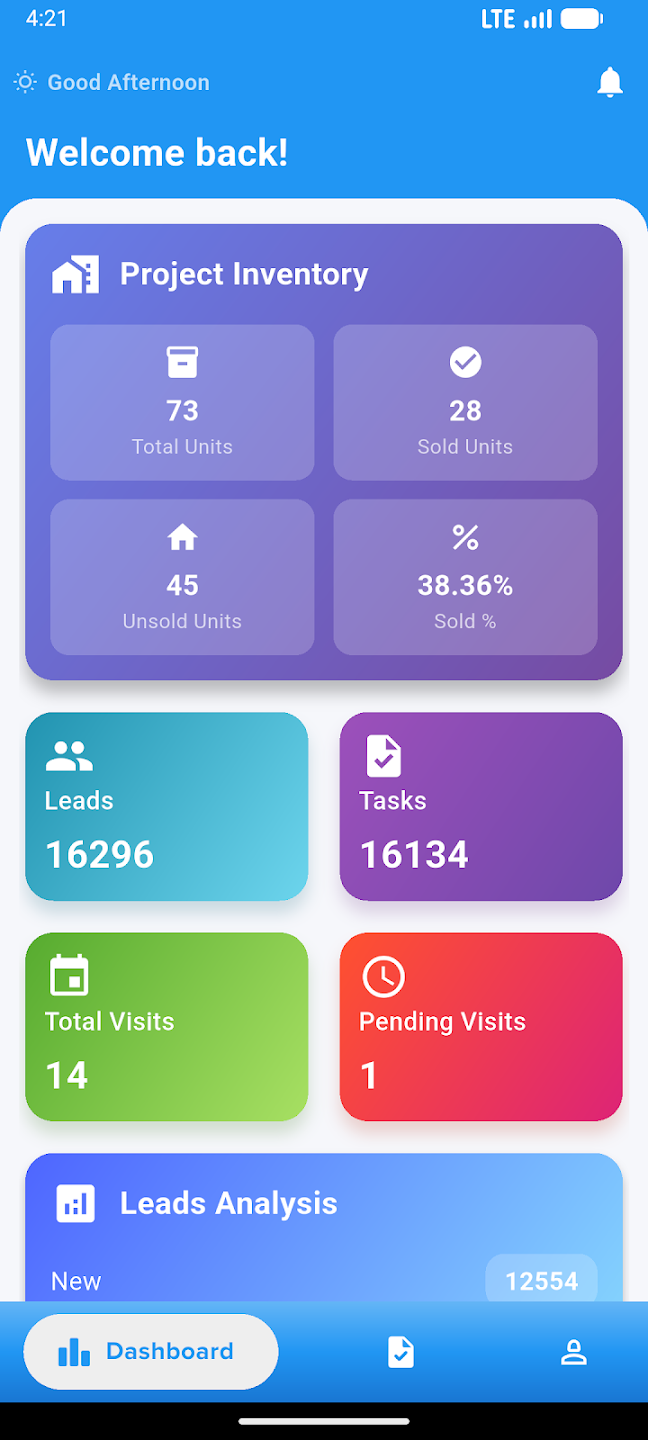
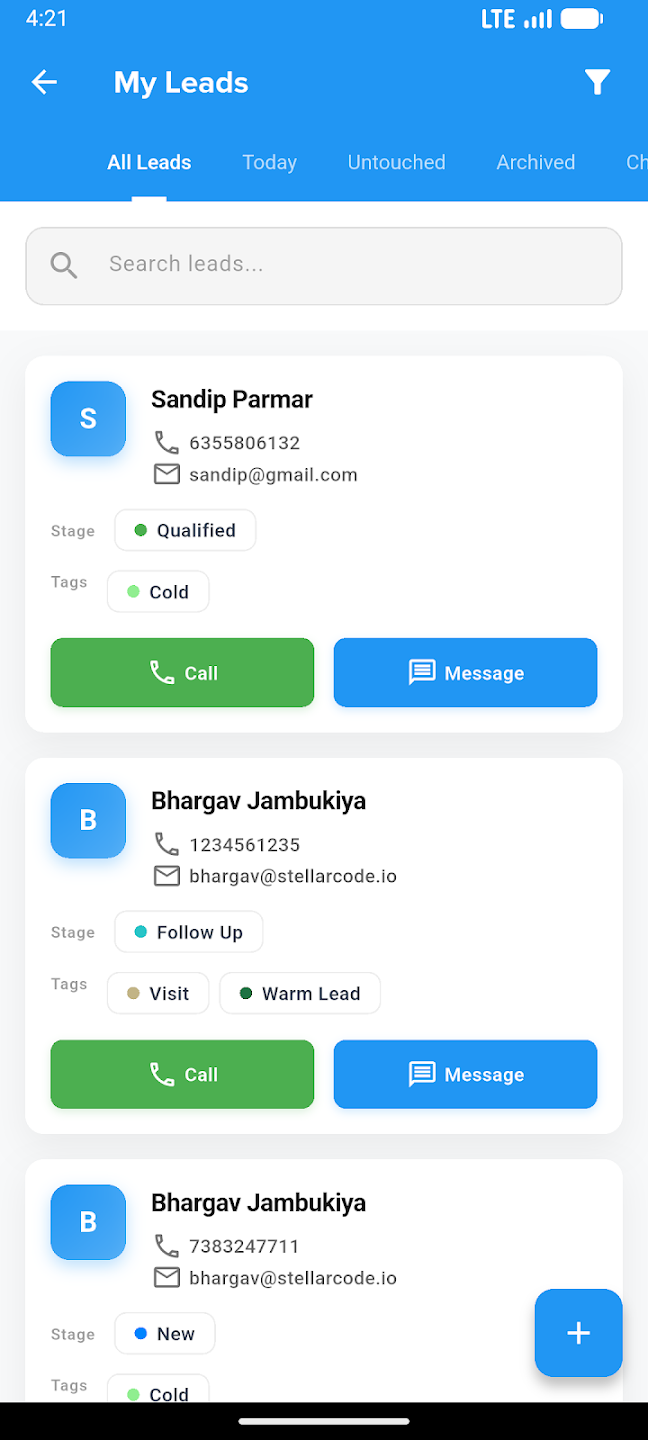
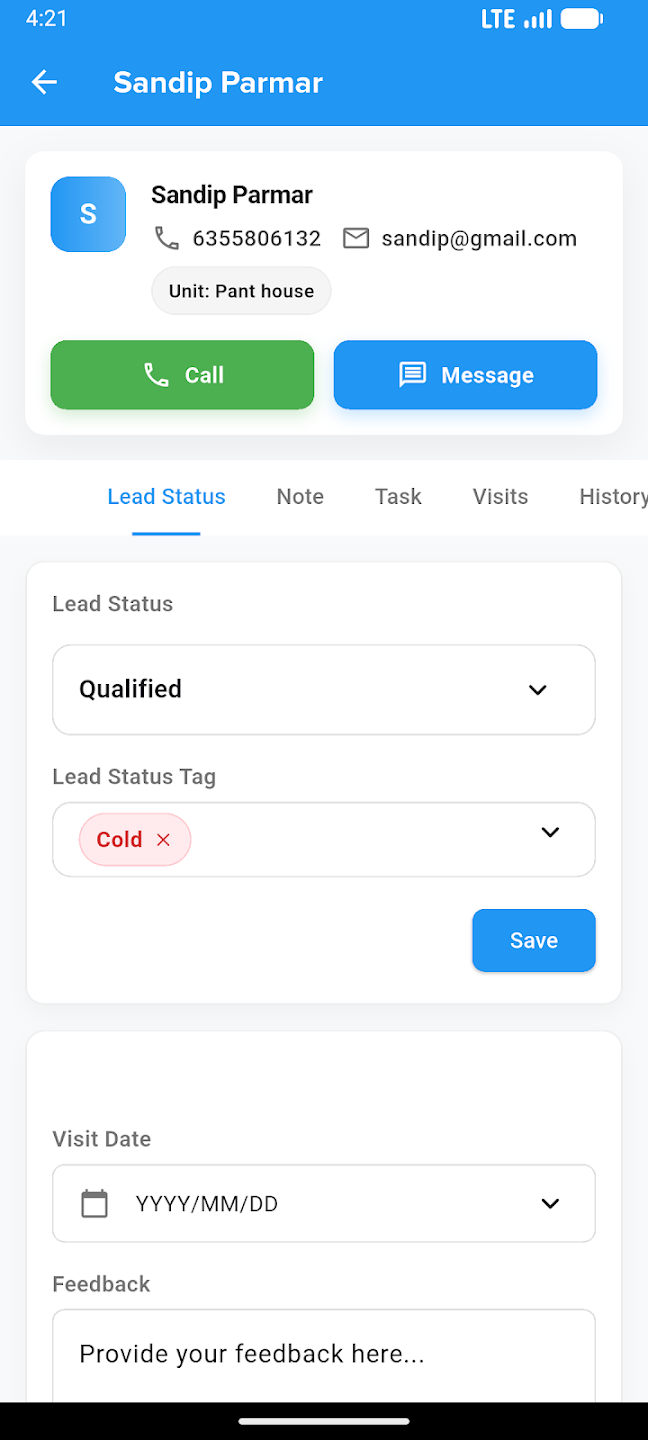
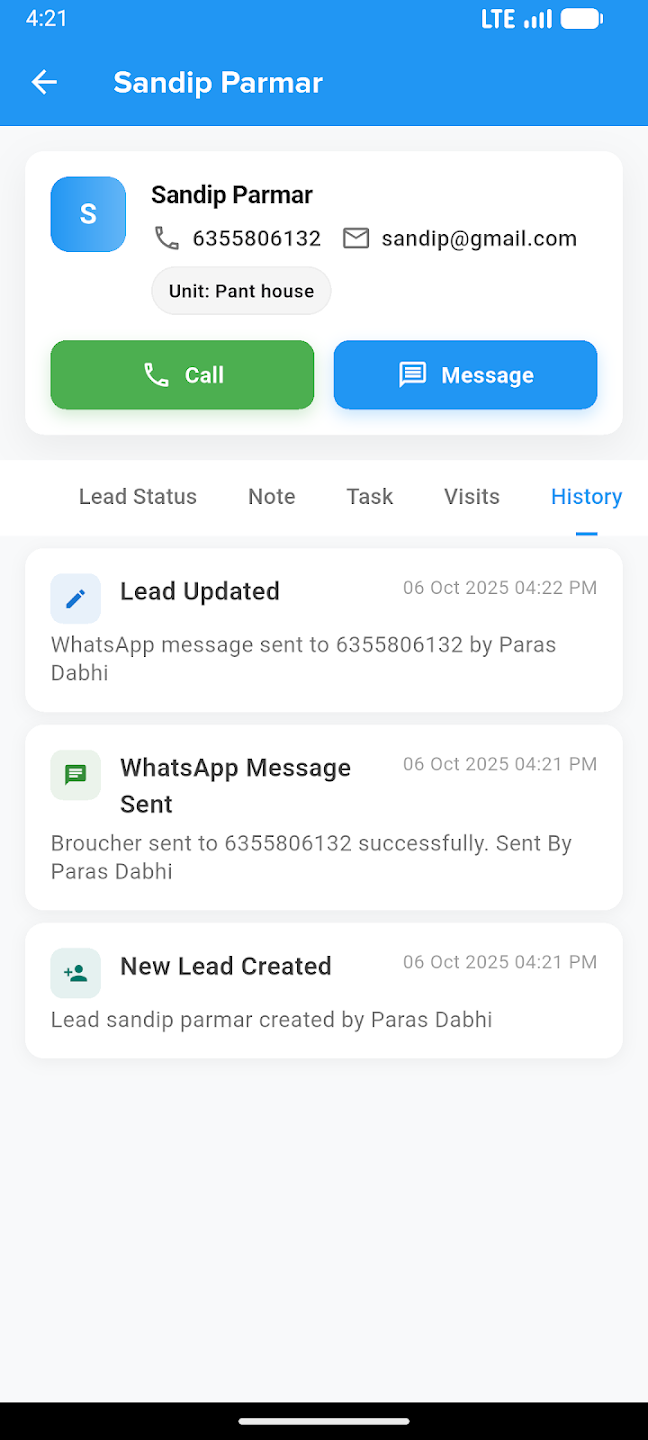
Take your business everywhere. Manage leads, track construction progress, and close deals right from the palm of your hand with our powerful mobile companion.