Admin, Roles & Integration
Control user access with role-based permissions, manage team members, configure admin settings, and integrate with third-party tools seamlessly — all from one unified administration platform.
ADMINISTRATION & CONTROL
From team setup to access control,every role stays organized
Stellivo keeps your user roles, permissions, admin settings, team access, and third-party integrations in sync—so no access is misconfigured, every role has the right permissions, and system security remains transparent.

WhatsApp, Social Media
& Lead Platforms
8 Connected
Never Miss Important Leads, Messages and Task Alerts
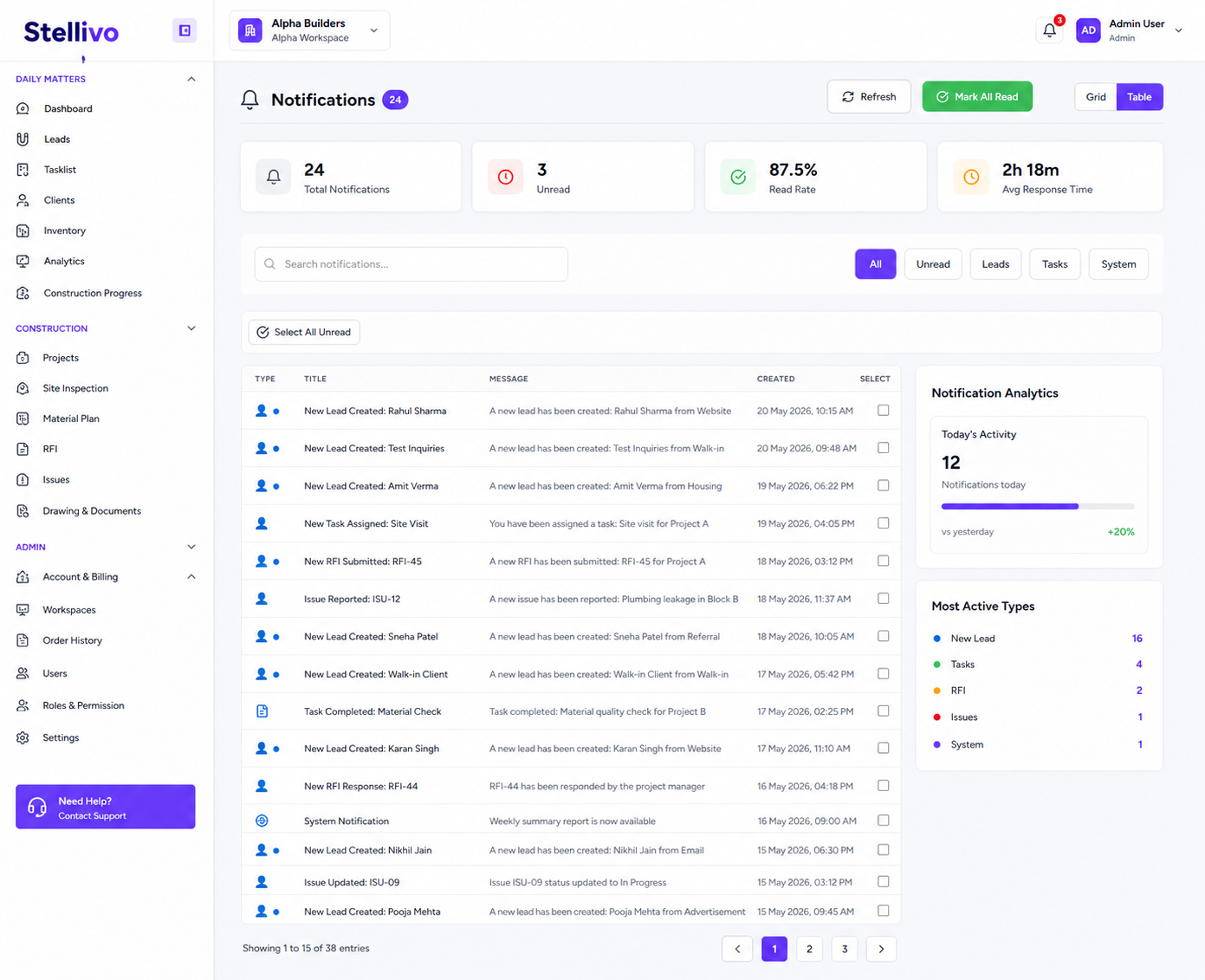
Keep all CRM alerts in one connected notification center for WhatsApp messages, new leads, task reminders, system alerts, unread updates, read status, bulk actions, and quick navigation to the right lead, client, task, or conversation.
18
Total notifications
100%
Read rate
Unified Notification Inbox
View WhatsApp messages, lead alerts, task reminders, and system notifications from one central notification area.
Lead & WhatsApp Alerts
Get instant alerts when new leads are created or when customers send WhatsApp messages, so teams can respond quickly.
Read and Unread Control
Filter notifications by All, Unread, Leads, Tasks, or System and mark individual or all notifications as read.
Bulk Notification Actions
Select multiple unread notifications and perform bulk actions to keep the notification center clean and organized.
Notification Analytics
Track total notifications, unread count, read rate, response time, today's activity, and most active notification types.
Quick Context Navigation
Click a notification to jump directly into the related lead, client, task, WhatsApp chat, or CRM record without searching manually.
Manage Staff, Teams and Workload From One Place
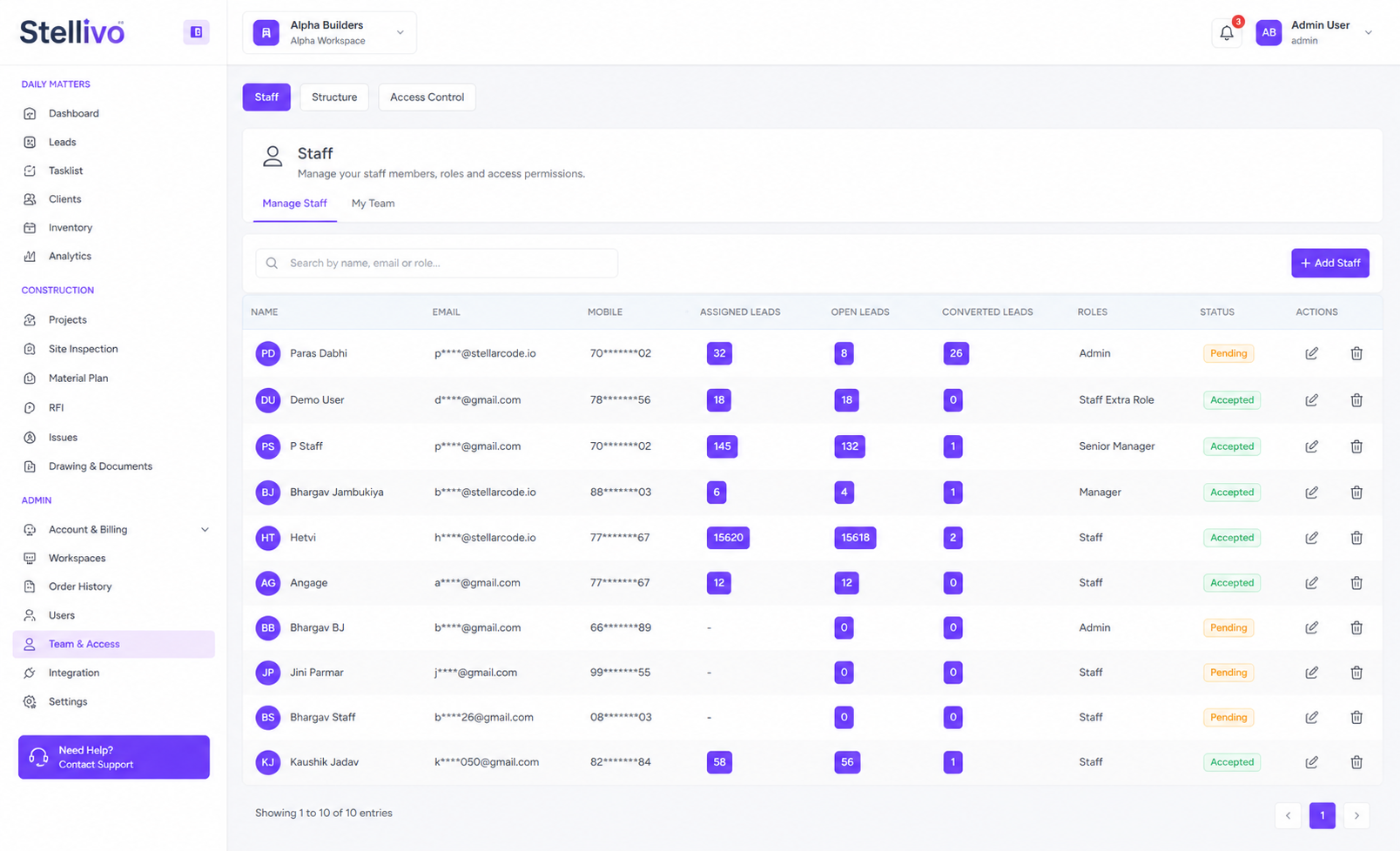
Invite staff, manage user profiles, assign roles, track assigned leads, open leads, converted leads, reporting structure, direct reports, primary reports, and team size from one connected staff management workspace.
Contact Us6
Team size
3
Direct reports
Staff Directory
Manage every staff member with name, email, mobile number, assigned leads, open leads, converted leads, role, status, and actions.
Add and Invite Staff
Invite new users, assign roles, and bring team members into the CRM with controlled access.
My Team View
See direct reports, primary reports, total team size, and team members in one manager-focused view.
Lead Workload Tracking
Track assigned leads, open leads, and converted leads for each staff member to understand workload and performance.
Reporting Structure Assignment
Assign managers, direct reports, reporting type, start date, priority weight, and notes for accurate hierarchy management.
Staff Profile Drawer
Edit staff details, view reporting structure, assign managers, remove reports, and update user-level team relationships.
Control Every Role, Permission and Module Access Securely
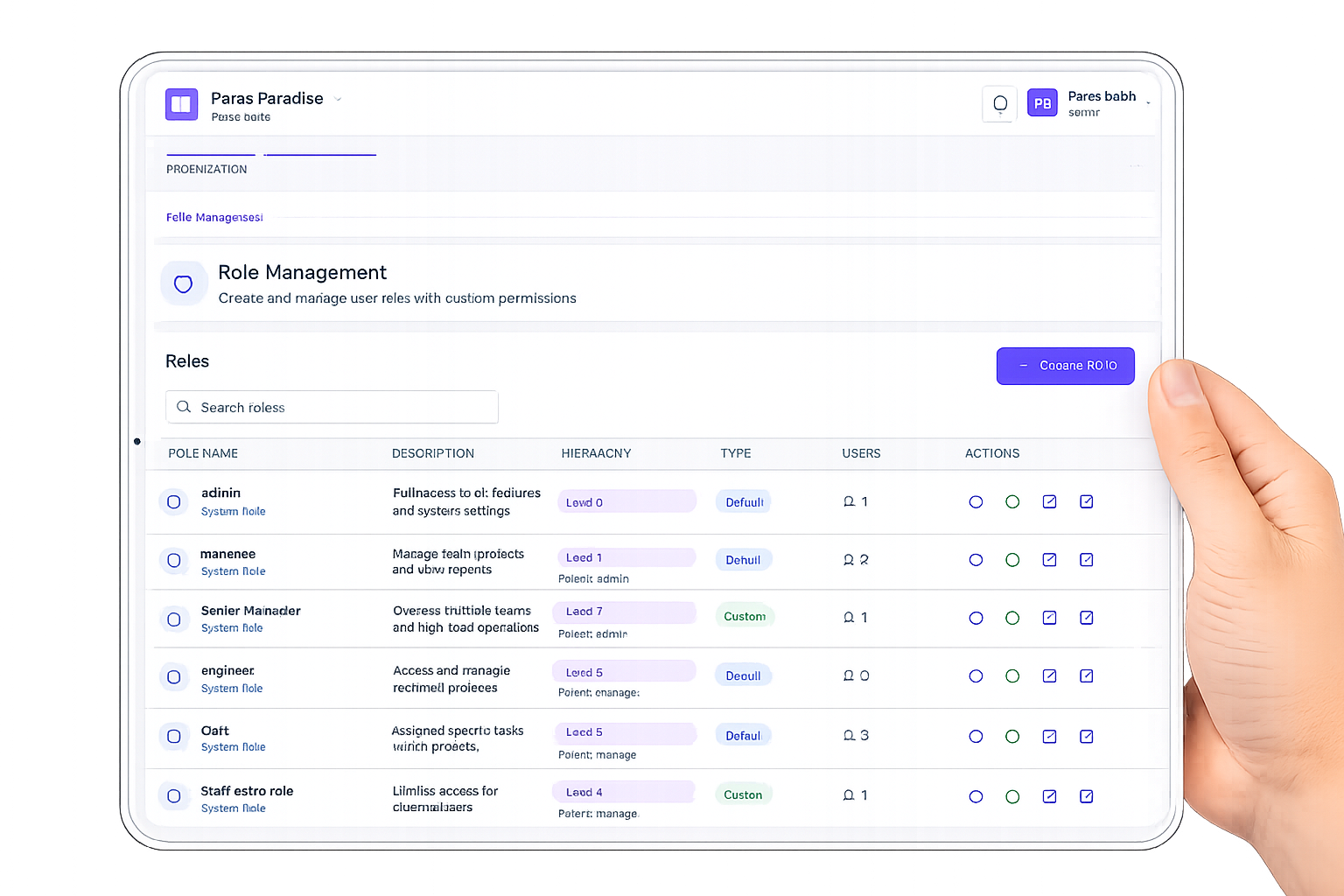
Create system and custom roles, manage hierarchy levels, assign users, control module permissions, enable view, add, edit, delete, import, export, assign, sync, analytics, and full-right actions across the CRM.
Explore Pricing5
User roles
1
Custom role
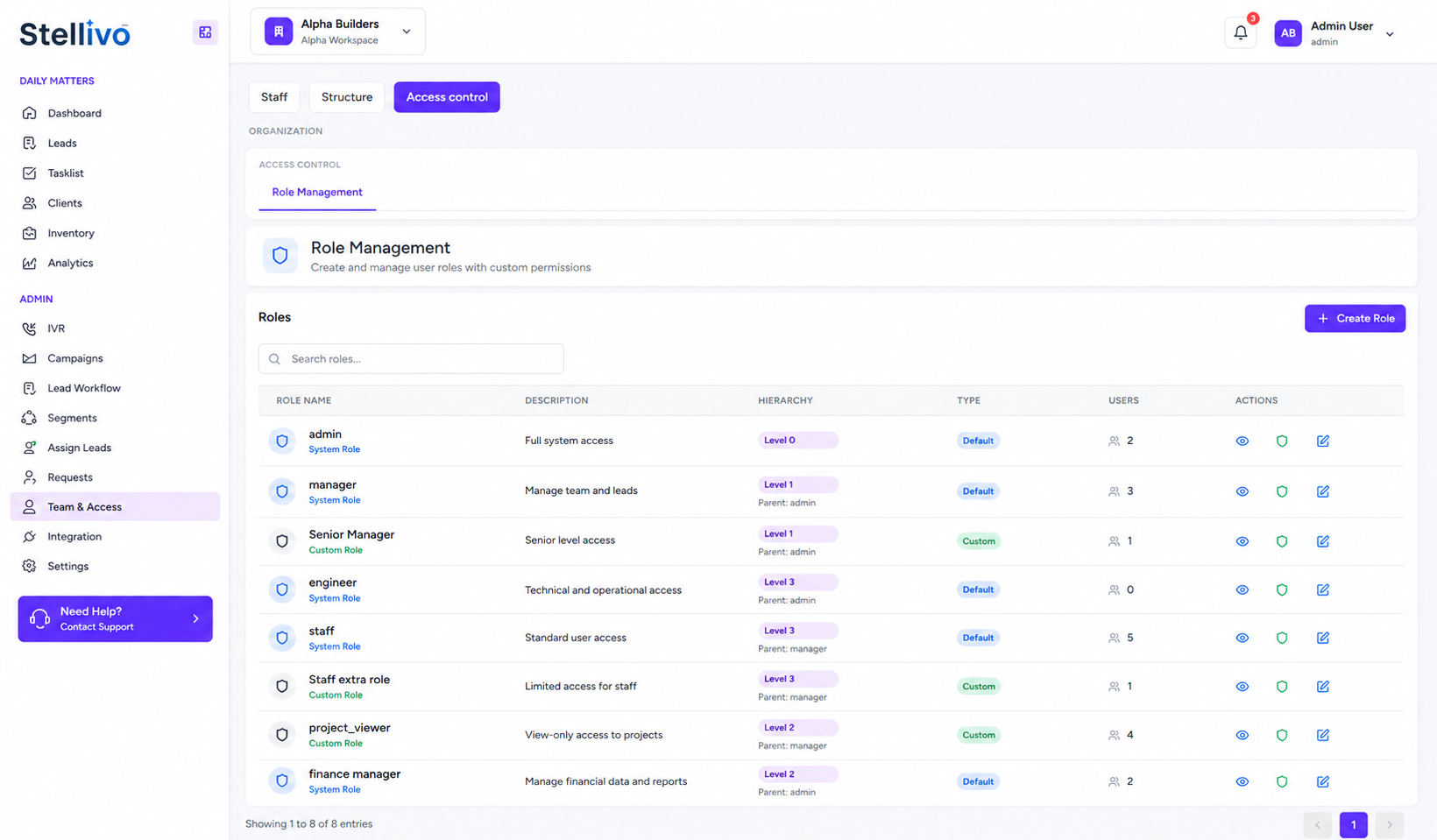
Role Management
Create and manage roles like admin, manager, senior manager, engineer, and staff with hierarchy and user assignment.
Module-wise Permissions
Control access for modules such as Dashboard, Task List, Lead, Client, Inventory, Analytics, Banakhat, and Permission.
Action-level Control
Enable or disable view, add, edit, delete, import, export, assign, sync, full rights, pricing, payment, and analytics permissions.
Role Detail Drawer
Open any role to view overview, assigned users, permission count, status, created by, timestamps, and inherited permission settings.
Permission Editing Screen
Use a permission matrix to update role access across CRM modules and save permission changes from one screen.
Secure Role-based CRM Access
Ensure every user only sees the modules and actions allowed for their role, reducing access mistakes and data risk.
Build Clear Reporting Lines With Hierarchy and Org Charts
Define hierarchy positions, assign managers, build reporting relationships, view org charts, manage direct and indirect reports, capture org chart snapshots, and understand organization structure through coverage, span of control, and relationship insights.
Contact Us4
Hierarchy levels
85.71%
Coverage
Hierarchy Position Management
Create levels such as Level 0, Level 1, Level 2, and Level 3 with parent position, order, status, and role usage.
Manager Assignment
Assign managers to users with reporting type, start date, end date, priority weight, primary manager setting, and notes.
Org Chart Visualization
View the complete organization tree with user cards, roles, level badges, contact details, direct reports, and hierarchy branches.
My Team Management
Give managers a clear view of direct reports, primary reports, total team size, and team members.
Org Chart Snapshots
Capture and compare organization structures at different points in time for audits, restructuring, or growth planning.
Organization Analytics
Analyze total users, reporting coverage, span of control, reporting type distribution, relationships, and reporting gaps.
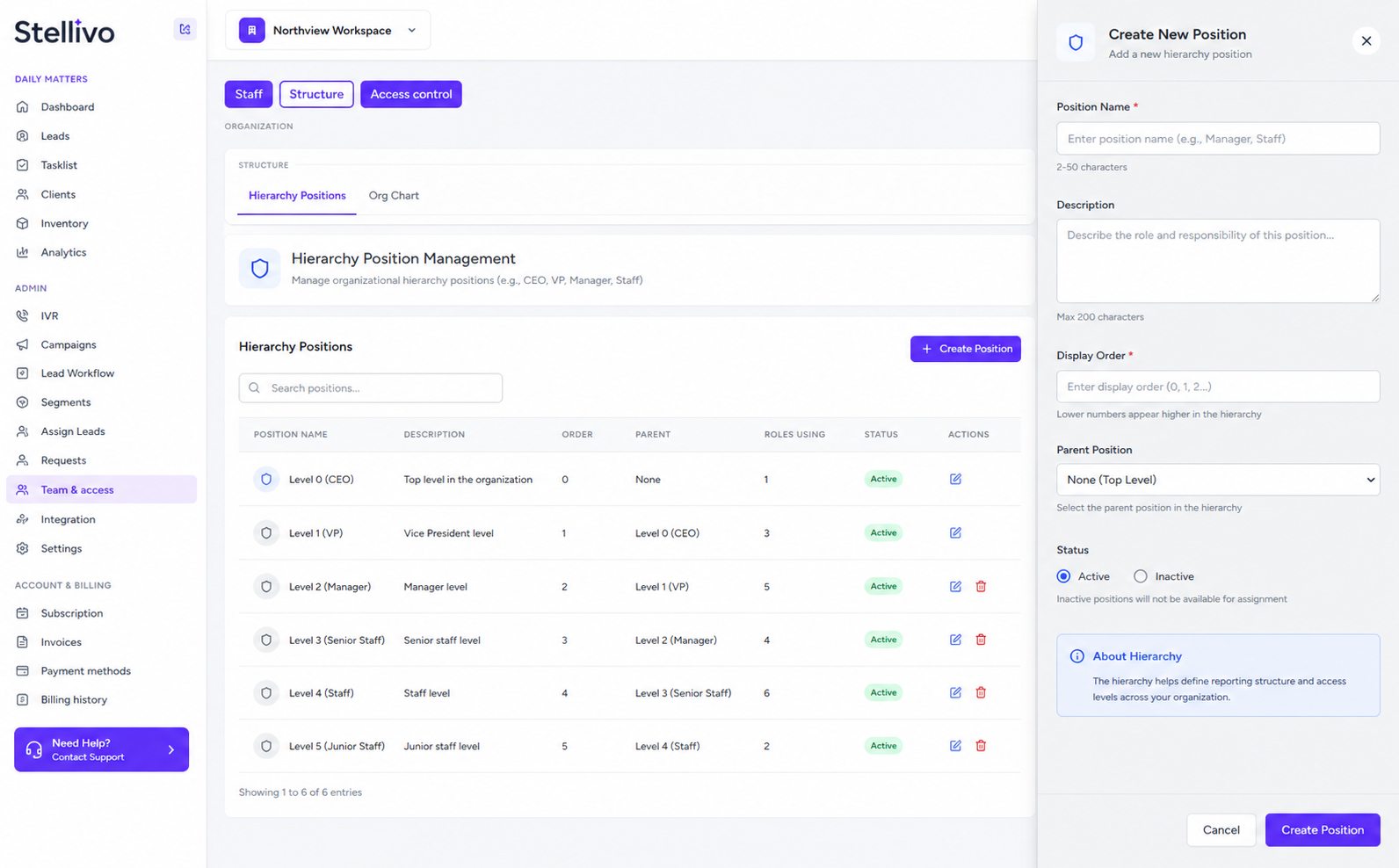
Configure CRM Rules, Masters and Business Settings Easily
Manage tenant settings, deal stages, unit types, tags, channels, areas, Banakhat settings, lead assignment rules, GST settings, outstanding tracking, duplicate lead rules, welcome messages, and task transfer preferences from one admin configuration area.
8
Setting tabs
4
Active toggles
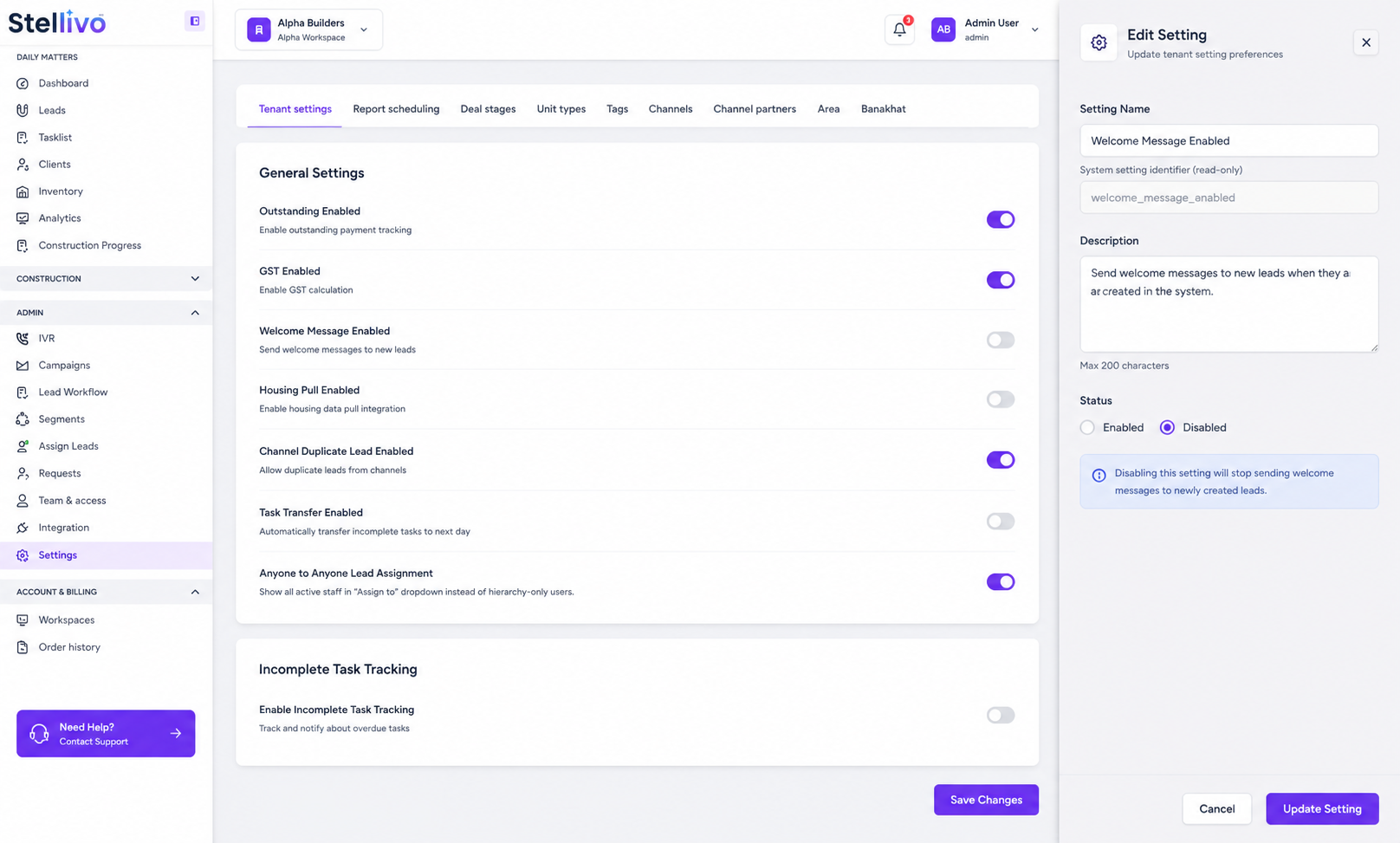
Tenant Settings
Control business-level toggles such as outstanding payment tracking, GST calculation, welcome messages, housing pull, duplicate leads, task transfer, and lead assignment rules.
Deal Stage Setup
Create and manage sales pipeline stages so leads move through a consistent process across the CRM.
Unit Type Management
Define unit types like 2BHK, 3BHK, villas, plots, shops, offices, and commercial units for inventory and lead filtering.
Tags and Channel Masters
Create tags and lead channels so teams can label leads, filter records, build segments, and track source performance.
Area Management
Manage location-based areas so leads, properties, inventory, reports, and campaigns can be filtered by location.
Banakhat and Business Rules
Configure Banakhat-related settings and CRM business rules so documentation, sales, and admin workflows stay standardized.
Connect WhatsApp, Social Media and Lead Platforms Into One CRM
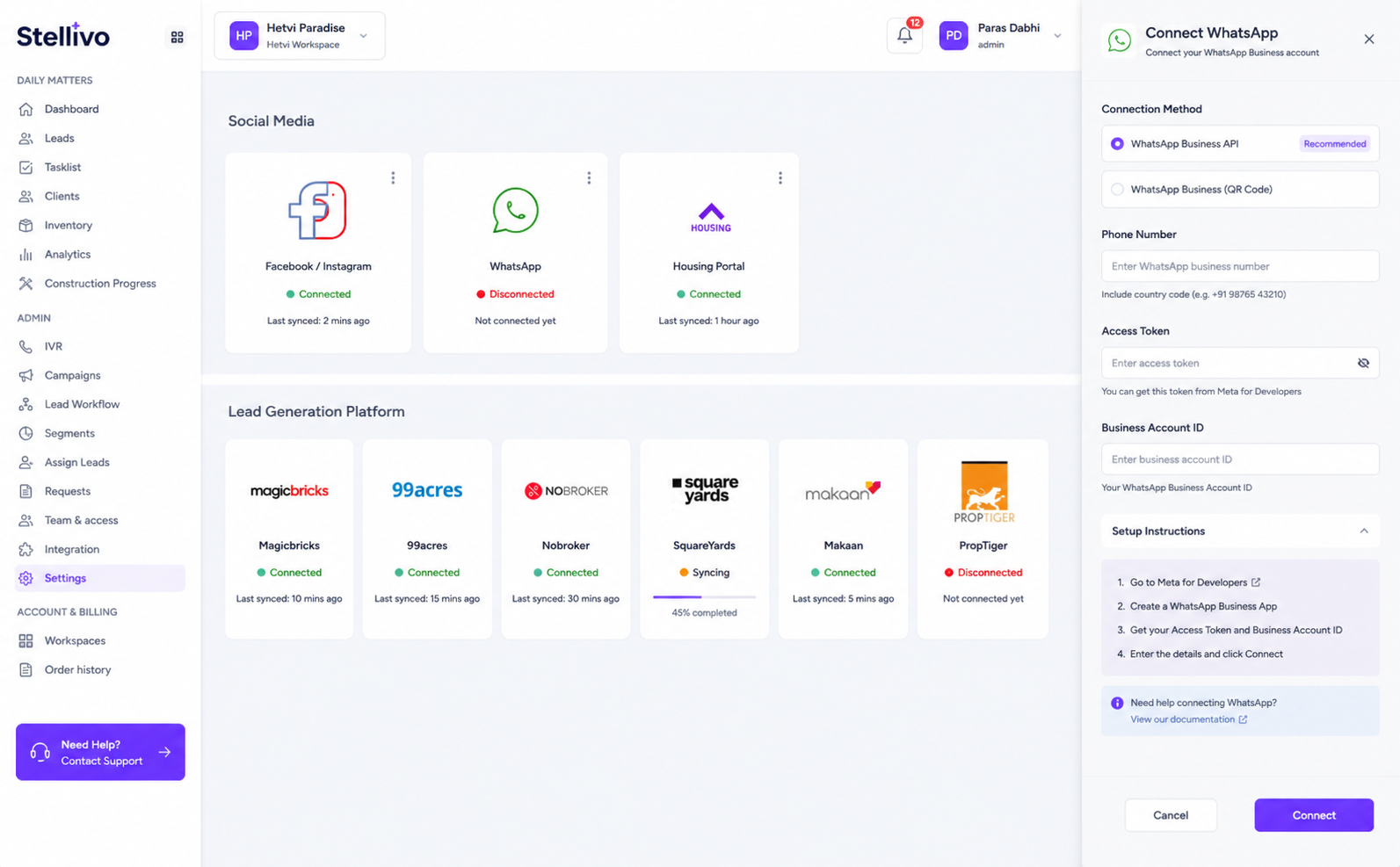
Connect WhatsApp, FB-Instagram, Housing, Magicbricks, 99acres, Nobroker, Squareyards, Makaan, PropTiger, IVR, telephony, and lead-generation channels so leads, messages, calls, and platform data flow into one CRM workspace.
9
Platform connectors
7
Lead sources
WhatsApp Business Integration
Connect WhatsApp Business API so templates, campaigns, chatbot, messages, and customer conversations work inside the CRM.
FB-Instagram Connection
Connect Facebook and Instagram lead sources so social media leads can be synced into the CRM pipeline.
Housing Integration
Use housing platform integration to pull real estate leads and manage them from the CRM.
Property Portal Connectors
Connect lead-generation platforms like Magicbricks, 99acres, Nobroker, Squareyards, Makaan, and PropTiger.
IVR and Telephony Ready
Connect telephony or IVR providers so click-to-call, recordings, call logs, and customer communication can stay linked with CRM records.
Central Integration Control
Manage all external platform connections from one admin area instead of switching between multiple tools and dashboards.
Built For The Teams Who Move Real Estate Forward
Stellivo helps builders, brokers, channel partners, and construction teams work with connected data, clearer responsibilities, and better visibility across real estate sales, communication, inventory, construction, and reporting workflows.
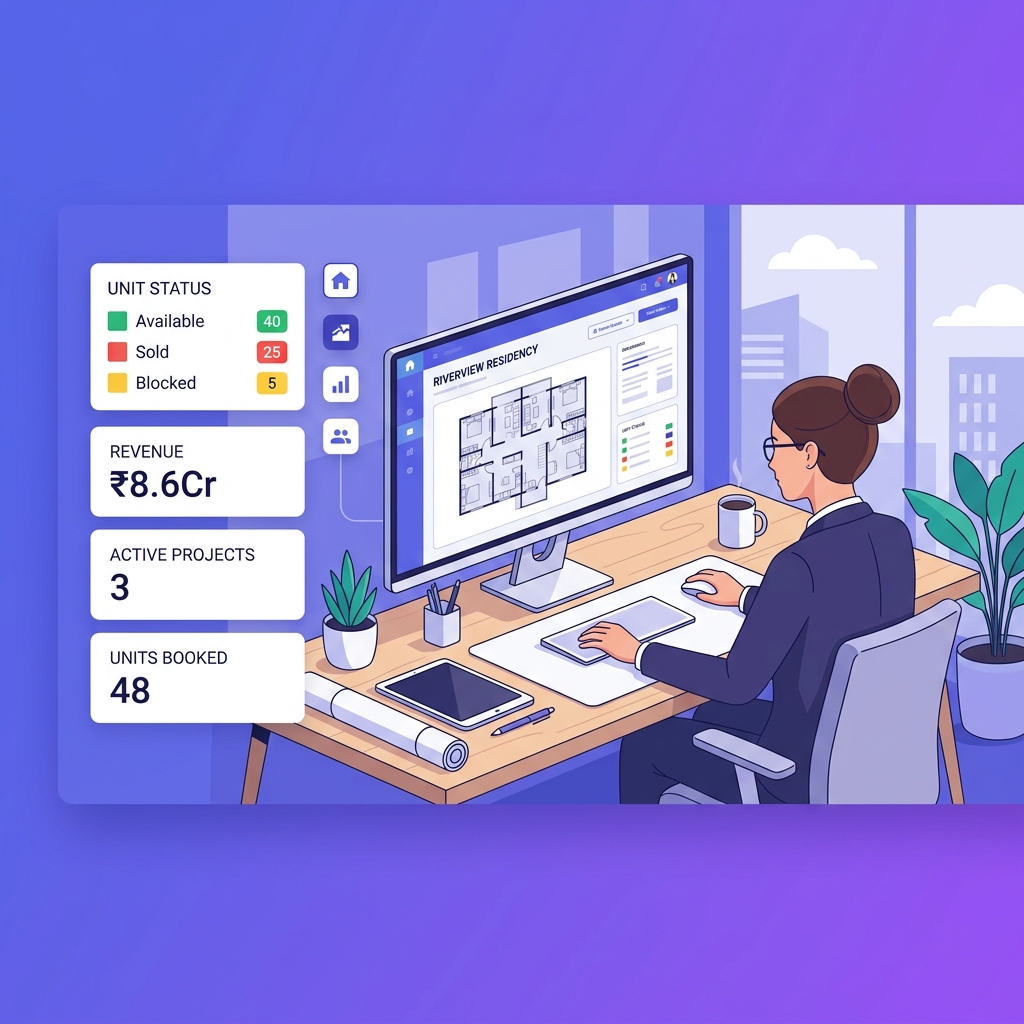
For Builders & Developers
Manage projects, leads, clients, bookings, inventory, documentation, communication, construction progress, and business visibility from one connected real estate CRM platform.
- Project and inventory control
- Booking and client visibility
- Reports and business tracking

For Brokers & Channel Partners
Track assigned leads, customer interactions, follow-ups, visits, bookings, commissions, project-wise activity, revenue visibility, and partner performance.
- Lead and follow-up tracking
- Booking and commission visibility
- Partner performance insights

For Construction & Operations Teams
Manage inventory, stocks, GRN, delivery, quotations, invoices, branches, warehouses, tasks, issues, RFIs, material planning, and site coordination.
- Stock, GRN, and delivery tracking
- Task, issue, and RFI management
- Material planning and coordination
Not sure which plan fits your team?
Talk to our teamFrequently asked questions about admin, roles, and integration management
Find answers to common questions about managing staff, roles, permissions, hierarchy, CRM settings, workflow rules, notifications, integrations, and admin control inside Stellivo CRM.
8
Questions answered
What is admin, roles, and integration management in Stellivo CRM?
Admin, roles, and integration management in Stellivo CRM helps real estate businesses control users, staff access, permissions, hierarchy, CRM settings, workflows, notifications, and connected business tools from one place. It gives owners and admins better control over who can access which modules and actions.
How does Stellivo help manage staff and teams?
Can I create role-based permissions in Stellivo?
Why is role-based access important in real estate CRM?
Can Stellivo manage hierarchy and organization structure?
Does Stellivo support CRM settings and business configuration?
Can Stellivo connect WhatsApp, social media, and lead platforms?
Why should real estate businesses use Stellivo for admin and permission control?
Still have questions? Our team is happy to help.
Contact our teamReal Estate Software Built for Experts
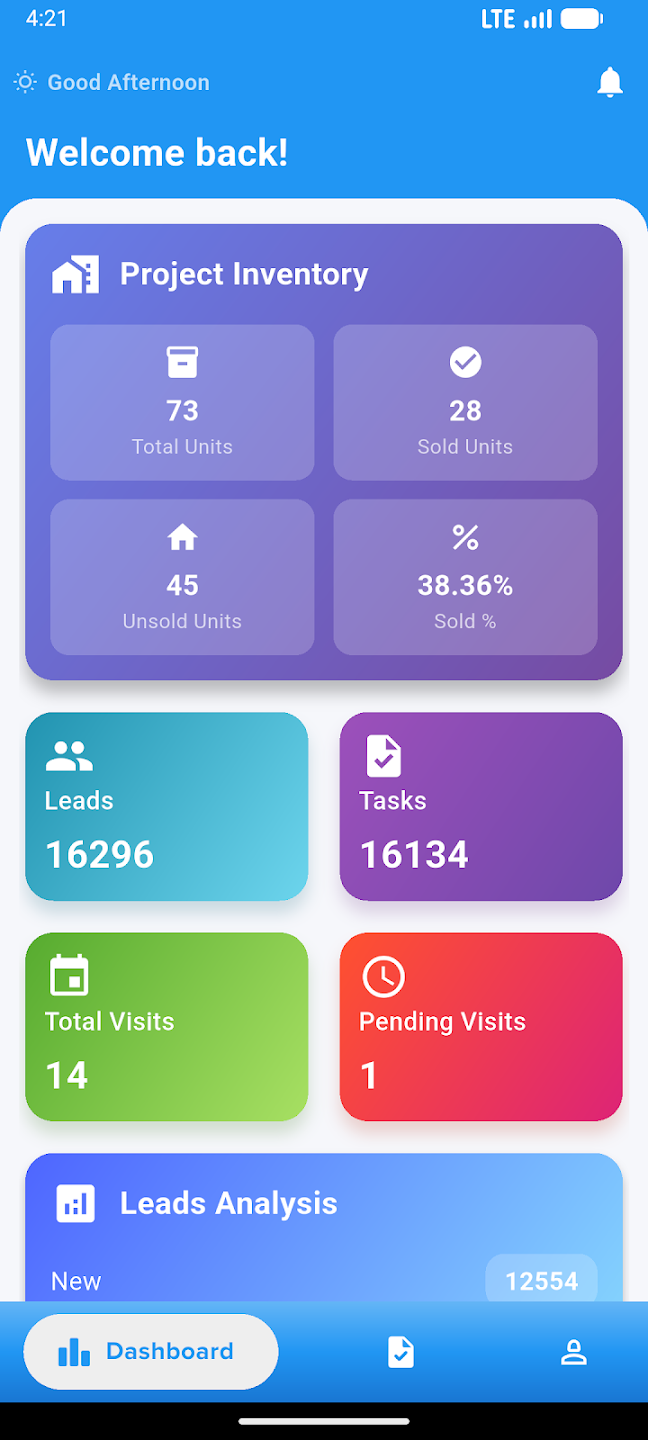
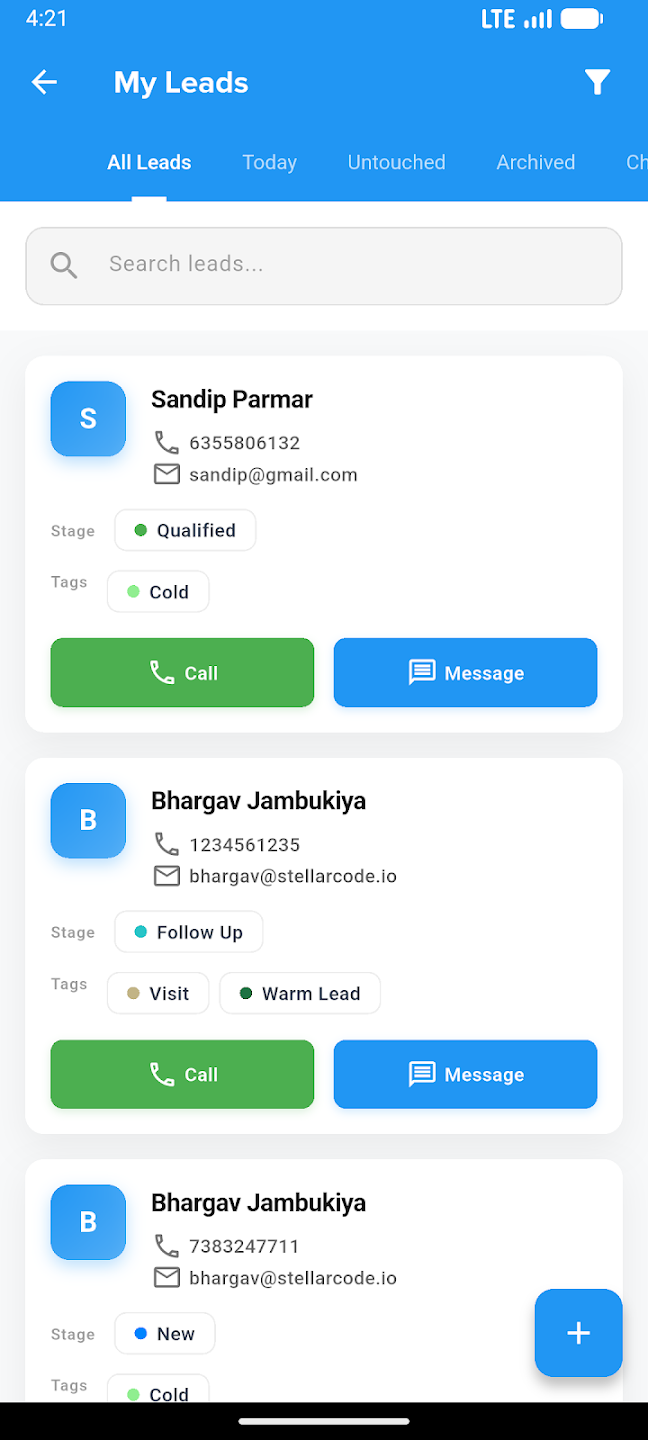
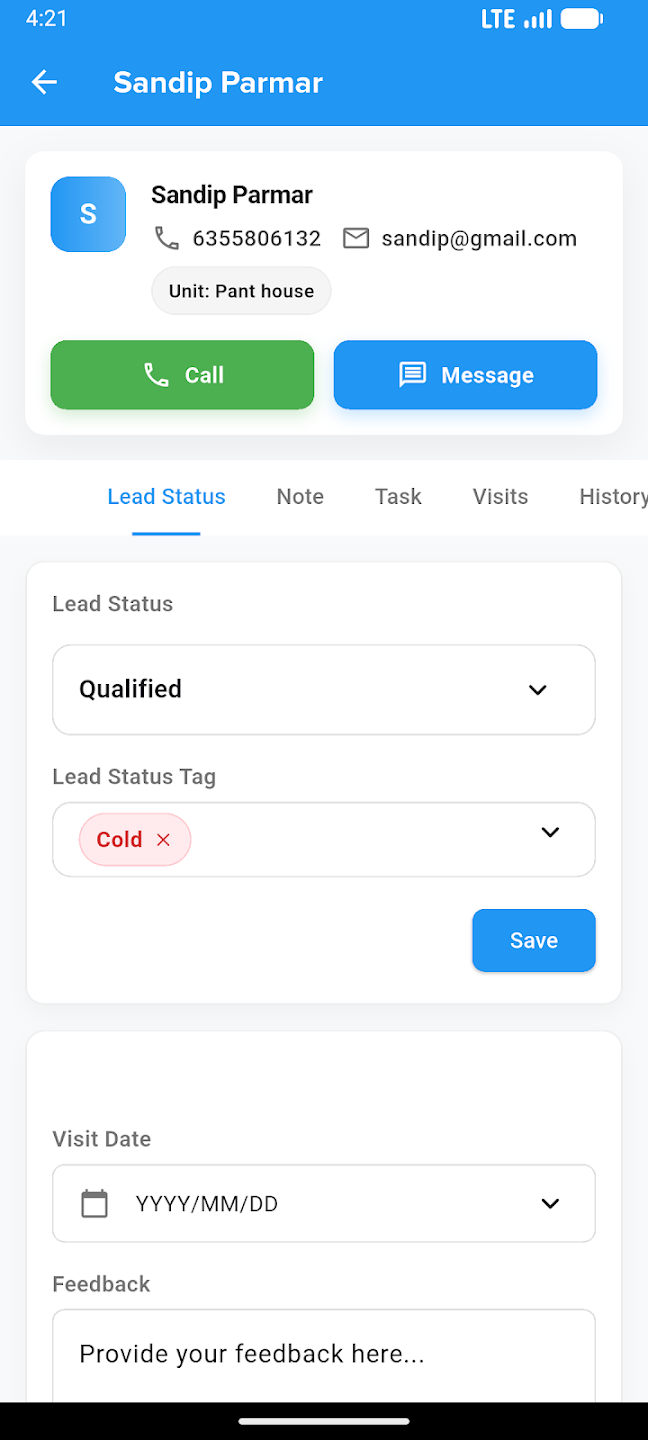
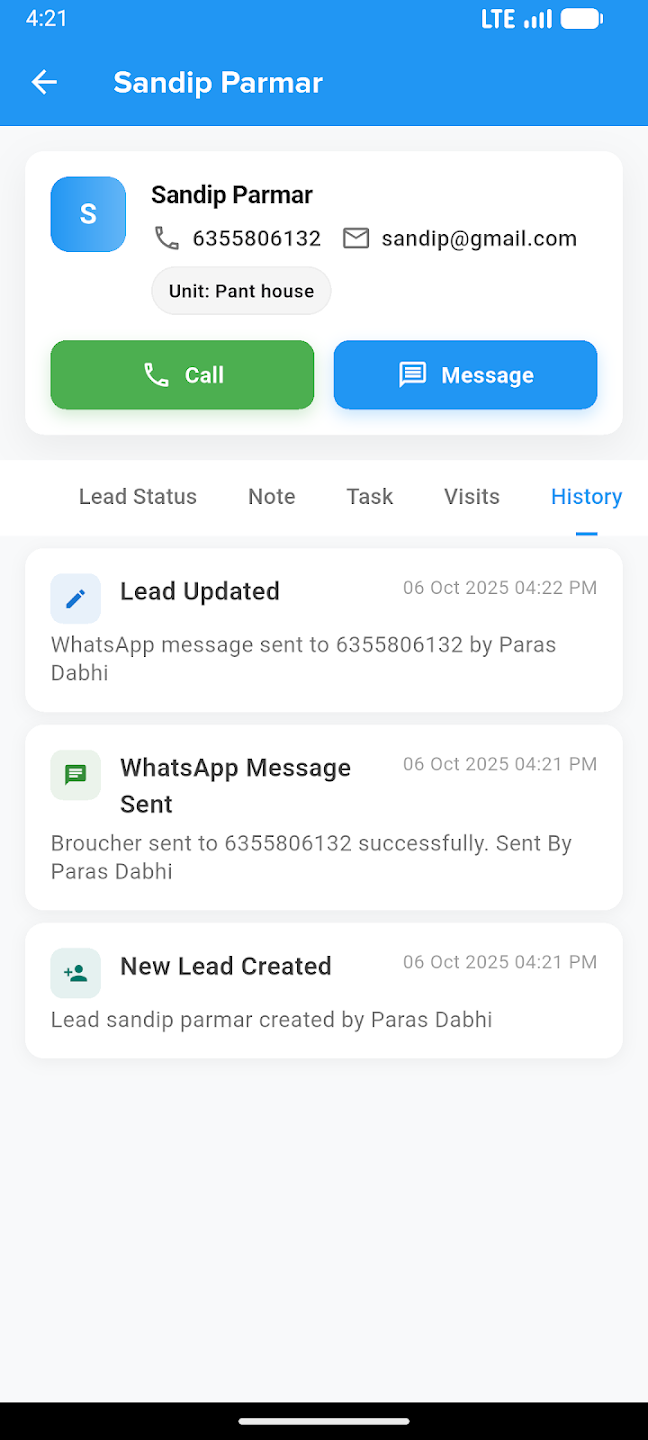
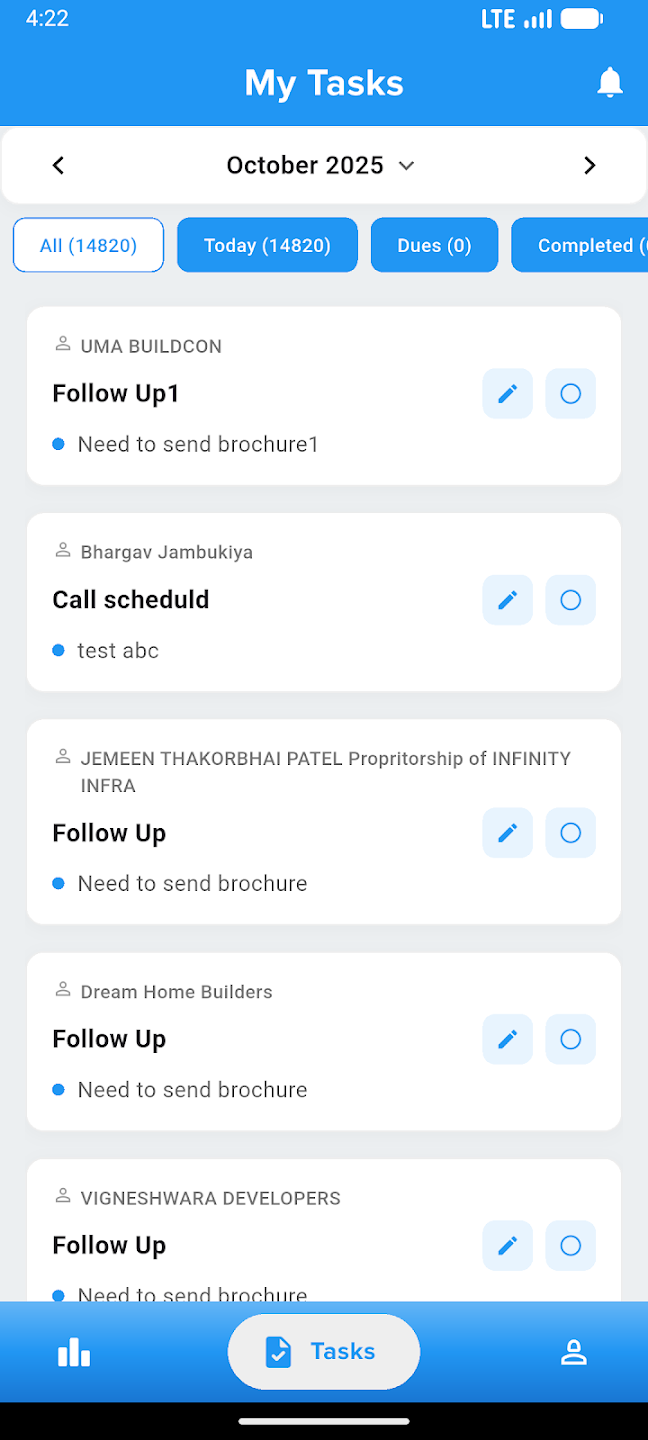
Take your business everywhere. Manage leads, track construction progress, and close deals right from the palm of your hand with our powerful mobile companion.