Lead, Booking & Inventory Management
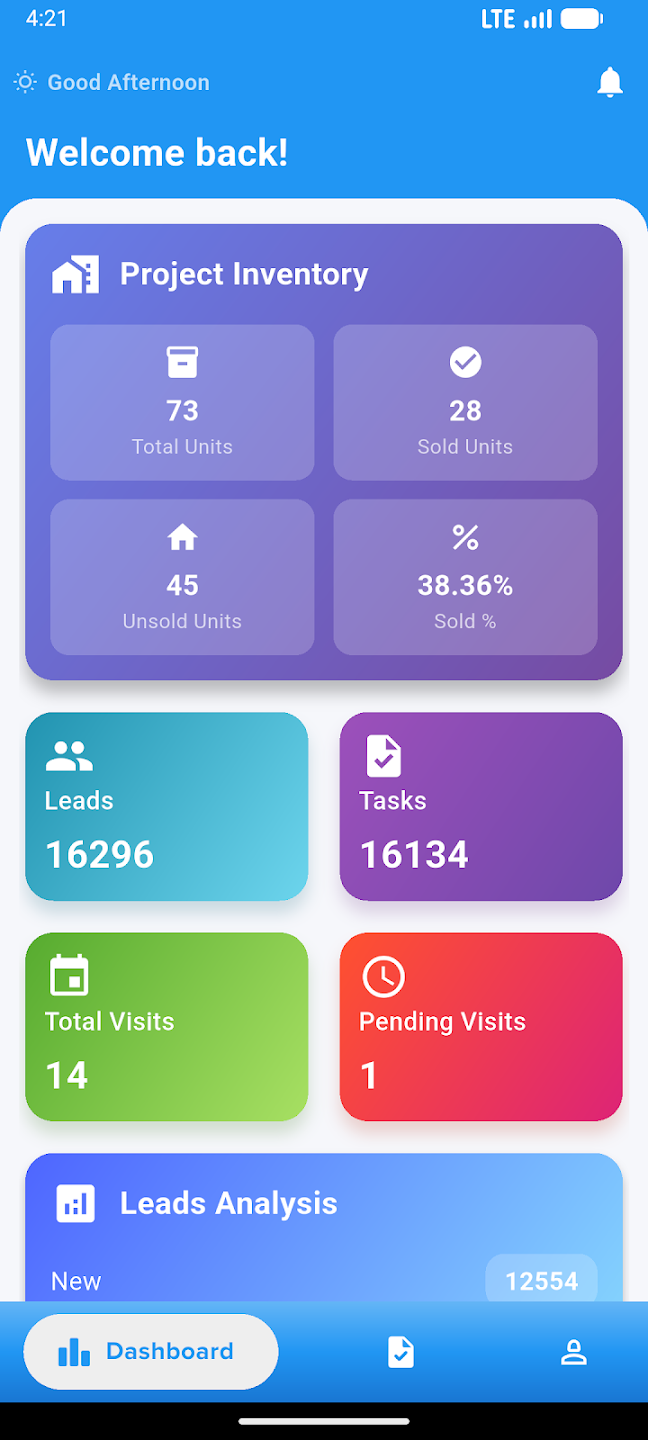
Streamline your entire real estate sales pipeline from lead capture to booking confirmation. Manage inquiries, track follow-ups, schedule site visits, convert clients, and monitor project inventory with real-time visibility across all your properties.
ONE CONNECTED JOURNEY
From lead capture to booking,every step stays connected
Stellivo keeps your sales teams, booking teams, and inventory in sync—so no lead is missed, no follow-up is delayed, and every booking is backed by real-time unit availability.

Unit A-1204
Greenview Residences
₹ 78,50,000
Turn Every Lead Into a Client-Ready Opportunity
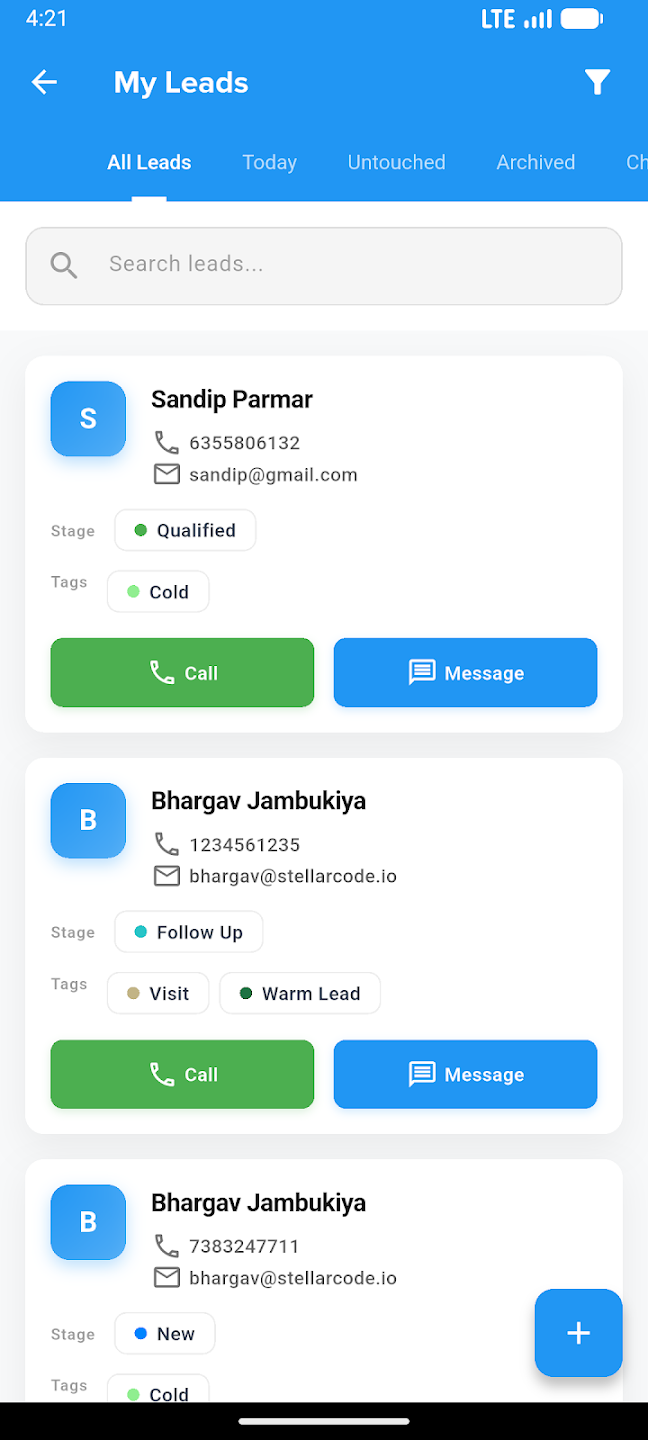
Capture, assign, nurture, and convert leads faster with Stellivo's connected CRM pipeline — built for real estate teams that need complete visibility from first inquiry to client conversion.
100%
Lead visibility
3x
Faster follow-up
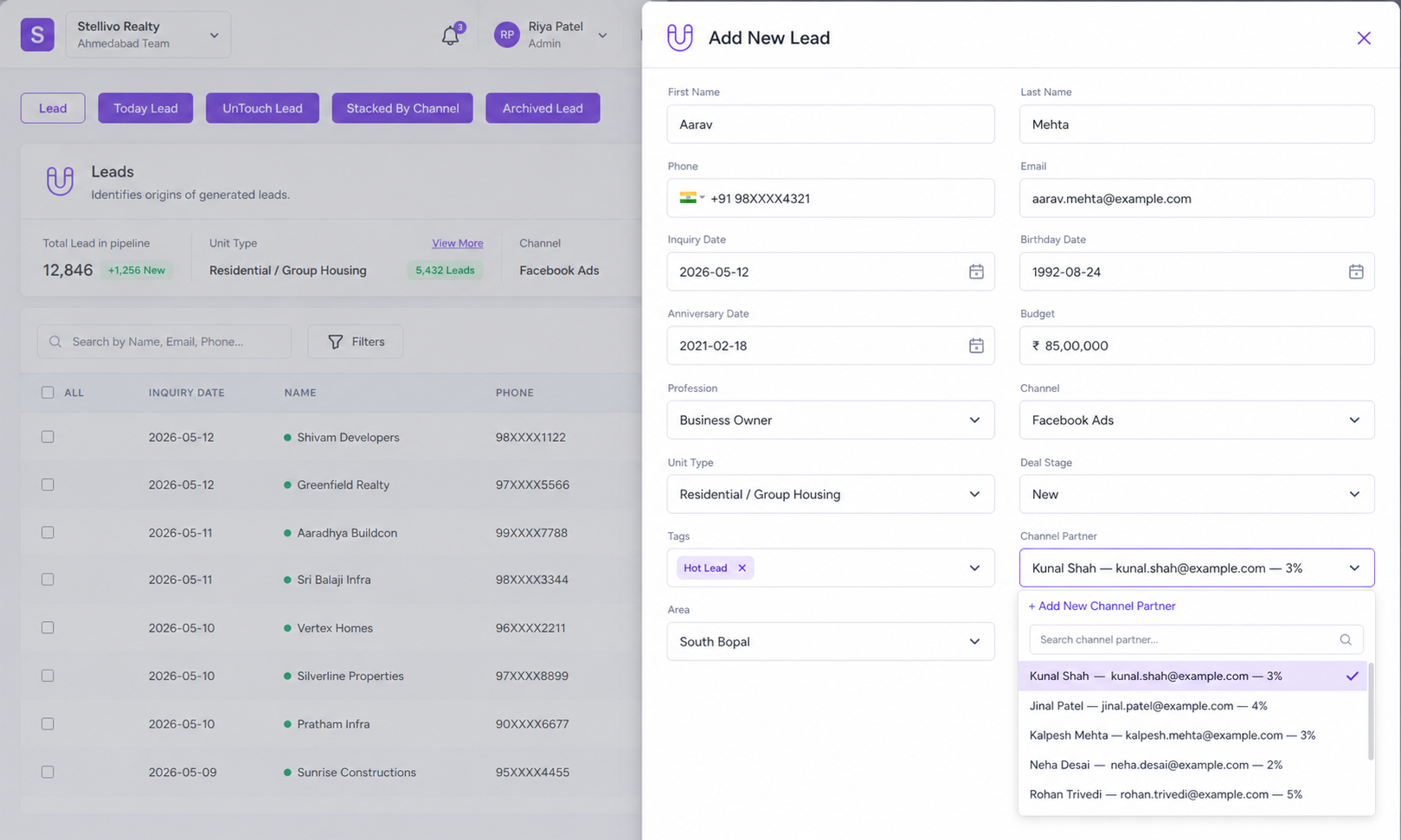
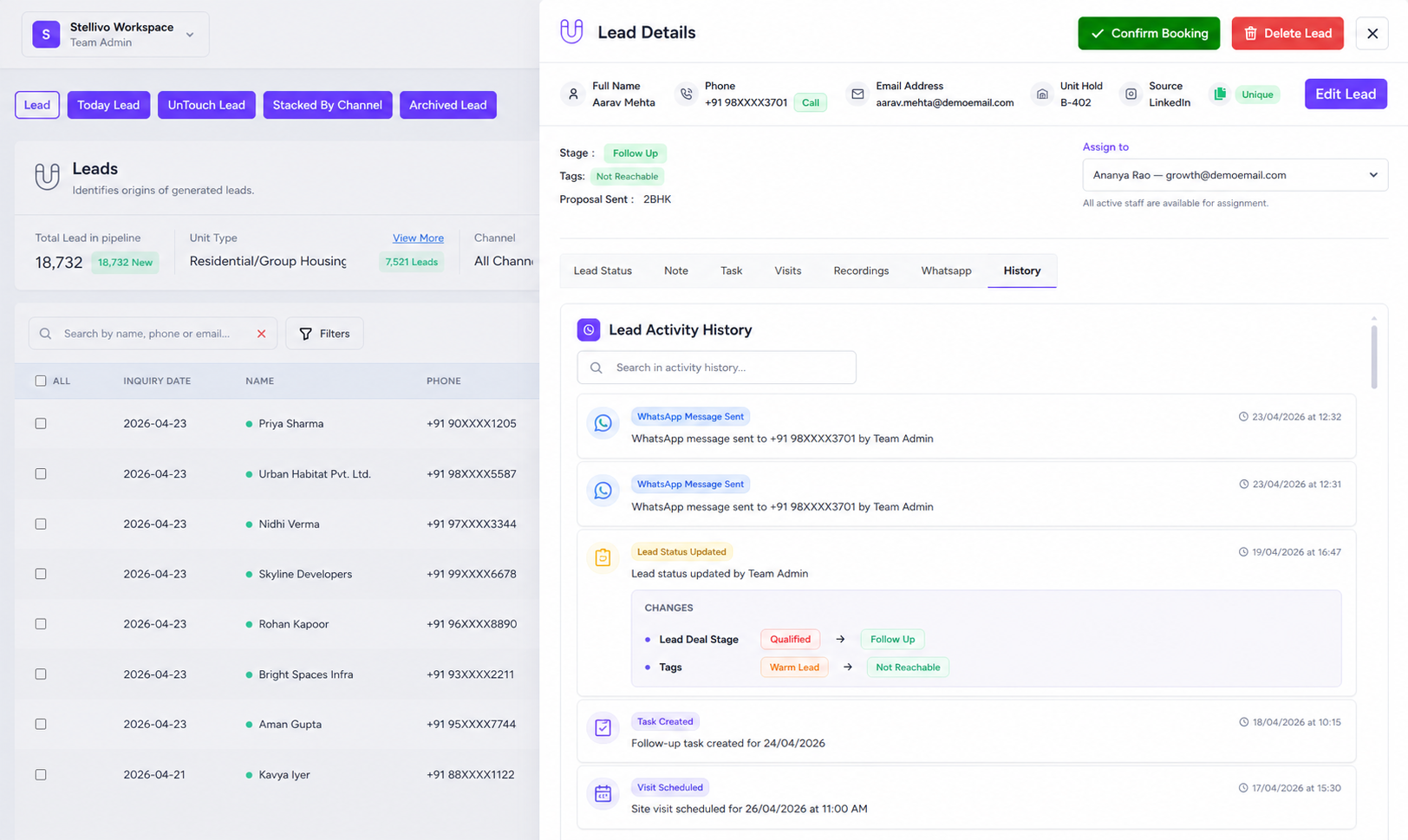
Lead Capture & Import
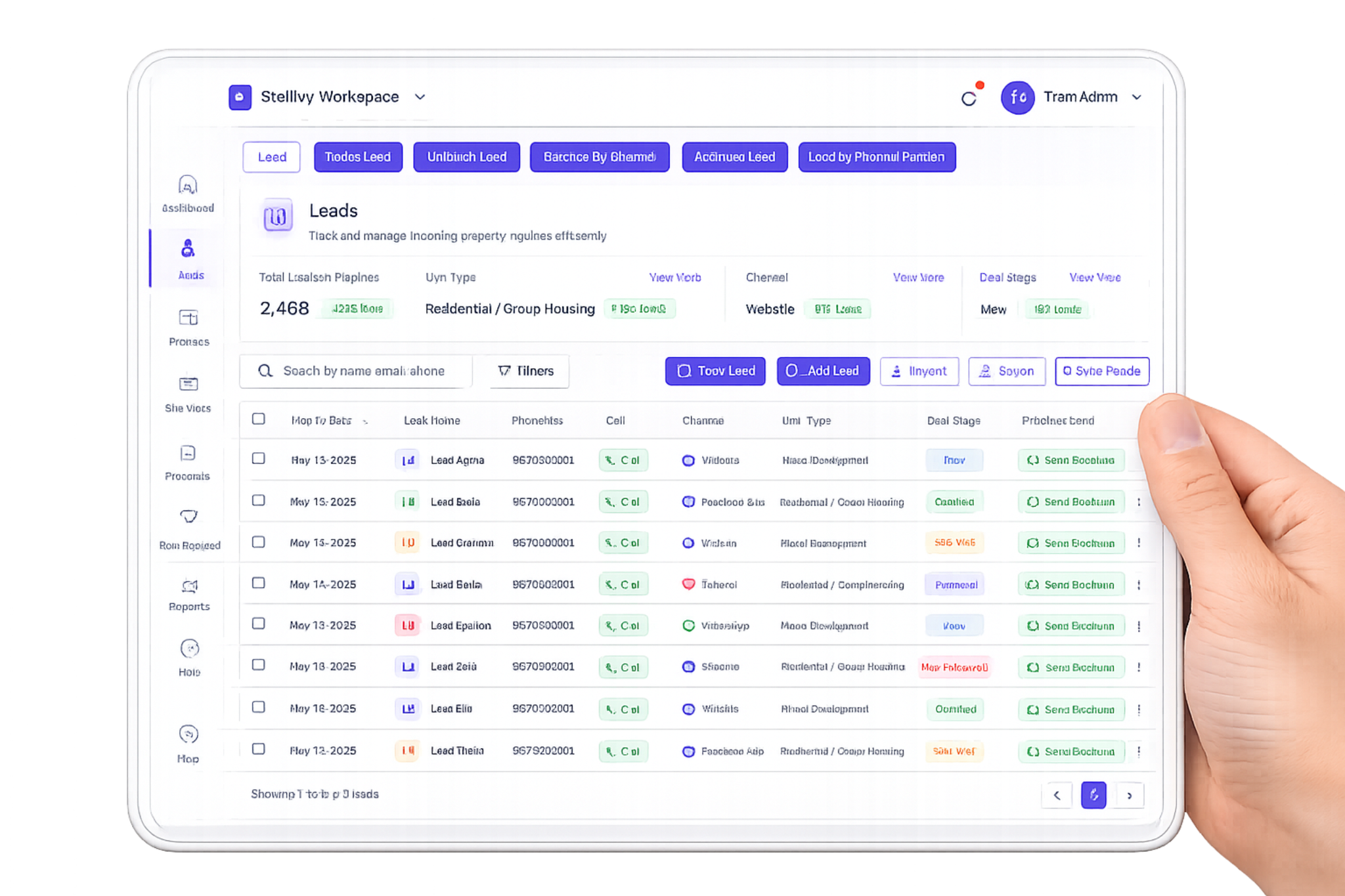
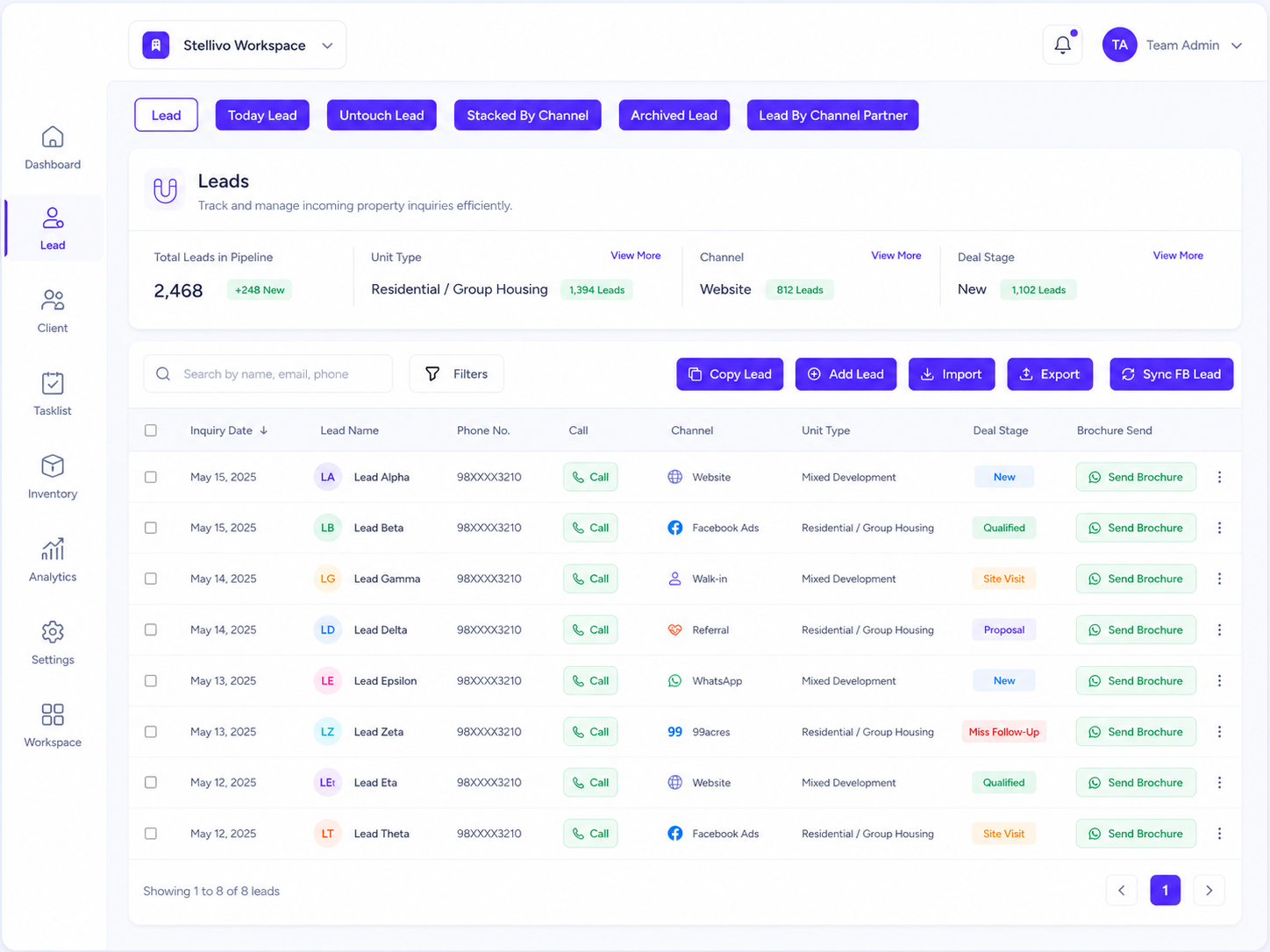
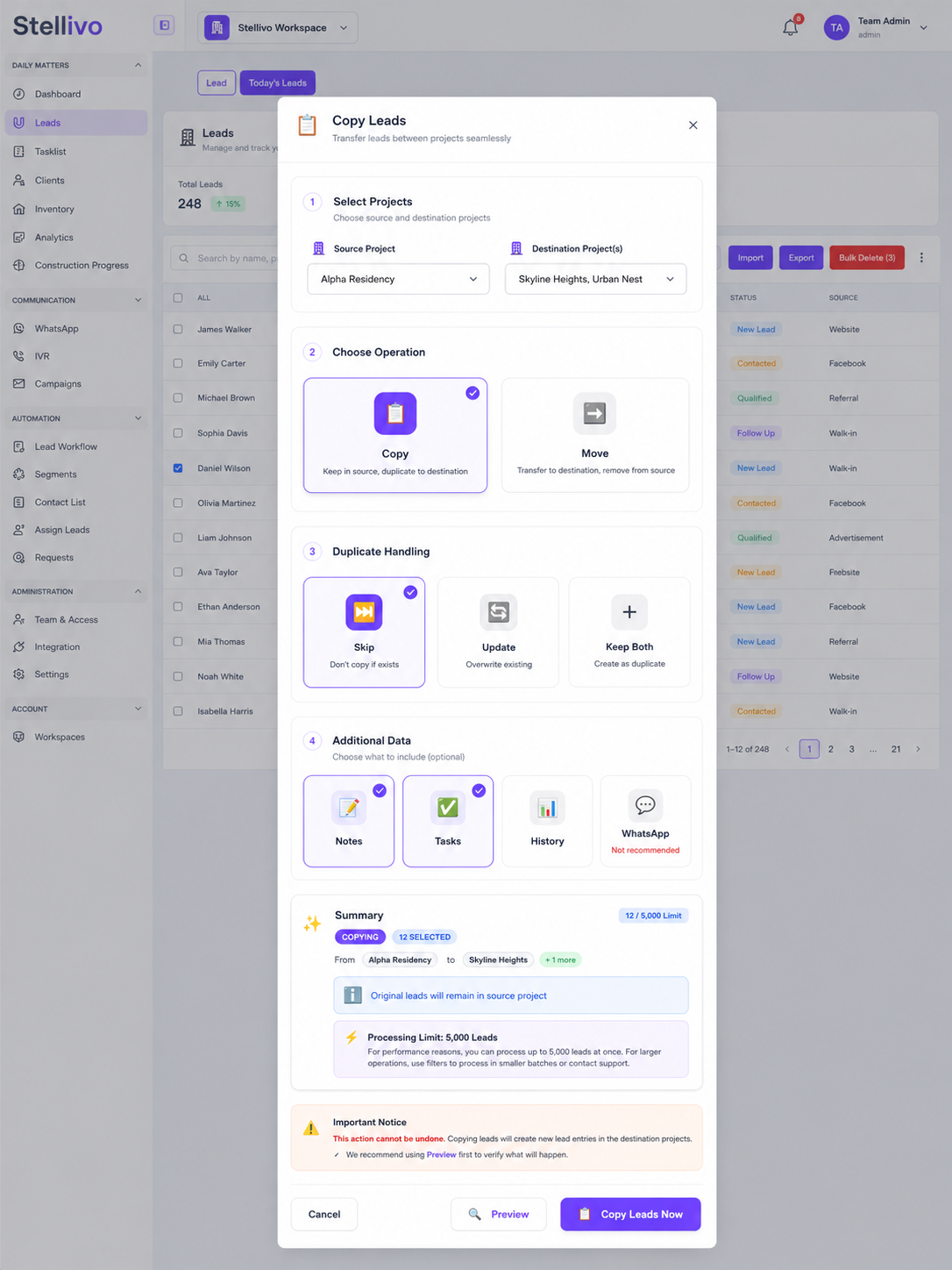
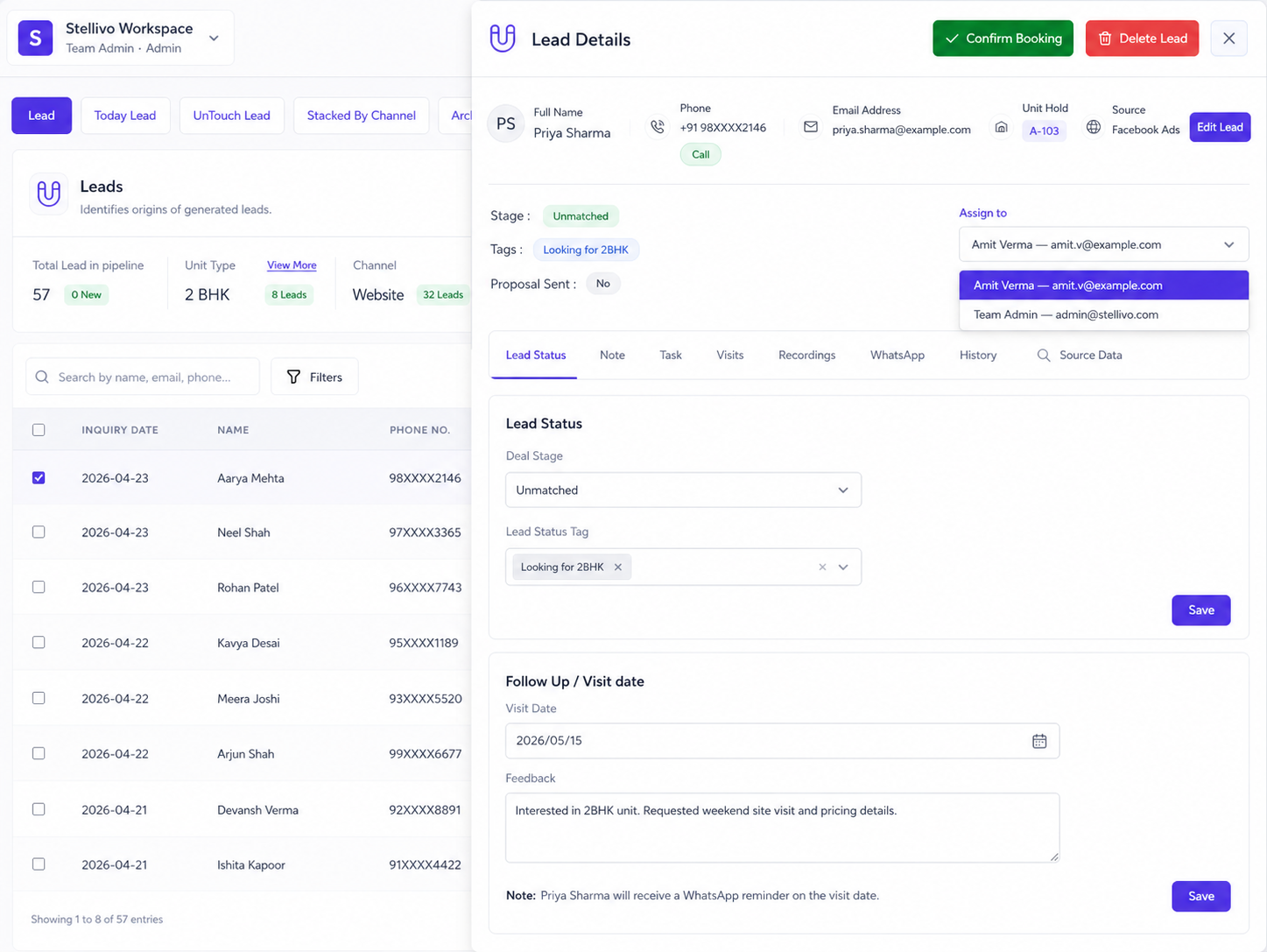
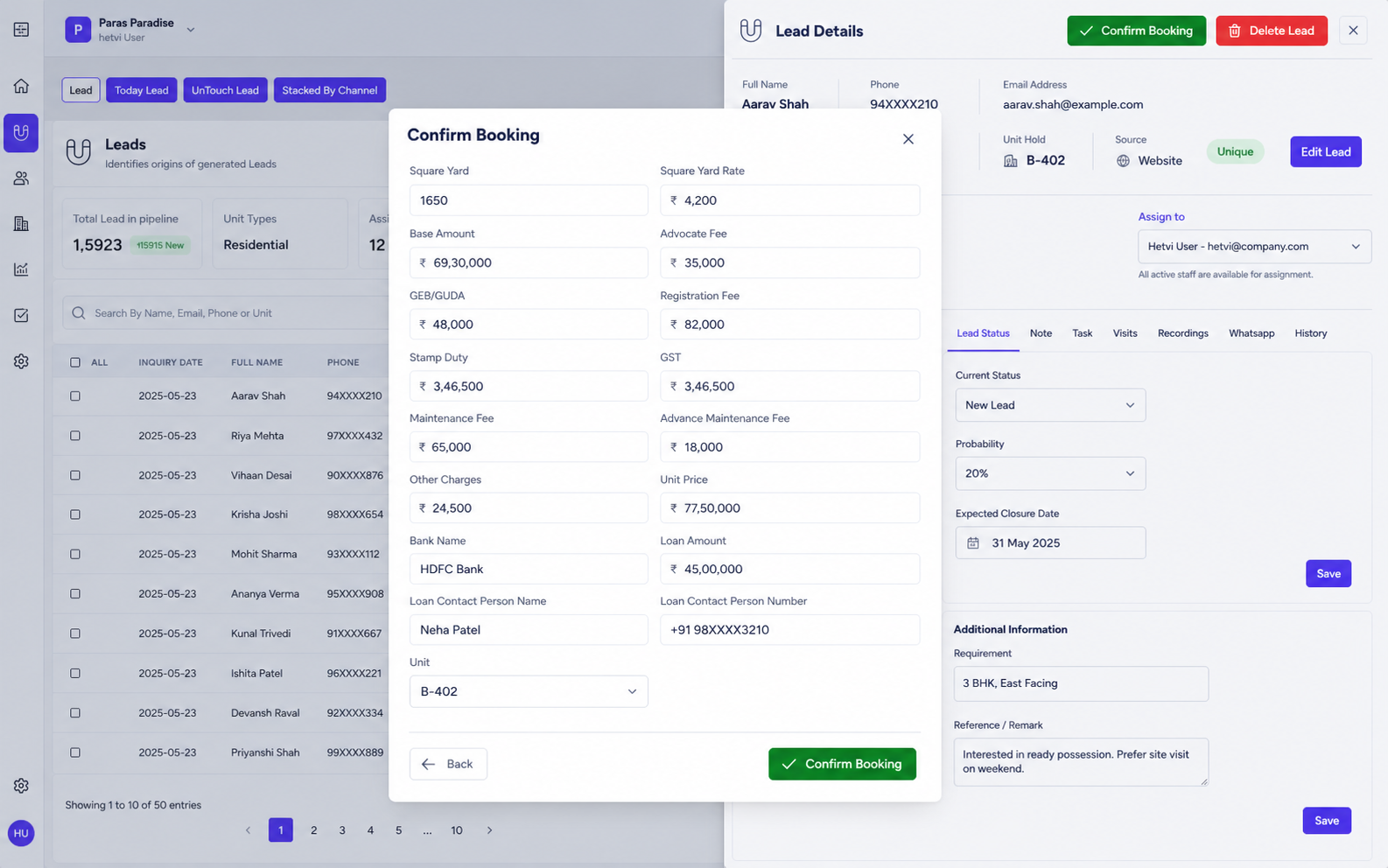
Add leads manually or import them in bulk from different sources, then assign owners directly from the lead card or through bulk assignment flows.
Pipeline & Deal Stages
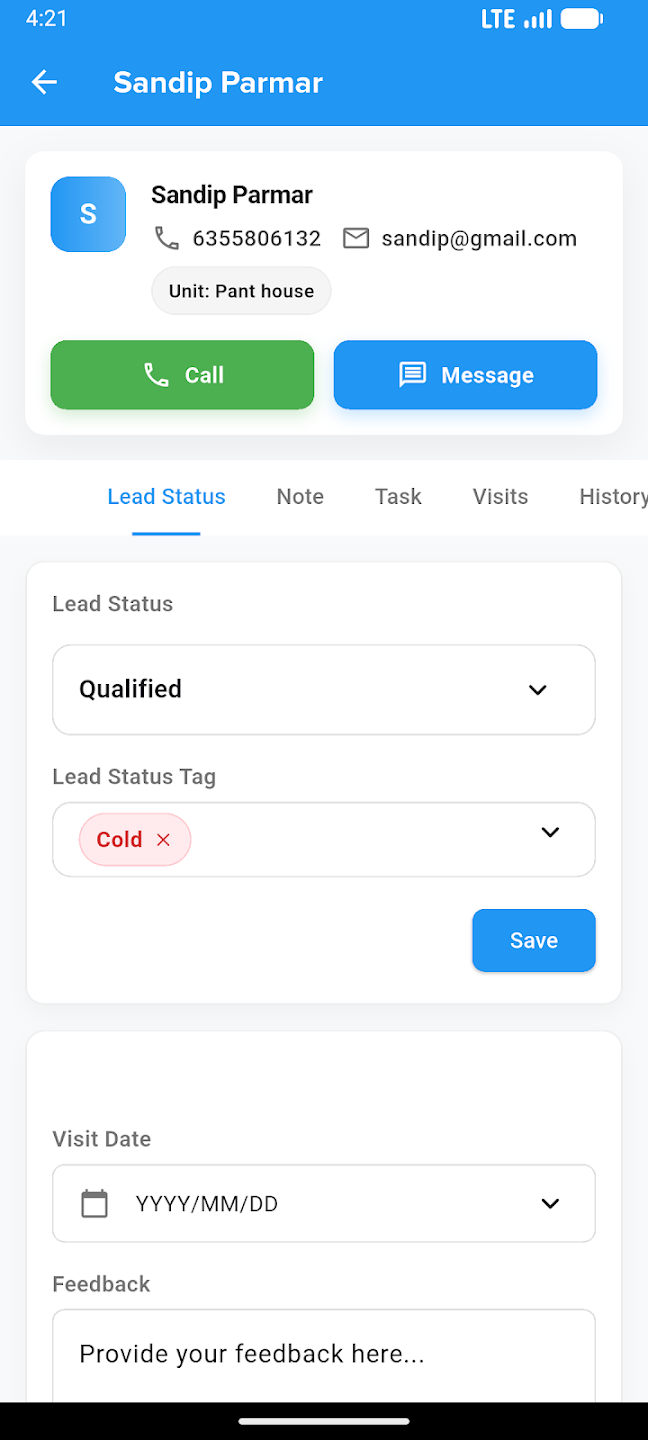
Track every lead through stages like New, Contacted, Qualified, Site Visit, Proposal, and Converted with complete pipeline visibility.
Smart Lead Views
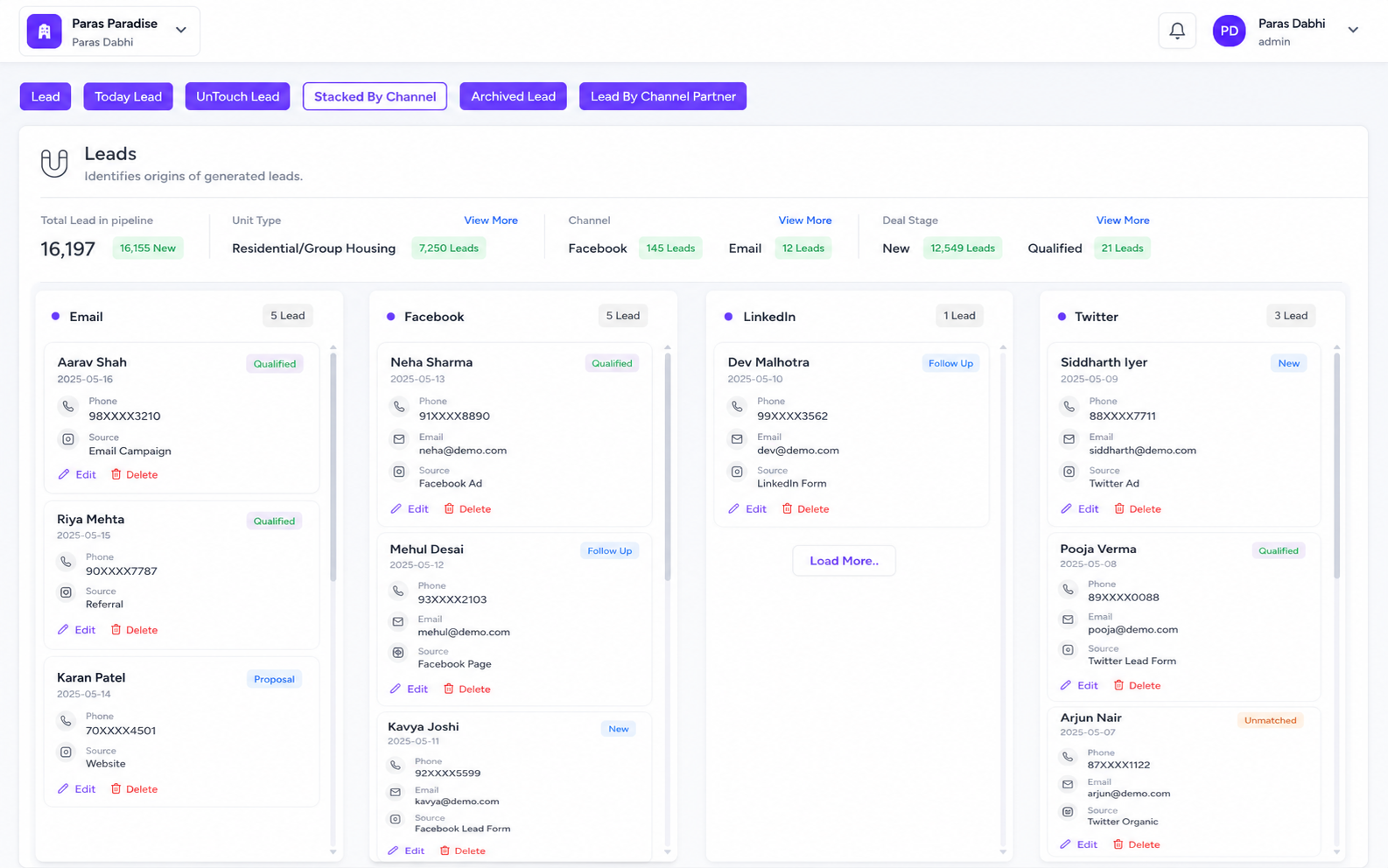
Manage Today Lead, UnTouch Lead, Archived Lead, and Lead by Channel Partner views for faster tracking and focused action.
Lead Workflow Automation
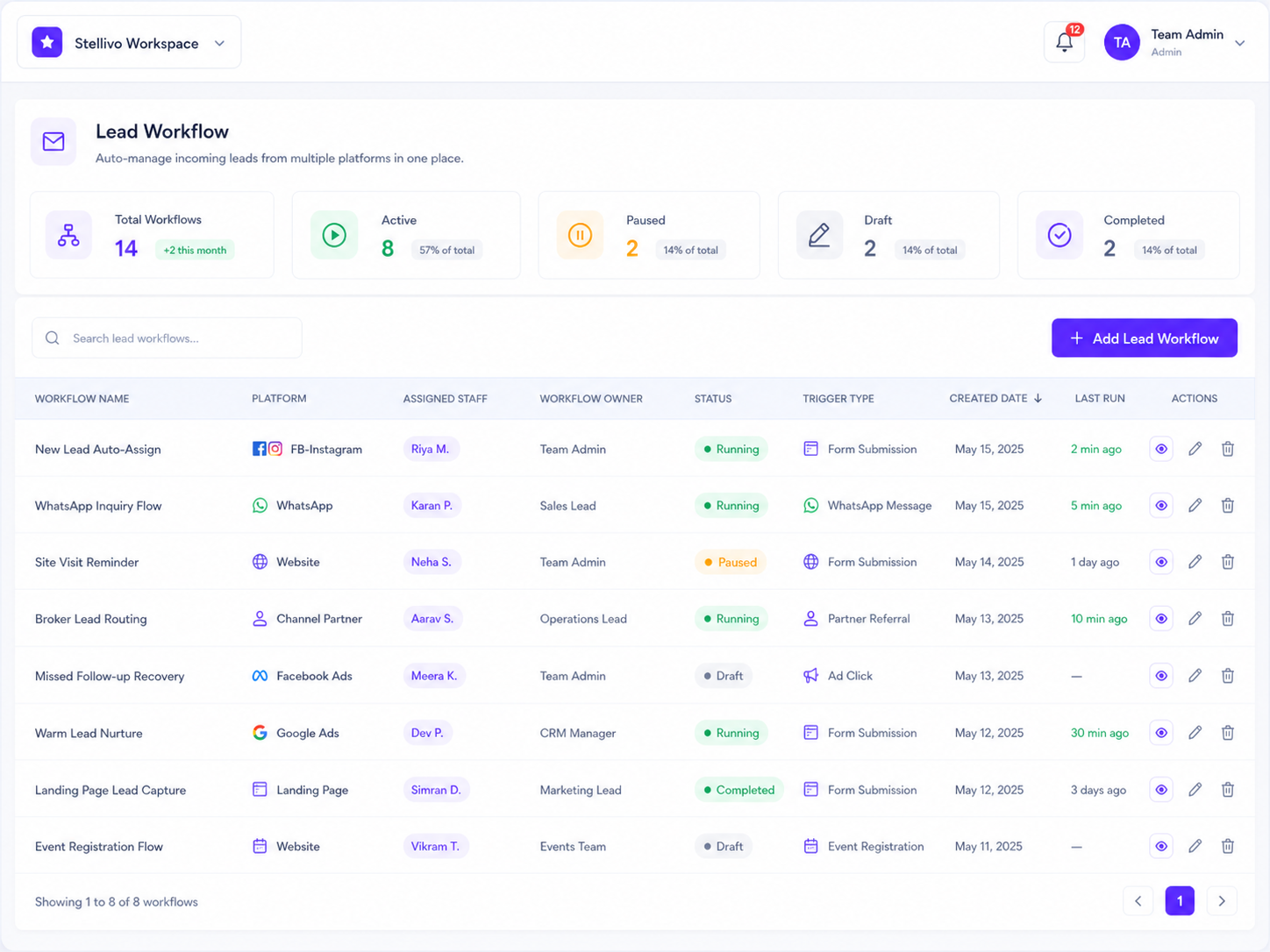
Automatically assign leads when they enter a stage and trigger follow-up actions like WhatsApp templates or task creation.
Follow-ups, Calls & Visit Tracking
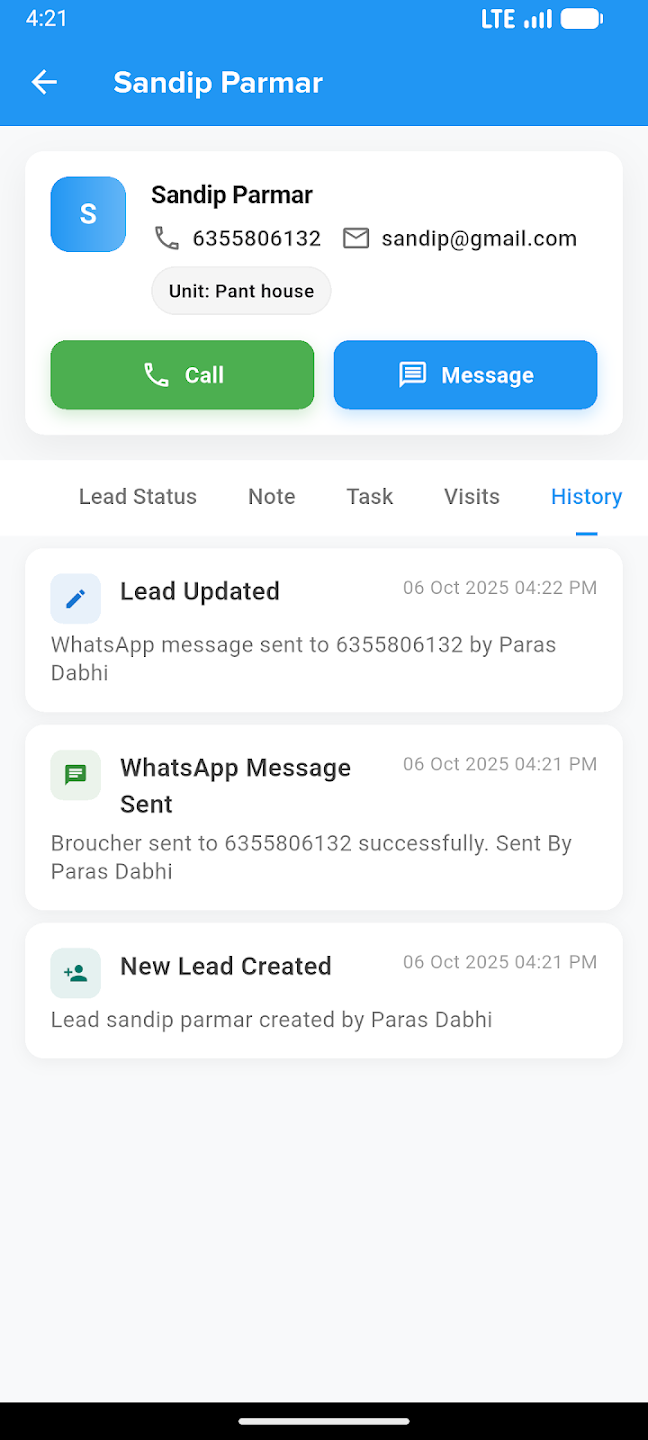
Manage calls, follow-ups, site visits, tasks, and complete lead history from one place so the team always knows the next action.
Channel Tracking & Bulk Actions
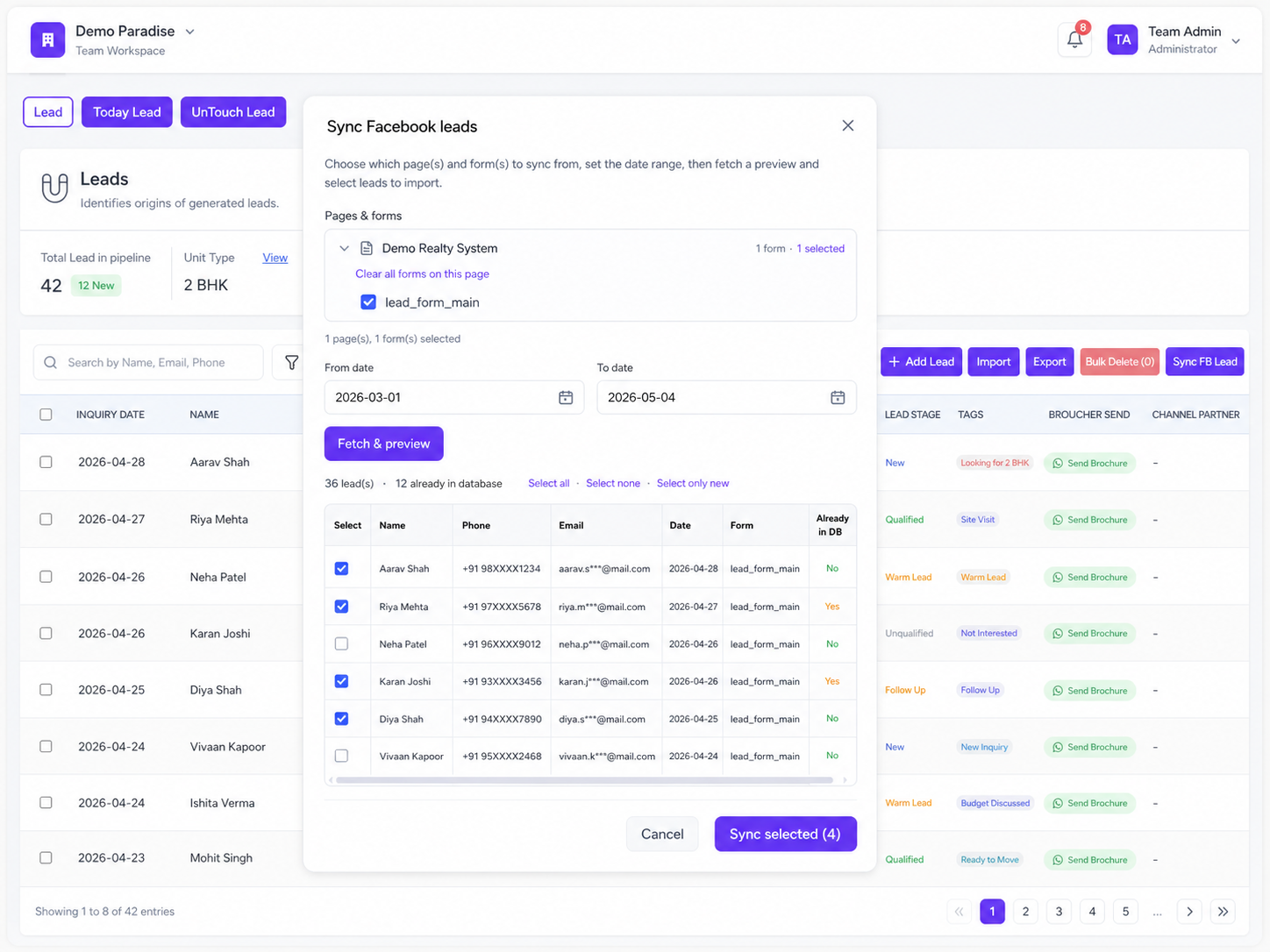
Track sources like Facebook, Email, and channel partners, send brochures instantly, and use copy, export, import, and sync actions.
Never Miss a Follow-up Again
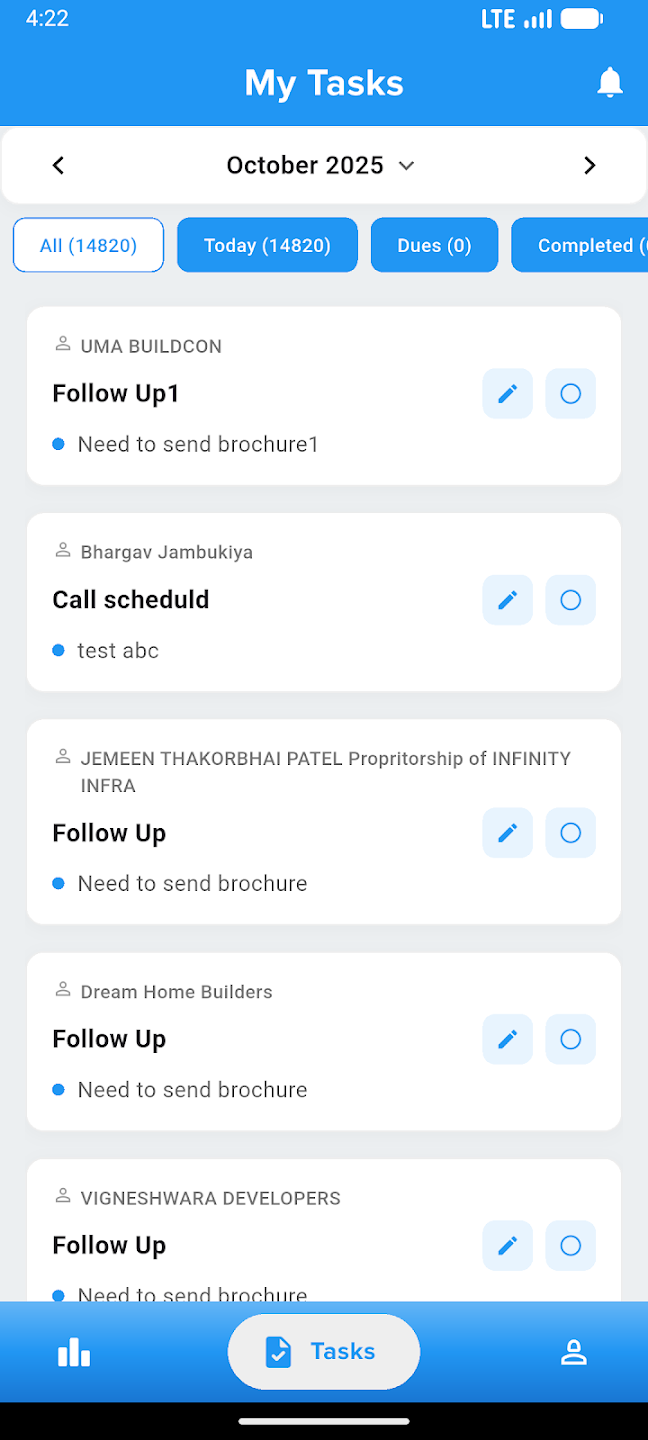
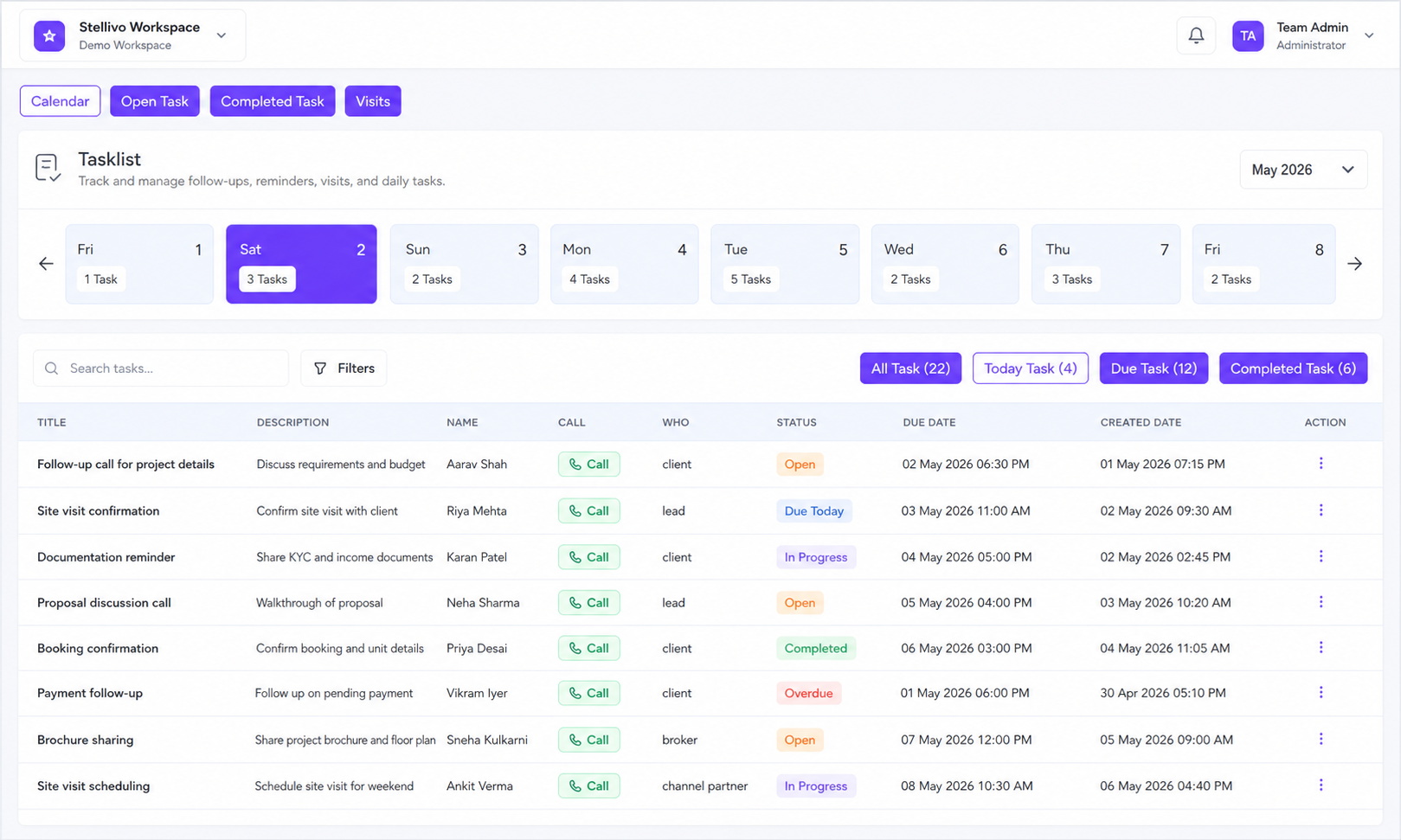
Plan daily work, track open tasks, manage visits, and complete follow-ups from one connected tasklist — built for real estate teams working across leads, clients, calls, brochures, and site visits.
Contact Us14K+
Due tasks tracked
1 place
For all follow-ups
Calendar & Daily Planning
View tasks by date with a clean calendar layout so your team can plan today, this week, and upcoming follow-ups without confusion.
Open & Due Task Tracking
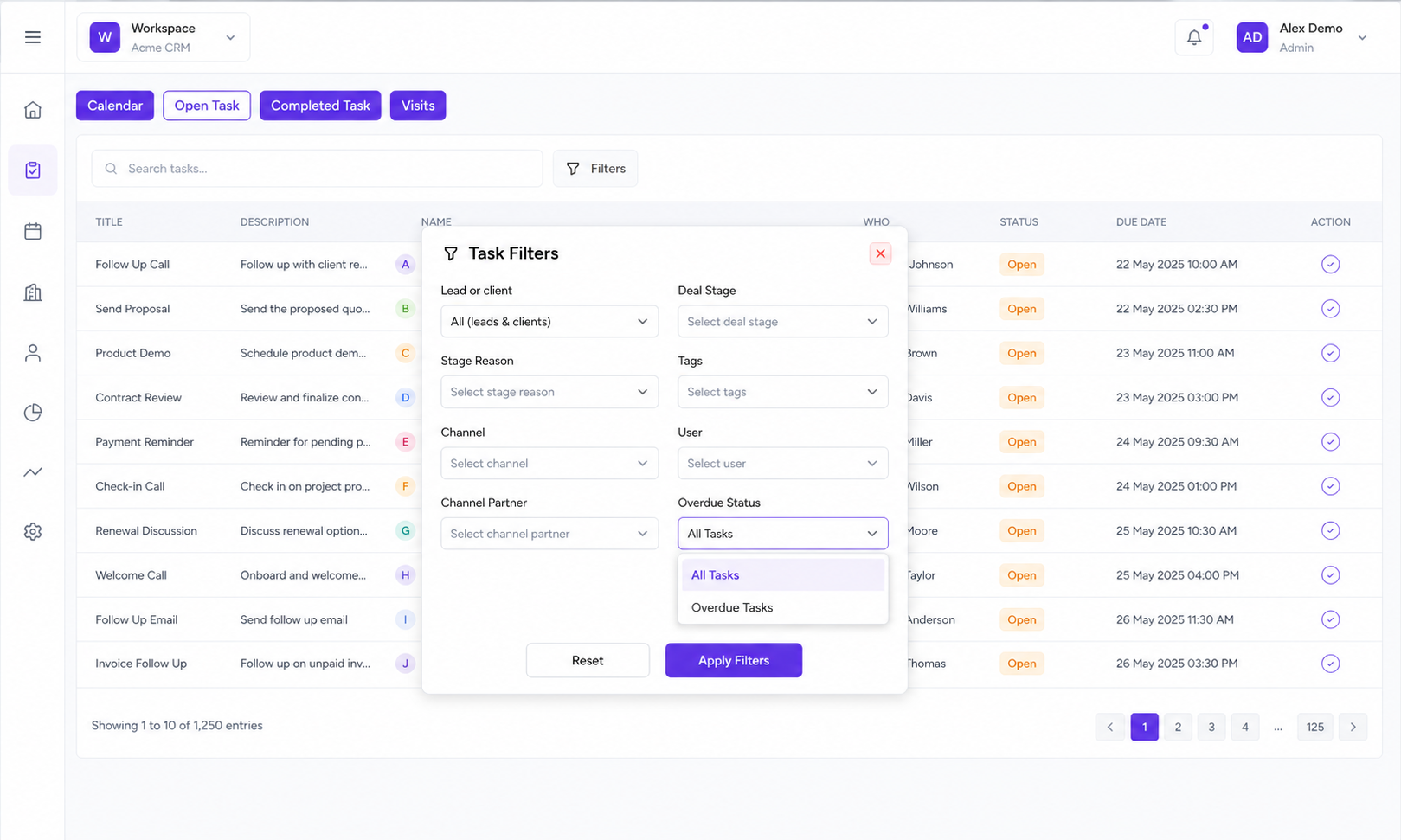
Track every pending task with due dates, overdue indicators, status labels, and quick filters to focus on what needs attention first.
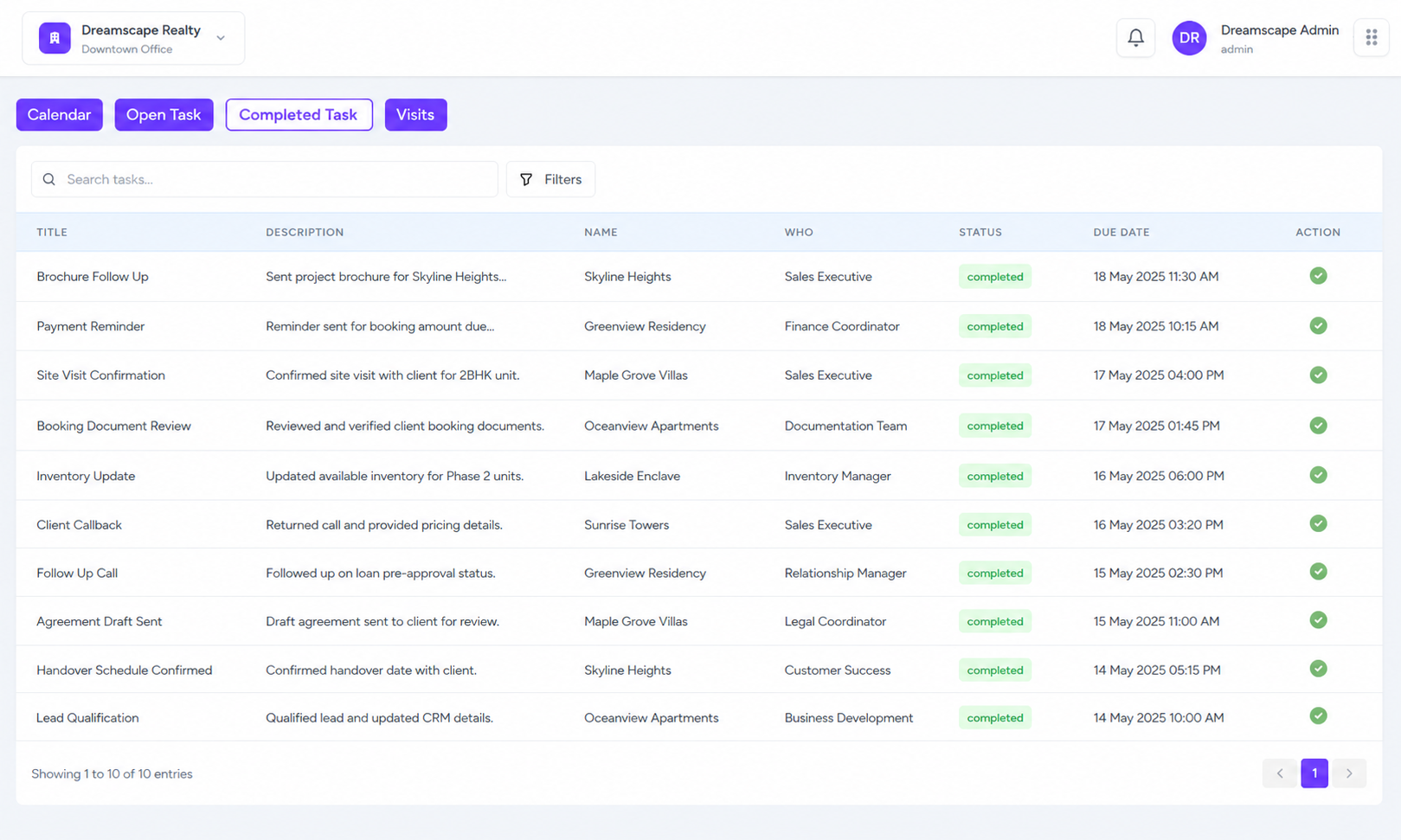
Completed Task History
Mark tasks as completed and keep a clear record of finished follow-ups so lead and client activity history stays updated.
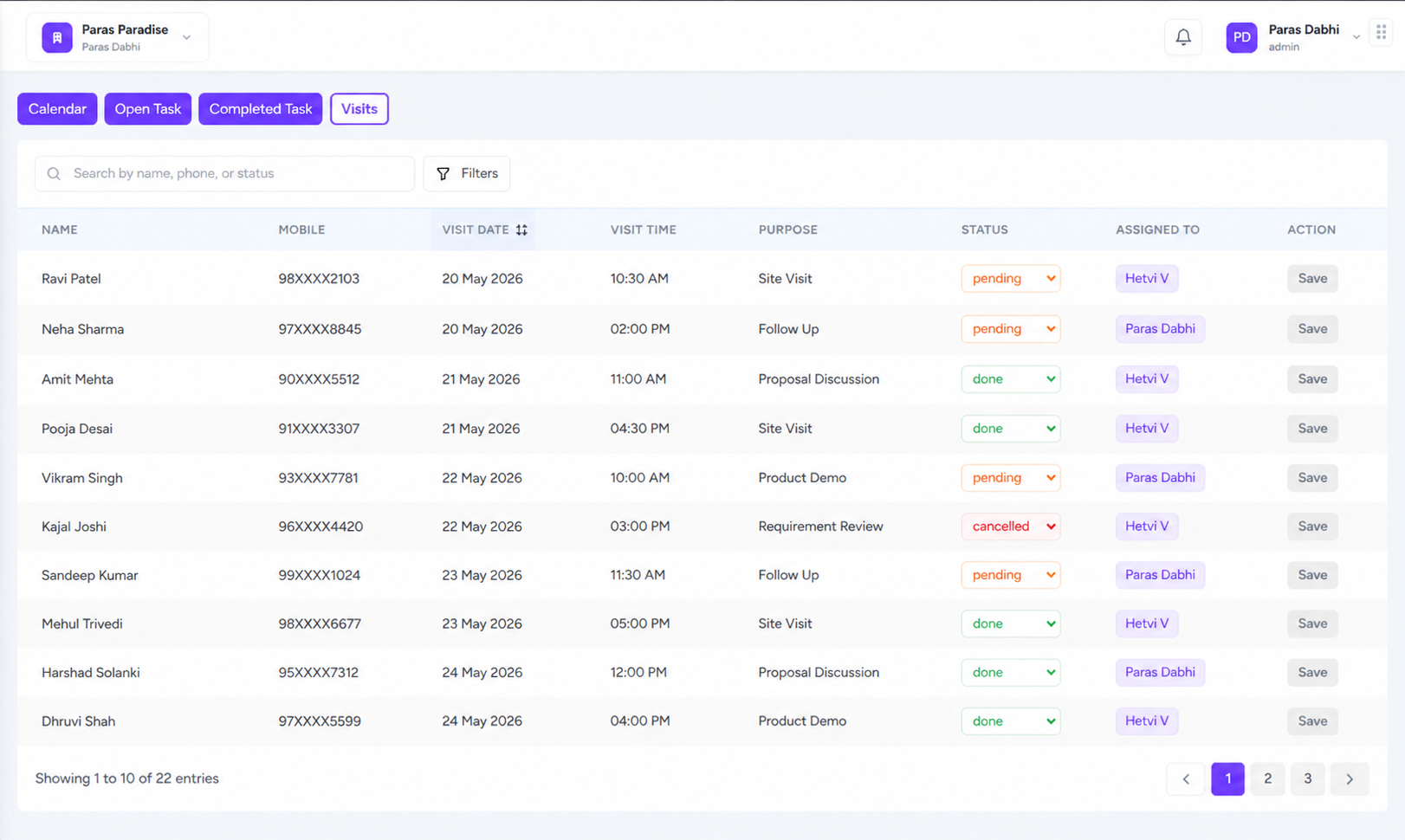
Visit Management
Manage site visits with visitor name, mobile number, visit date, and status like pending, done, or cancelled from one simple view.
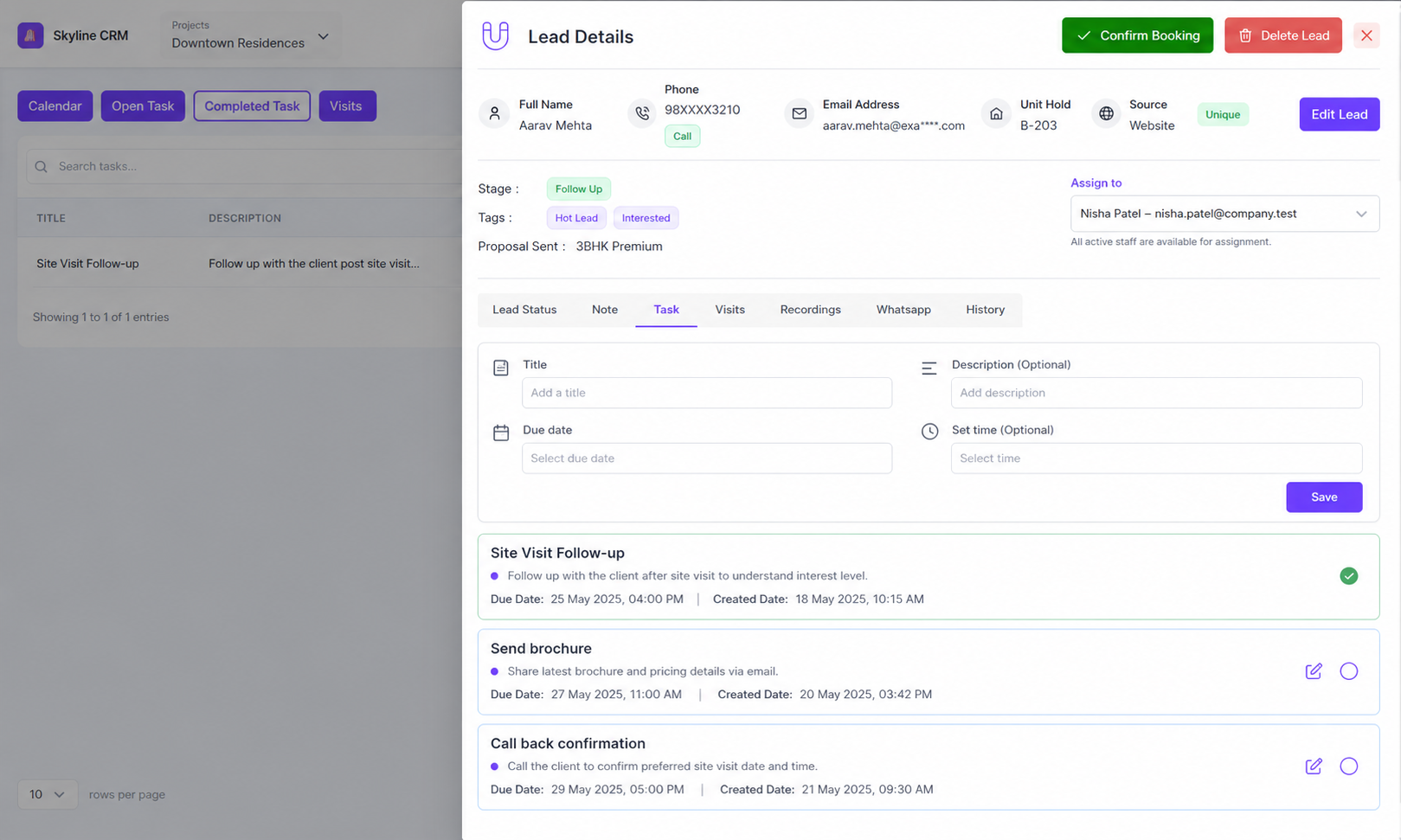
Lead & Client Linked Tasks
Create tasks directly from lead or client cards so every follow-up stays connected to the right customer timeline and sales context.
Calls, Brochures & Follow-up Actions
Call customers, send brochures, update status, and close tasks faster from the tasklist without switching between multiple screens.
Manage Every Customer From Booking to Collection
Keep every converted customer in one connected profile with booking details, documents, payments, GST, WhatsApp, tasks, notes, visits, and service requests — built for real estate teams that need clear post-sale control.
Explore Pricing1 profile
Per customer
360°
Client visibility
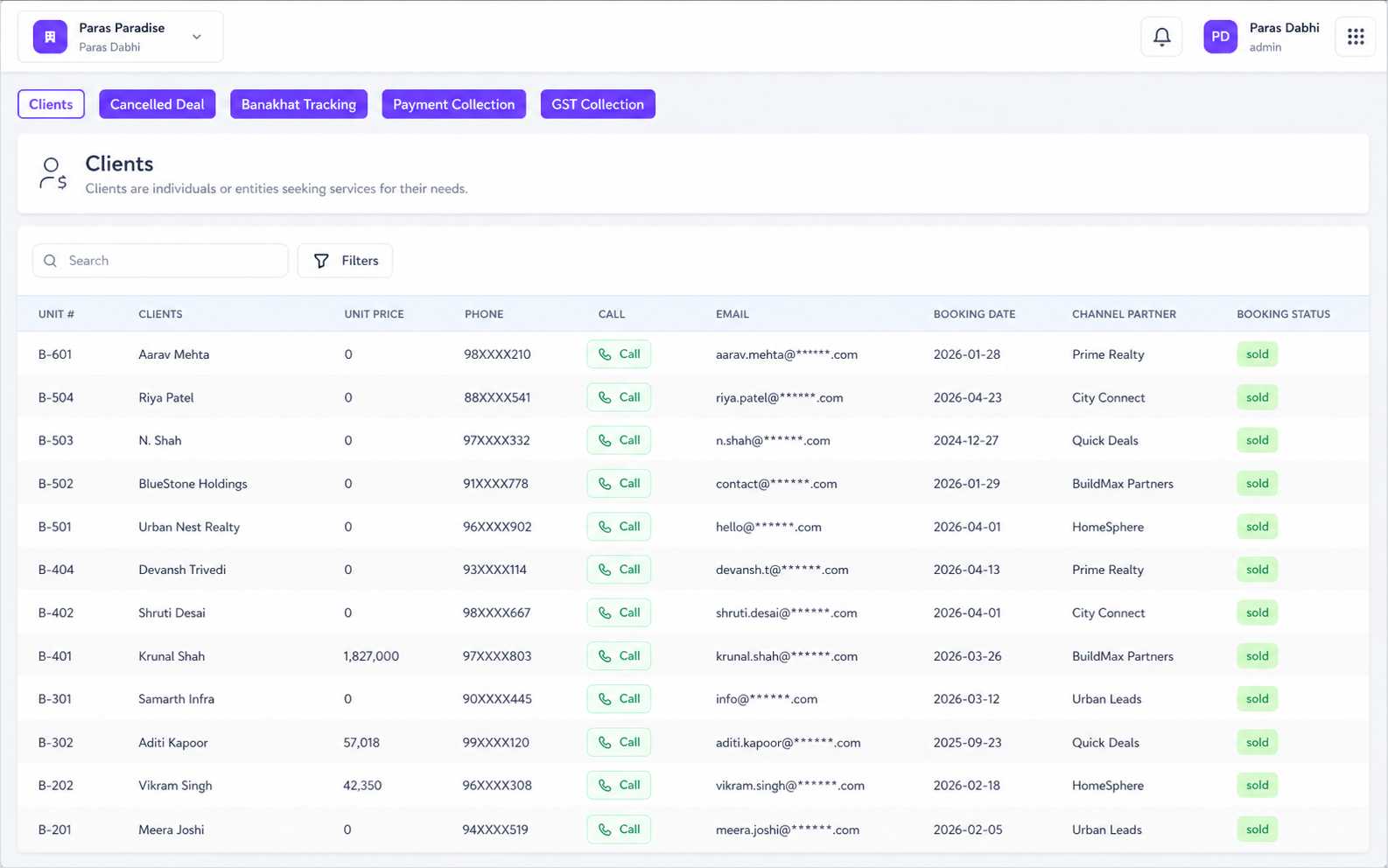
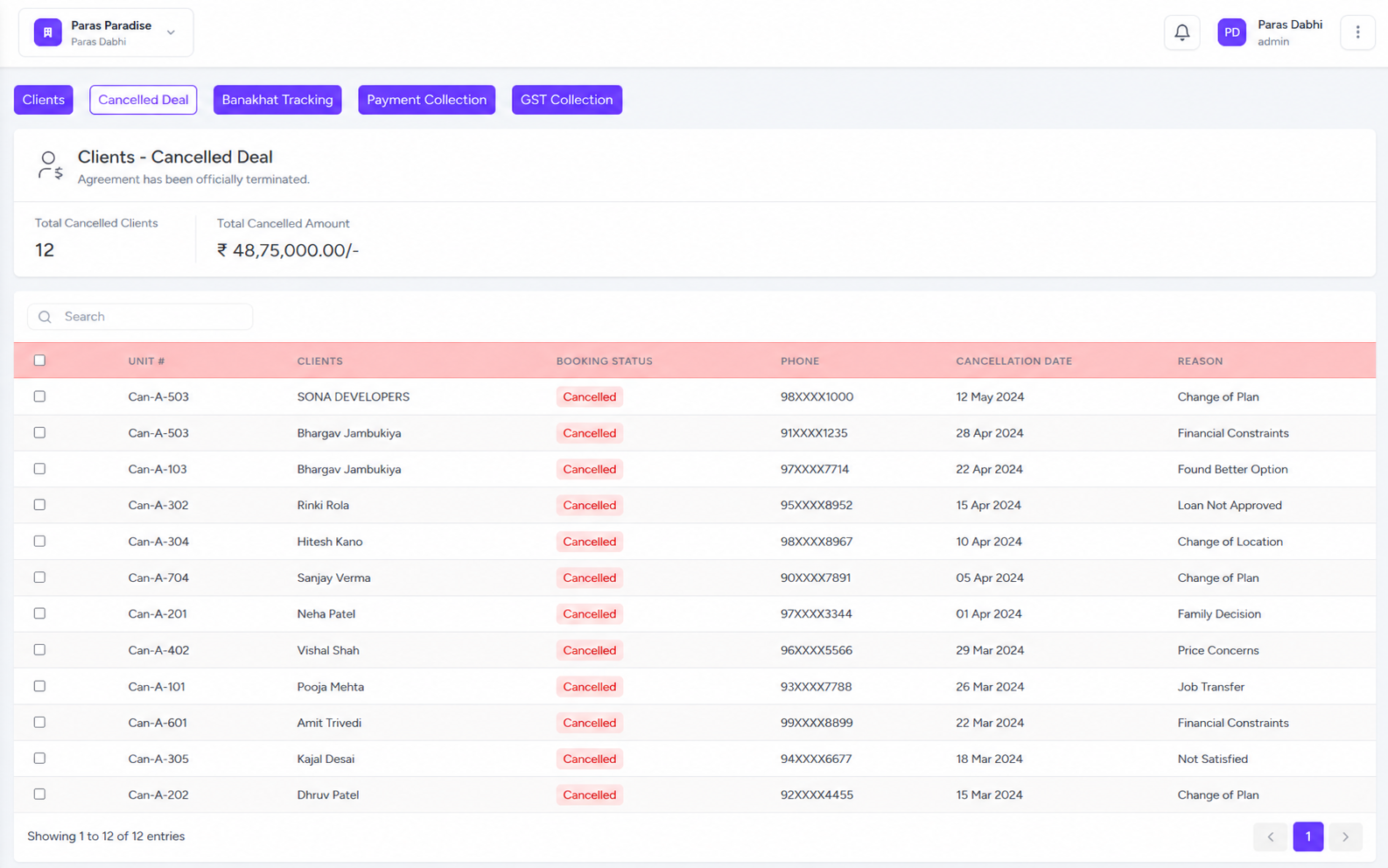
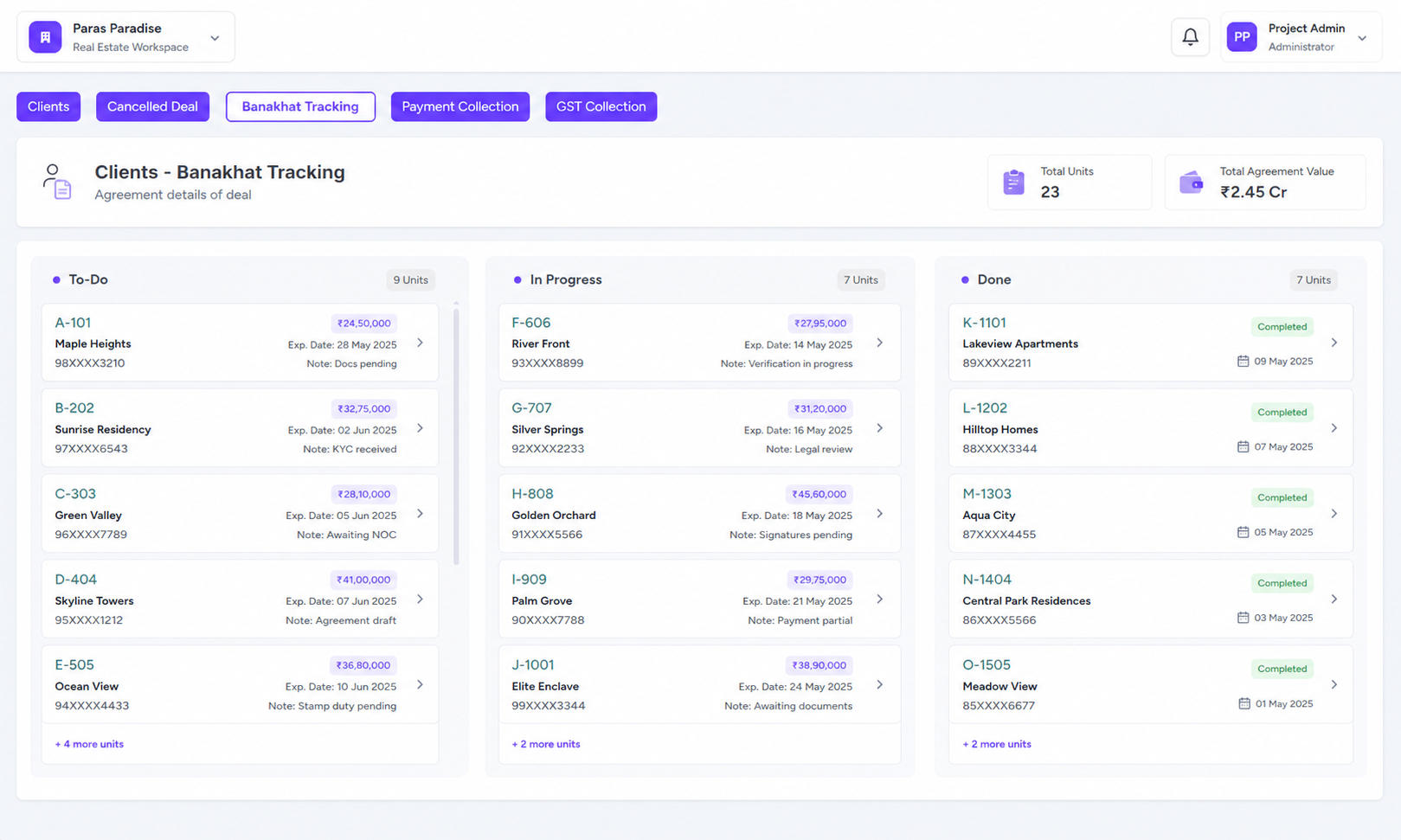
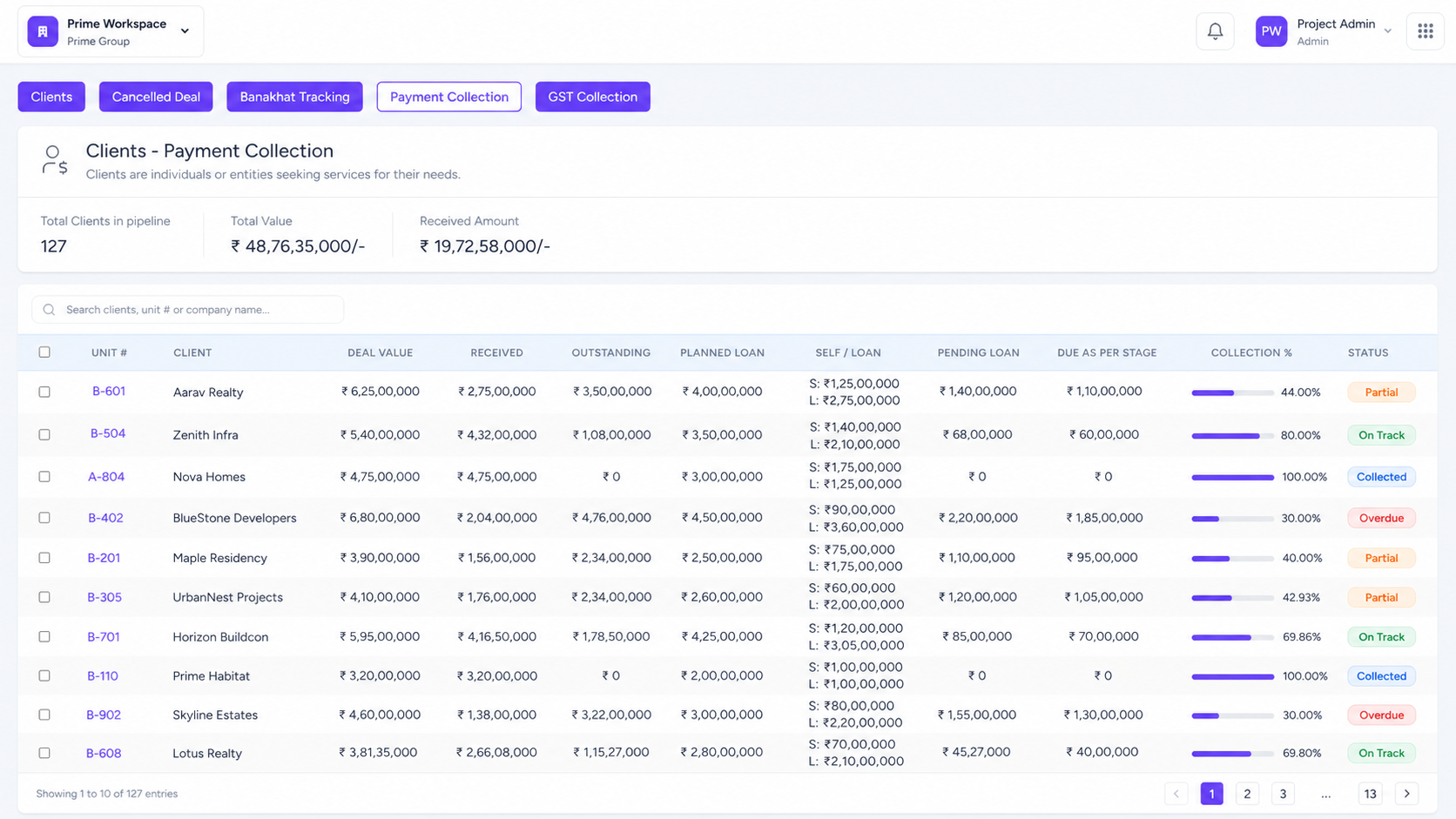
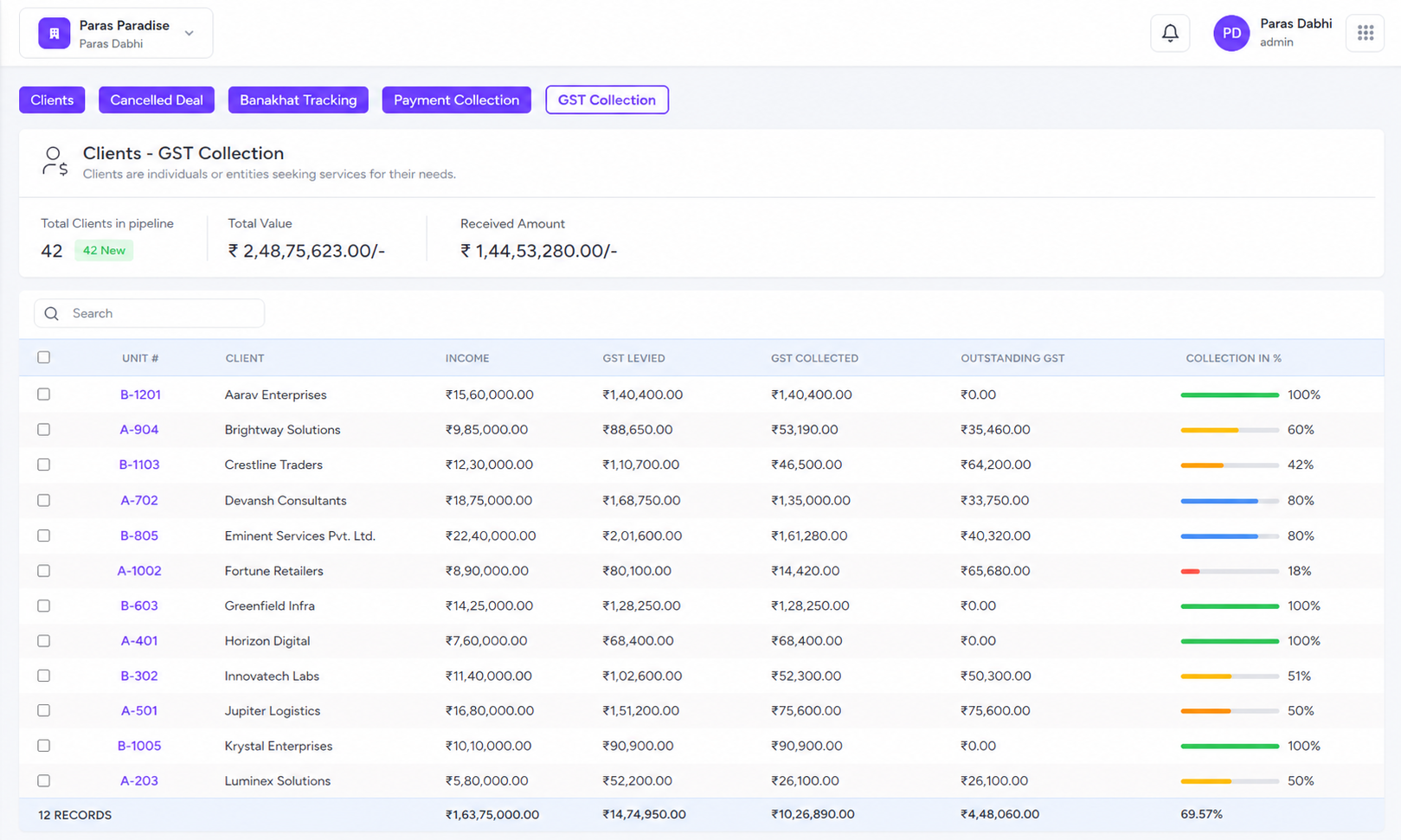
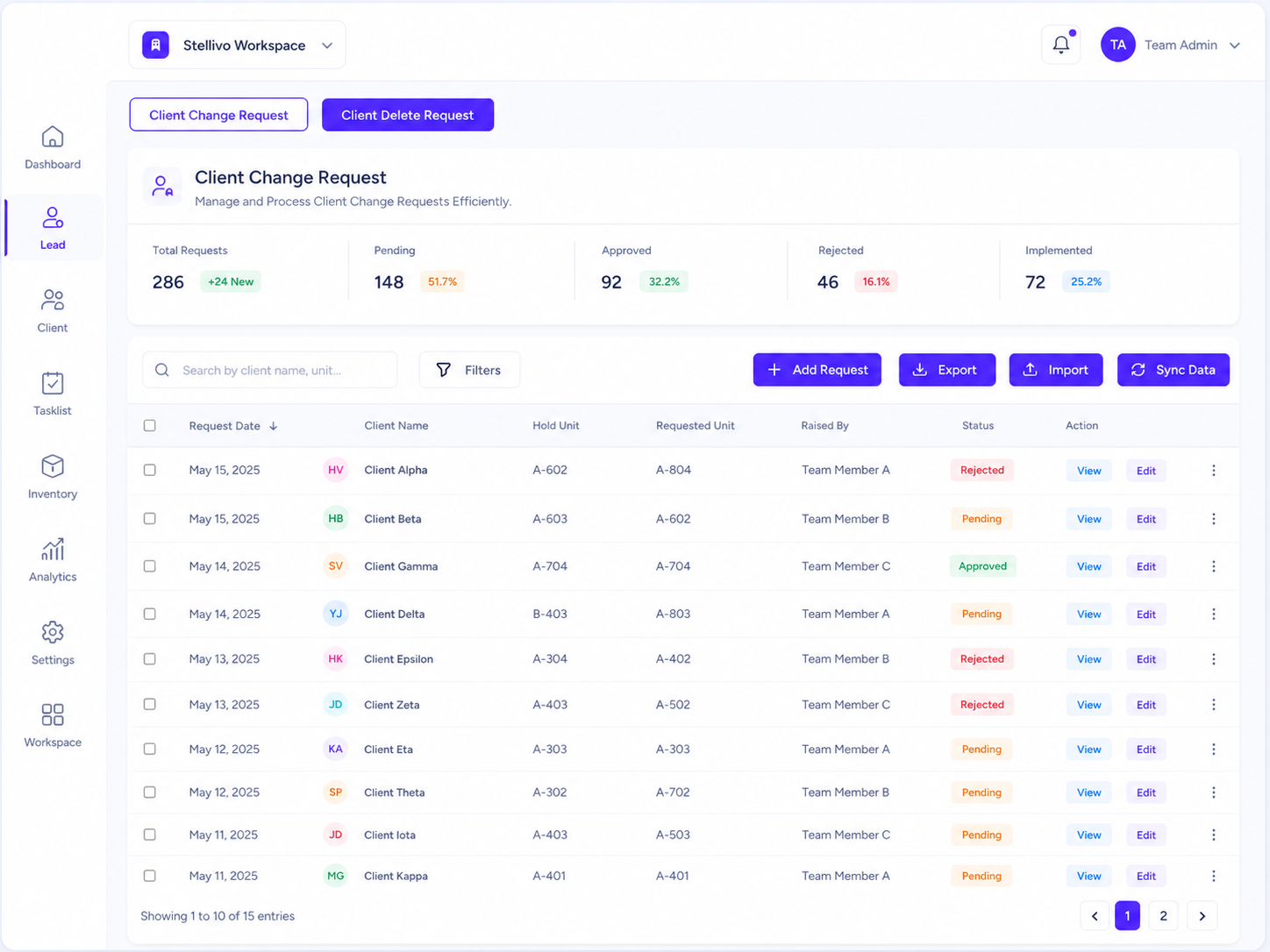
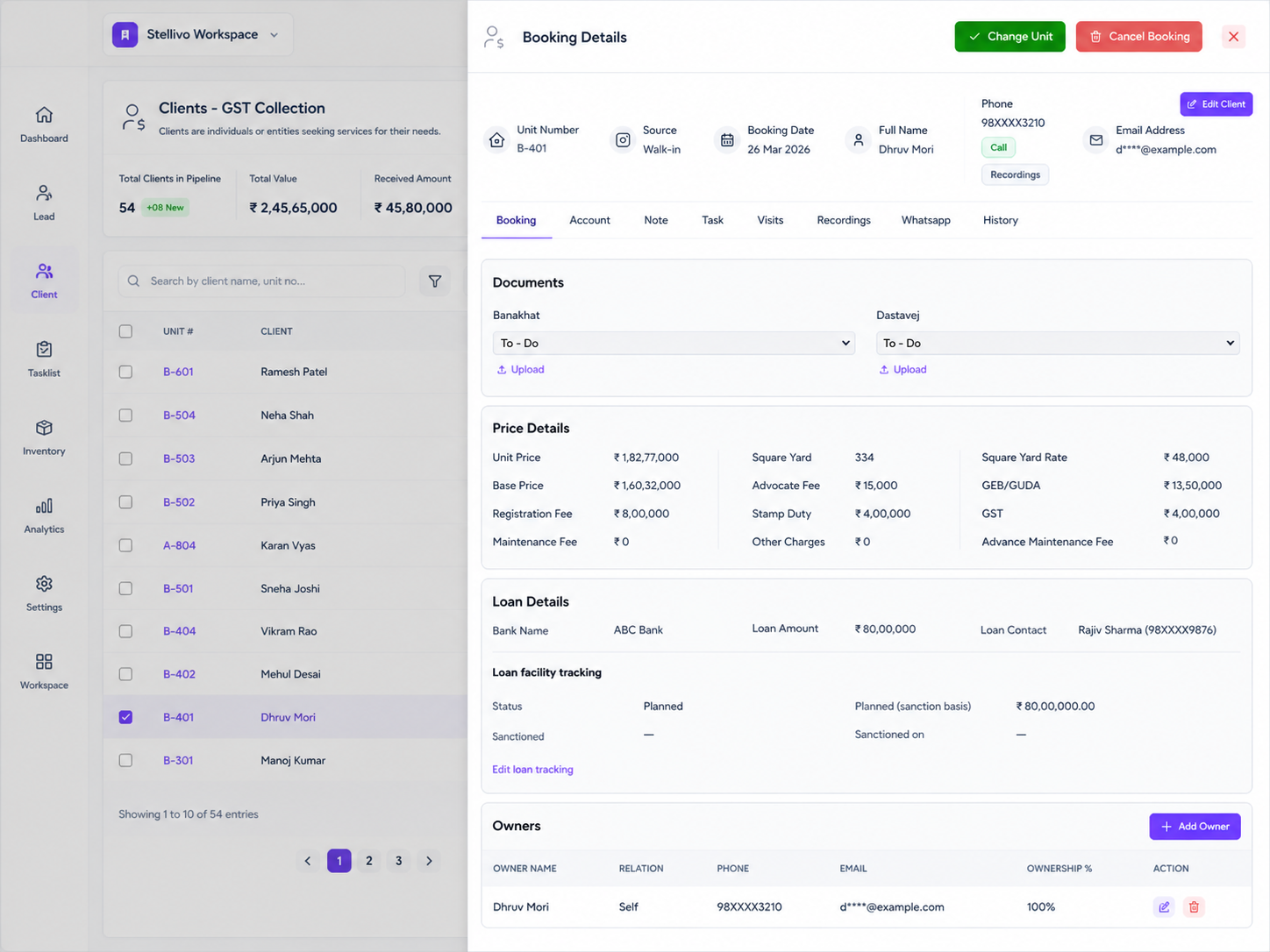
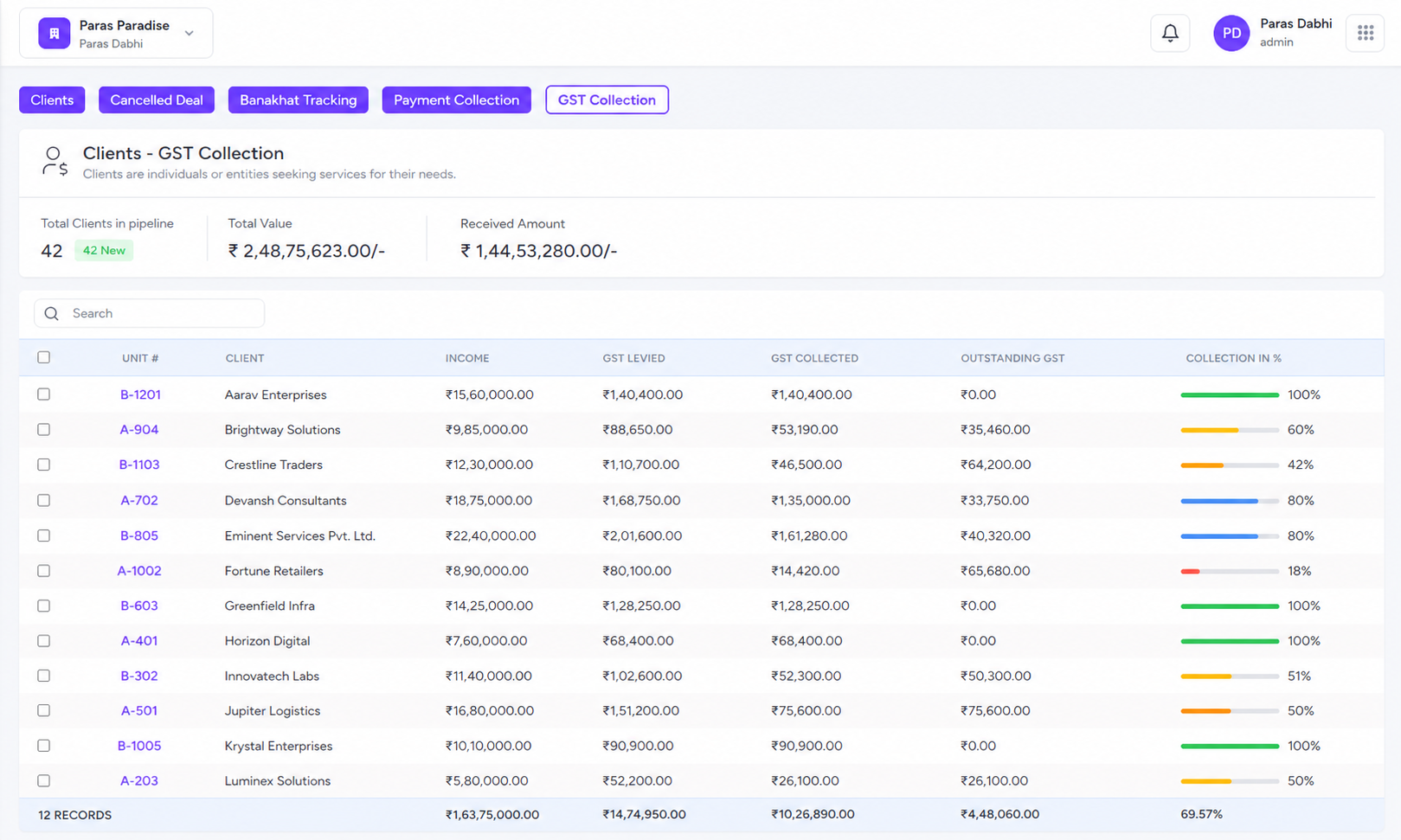
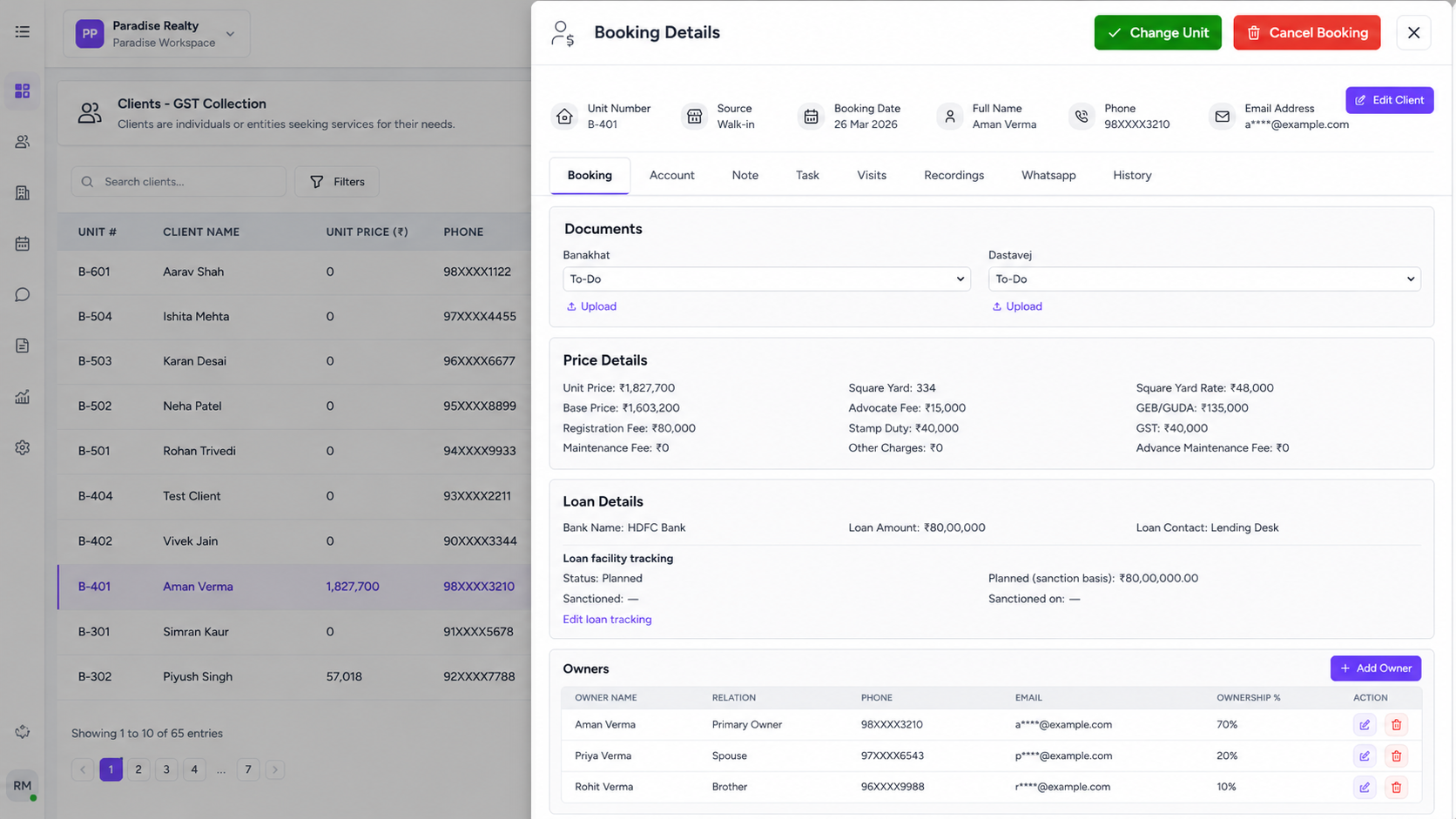
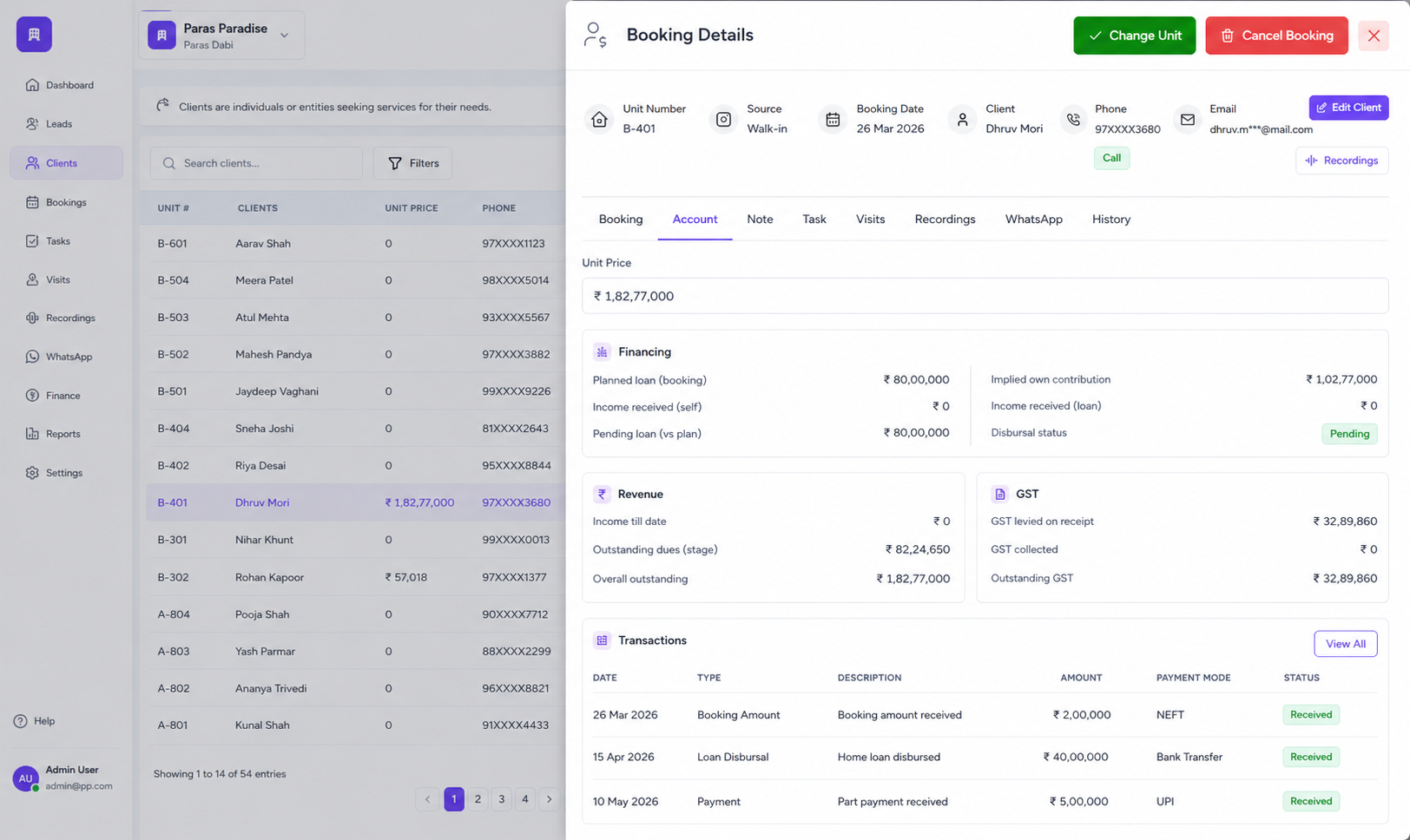
Complete Client Profiles
Store customer details, unit number, booking date, source, phone, email, documents, notes, visits, WhatsApp, and full activity history in one profile.
Payment Collection Tracking
Track deal value, income received, planned loan, pending loan, outstanding dues, and collection percentage for every booked unit.
GST Collection Management
Monitor GST levied, GST collected, outstanding GST, and collection progress so finance teams can track tax-related payments clearly.
Banakhat & Document Tracking
Manage Banakhat, Dastavej, uploads, and document status across To-Do, In Progress, and Done stages for every client booking.
Client Requests & Approvals
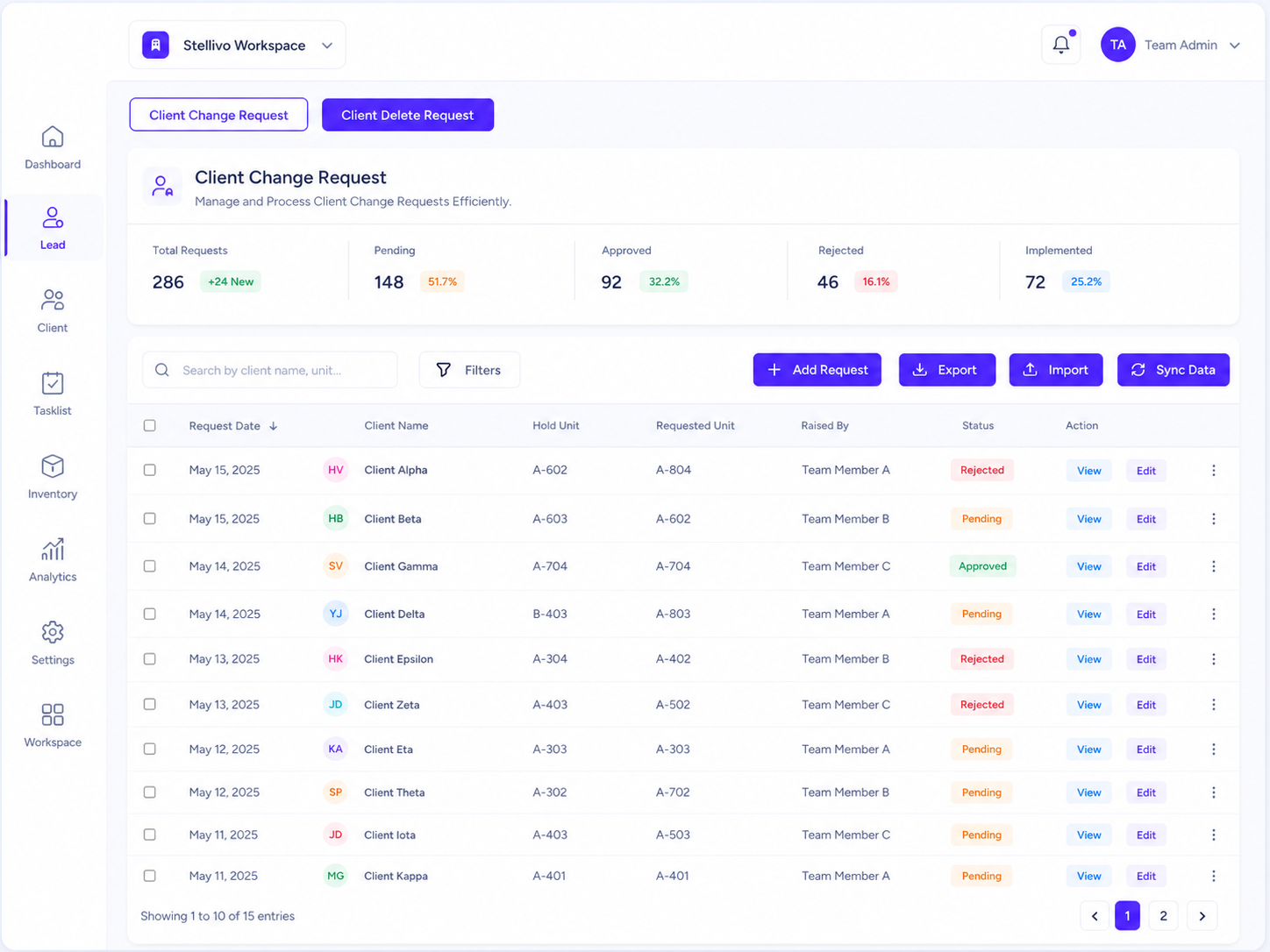
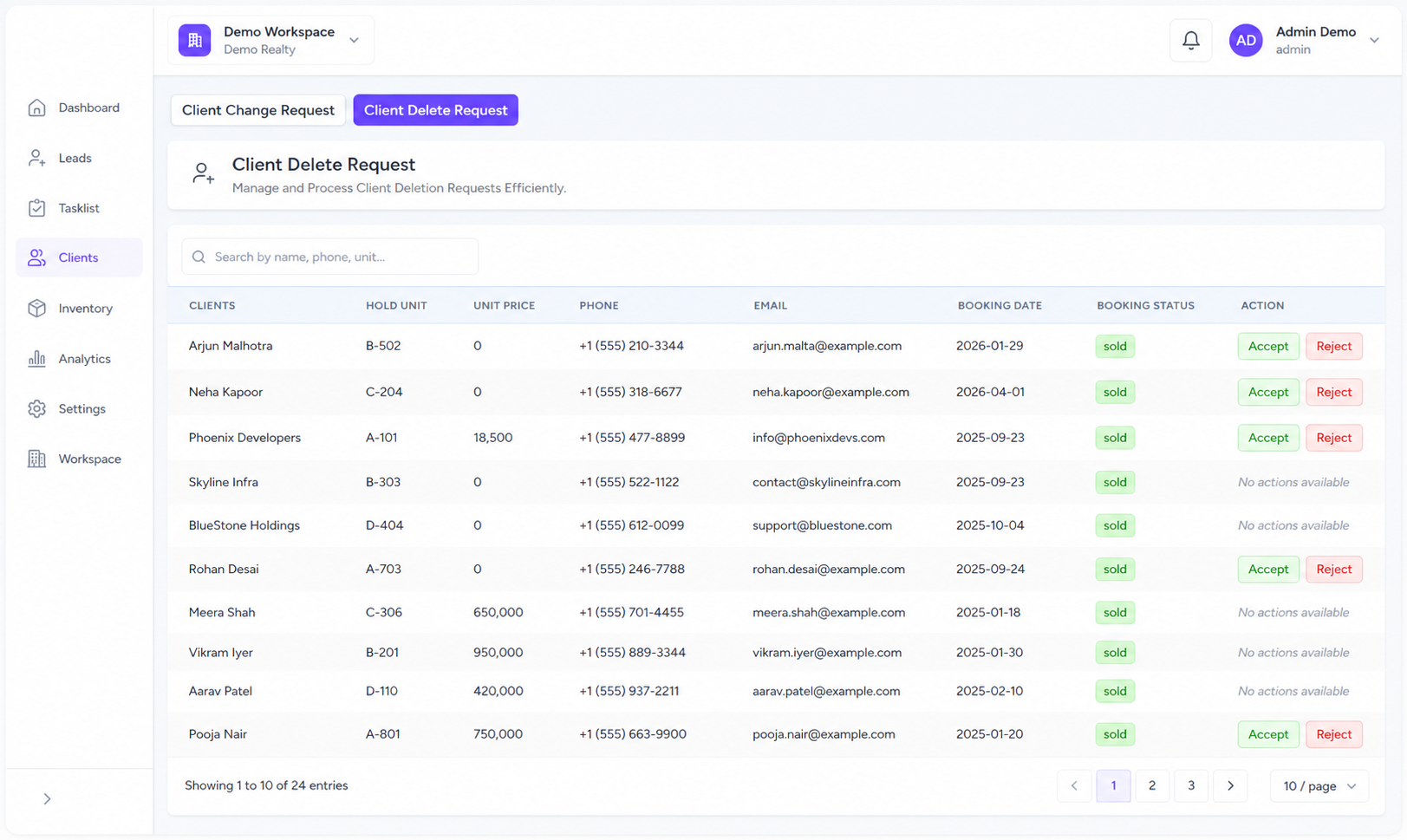
Handle client change requests, profile updates, deletion requests, cancel booking requests, and change unit requests with approve or reject actions.
WhatsApp, Tasks & Follow-ups
Connect client communication with WhatsApp, tasks, visits, recordings, and notes so every post-sale follow-up stays updated in the timeline.
Control Every Booking From Request to Confirmation
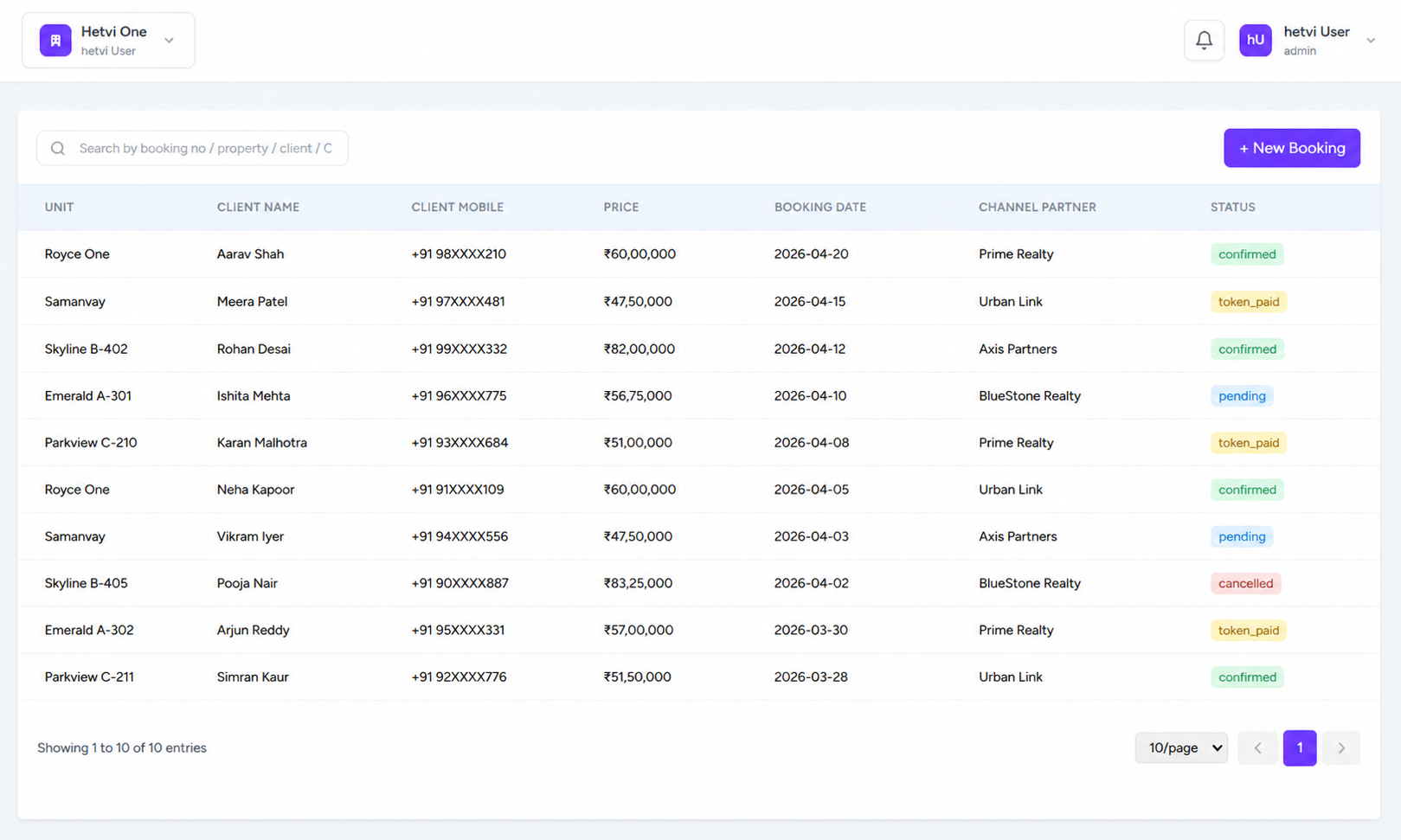
Manage channel partner bookings, approve or reject requests, connect bookings with the right lead or client, handle unit changes, and control cancellation requests from one organized booking workflow.
1 queue
For booking requests
100%
Approval control
Channel Partner Bookings
Allow channel partners to request unit bookings from available inventory while your admin team keeps final approval control.
Booking Approval Queue
Review pending booking requests, approve or reject them, and add notes so every partner booking follows a clear approval process.
Lead & Client Linking
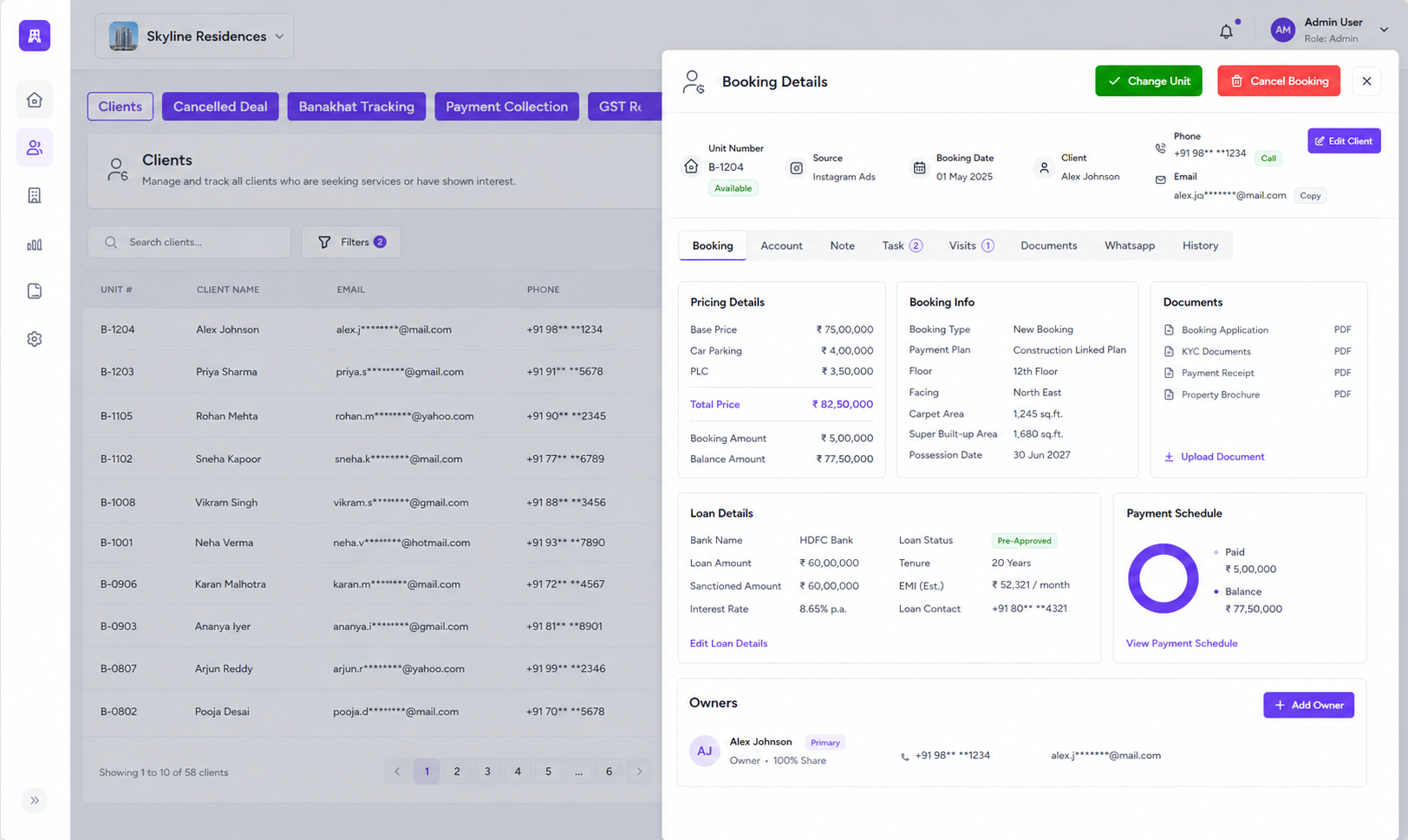
Connect every booking with the right lead or client so sales history, booking status, and customer records stay accurate.
Change Unit Workflow
Manage unit change requests by comparing the current booked unit with the requested unit before accepting or rejecting the change.
Cancel Booking Control
Handle cancellation requests safely with confirmation steps, approval control, and clean status tracking to avoid accidental data loss.
Booking Status Tracking
Track confirmed, pending, rejected, changed, and cancelled bookings from one place so your team always knows what is finalized.
Track Every Unit From Availability to Allocation
View apartments, villas, penthouses, plots, shops, and commercial units by project, tower, floor, unit type, and status — with real-time hold, sold, empty, and booking visibility to prevent double-booking.
Contact UsReal-time
Unit availability
0
Double-booking risk
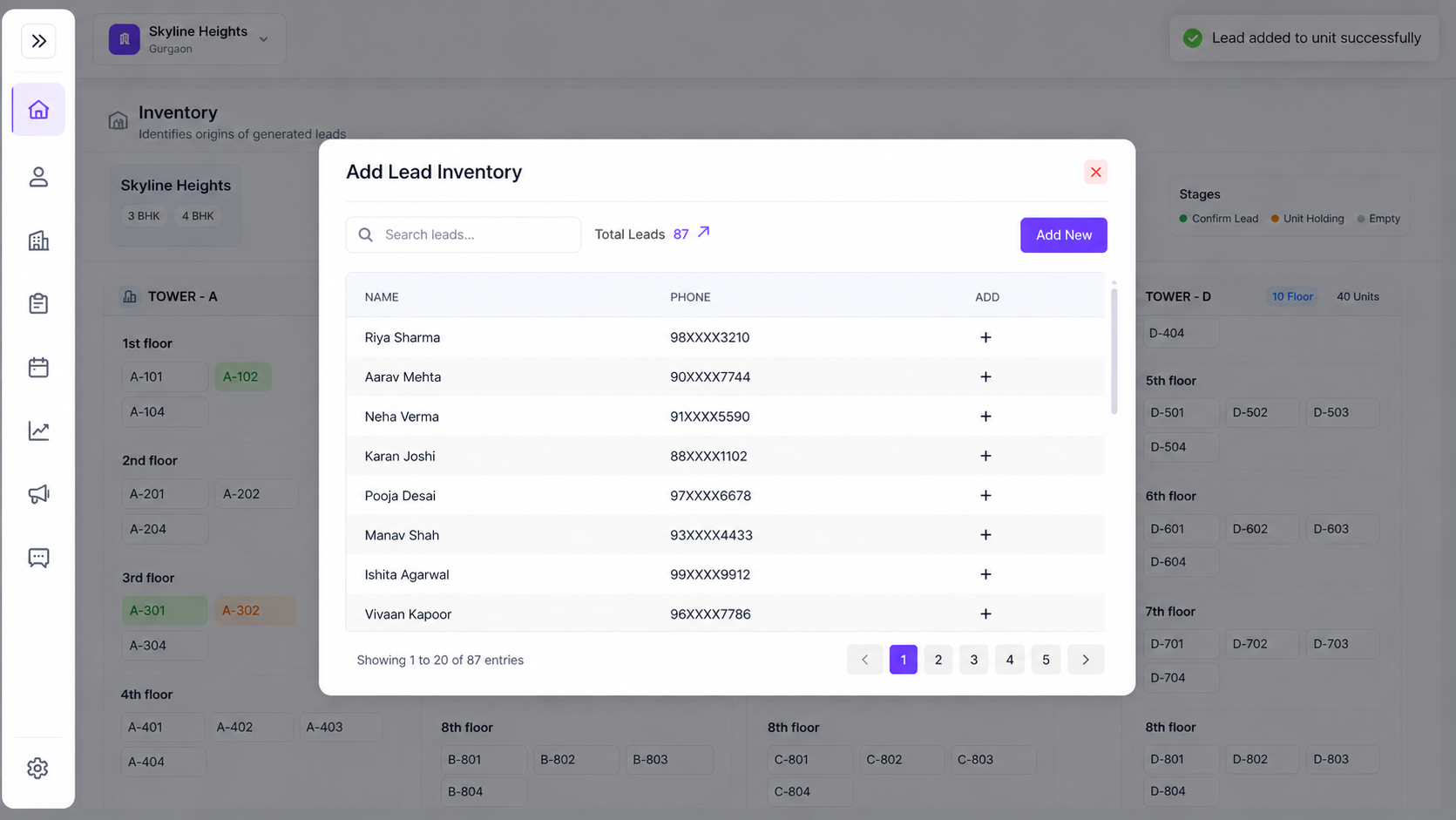
Project & Unit Overview
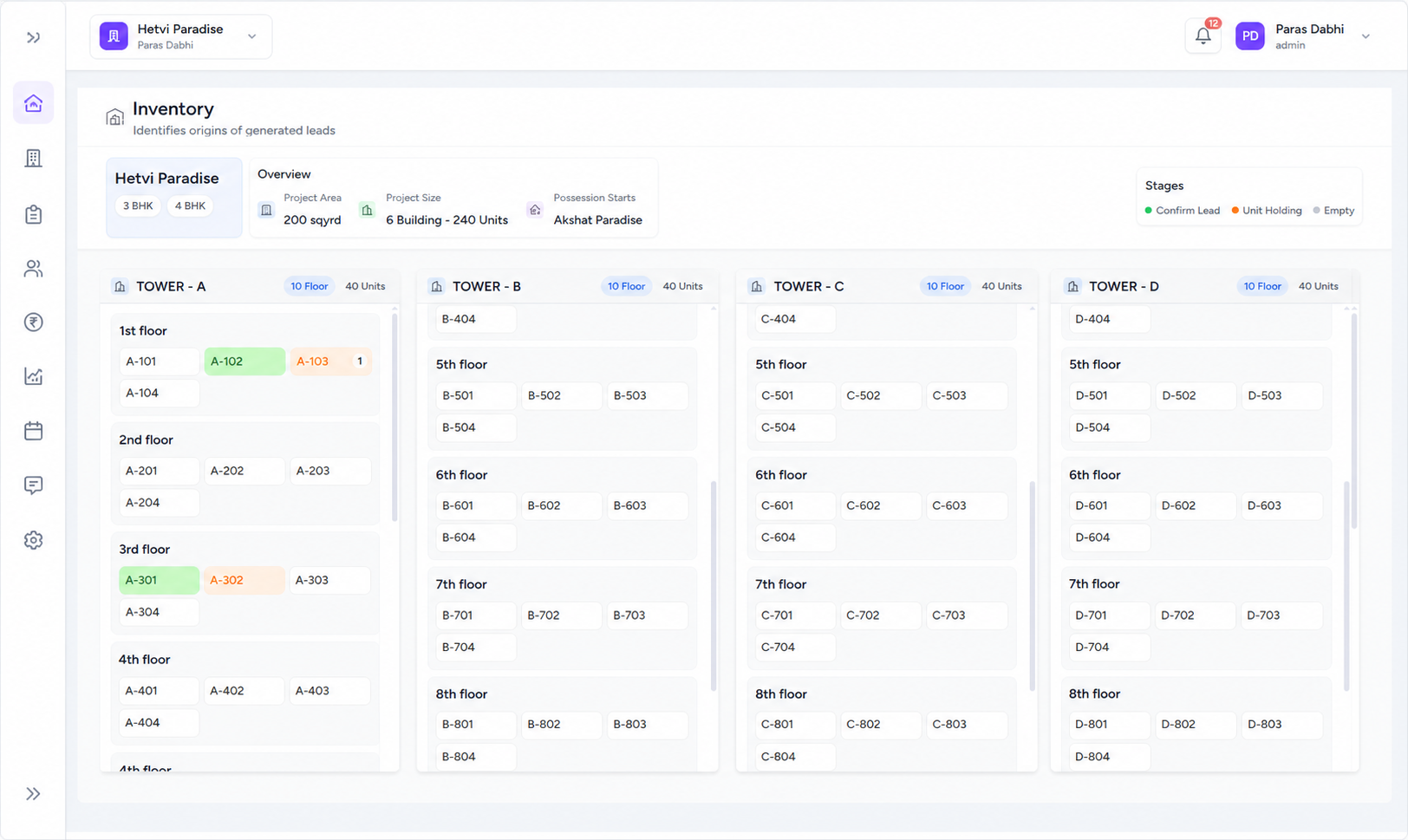
View inventory by project, unit type, tower, floor, possession date, project area, and total unit count in one clean overview.
Multi-Type Inventory Support
Manage different property types like 1 BHK, 2 BHK, 3 BHK, villas, penthouses, plots, shops, offices, and commercial units.
Tower, Floor & Unit Layout
See units visually by tower and floor so teams can quickly understand what is available, sold, empty, or currently on hold.
Unit Holding Management
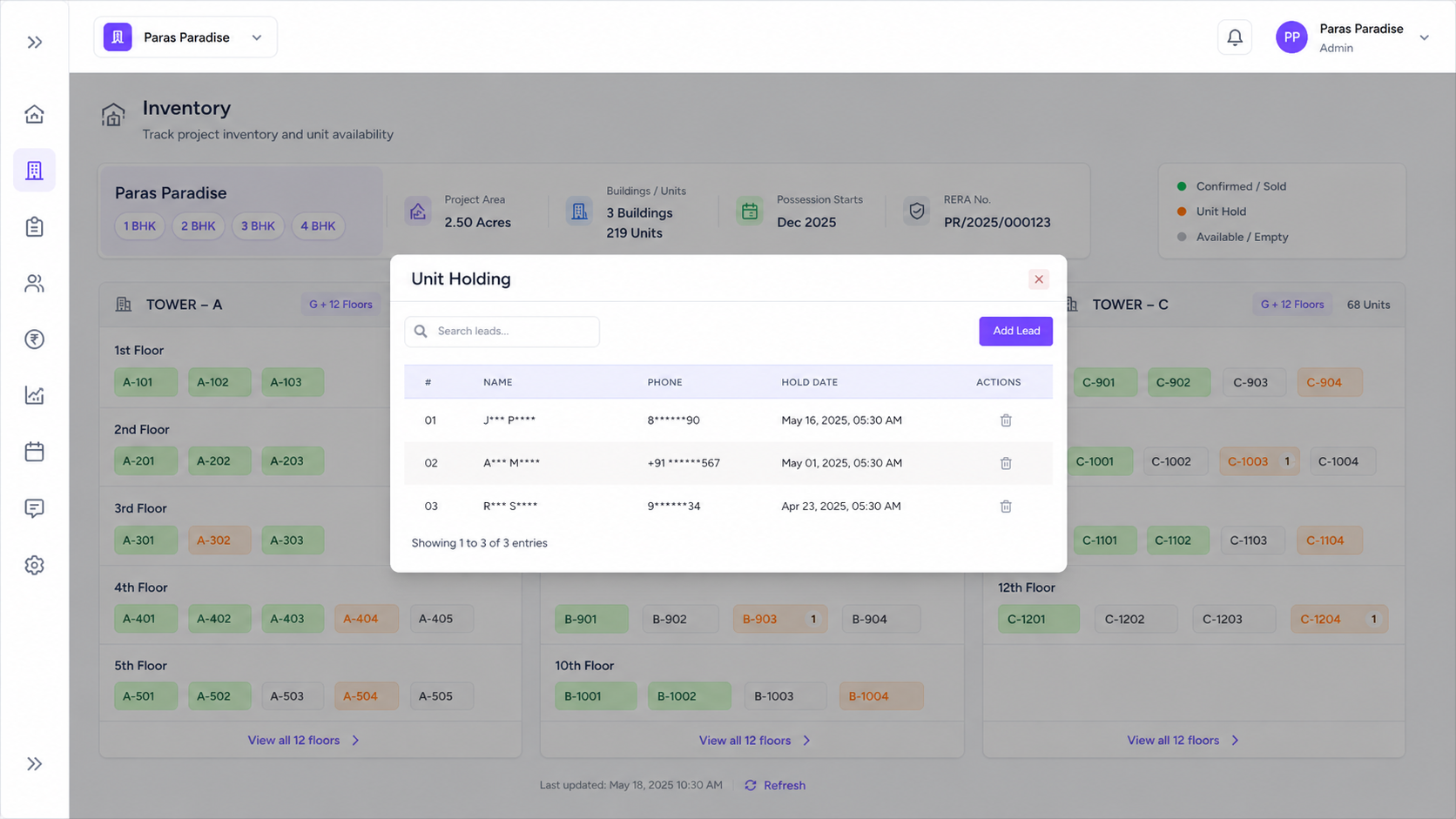
Put a unit on hold for a lead or client, view holding details, add new leads to a unit, and release holds when a deal drops.
Status-Based Availability
Use clear status indicators for confirmed leads, unit holding, empty units, and sold units so sales teams avoid double-booking.
Booking Detail Drawer
Open any booked or held unit to view client details, booking date, documents, price details, loan details, tasks, visits, WhatsApp, and history.
Built For The Teams Who Move Real Estate Forward
Stellivo helps builders, brokers, channel partners, and construction teams work with connected data, clearer responsibilities, and better visibility across real estate sales, communication, inventory, construction, and reporting workflows.

For Builders & Developers
Manage projects, leads, clients, bookings, inventory, documentation, communication, construction progress, and business visibility from one connected real estate CRM platform.
- Project and inventory control
- Booking and client visibility
- Reports and business tracking

For Brokers & Channel Partners
Track assigned leads, customer interactions, follow-ups, visits, bookings, commissions, project-wise activity, revenue visibility, and partner performance.
- Lead and follow-up tracking
- Booking and commission visibility
- Partner performance insights

For Construction & Operations Teams
Manage inventory, stocks, GRN, delivery, quotations, invoices, branches, warehouses, tasks, issues, RFIs, material planning, and site coordination.
- Stock, GRN, and delivery tracking
- Task, issue, and RFI management
- Material planning and coordination
Not sure which plan fits your team?
Talk to our teamFrequently asked questions about real estate lead, booking, and inventory management
Find answers to common questions about managing real estate leads, follow-ups, client conversion, booking workflows, unit allocation, and inventory visibility with Stellivo CRM.
8
Questions answered
What is lead, booking, and inventory management in real estate CRM?
Lead, booking, and inventory management in real estate CRM helps real estate teams manage the complete journey from inquiry to confirmed booking. With Stellivo, teams can capture leads, assign them to the right users, track follow-ups, manage client conversion, check unit availability, and connect bookings with inventory from one platform.
How does Stellivo help manage real estate leads?
Can Stellivo manage follow-ups and site visits?
How does Stellivo help convert leads into clients?
Can Stellivo track real estate inventory and unit availability?
Does Stellivo help with booking management?
Is Stellivo useful for brokers and channel partners?
Why should real estate businesses use Stellivo instead of spreadsheets?
Still have questions? Our team is happy to help.
Contact our teamReal Estate Software Built for Experts
Take your business everywhere. Manage leads, track construction progress, and close deals right from the palm of your hand with our powerful mobile companion.