WhatsApp CRM for Real Estate Teams
Integrated With CRM or Available Standalone
Manage lead conversations, templates, automation, chatbot, contact-list campaigns, message analytics, phone numbers, AI replies, and billing from one clean WhatsApp business workspace.
Active Chats
4,417
Why WhatsApp CRM Matters
Real estate teams need more than normal WhatsApp Business. They need a connected workspace where messages, leads, clients, and analytics work together.
Without WhatsApp CRM
Scattered Conversations
Messages stay on personal phones, making follow-up and team visibility difficult.
No CRM Context
Teams cannot see lead stage, client details, campaign history, or past conversations in one place.
Manual Follow-ups
Welcome messages, visit reminders, lead follow-ups, and re-engagement must be handled manually.
No Campaign Targeting
Teams cannot easily send approved templates to segments, contact lists, or filtered lead groups.
Limited Tracking
Message delivery, replies, unread chats, usage, and campaign performance are difficult to measure.
With Stellivo WhatsApp
Centralized Inbox
Manage Lead, Client, and Contact List conversations from one shared WhatsApp workspace.
CRM-connected Conversations
Every chat stays connected with lead/client records, stages, history, and team activity.
Automation & Chatbot
Use rules, FAQs, flows, AI, knowledge base, and canned responses for 24/7 customer handling.
Template Campaigns
Send approved WhatsApp templates to segments and contact lists with clear campaign ownership.
Full Analytics & Billing
Track sent, delivered, read, failed, pending messages, usage trends, message packs, and purchase history.
WhatsApp Inbox &
CRM Conversations
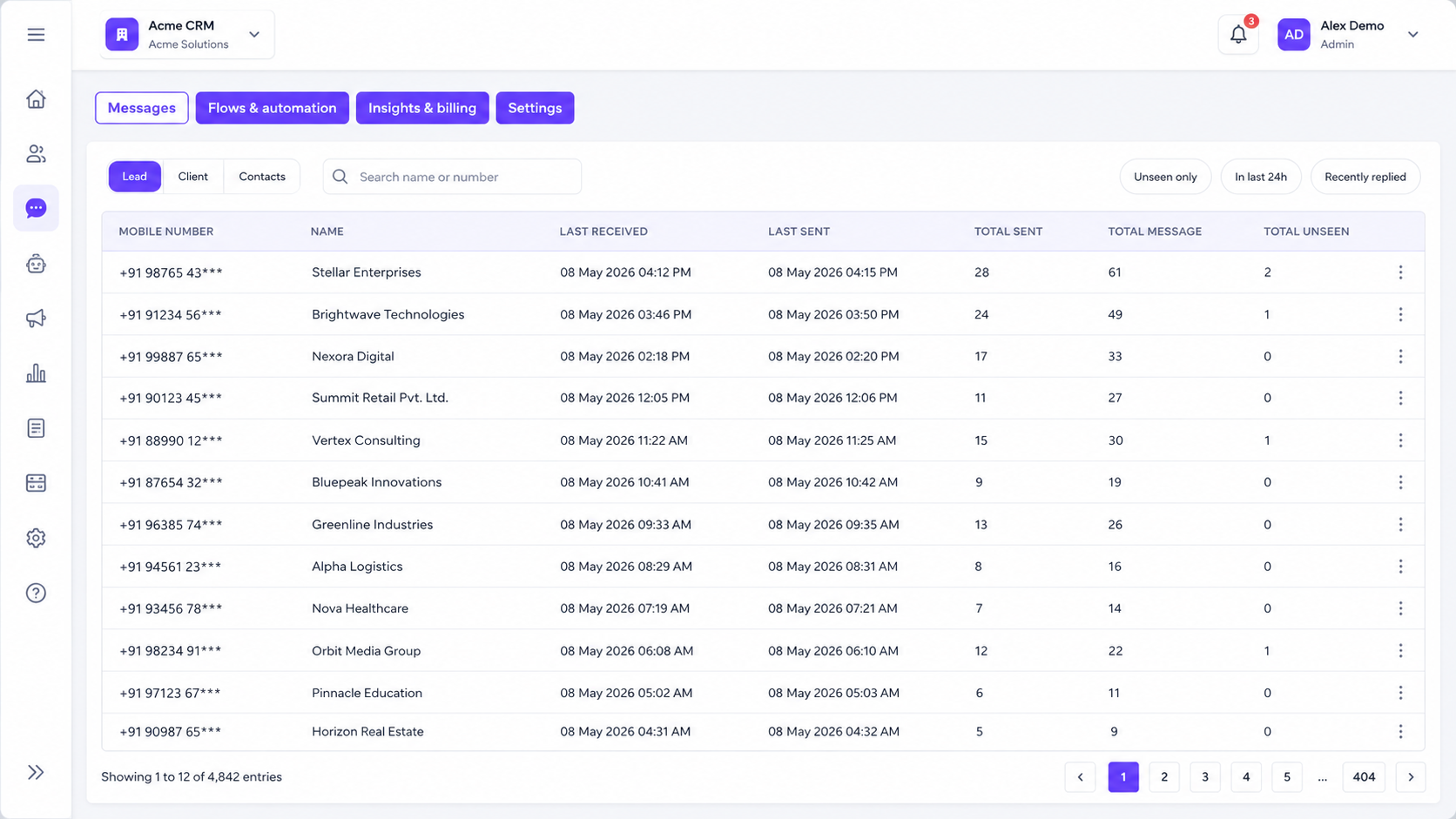
Manage every WhatsApp conversation from one CRM-connected inbox. View Lead, Client, and Contact List chats, filter unread conversations, and keep the full message history connected with the right CRM record.
4,417
Inbox Entries
247
Unseen Messages
3 Views
Lead, Client & Contacts
1 Workspace
Shared Team Inbox
Lead, Client & Contact Views
Switch between Lead, Client, and Contact List conversations so every WhatsApp chat stays organized by CRM record type.
Unseen & Recent Filters
Filter unseen messages, recent replies, or last 24-hour conversations to focus on chats that need quick attention.
CRM-connected Chat Drawer
Open the chat drawer from the inbox, lead profile, or client profile and continue the conversation without losing CRM context.
Template Picker
Send approved WhatsApp templates directly from the chat using text, image, document, video, carousel, list, or flow templates.
Direct Messaging
Reply instantly from the CRM using typed messages, selected templates, attachments, and quick actions from one interface.
Full Conversation History
Keep every sent, received, delivered, read, and unread message connected with the correct lead or client timeline.
Lead / Client / Contact tabs
Unread message badges
CRM-connected chat drawer
WhatsApp Templates,
Media & Meta Sync
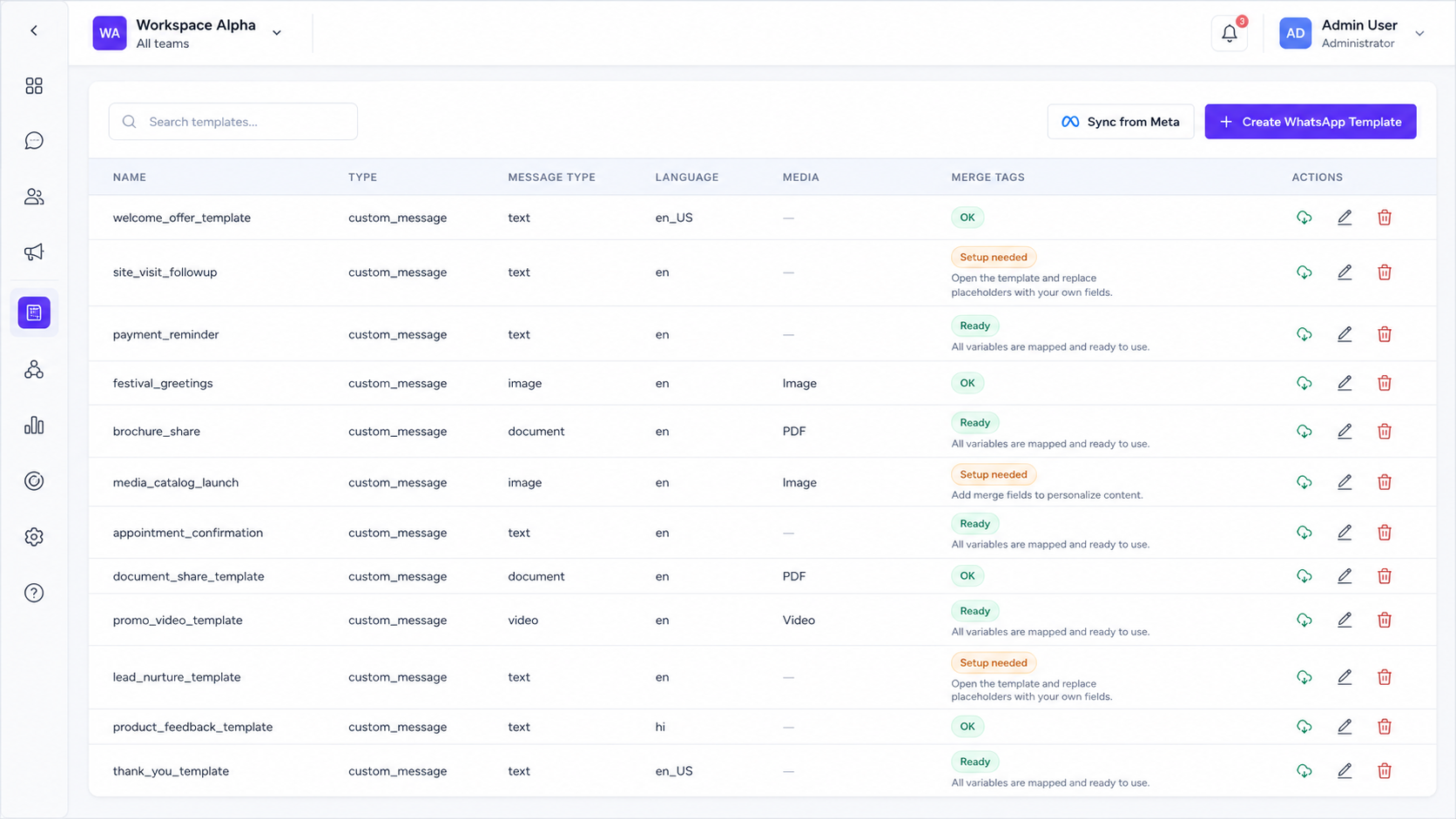
Create, manage, and sync Meta-approved templates with text, image, video, and merge tags. Keep your CRM library updated and ready for automation.
10
Active Templates
8
Meta Approved
2
Pending Review
5
Media Templates
Meta Template Sync
Sync approved templates from Meta and keep your CRM library updated.
Custom Creation
Create WhatsApp templates with language, category, and button configs.
Media Support
Use image, video, document, and carousel for richer communication.
Merge Tags
Add lead name, project, and visit date using smart merge tags.
WhatsApp Campaigns,
Segments & Contact Lists
Run targeted campaigns to filtered lead segments or contact lists using approved templates. Track delivery and replies in real-time within the CRM.
12
Active Campaigns
8,547
Messages Sent
87%
Delivery Rate
23%
Reply Rate
01Campaign Journey
Segment Campaigns
Send campaigns to filtered audiences based on lead stage, source, tags, or project.
List Broadcasts
Broadcast messages to imported contact lists for re-engagement or promotions.
Smart Scheduling
Send campaigns immediately or schedule them for the perfect date and time.
Detailed Analytics
Track read, delivery, and reply rates from one comprehensive campaign report.
Live Dashboard
Real-time tracking
Tower A Follow-up
New Launch Broadcast
New lead conversion tracked from Campaign "Launch Offer"
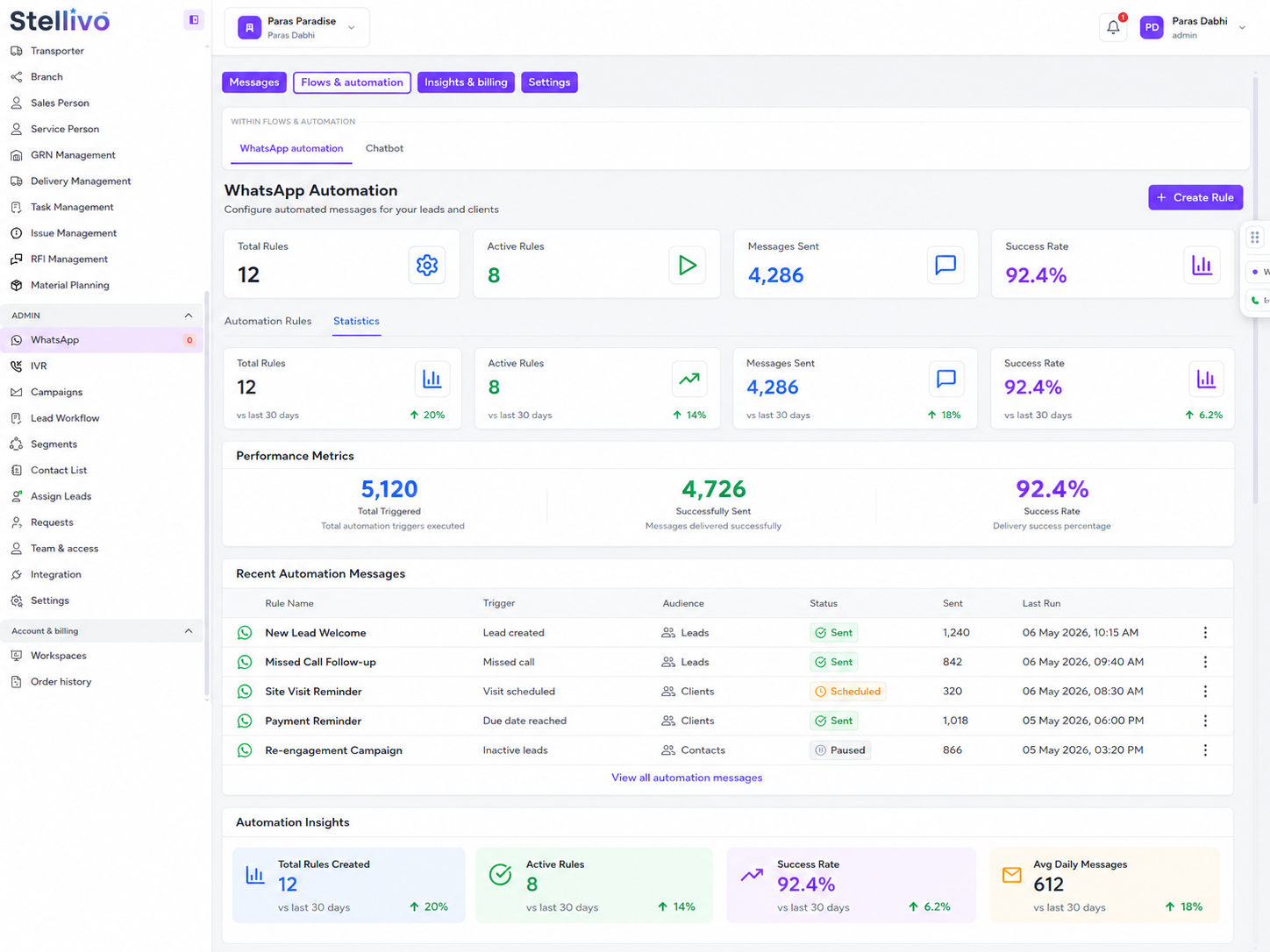
WhatsApp Automation Rules
That Scale Follow-Ups
Trigger intelligent WhatsApp messages based on CRM events. Set delays, cooldowns, and conditions to reach customers at the perfect moment.
24/7
Automated Rules
100%
CRM Connected
5k+
Messages Sent
Active
Rule Status
CRM Event Triggers
Send messages when leads are created, deal stages change, or tags are added.
Delay & Timing
Set timing control with delays, start/end times, and follow-up logic.
Cooldown Limits
Prevent spam with max sends per lead and cooldown safety rules.
Priority Rules
Run rules in the right order with priority and matching conditions.
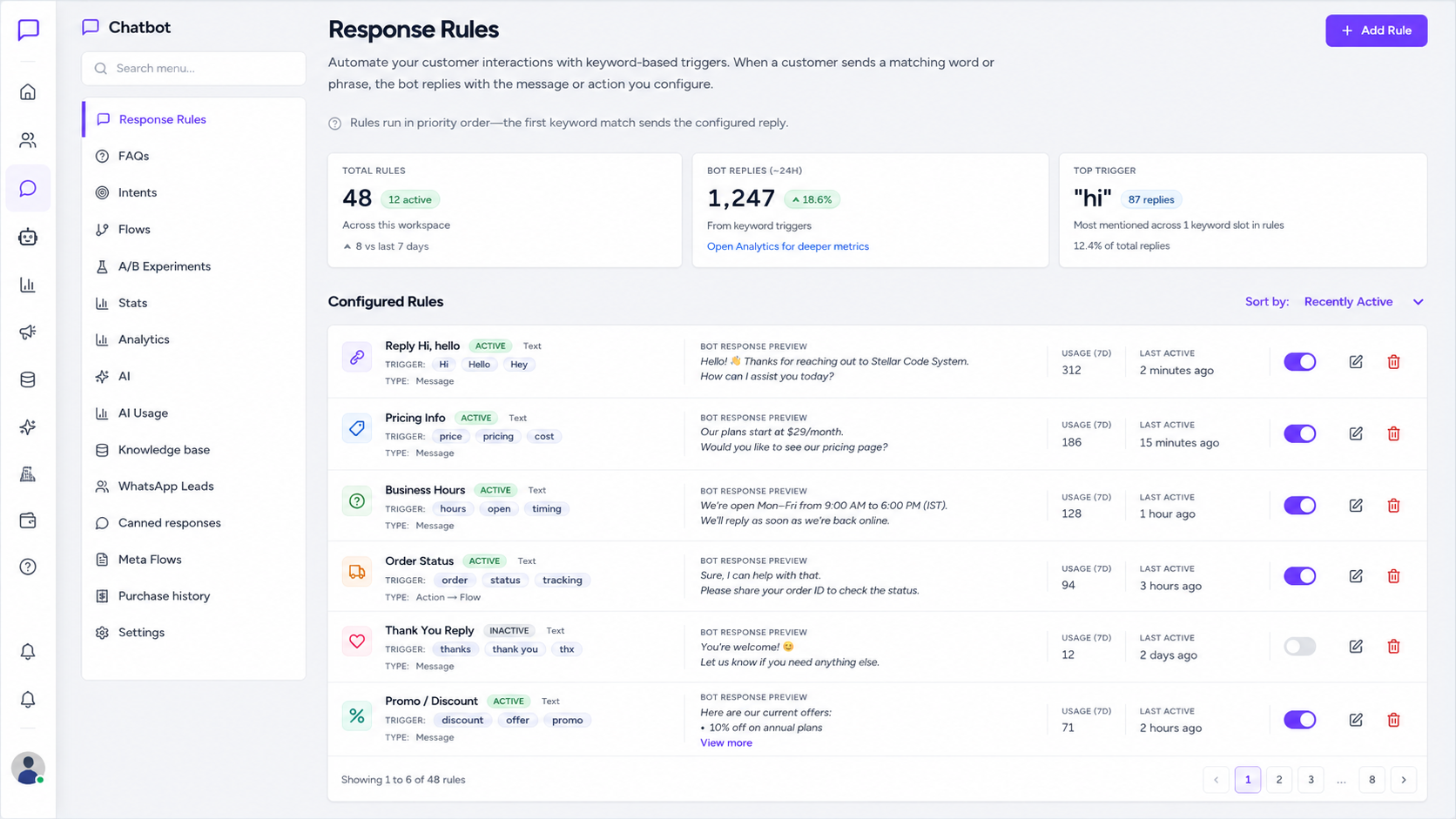
Chatbot Rules, FAQs,
Intents & Dynamic Flows
Build 24/7 WhatsApp conversations using keyword rules, intent detection, and multi-step flows. Qualify leads and sync everything back to CRM.
24/7
Availability
98%
Accuracy
43
Active Flows
92%
Satisfaction
Response Rules
Trigger instant replies for keywords like price, location, or book visit.
Smart FAQs
Answer common questions about amenities, pricing, and project details.
Intent Detection
Automatically understand if a customer wants a brochure or an agent.
Visual Flow Builder
Create guided journeys to qualify leads and book site visits easily.
A/B Experiments
Test different replies and choose the version that gets more bookings.
Meta Flows
Use official WhatsApp forms for structured customer actions inside chats.
AI Chatbot,
Knowledge Base & Handoff
Power your WhatsApp bot with AI that answers from your documents and smoothly transfers complex queries to your human team.
7,951
AI Tokens Used
836
AI Credits Left
247
AI Replies
12
Human Handoffs
Rules & FAQs
Initial match
AI Knowledge Base
Deep document search
Human Team
Expert intervention
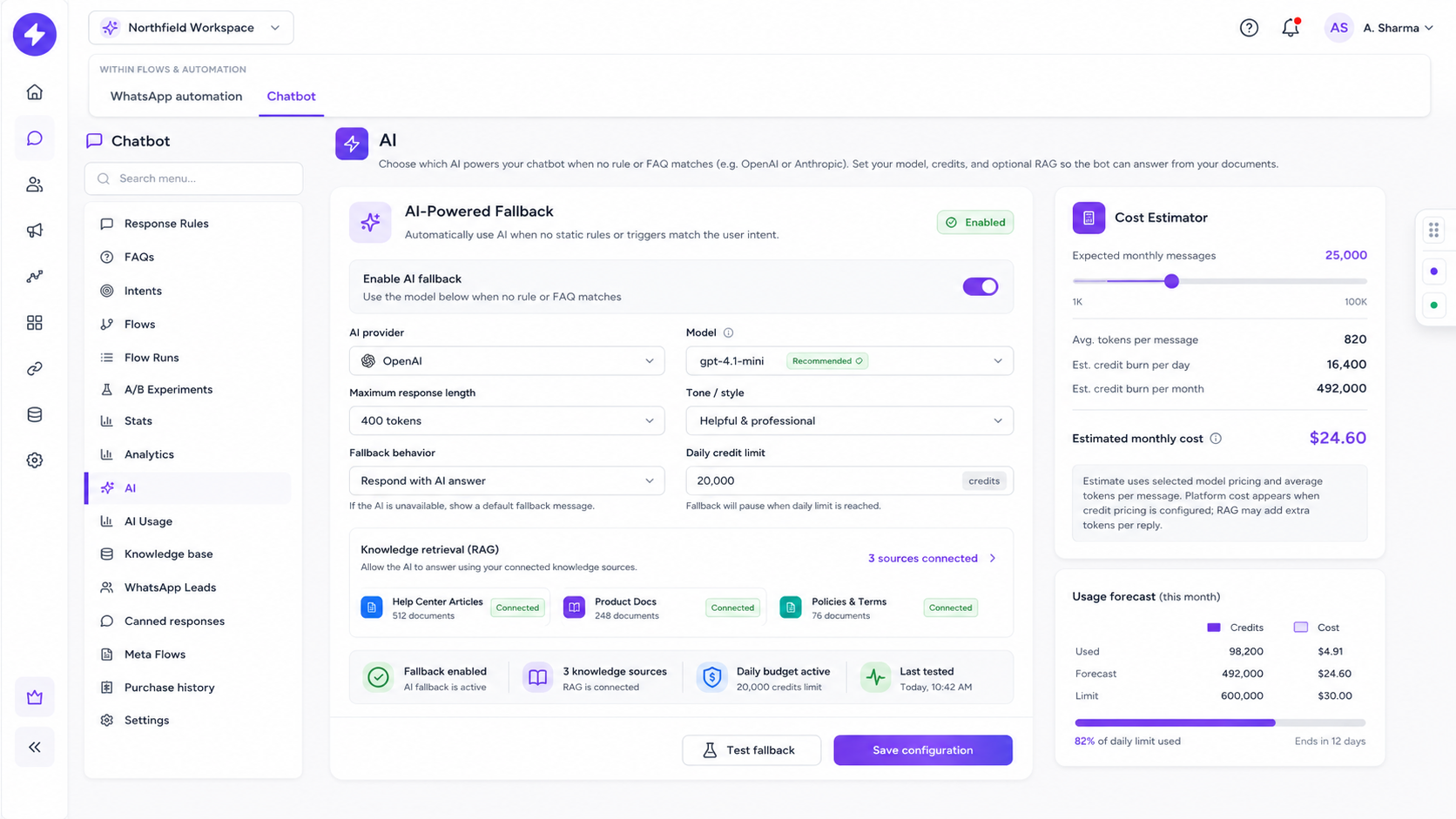
AI Settings
Knowledge Configuration
Document Repository
Model Performance
Answer Accuracy Rate
Token Credits
AI Fallback
Automatically handle questions that don't match existing rules or FAQs.
Knowledge Base
Upload brochures, project details, and FAQs for accurate bot answers.
Smart Search
Bot searches your documents before replying to ensure high relevance.
Usage Control
Track tokens and credits in real-time to keep your AI costs managed.
Human Handoff
Seamlessly transfer complex chats to agents when customers ask.
Canned Replies
Give your team ready-made snippets for faster manual responses.
WhatsApp Leads &
CRM Conversion
Capture inquiries through WhatsApp chatbot flows and convert them into sales-ready CRM records with full source tracking.
1,248
Captured Leads
100%
Sync Ready
Active
Capture Status
CRM
Integration
WhatsApp Chat
Incoming Inquiries
Lead Captured
Data Extraction
CRM Synced
Pipeline Ready
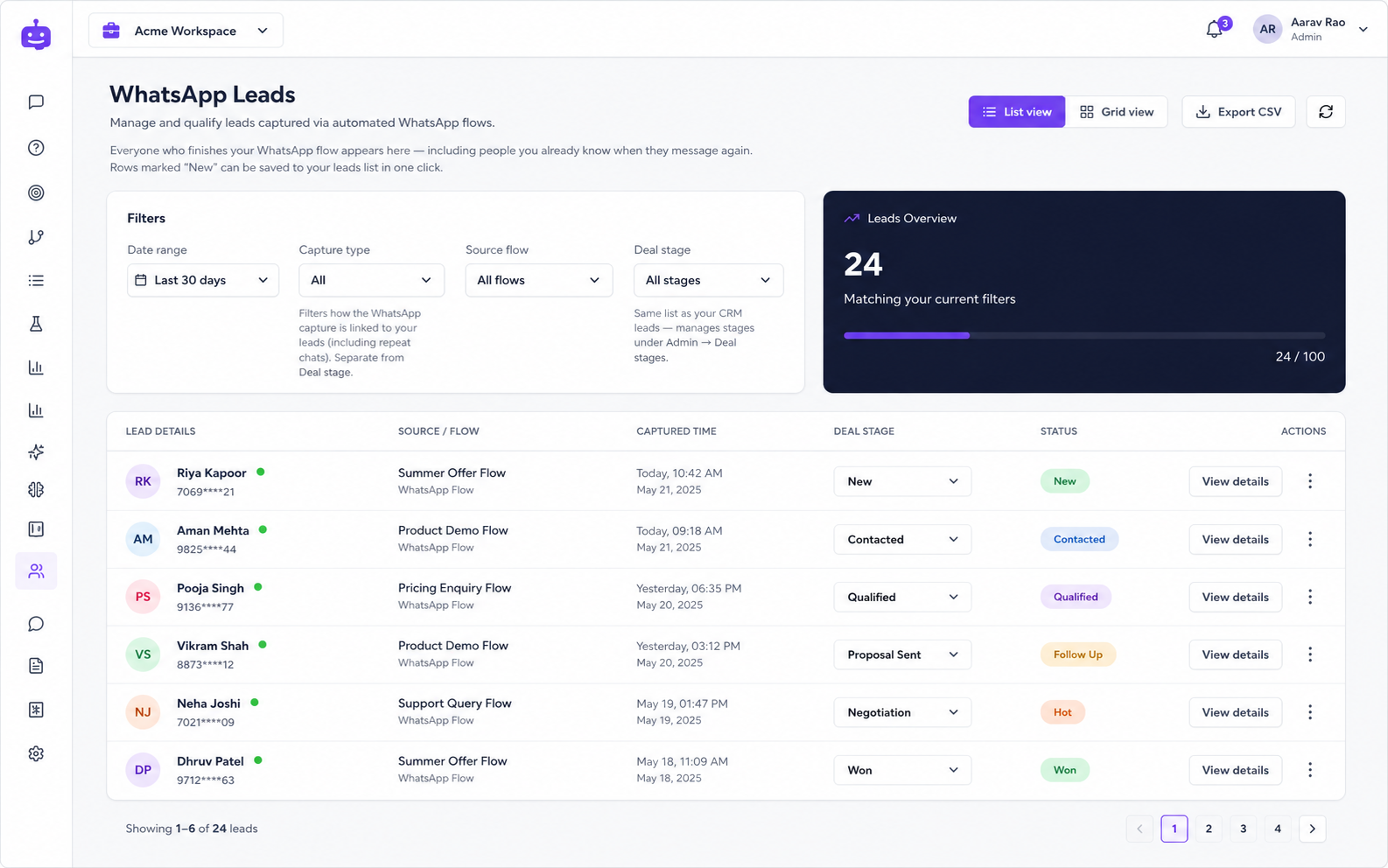
CRM Sync
Pipeline Integration
Auto-Routing Active
92% Increase
In lead processing speed through WhatsApp automation.
Lead Capture Dashboard
Active WhatsApp Inquiries
| Customer | Flow Source | Deal Stage | Status |
|---|---|---|---|
RS Rahul Sharma | Price Inquiry | Qualified | New |
PS Priya Singh | Site Visit Flow | Negotiation | Converted |
AV Amit Verma | Welcome Journey | Prospect | In Review |
SP Sneha Patel | Site Visit Flow | Qualified | New |
Chatbot Capture
Instantly capture inquiries from welcome journeys and guided chatbot flows.
Source Mapping
Automatically track which flow or campaign generated every single lead.
Stage Routing
Map WhatsApp leads into CRM stages like Qualified, Follow-up, or Site Visit.
Lead Insights
View captured leads in flexible grid layouts with advanced search and filters.
Instant Export
Download lead records as CSV for reporting and deep business analysis.
CRM Conversion
Convert WhatsApp inquiries into full CRM-ready records for sales teams.
WhatsApp Analytics,
Message Packs & Billing
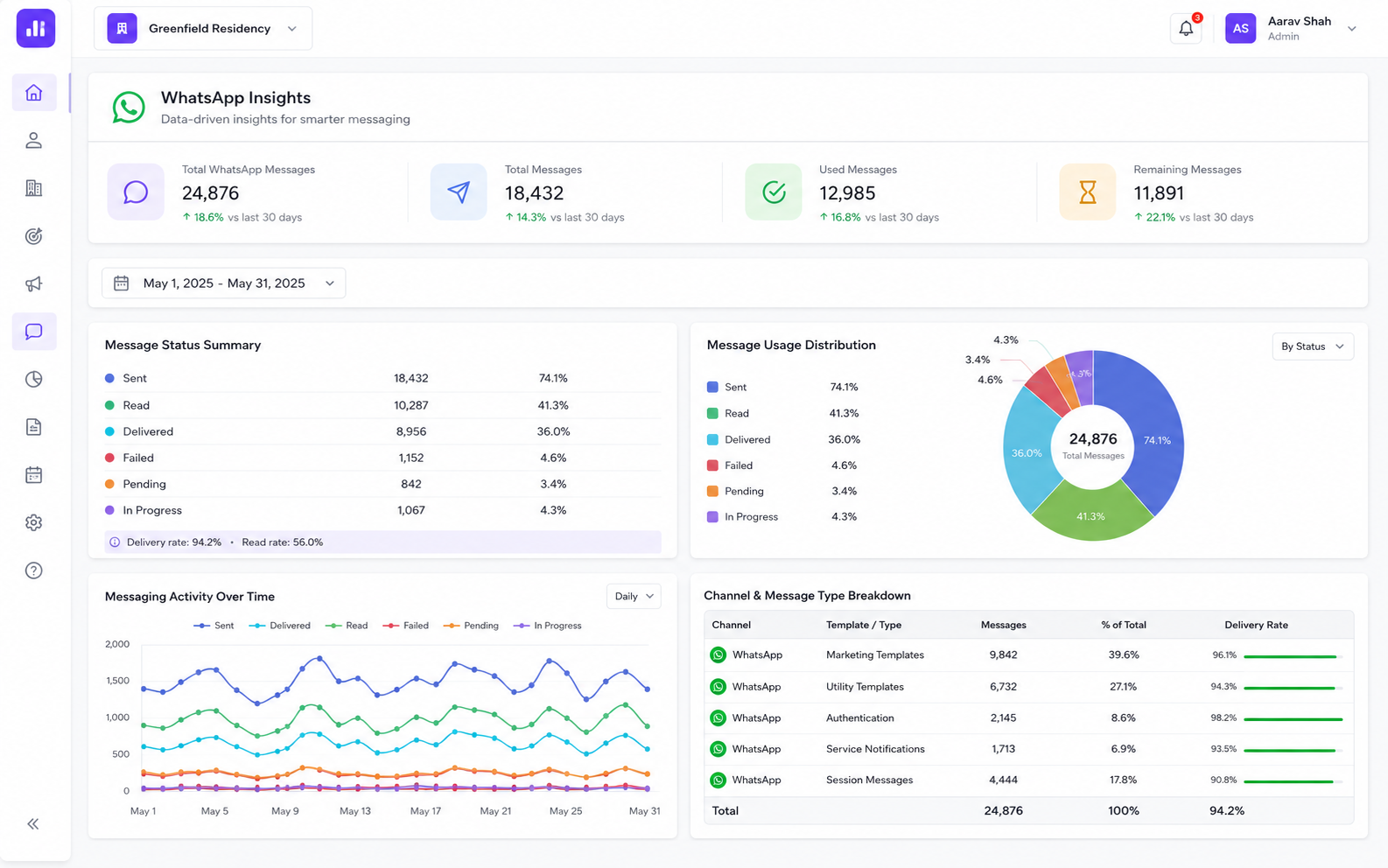
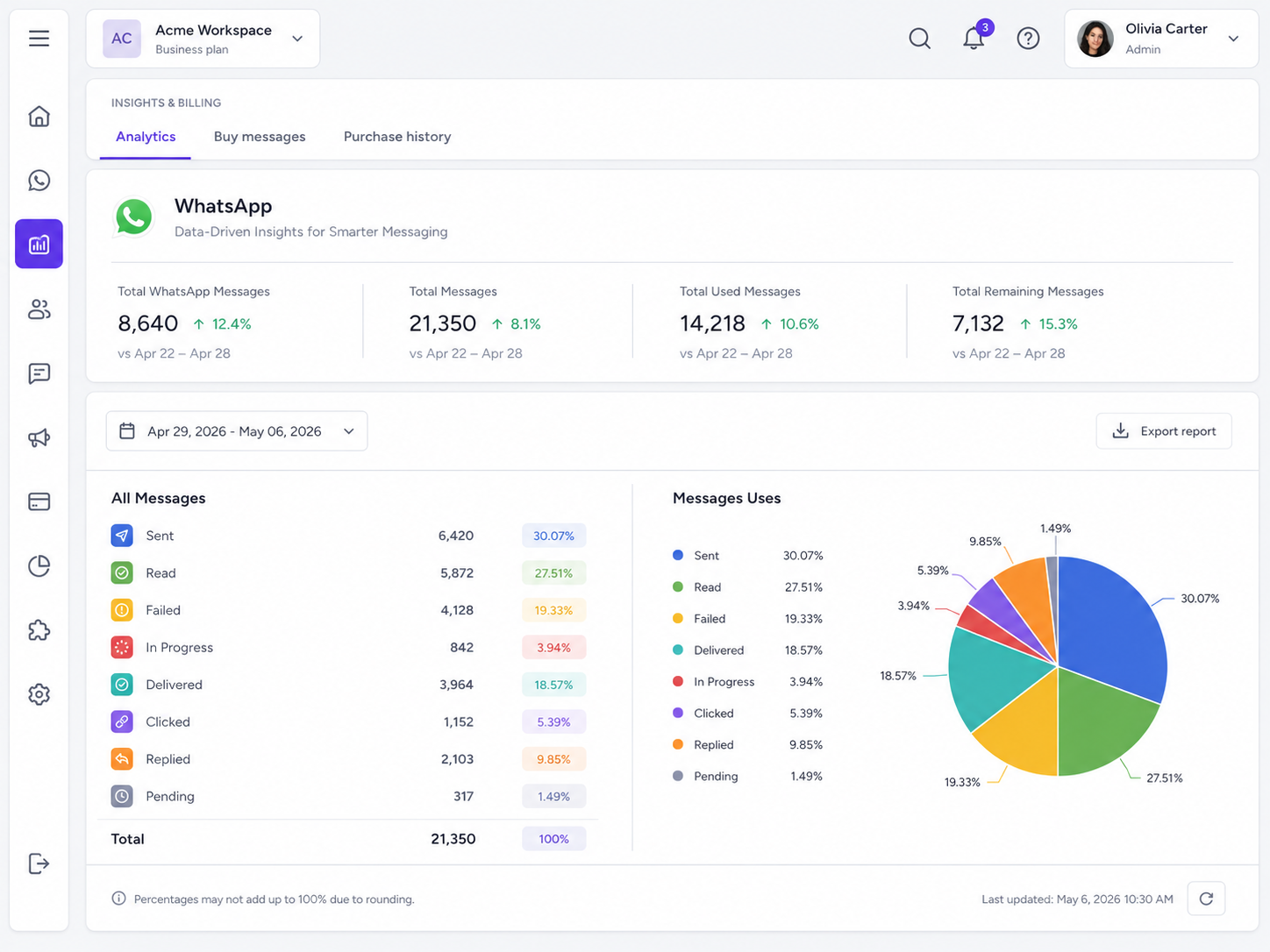
Track WhatsApp message usage, delivery performance, remaining balance, campaign activity, message pack purchases, and billing history from one transparent dashboard.
11,250
Total Messages
3,661
Remaining
7,589
Used
67%
Usage Rate
Monitor balance, avoid outreach failures, and recharge message packs instantly.
Message Usage Dashboard
Track total WhatsApp messages, used messages, remaining balance, sent, read, delivered, failed, and pending activity in one place.
Delivery Status Analytics
Monitor message status breakdown with delivery, read, failed, pending, and in-progress insights to understand campaign performance.
Trend Graph
View message usage trends across selected date ranges and identify spikes in sending, delivery, failures, or engagement.
Export Reports
Export WhatsApp analytics as Excel or image reports for internal review, reporting, and campaign performance sharing.
Buy Message Packs
Purchase Basic, Standard, or Advanced message packs directly whenever your available message balance is low.
Purchase History & Billing
View message pack purchases with date, amount, purchased messages, payment status, and invoice visibility.
Message Pack Pricing
Choose the right pack for your WhatsApp messaging needs
Basic
10,000 messages
Review & pay before purchase
Standard
15,000 messages
Review & pay before purchase
Advanced
20,000 messages
Review & pay before purchase
Stellivo helps teams stay in control of WhatsApp operations with transparent usage visibility, performance tracking, and simple recharge workflows.
Explore PlansManage WhatsApp Numbers, Users & Operations
Assign numbers to team members, set system or personal defaults, and control who can send messages from each number — whether as a standalone module or inside the CRM.
1
Connected Number
7
Assigned Users
Active
Number Status
Default
System Number
Connected Phone Numbers
Connect and manage your official WhatsApp Business numbers from one place, with clear status visibility for active numbers.
System Default Number
Set one number as the default WhatsApp sending number for users who do not have a personal number assigned.
User Assignment
Assign selected users to a WhatsApp number so only authorized team members can send messages from that number.
Personal Default Number
When a user has access to multiple numbers, they can use a preferred default number for daily conversations.
Chatbot & Automation Settings
Use assigned numbers with WhatsApp templates, automation rules, chatbot flows, campaigns, and customer conversations.
Standalone WhatsApp Module
Run the WhatsApp module separately without the full CRM, while still keeping inbox, templates, automation, chatbot, analytics, and billing connected.
Phone Number Settings
Connected number, status, system default, user assignment, and team access control.
Phone Number
917383247714
Status
Connected
System Default
Yes
My Default
Yes
Assigned Users
7 users
Assign Users Drawer
Select team members who can use a WhatsApp number and manage number-level access easily.
Assign users to this phone number
Users who can send from 917383247714
7 of 7 selected
Bhargav Jambukiya
Angage User
P Staff
Demo User
hetvi User
Paras Dabhi
kaushik jadav
Need WhatsApp without the full CRM?
Stellivo WhatsApp can also work as a standalone module for teams that only need WhatsApp inbox, templates, automation, chatbot, campaigns, analytics, message packs, and user assignment.
Need Only WhatsApp Operations?
Use Stellivo WhatsApp as a Standalone Module
You don't need the full Stellivo CRM to use WhatsApp features. Deploy Stellivo WhatsApp as a standalone module for your real estate team with inbox, templates, campaigns, automation, chatbot, AI, analytics, and billing—all in one workspace.
WhatsApp Inbox
Templates
Campaigns
Automation
Chatbot
AI Replies
Analytics
Billing
Real Estate Software Built for Experts
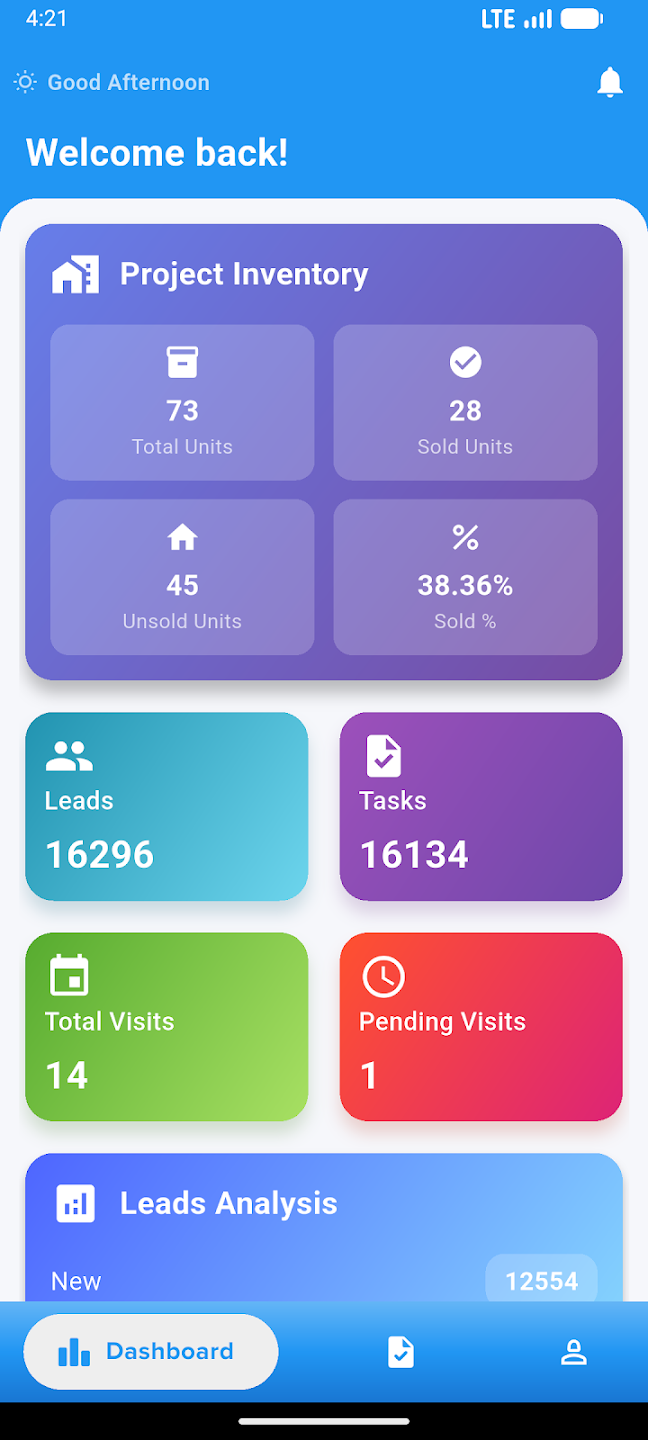
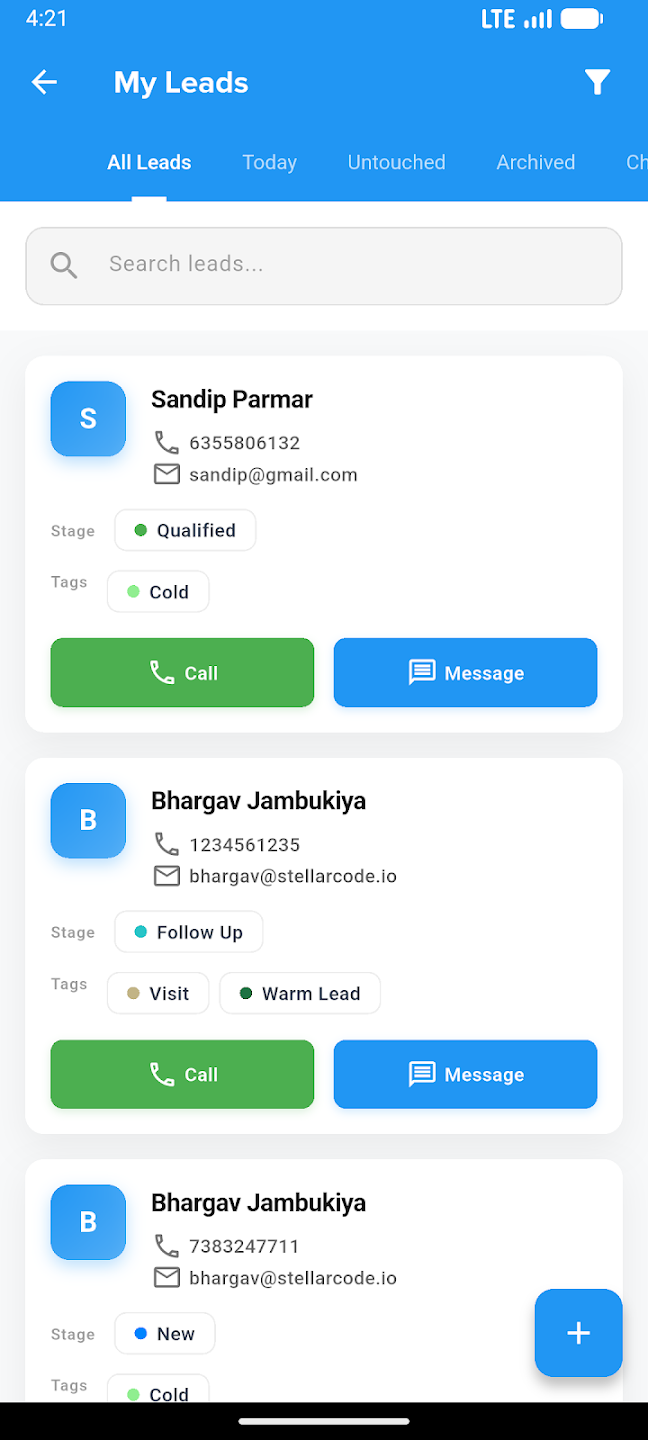
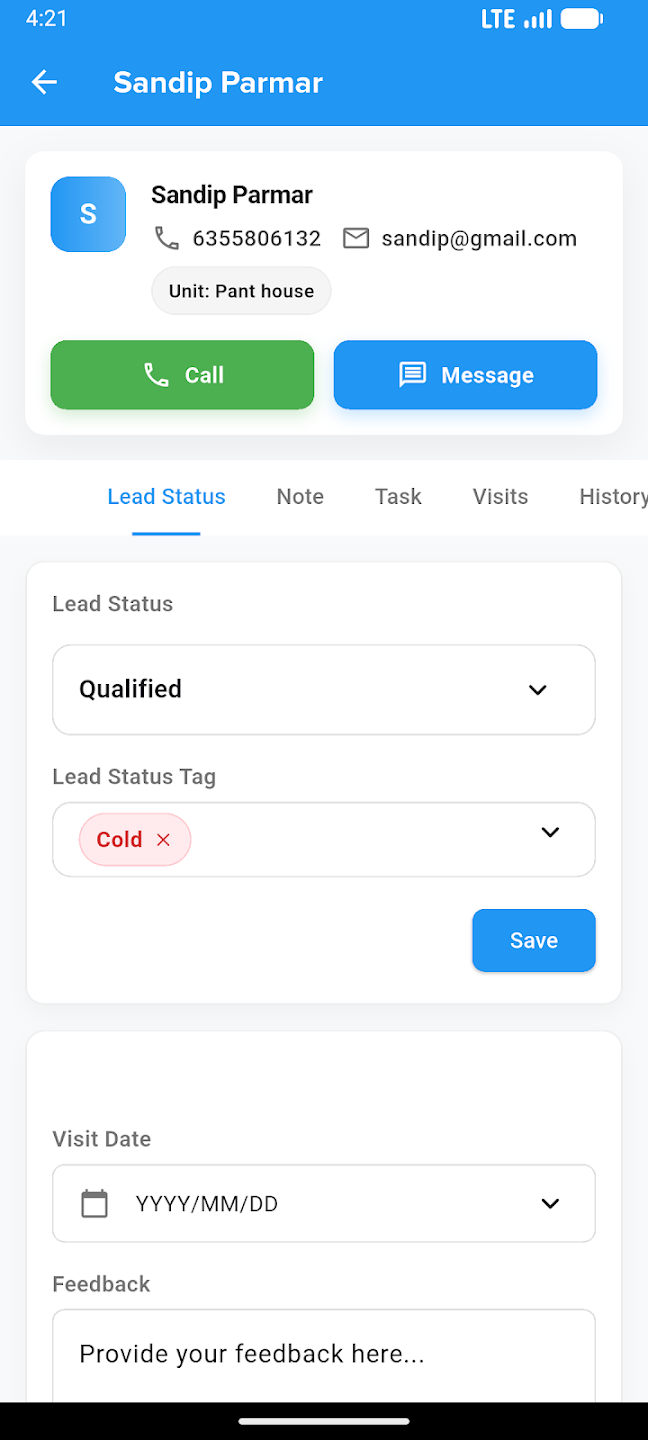
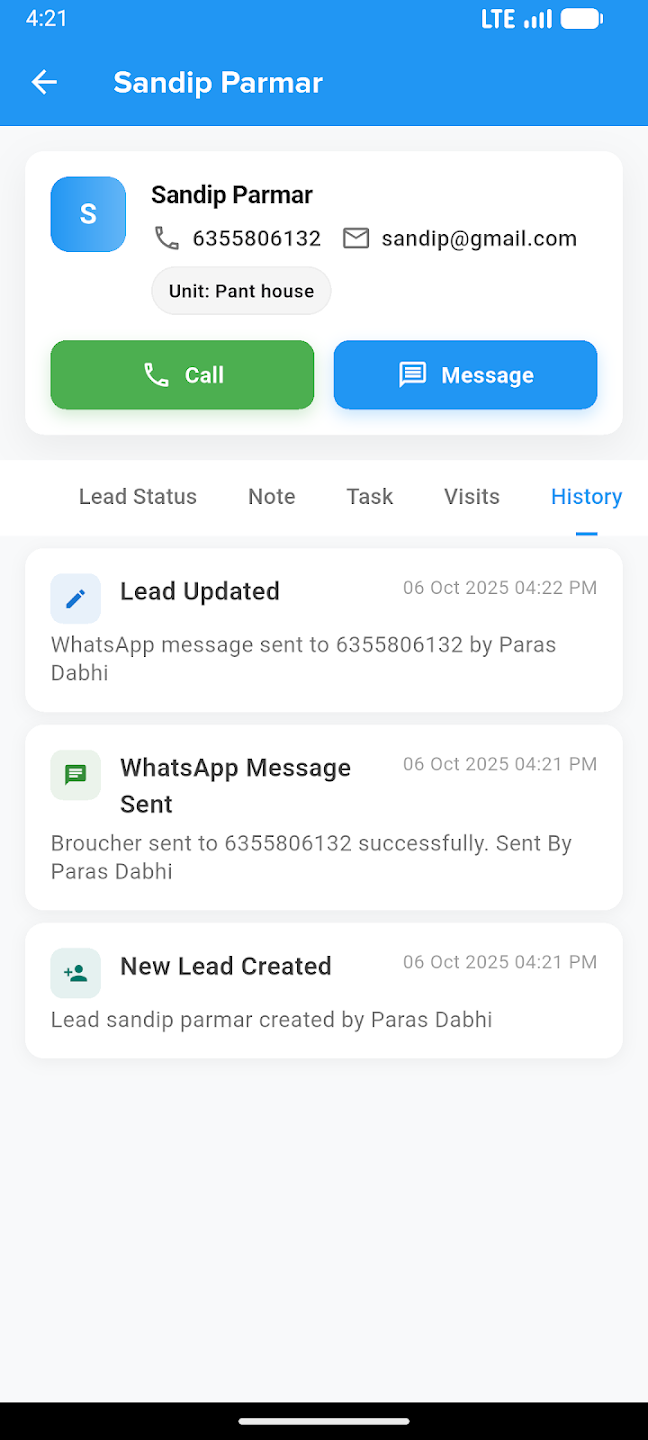
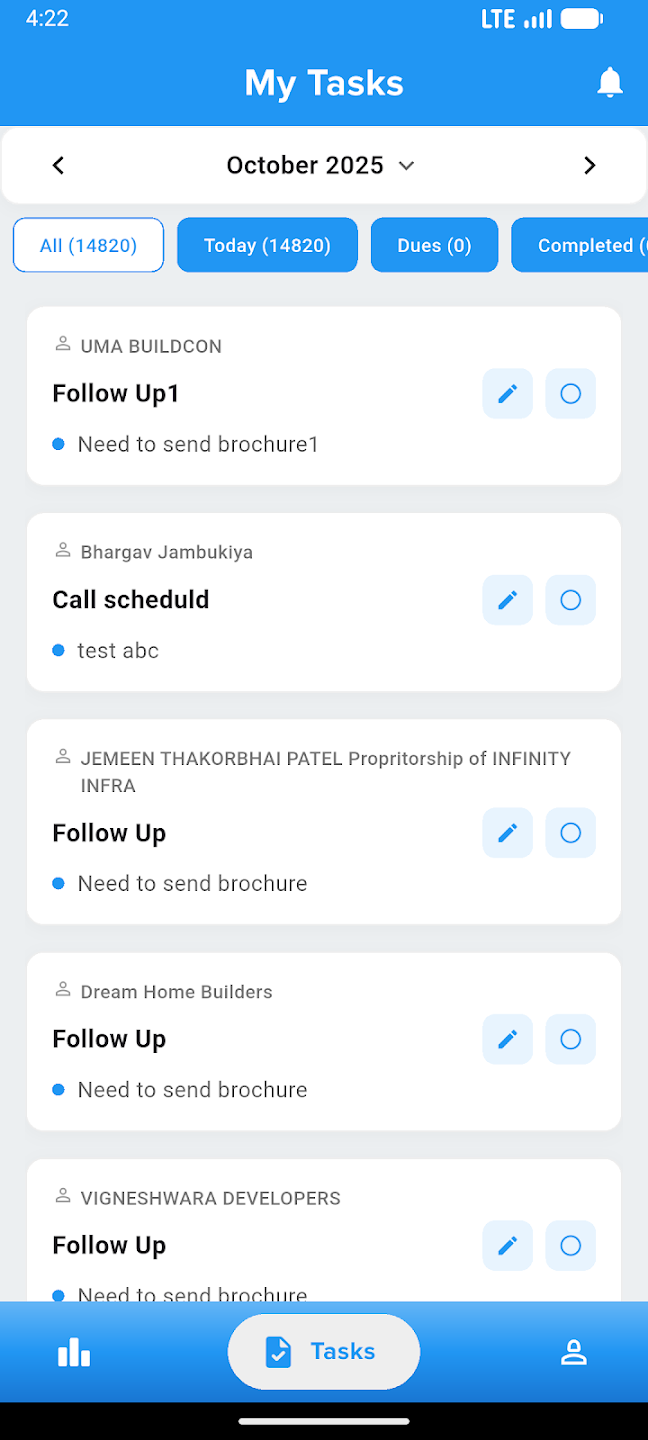
Take your business everywhere. Manage leads, track construction progress, and close deals right from the palm of your hand with our powerful mobile companion.