Broker & Channel Partner Management
Empower your broker and channel partner network with complete visibility, commission tracking, lead management, booking approvals, and performance analytics — all from one unified partner management platform.
PARTNER ECOSYSTEM
From partner onboarding to commission payout,every step stays connected
Stellivo keeps your broker network, lead flow, booking approvals, and commission tracking in sync—so no partner is left behind, no lead is missed, and every commission is calculated accurately.

Unit A-1204
Partner: Skyline Realty
₹ 78,50,000
Start Every Day With Broker Performance Clarity
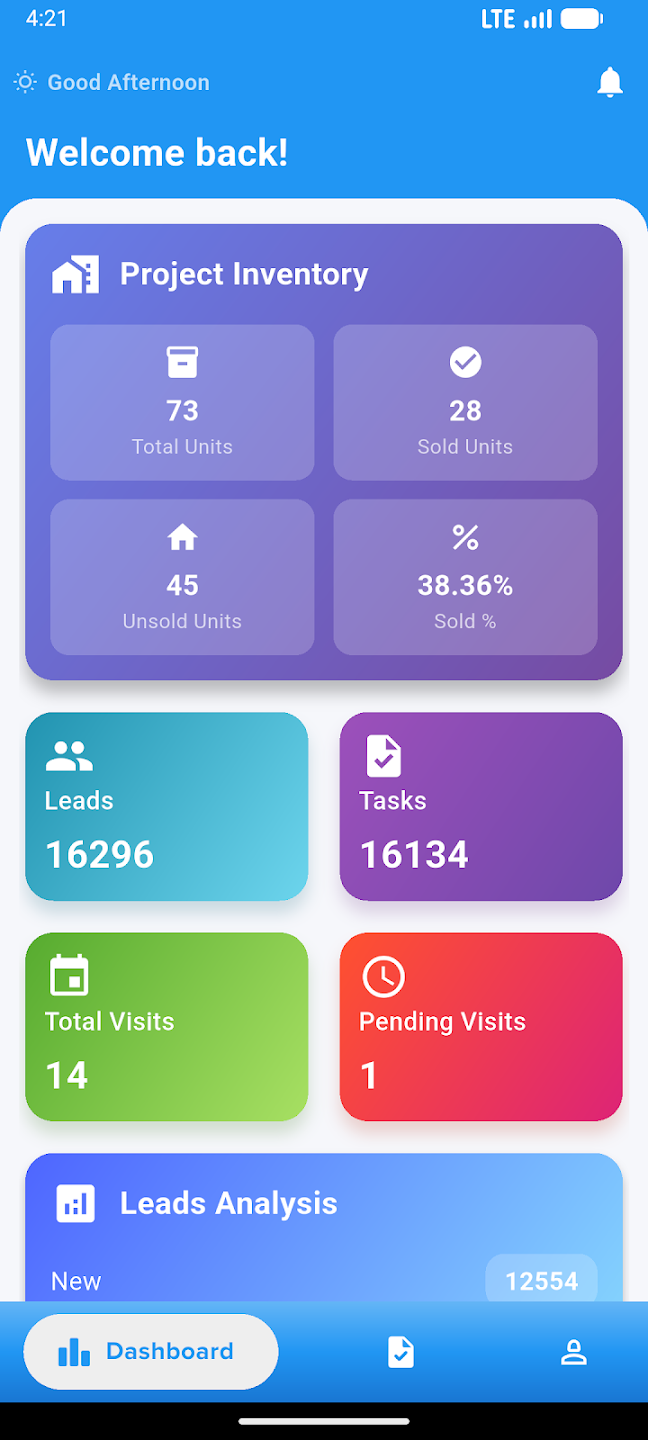
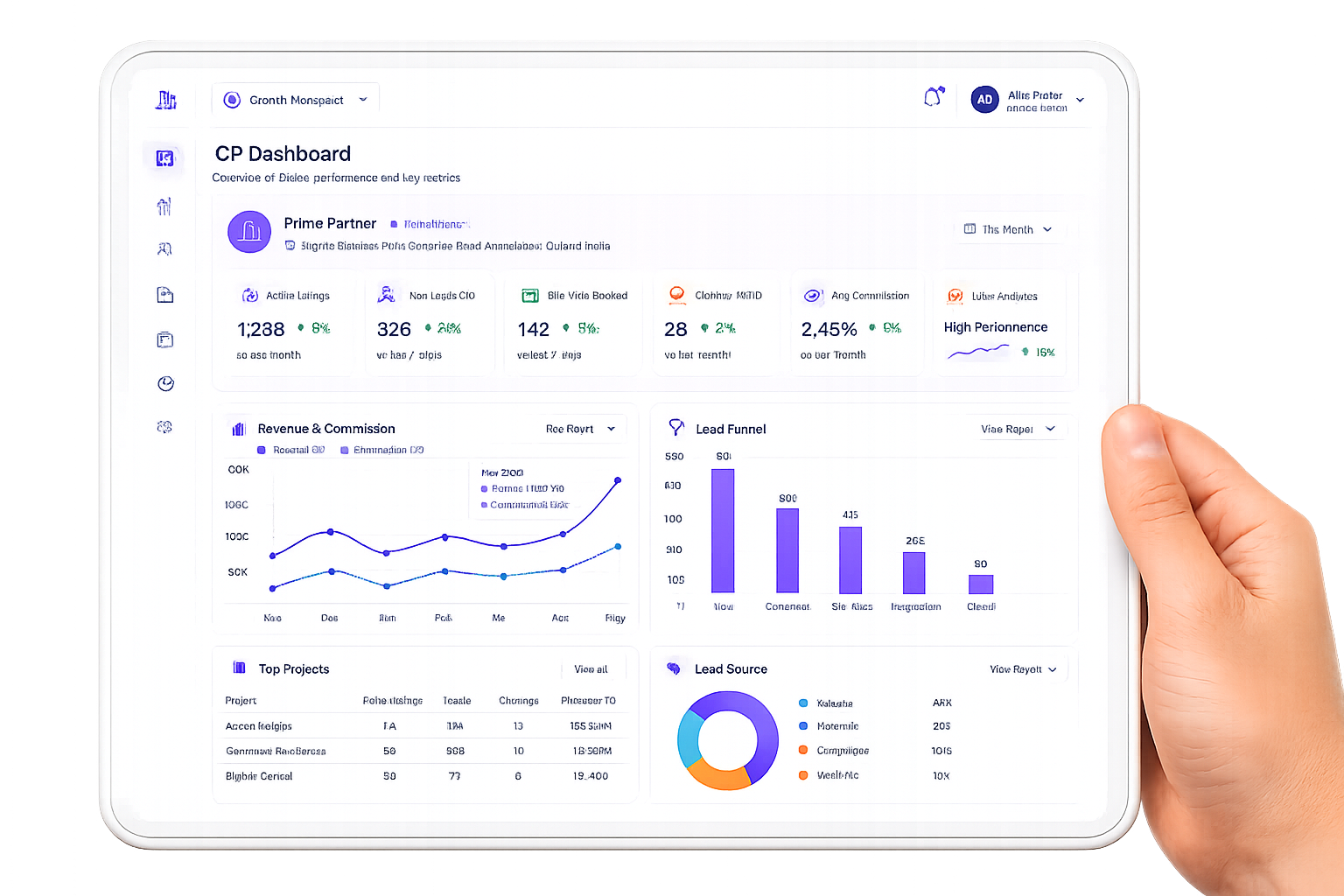
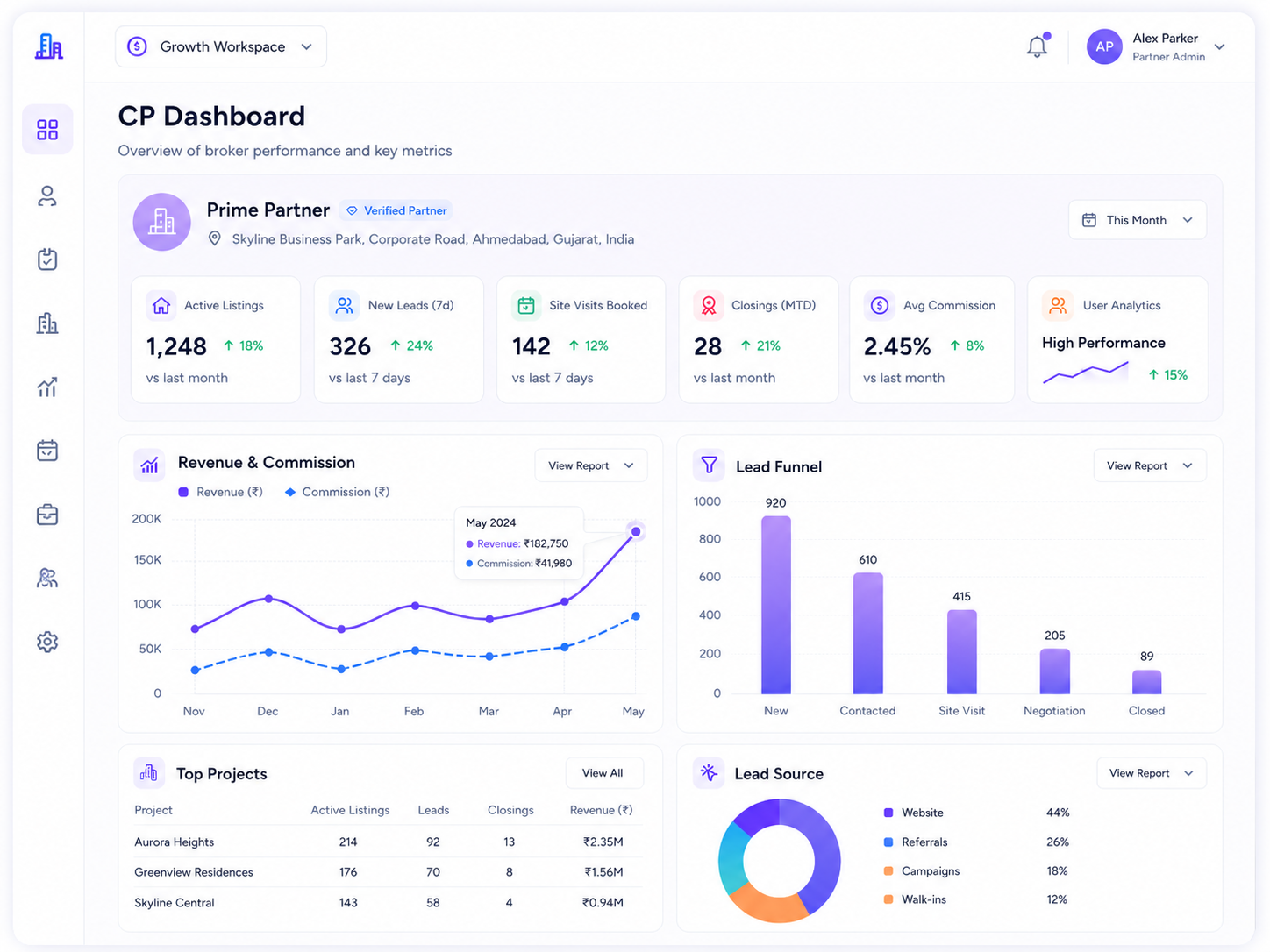
Give brokers and channel partners a focused dashboard to track active listings, new leads, site visits, closings, commission, revenue, lead funnel, top projects, lead sources, follow-ups, visits, and pending commissions from one place.
1488
Active listings
3
Site visits booked
Broker Performance Overview
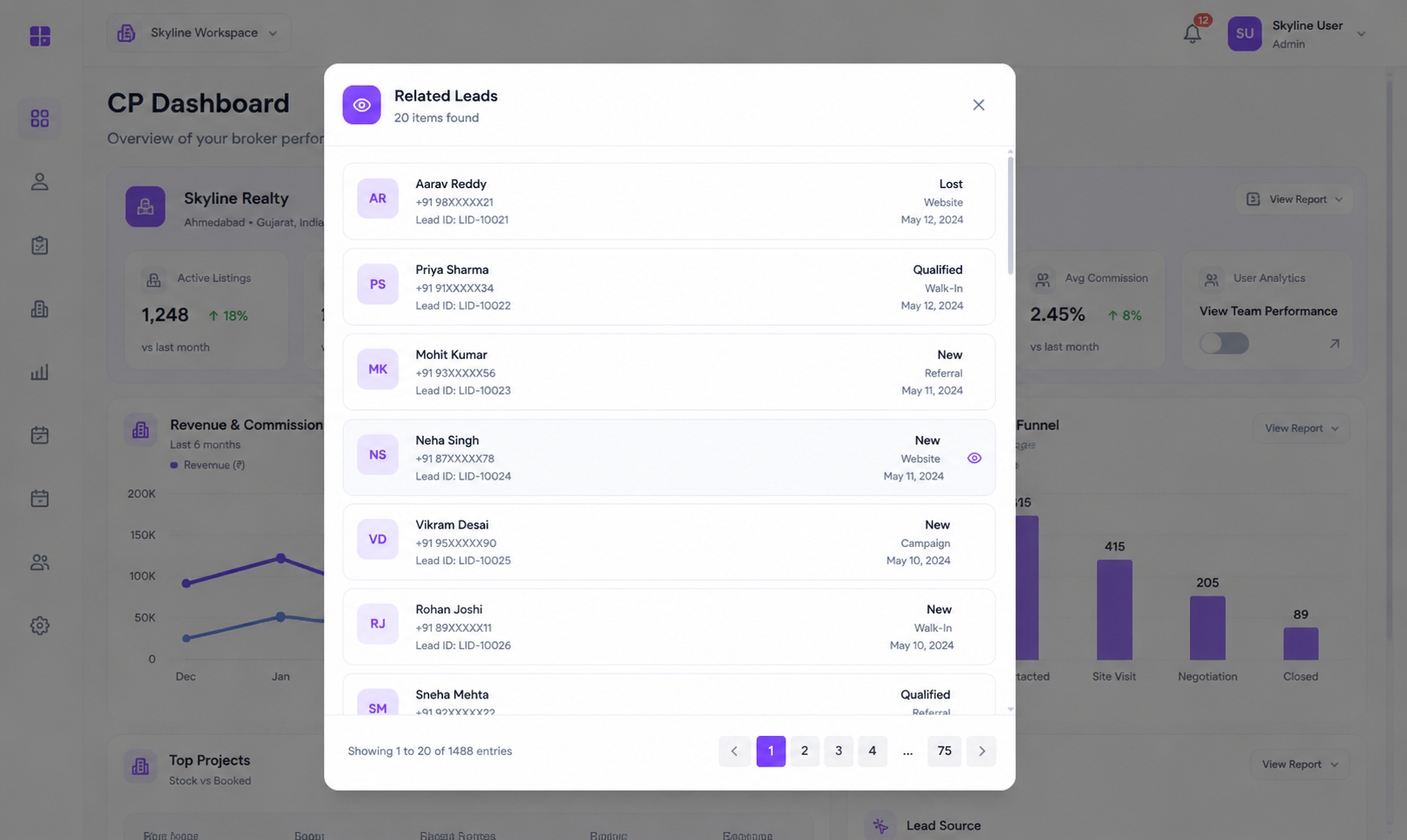
Track active listings, new leads, site visits, monthly closings, average commission, and key broker performance metrics from one dashboard.
Revenue & Commission View
Monitor revenue and commission trends over time so brokers and managers can understand sales performance clearly.
Lead Funnel Visibility
See how broker leads move across stages like New, Contacted, Site Visit, Negotiation, and Closed to identify drop-offs quickly.
Project & Source Insights
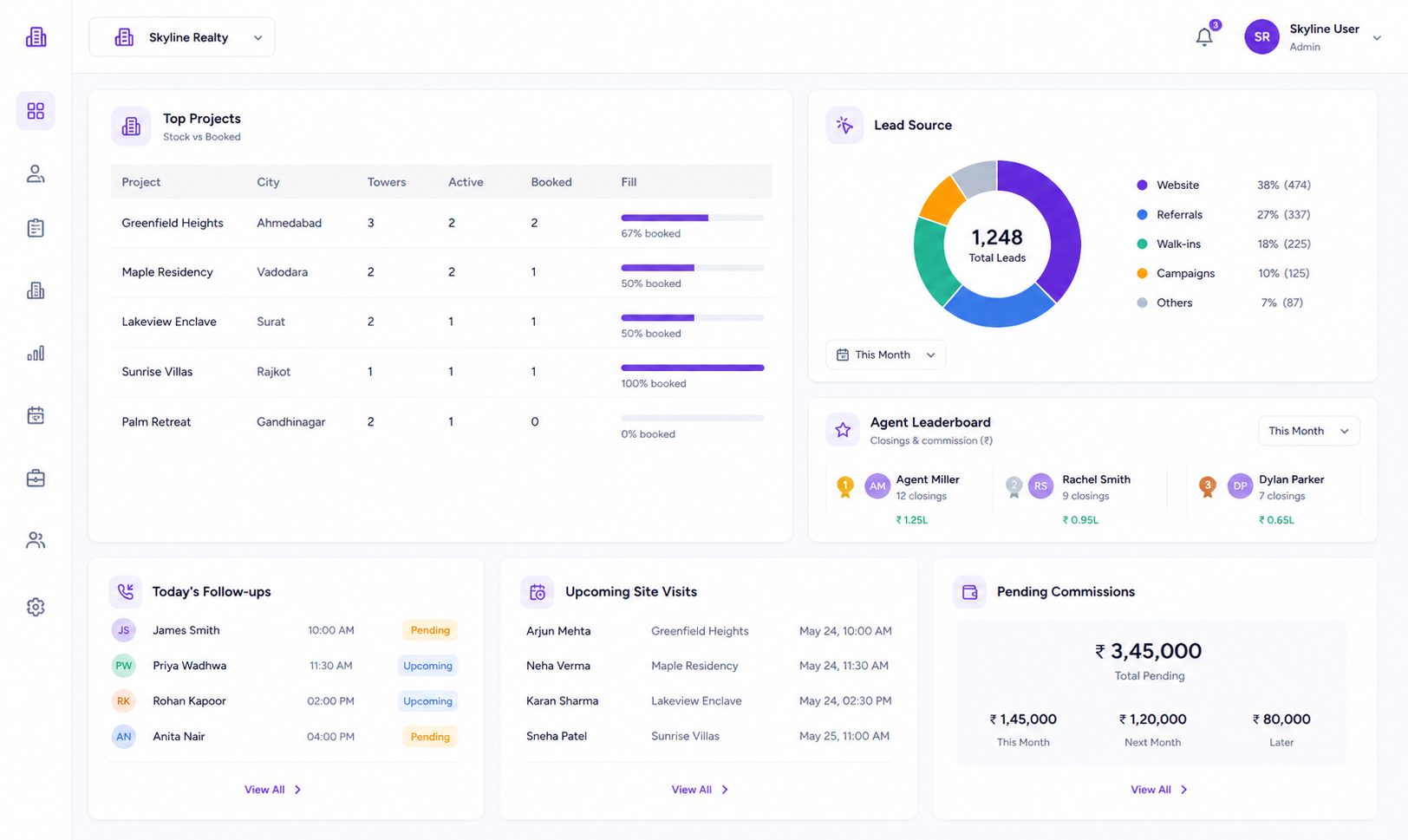
View top projects, lead sources, and channel-wise performance to understand which listings and sources are generating opportunities.
Follow-ups, Visits & Commissions
See today's follow-ups, upcoming site visits, and pending commissions so brokers know exactly what needs attention.
Agent Leaderboard
Track agent-wise closings and commission performance to understand who is contributing to broker sales activity.
Capture and Track Every Broker Lead in One Pipeline
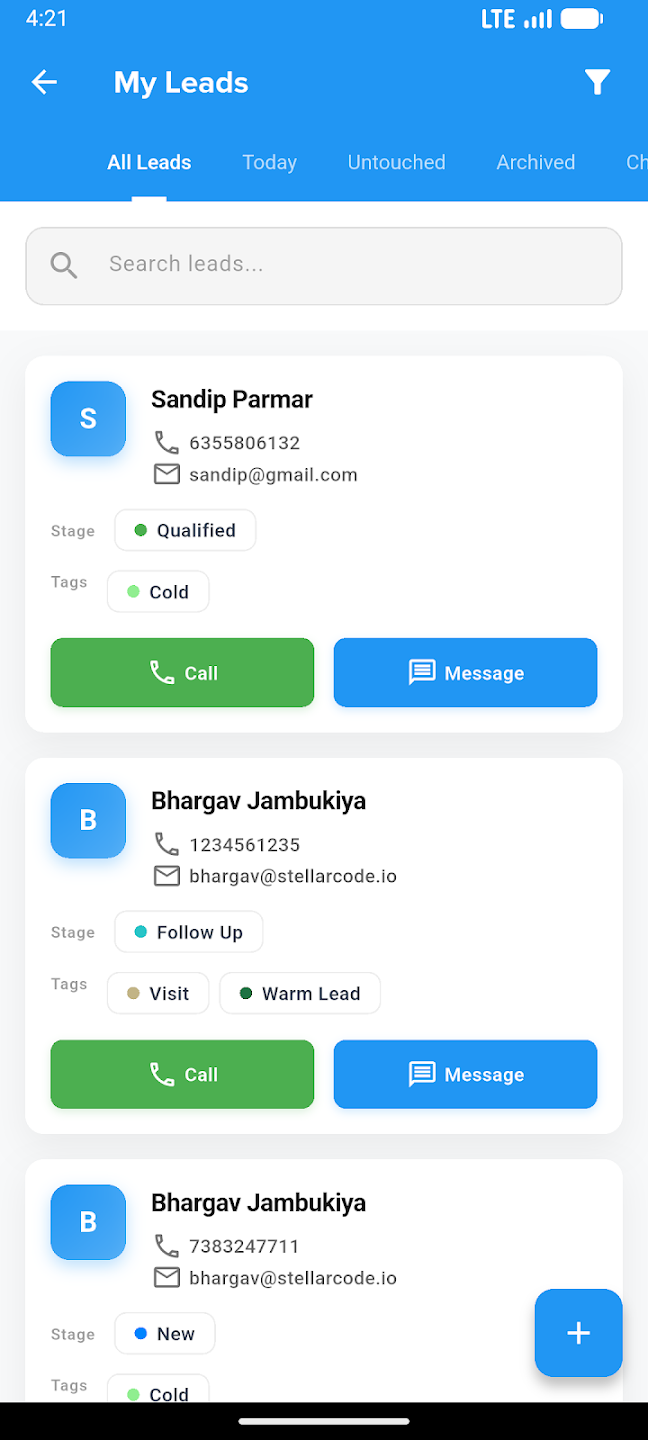
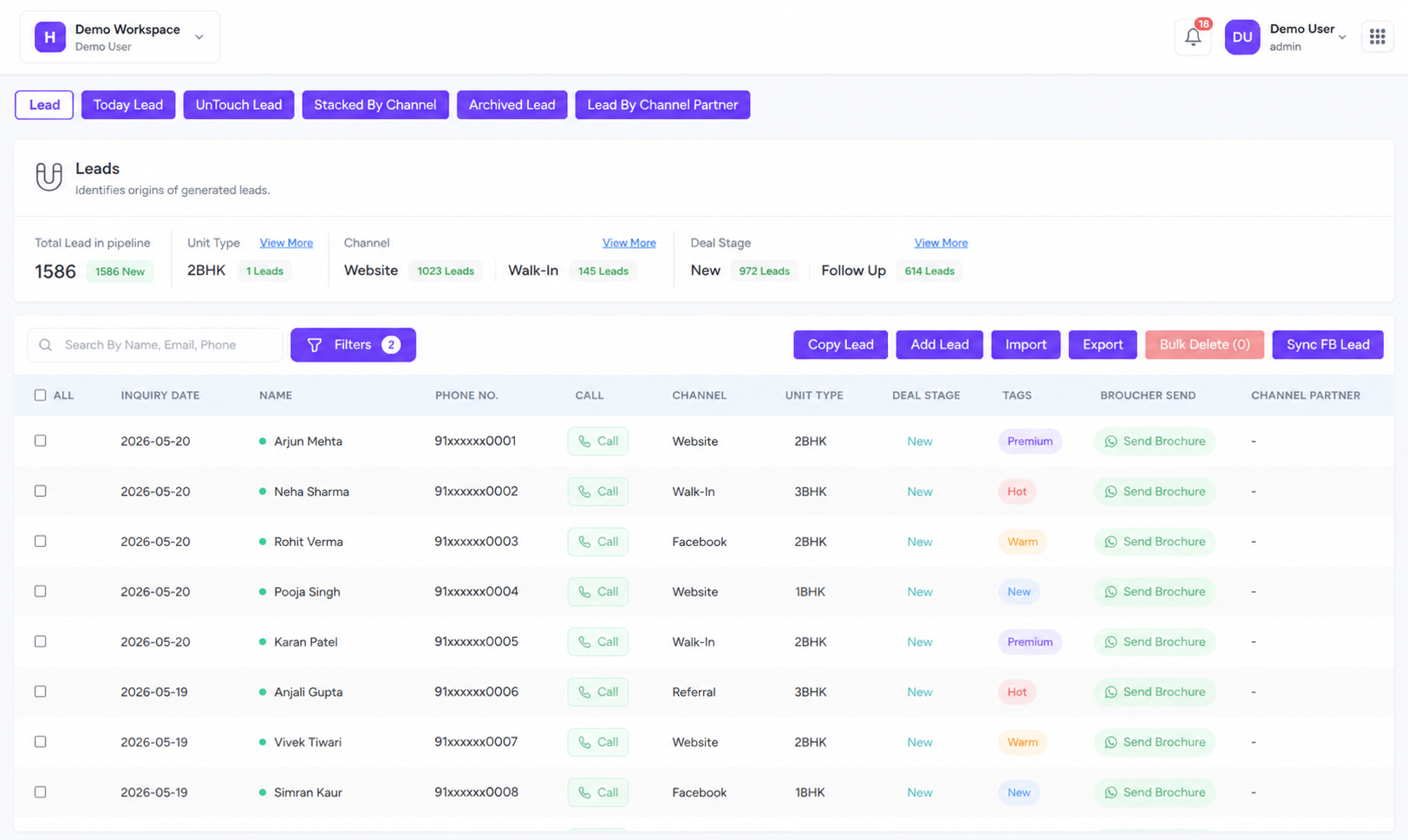
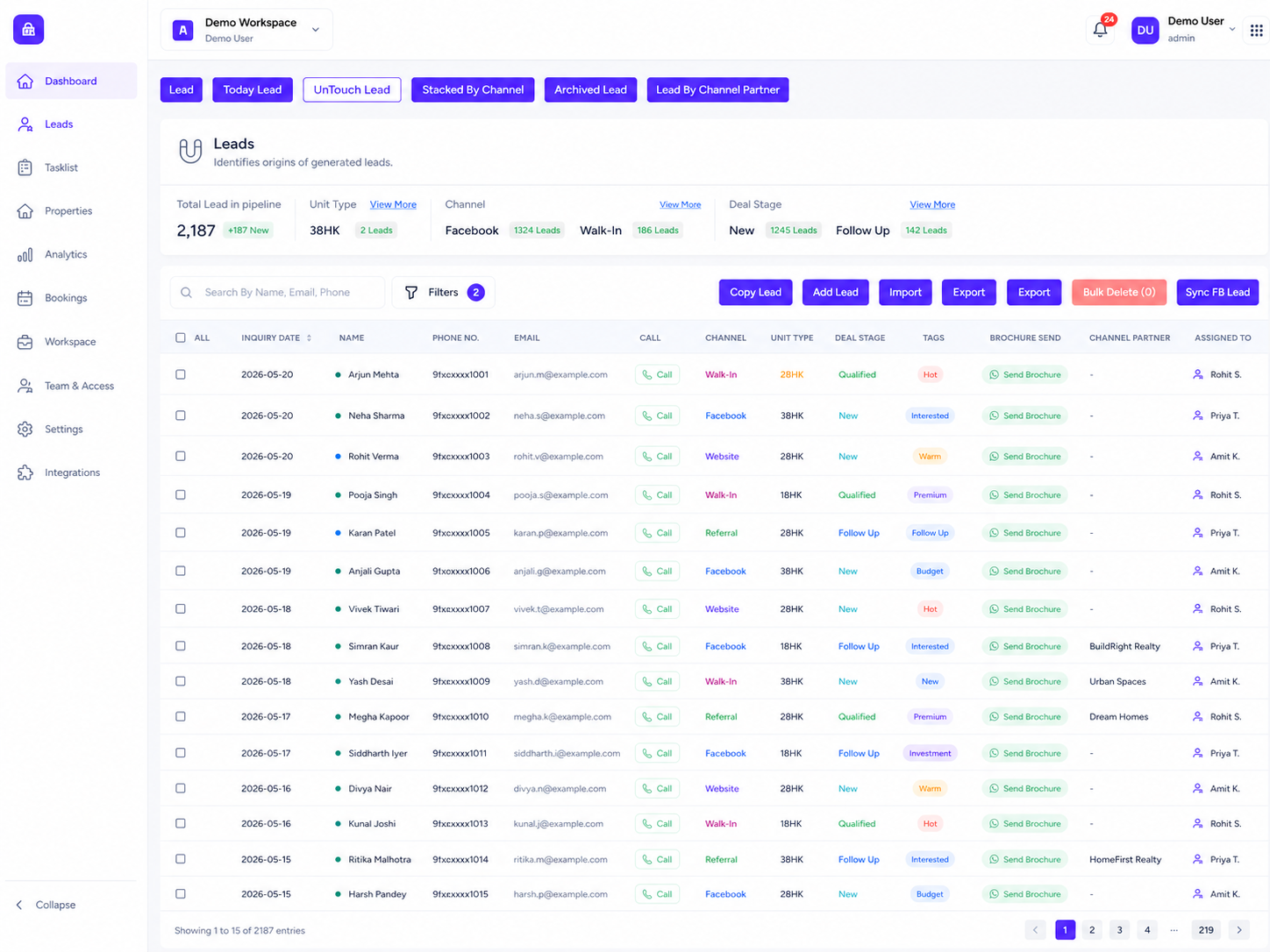
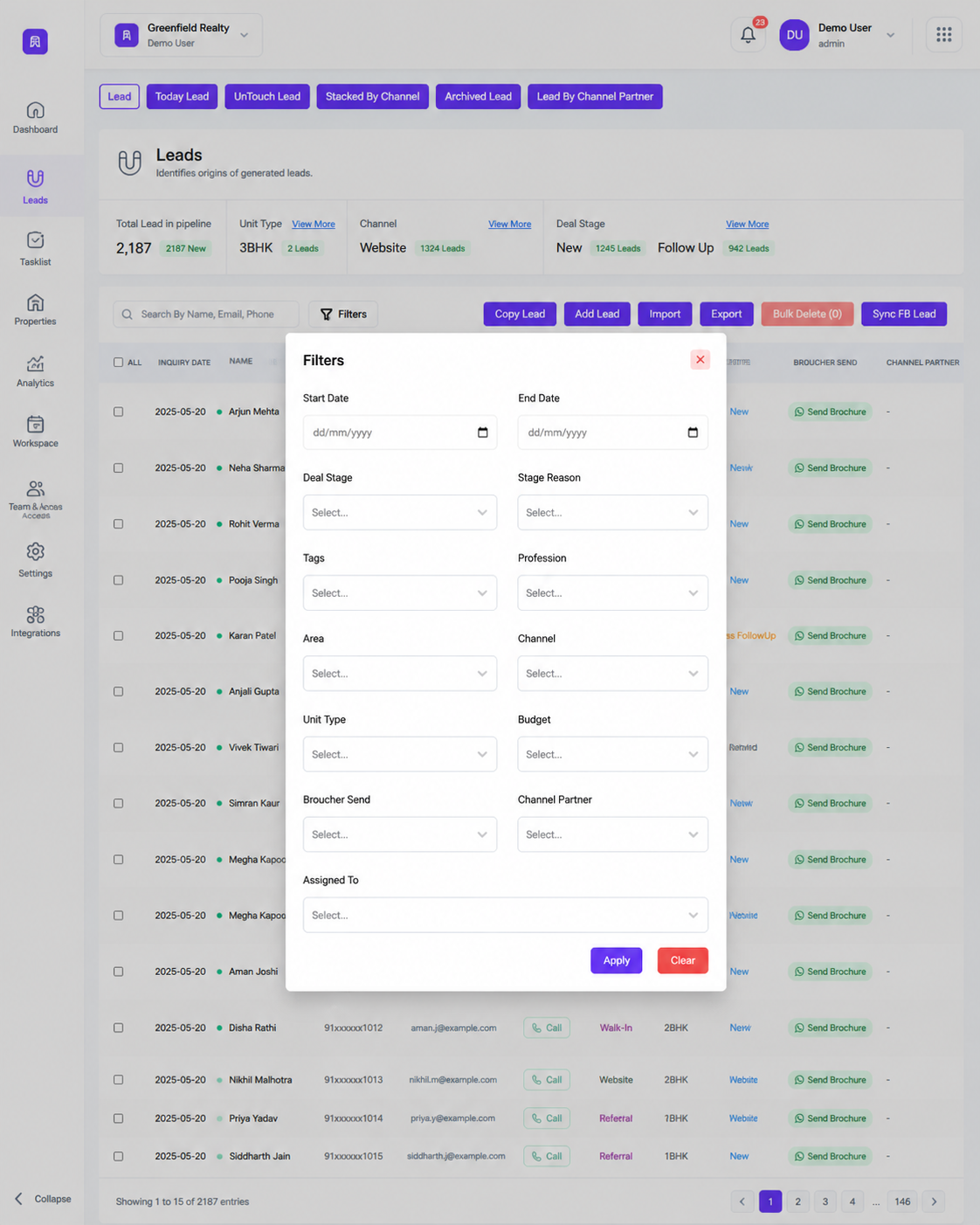
Manage broker leads with smart views, advanced filters, channel tracking, deal stages, unit type filters, brochures, call actions, bulk imports, exports, and Facebook lead sync — designed for fast follow-up and better conversion.
Explore Pricing1488
Leads in pipeline
1482
New leads
Lead Capture & Bulk Import
Add broker leads manually, import them in bulk, copy existing records, export data, and keep all broker leads in one connected list.
Smart Lead Views
Use focused views like Today Lead, UnTouch Lead, Archived Lead, Stacked by Channel, and Lead by Channel Partner.
Advanced Lead Filters
Filter leads by date range, deal stage, stage reason, tags, profession, area, channel, and unit type to find the right prospects faster.
Facebook Lead Sync
Sync Facebook page and form leads by date range, preview incoming records, and import selected leads into your CRM pipeline.
Channel & Deal Stage Tracking
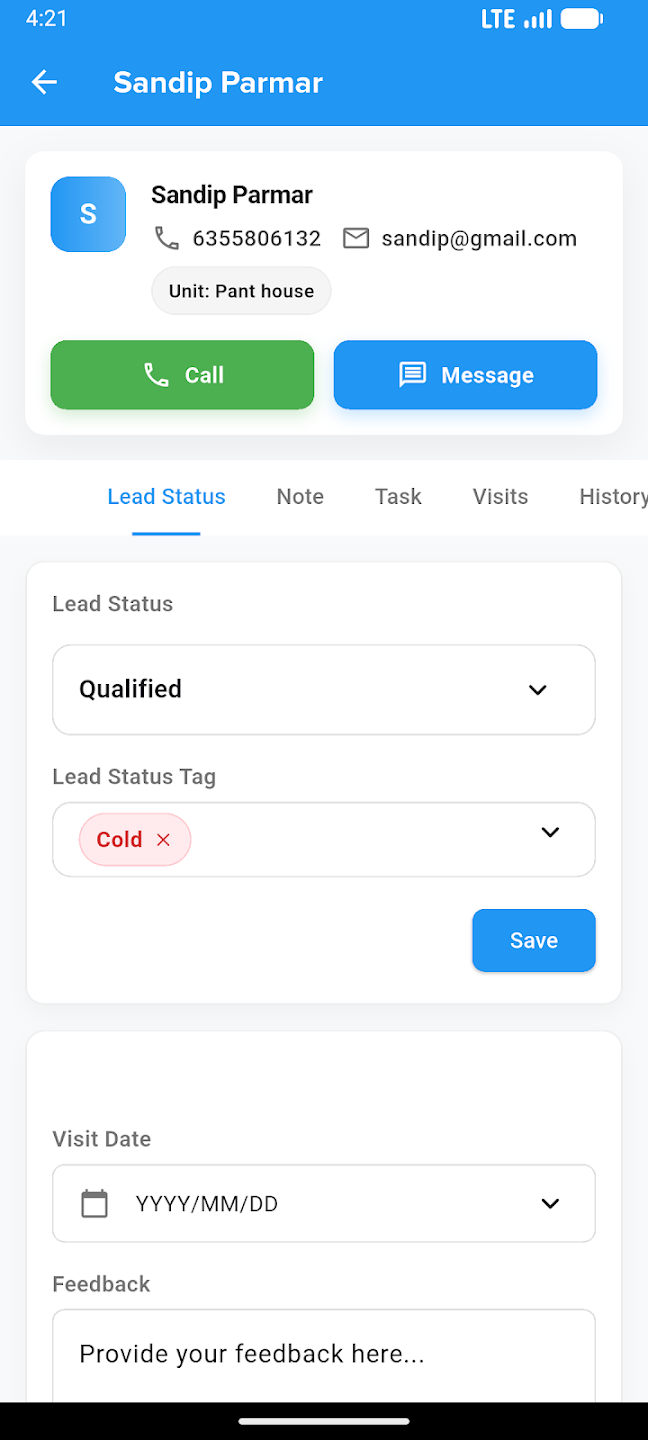
Track sources like Facebook, Walk-In, and channel partner while moving leads through New, Qualified, Follow Up, Lost, and Closed stages.
Call, Brochure & Bulk Actions
Call leads, send brochures, add leads, copy records, import, export, bulk delete, and manage follow-ups directly from the lead table.
Showcase Every Property With Clear Listing Control
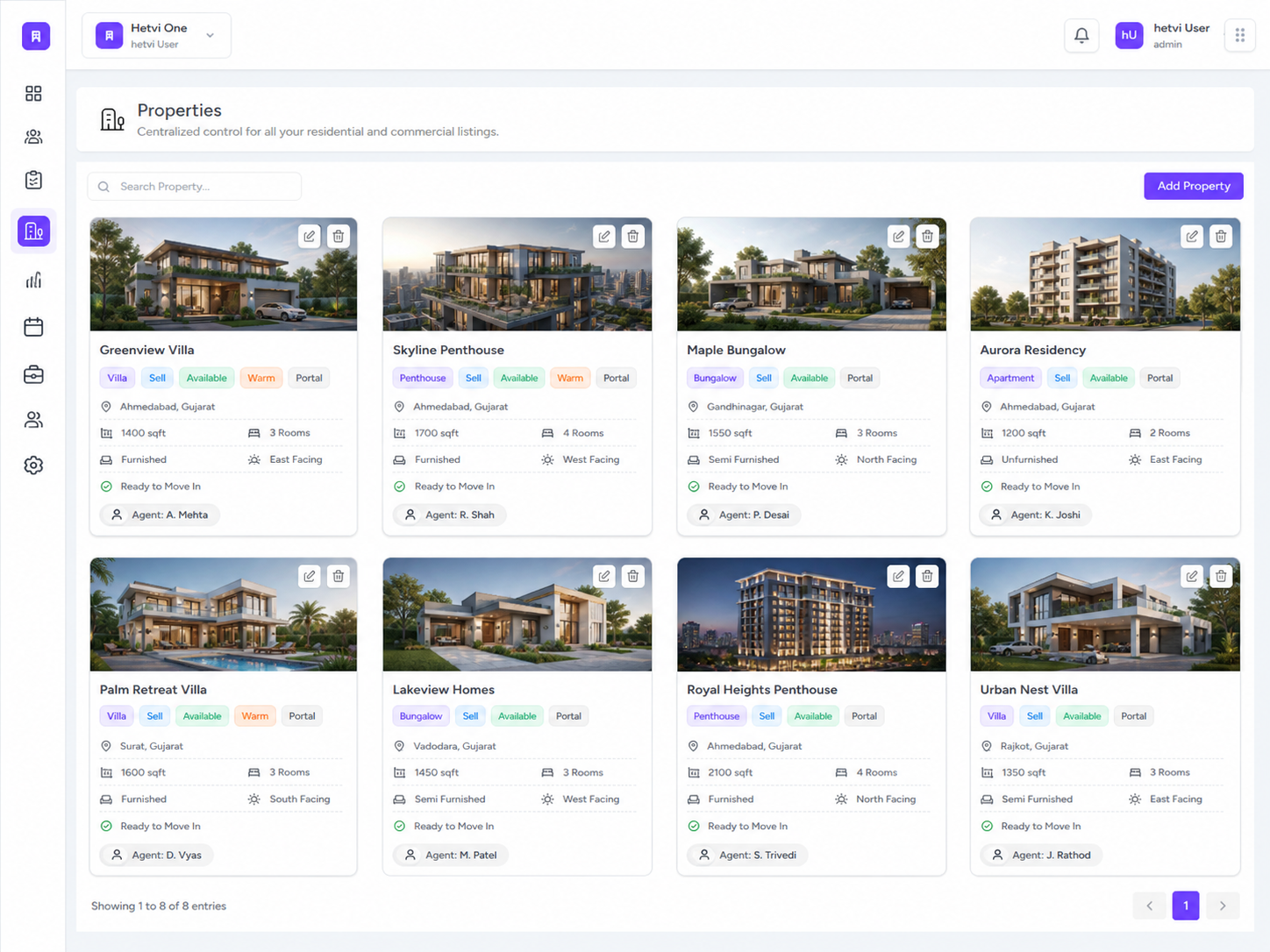
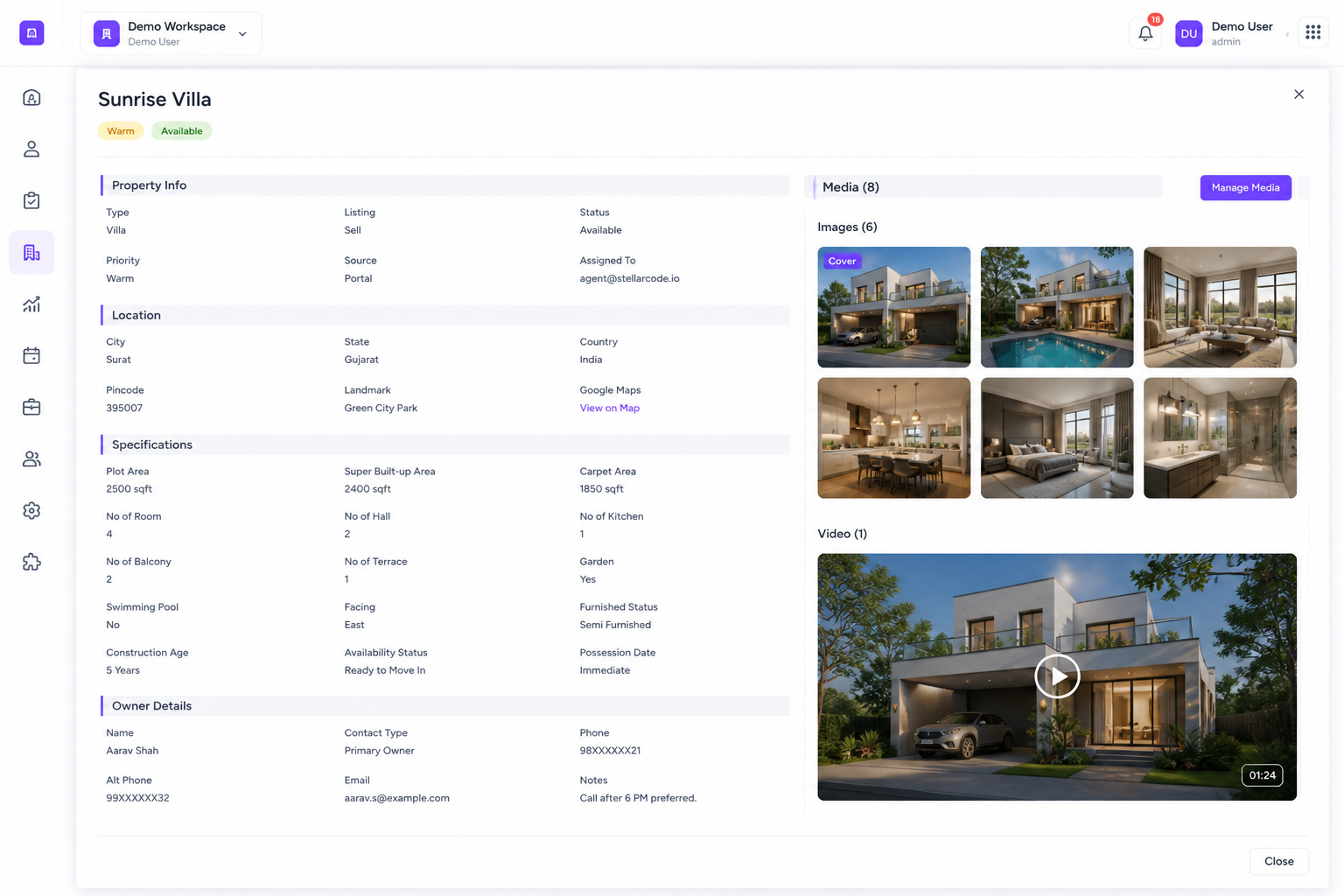
Centralize residential and commercial property listings with project details, images, brochures, email actions, ownership details, documents, location information, and listing status in one structured property module.
Contact Us4
Active properties
100%
Listing control
Central Property Library
Keep all residential and commercial listings in one place with property name, image, size, listing type, status, source, and priority.
Brochure & Email Sharing
Let brokers share property brochures and email listing information directly from each property card.
Property Setup Workflow
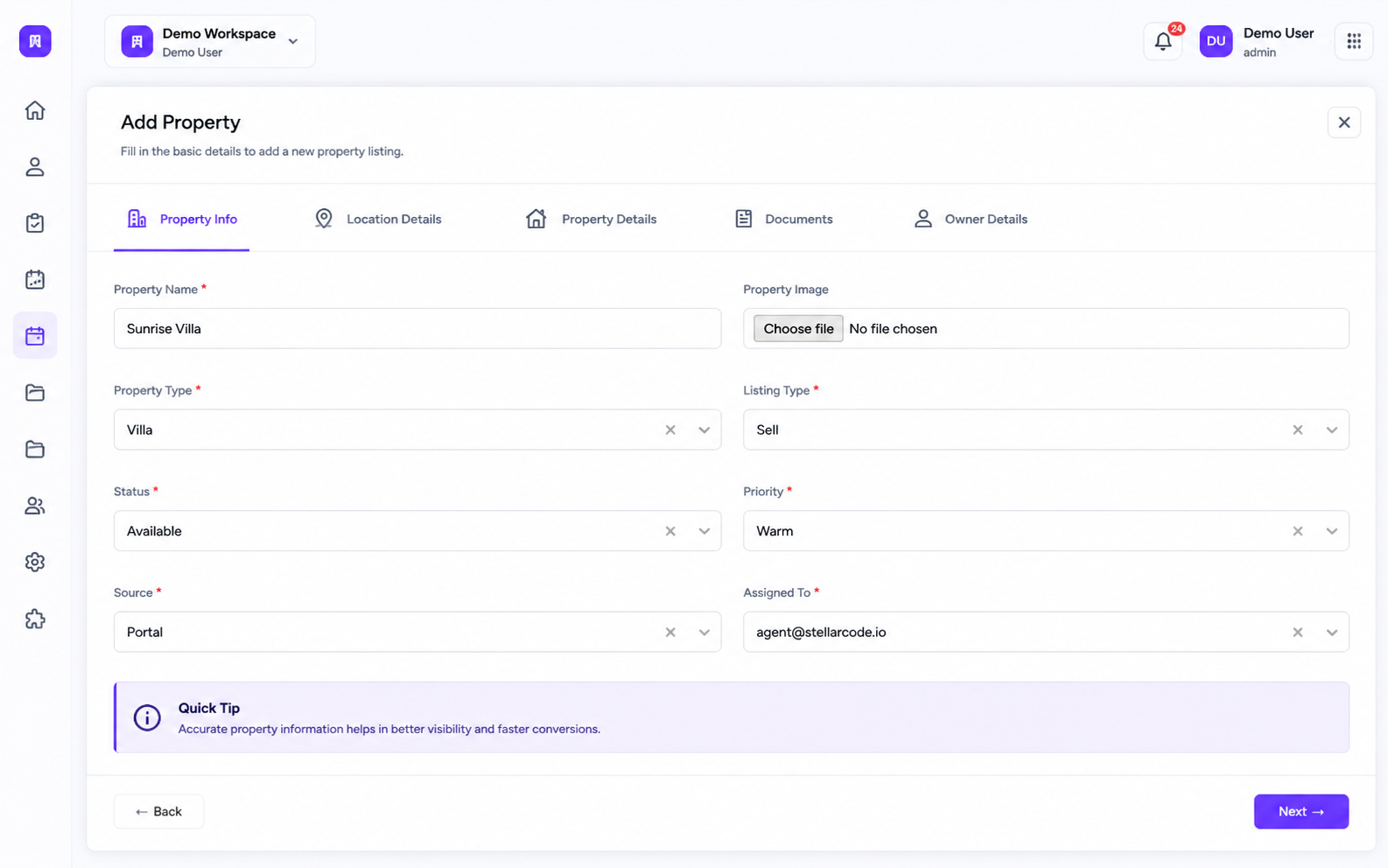
Add new properties with structured tabs for Property Info, Location Details, Property Details, Documents, and Owner Details.
Residential & Commercial Support
Manage apartments, villas, penthouses, plots, shops, offices, and commercial listings from the same property module.
Search & Listing Management
Search properties quickly, edit listing details, update property records, and remove outdated property cards when needed.
Connected Lead Filters
Use property data across Leads, Analytics, and Bookings so brokers can filter performance and availability by project or listing.
Manage Broker Bookings From Request to Confirmation
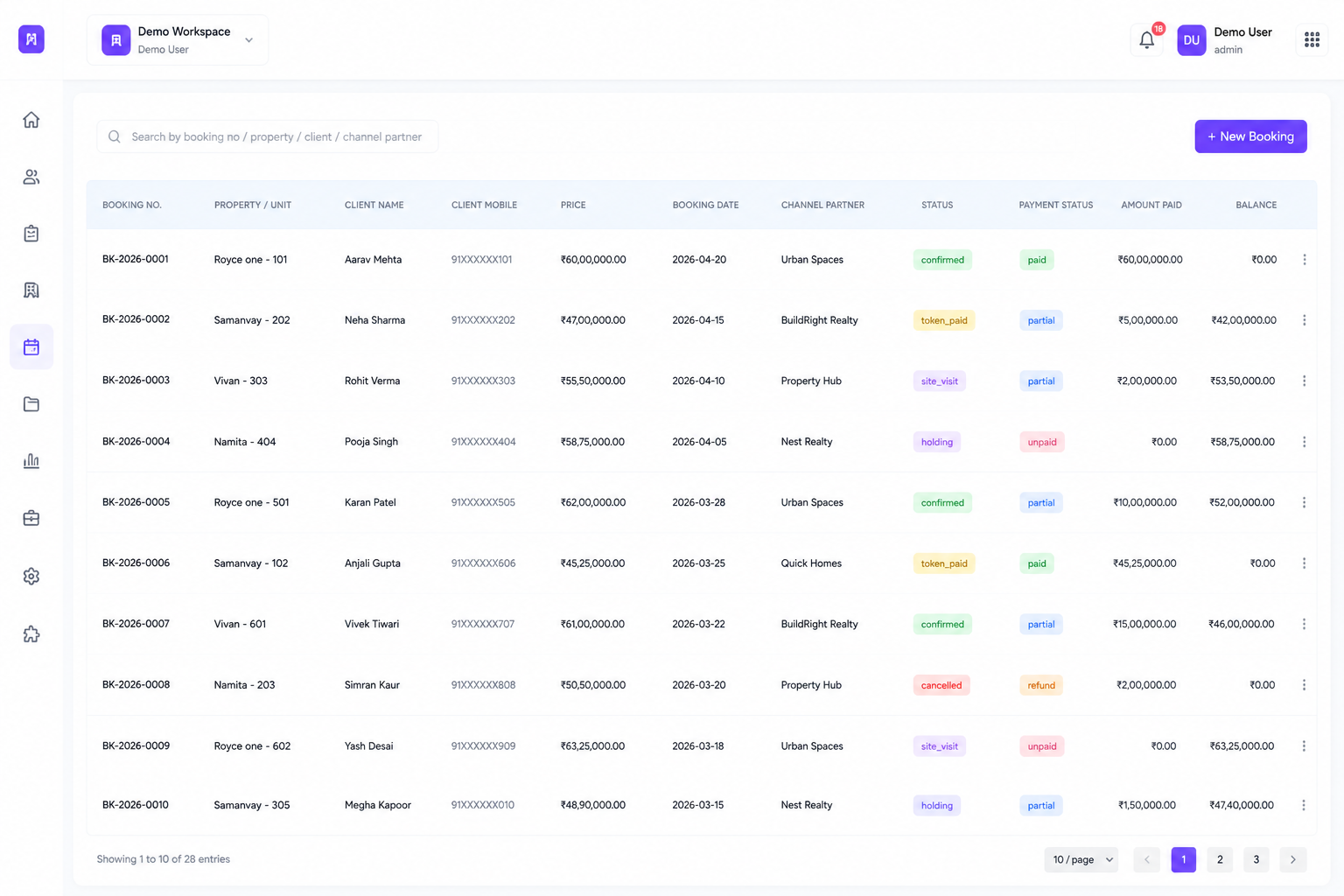
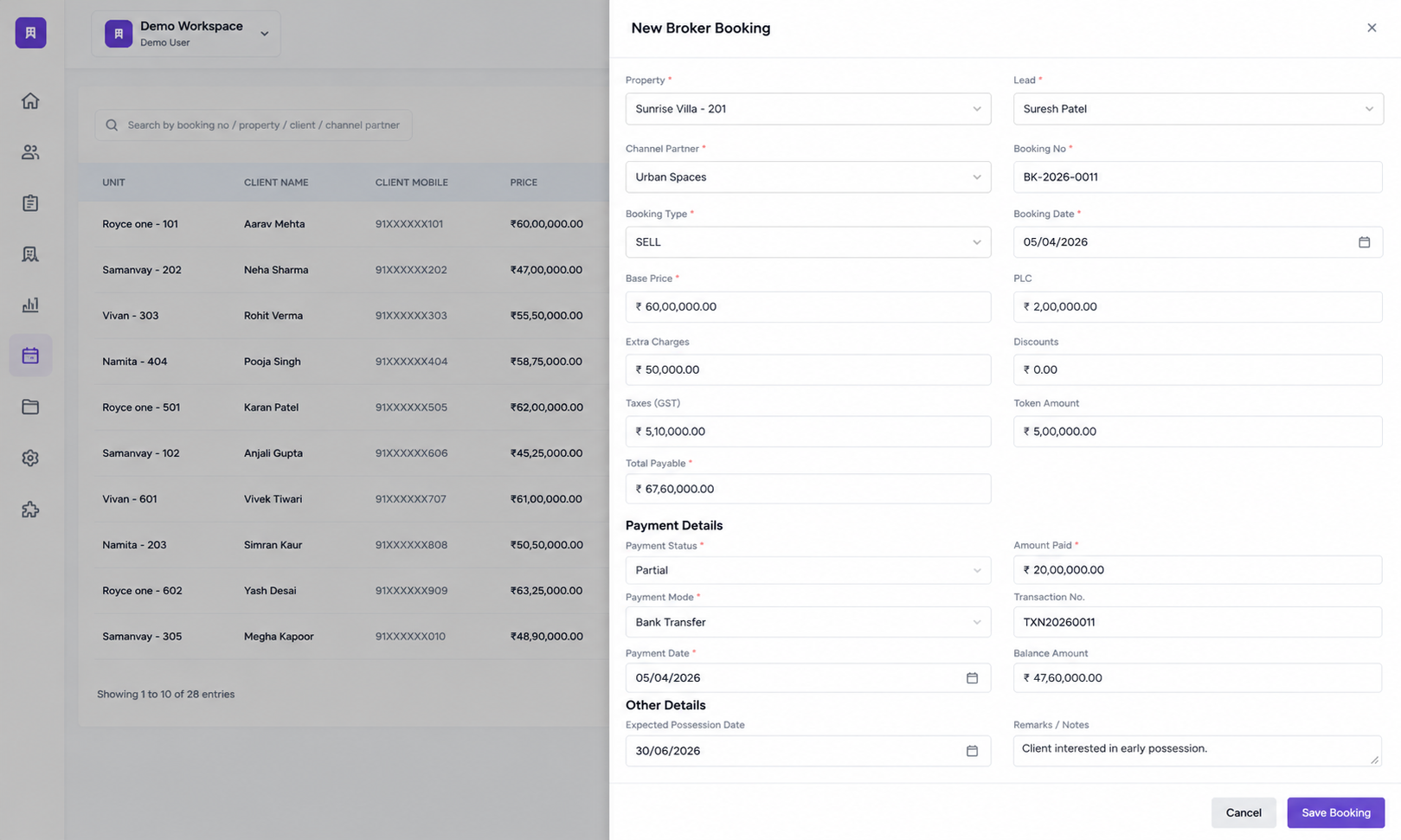
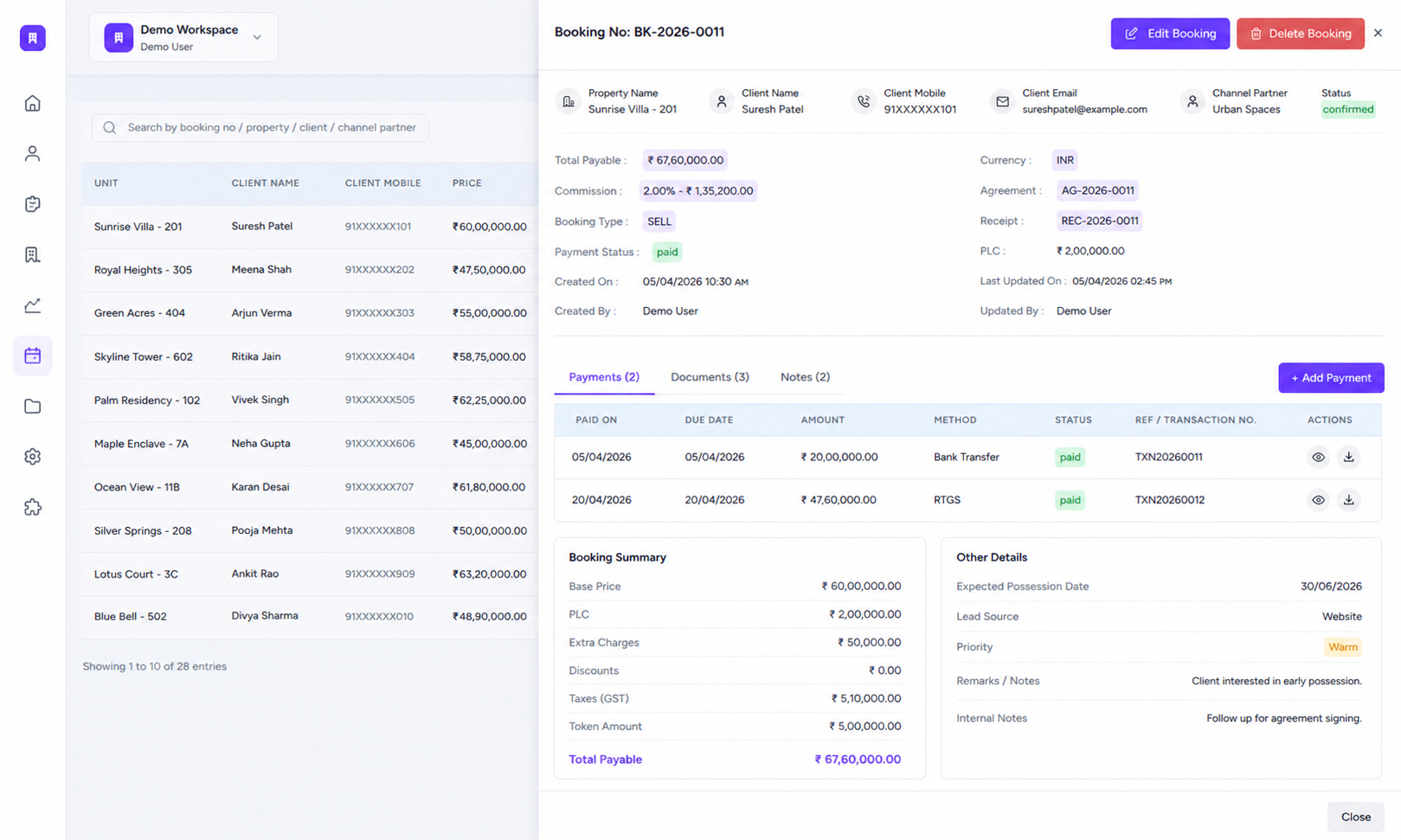
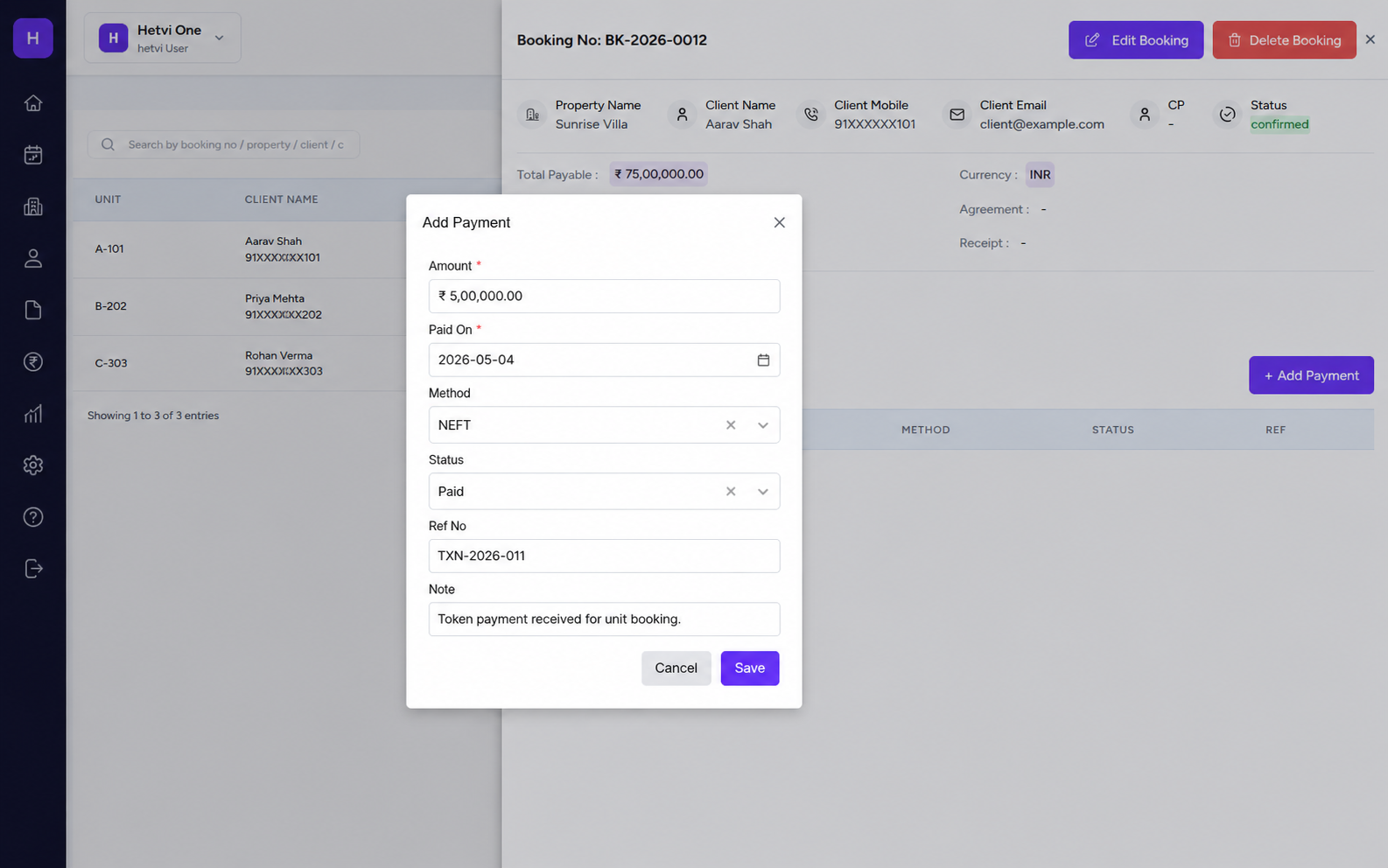
Allow brokers and channel partners to create bookings, track booking status, connect bookings with clients and units, and keep confirmed or token-paid bookings visible in one organized booking workspace.
2
Recent bookings
1 queue
For booking status
New Booking Creation
Create new bookings by selecting unit, client, price, booking date, and channel partner details from one simple booking flow.
Booking Status Tracking
Track booking status like confirmed, token paid, pending, cancelled, or rejected so every partner booking has a clear state.
Client & Unit Mapping
Connect each booking with the right client, mobile number, unit, property, and booking date for accurate records.
Partner Booking Queue
Keep all broker and channel partner bookings in one searchable list with pagination, status labels, and quick actions.
Inventory Connection
Approved or confirmed bookings stay connected with inventory so unit availability remains accurate across the system.
Controlled Partner Sales
Let channel partners create bookings while the admin or builder team keeps control over approval, status, and final confirmation.
Scale Sales With Controlled Partner Access
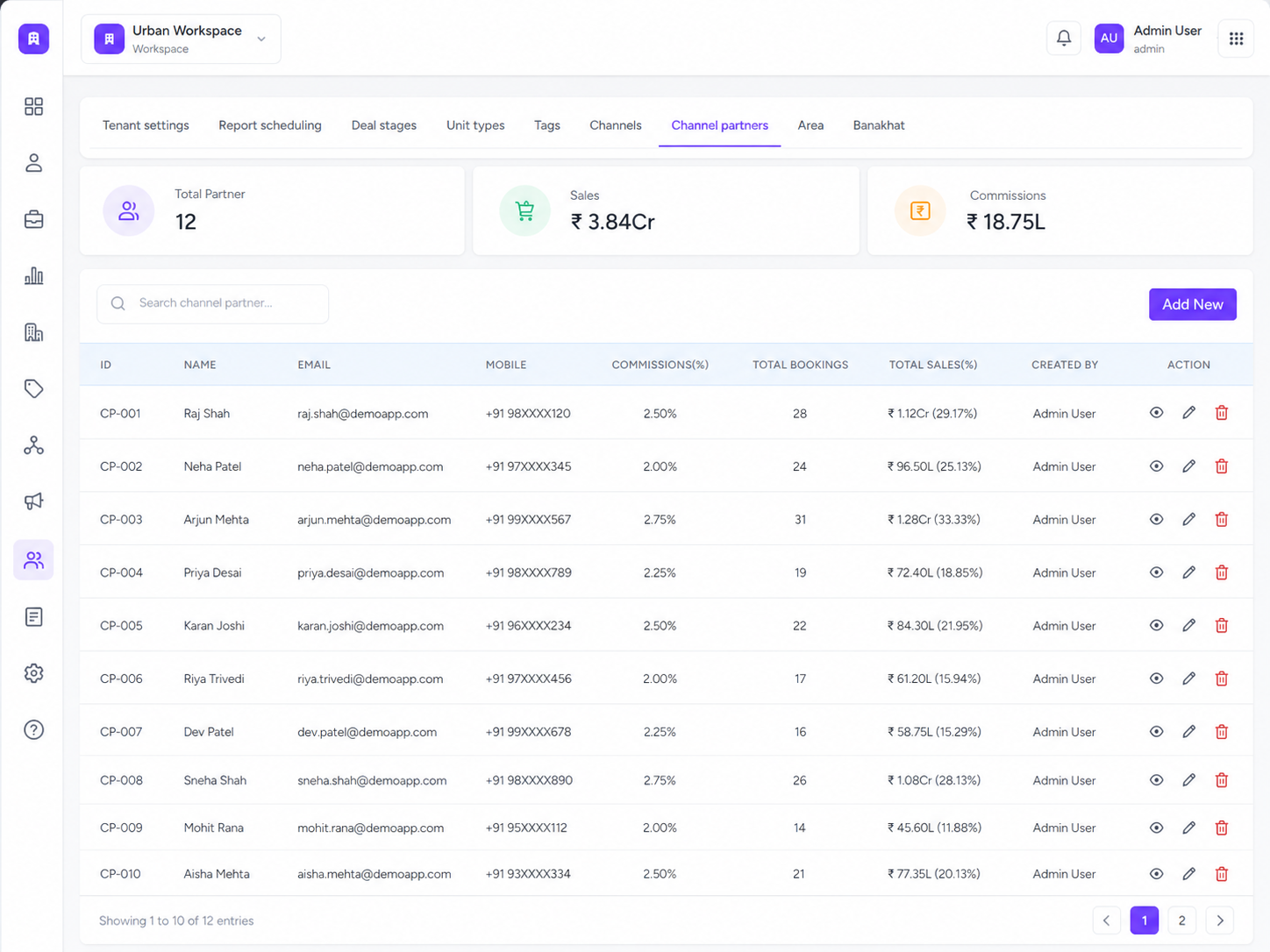
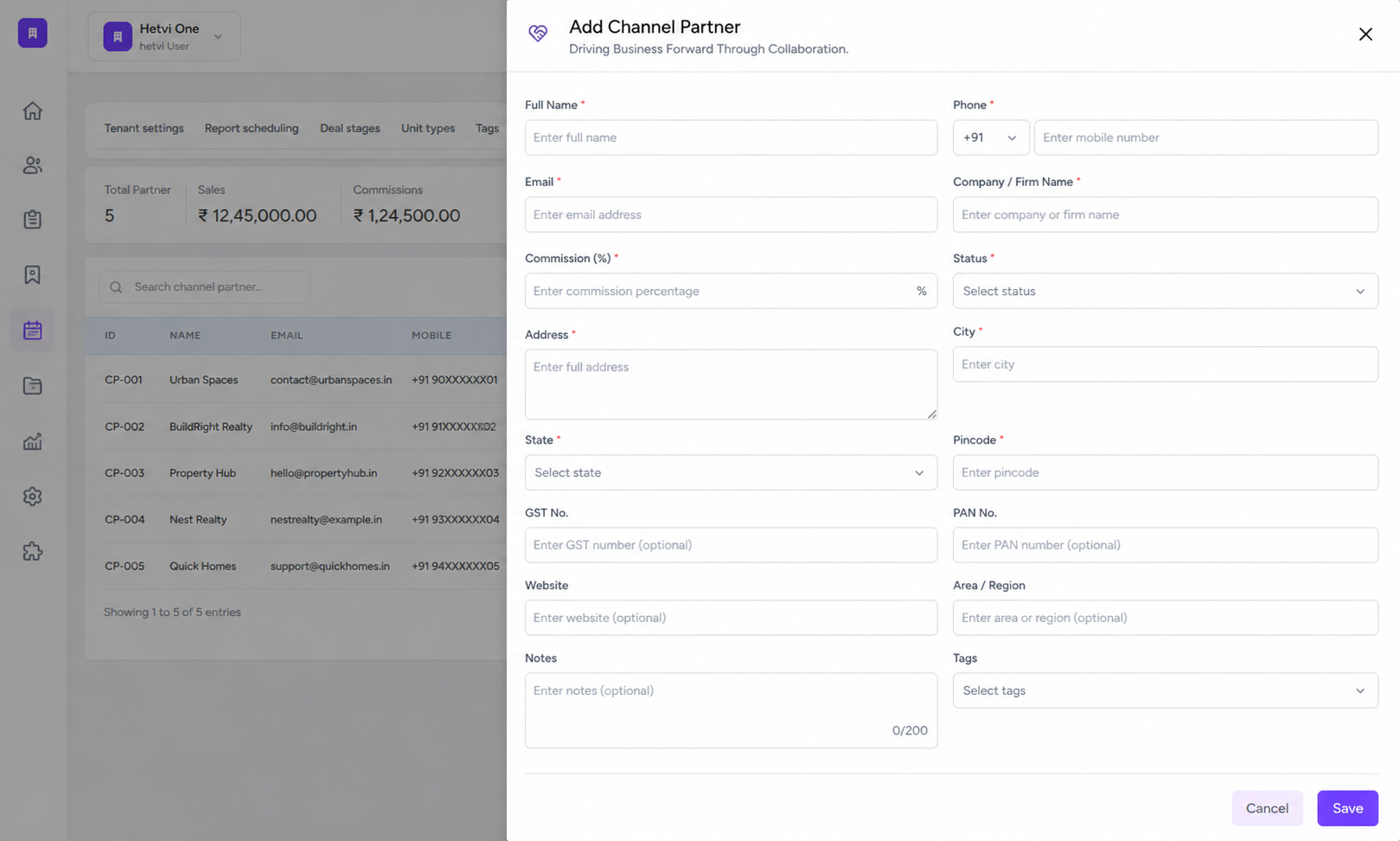
Add channel partners, manage their contact details, commission percentage, booking access, sales tracking, and project-level permissions so partner networks can sell without losing operational control.
Contact UsPartner-ready
Sales network
Controlled
Unit access
Partner Directory
Add and manage channel partners with name, email, mobile number, commission percentage, total bookings, total sales, and creator details.
Commission Management
Track partner commission percentage and commission value so payout visibility stays clear for every broker relationship.
Project & Unit Access
Decide which projects, properties, or units each channel partner can offer to customers.
Booking Permission Control
Let partners raise booking requests while your team approves, rejects, and links bookings to the correct lead or client.
Partner Sales Tracking
Monitor partner-driven bookings, sales, and performance from the channel partner module.
Admin-Level Control
Keep partner access, sales activity, booking permissions, and reporting under builder/admin supervision.
Understand Broker Performance With Real-time Sales Insights
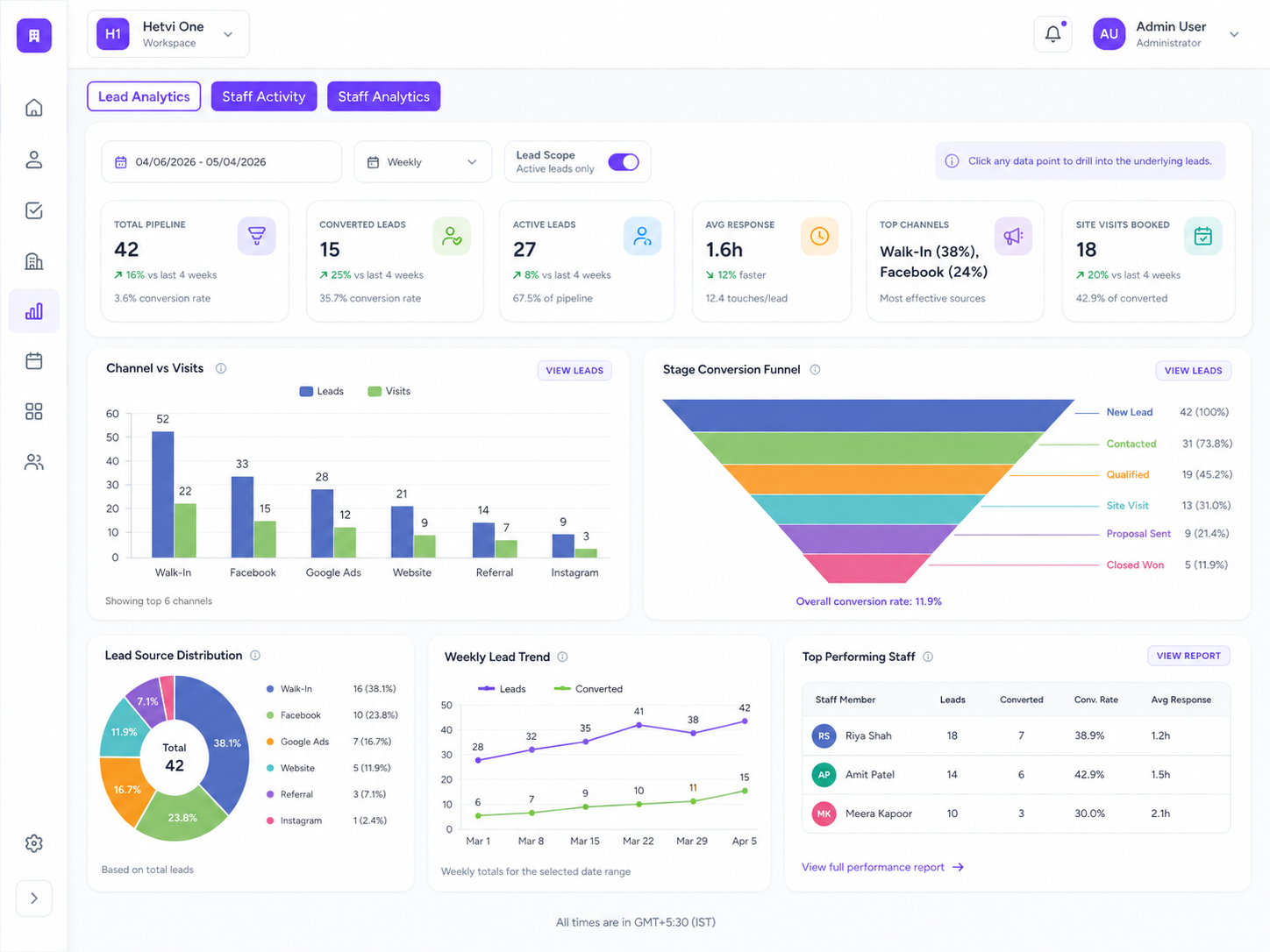
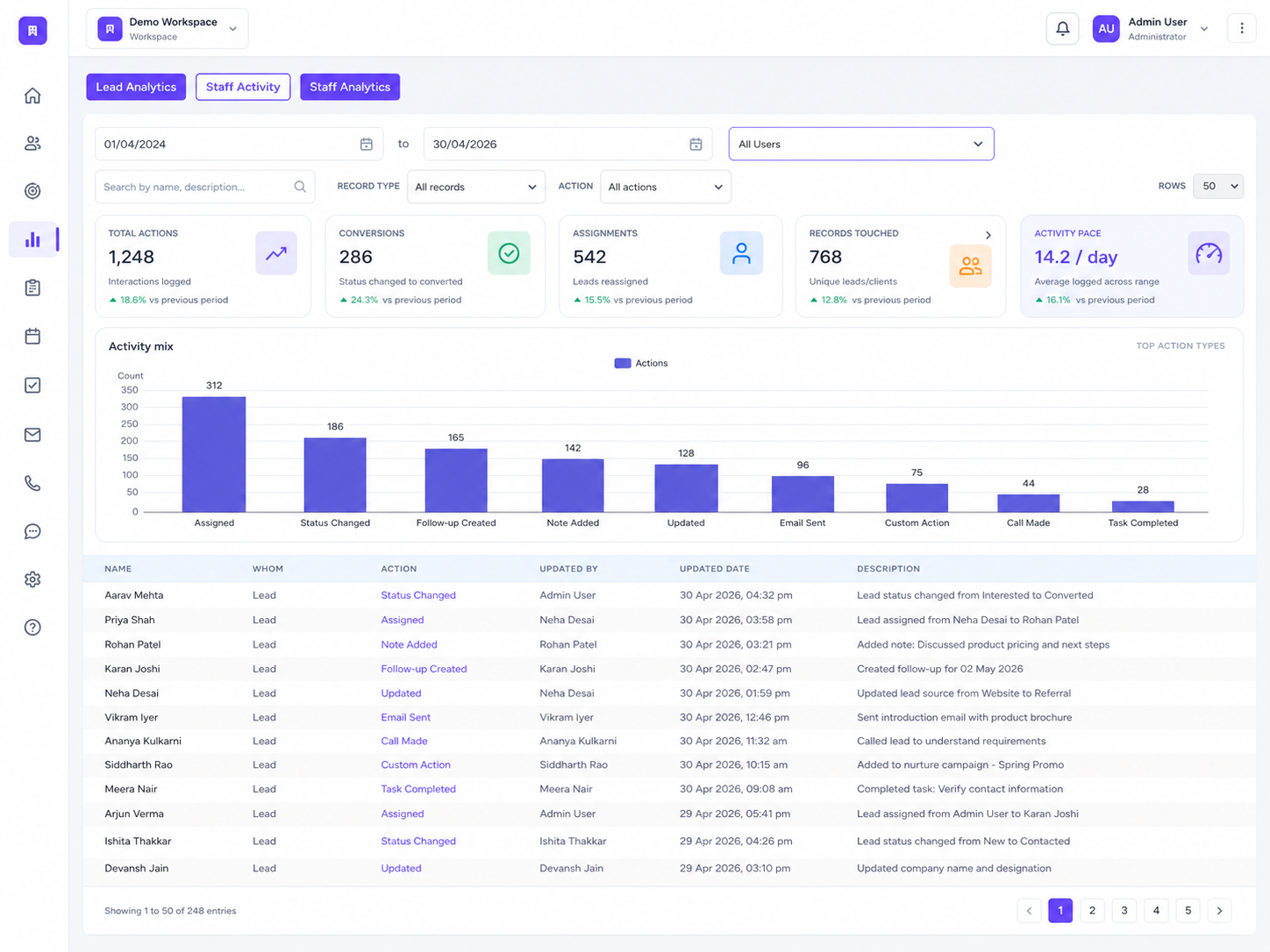
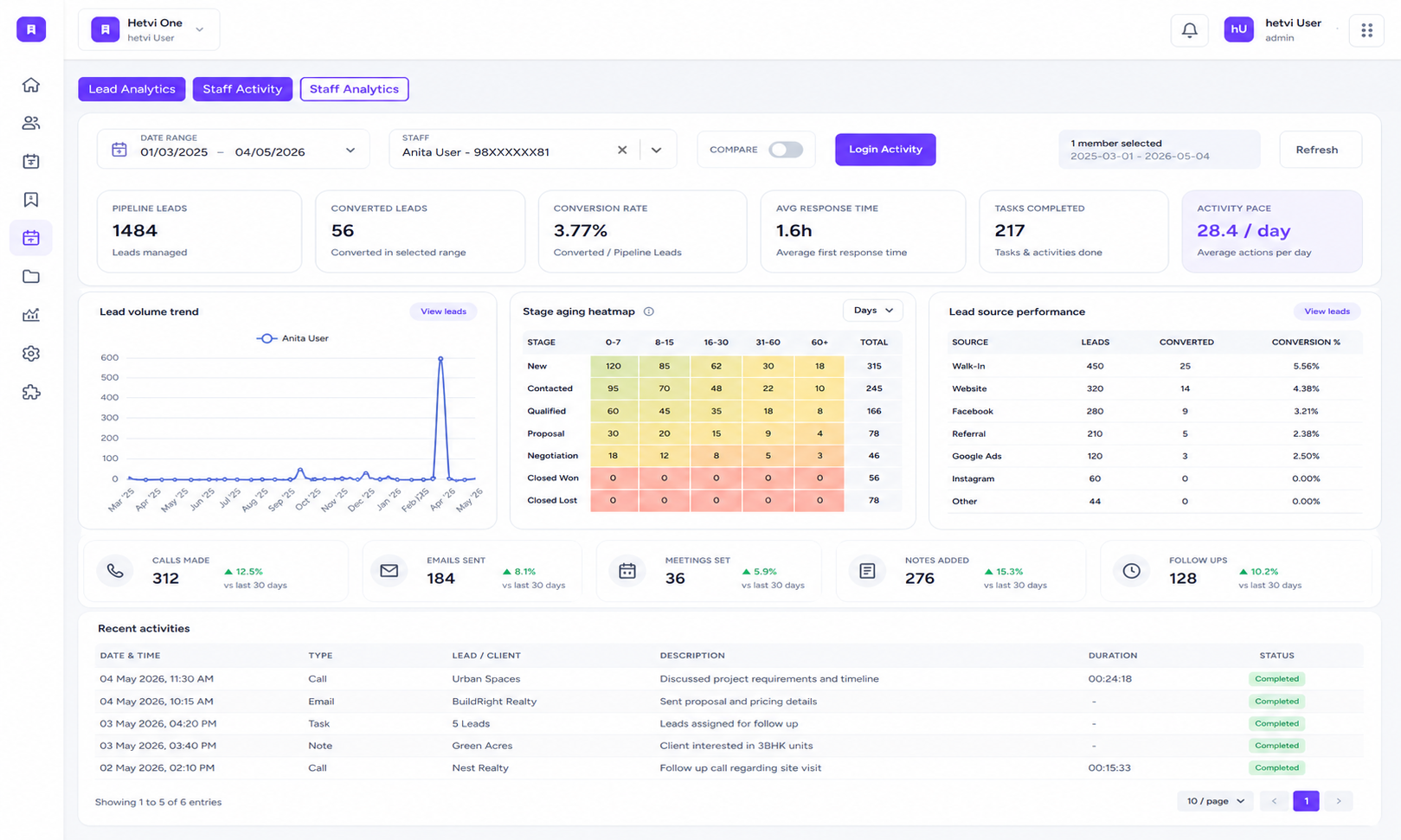
Track lead analytics, user performance, team performance, staff activity, task completion, source-wise leads, conversion funnel, response time, top leads, top revenue, and best conversion from one analytics workspace.
3
Team users
0%
Task completion
User Analytics
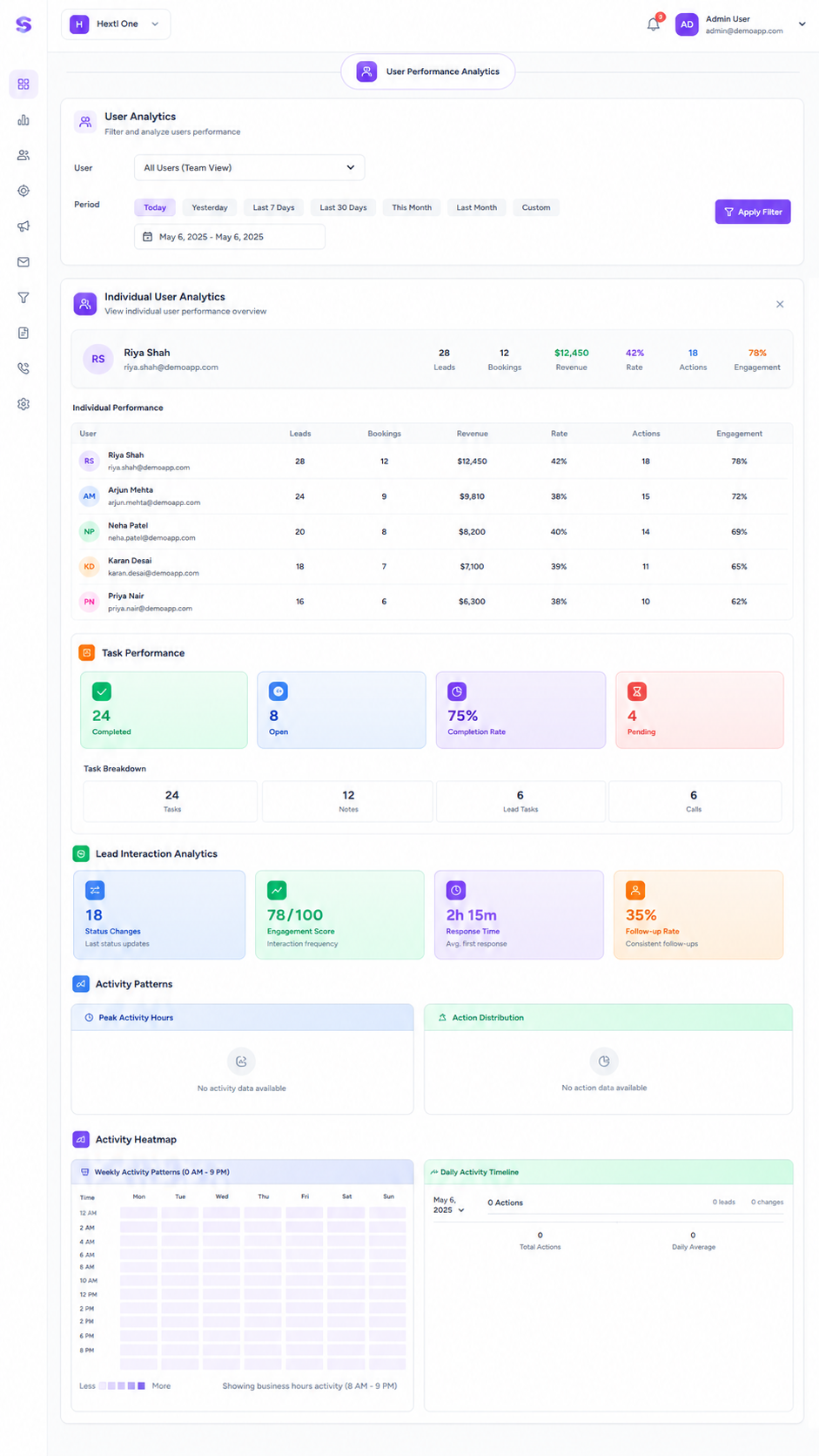
Filter and analyze team performance by user, date range, and period to understand individual broker activity.
Team Performance Analytics
View total users, total leads, total revenue, tasks completed, and task completion rate in one team overview.
Individual Performance
Compare each broker or staff member by leads, bookings, revenue, rate, actions, and engagement score.
Task Performance Tracking
Track completed, open, pending, and lead-linked tasks for each user to measure daily execution quality.
Top Leads & Revenue Rankings
See top-performing users by leads, revenue, and conversion so managers can identify strong performers.
Drill-down Performance Reports
Move from analytics numbers into detailed user activity, lead records, task records, and performance breakdowns.
Built For The Teams Who Move Real Estate Forward
Stellivo helps builders, brokers, channel partners, and construction teams work with connected data, clearer responsibilities, and better visibility across real estate sales, communication, inventory, construction, and reporting workflows.
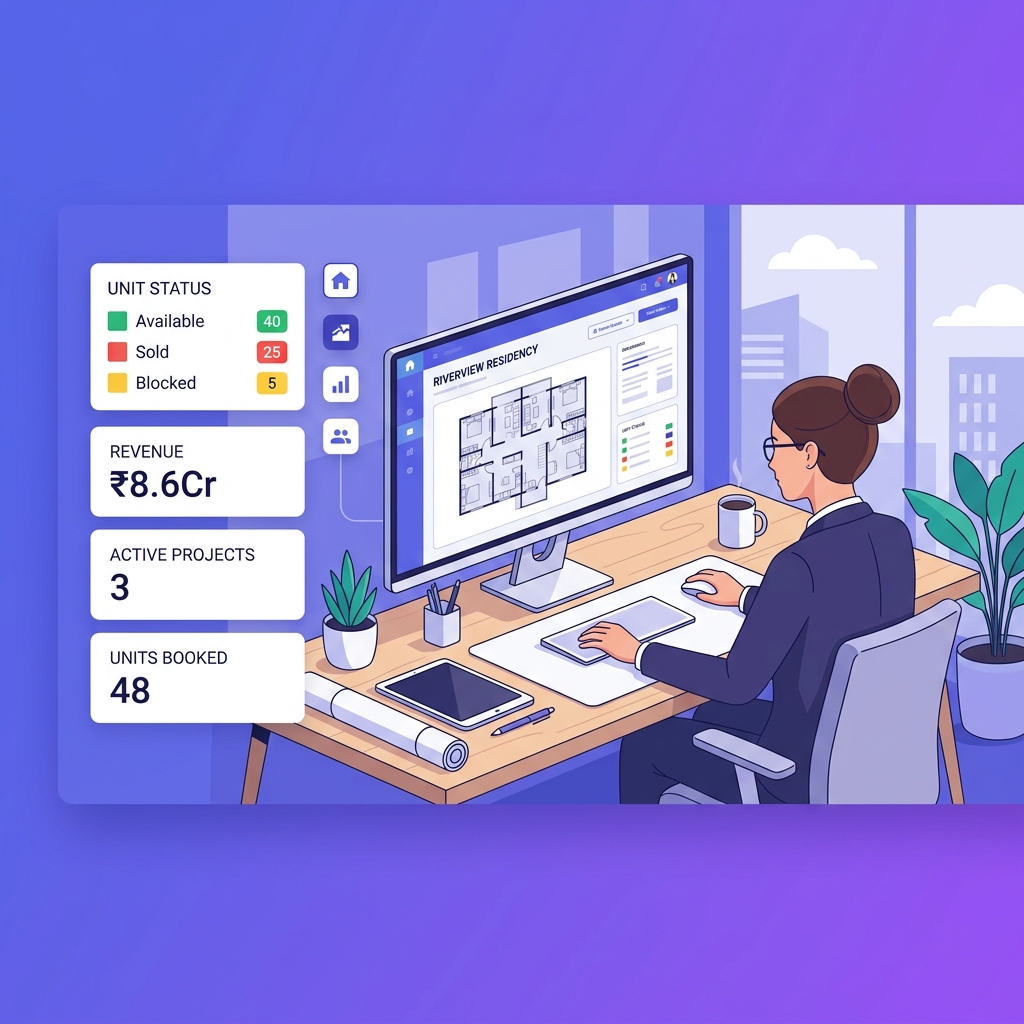
For Builders & Developers
Manage projects, leads, clients, bookings, inventory, documentation, communication, construction progress, and business visibility from one connected real estate CRM platform.
- Project and inventory control
- Booking and client visibility
- Reports and business tracking

For Brokers & Channel Partners
Track assigned leads, customer interactions, follow-ups, visits, bookings, commissions, project-wise activity, revenue visibility, and partner performance.
- Lead and follow-up tracking
- Booking and commission visibility
- Partner performance insights
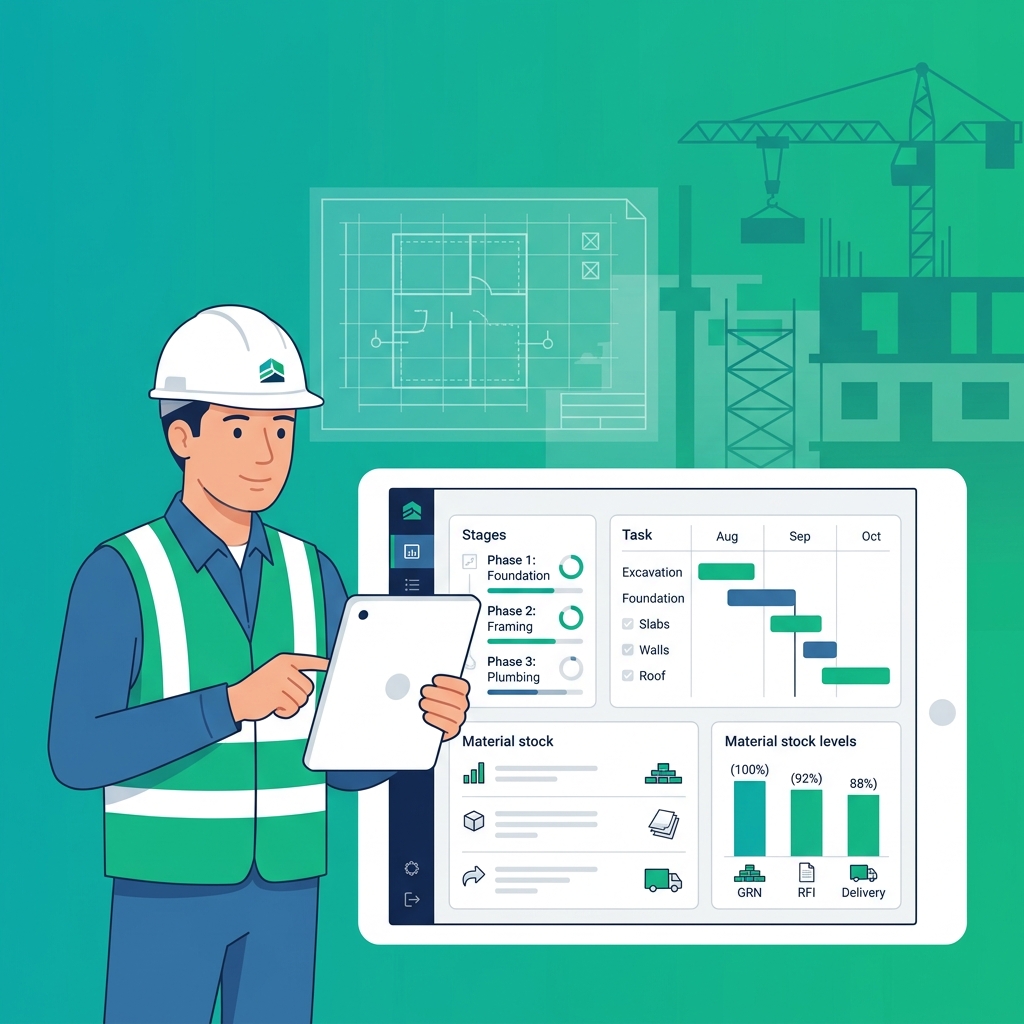
For Construction & Operations Teams
Manage inventory, stocks, GRN, delivery, quotations, invoices, branches, warehouses, tasks, issues, RFIs, material planning, and site coordination.
- Stock, GRN, and delivery tracking
- Task, issue, and RFI management
- Material planning and coordination
Not sure which plan fits your team?
Talk to our teamFrequently asked questions about broker and channel partner management
Find answers to common questions about managing brokers, channel partners, assigned leads, follow-ups, site visits, booking coordination, lead ownership, and partner performance with Stellivo CRM.
8
Questions answered
What is broker and channel partner management in real estate CRM?
Broker and channel partner management in real estate CRM helps builders and developers track partner-driven leads, customer interactions, follow-ups, site visits, booking coordination, and performance from one platform. Stellivo keeps broker and channel partner activity connected with the main CRM workflow.
How does Stellivo help manage brokers and channel partners?
Can brokers and channel partners manage assigned leads in Stellivo?
How does Stellivo improve lead ownership and accountability?
Can Stellivo track broker follow-ups and site visits?
Does Stellivo show broker or channel-wise performance?
Can broker management connect with bookings and inventory?
Why should real estate businesses use Stellivo for broker and channel partner management?
Still have questions? Our team is happy to help.
Contact our teamReal Estate Software Built for Experts
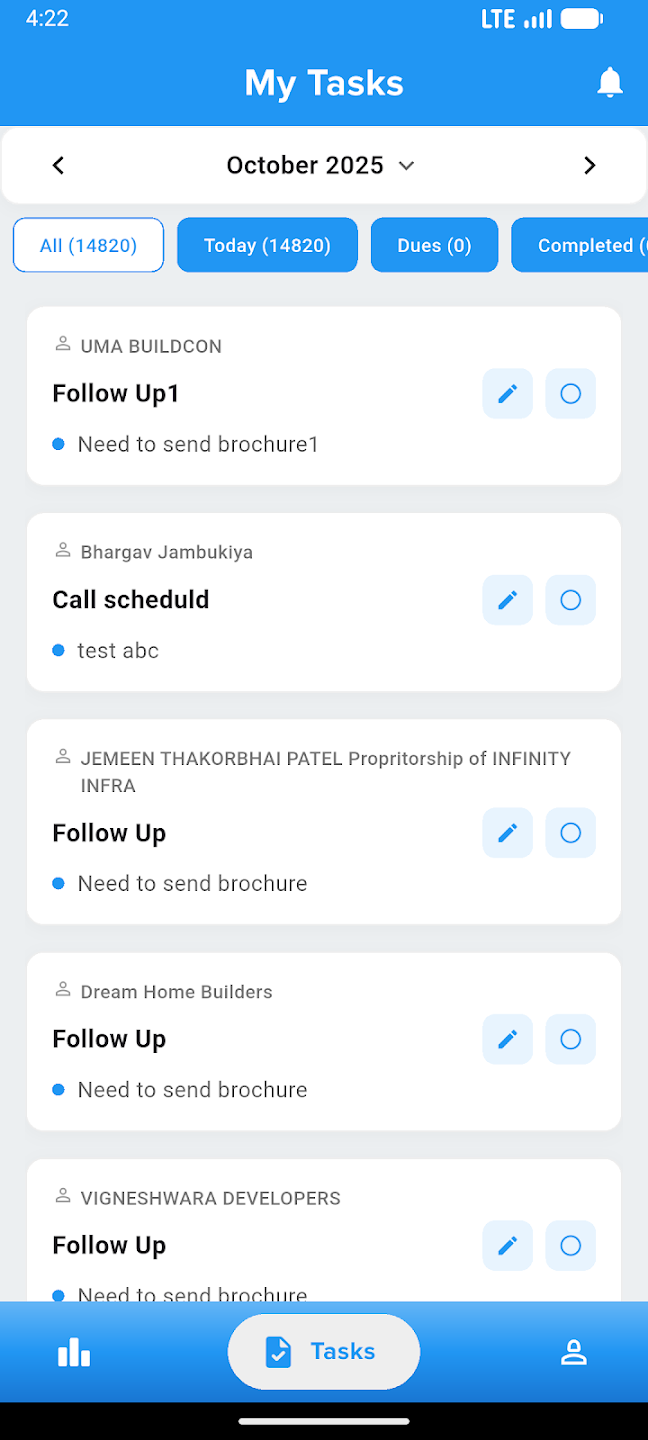
Take your business everywhere. Manage leads, track construction progress, and close deals right from the palm of your hand with our powerful mobile companion.