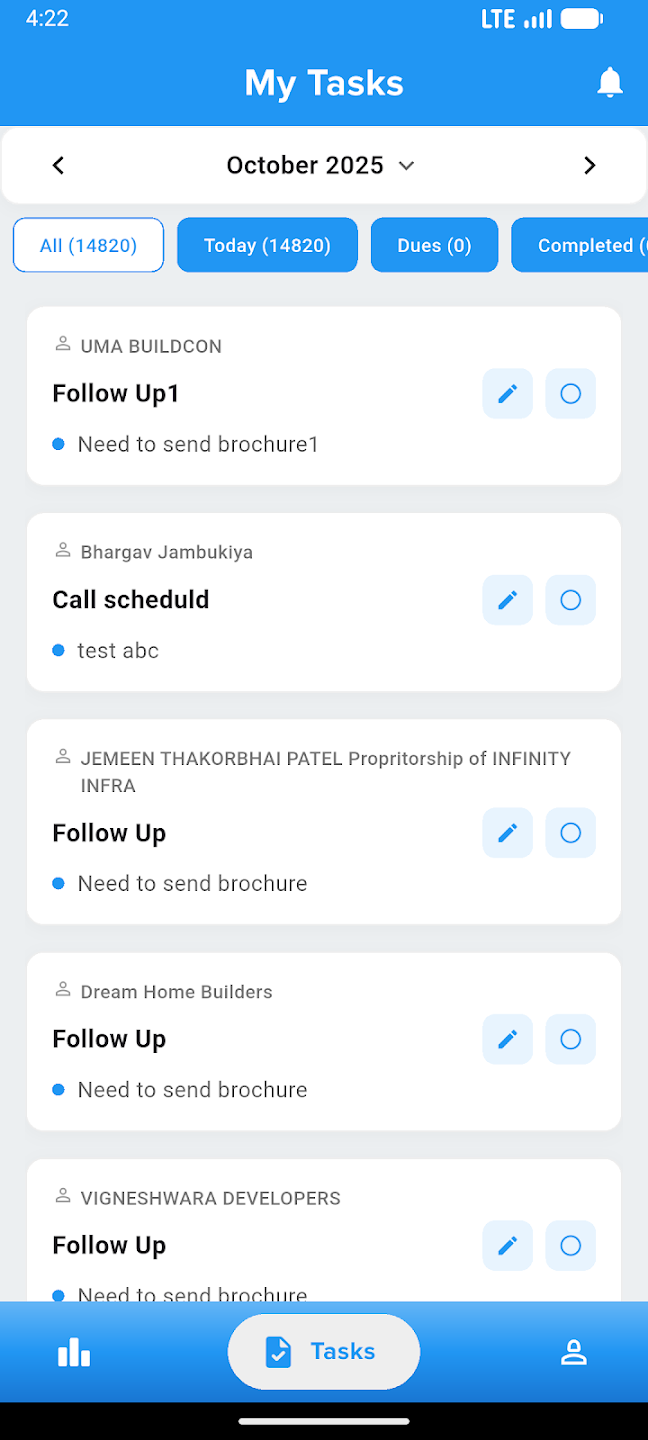
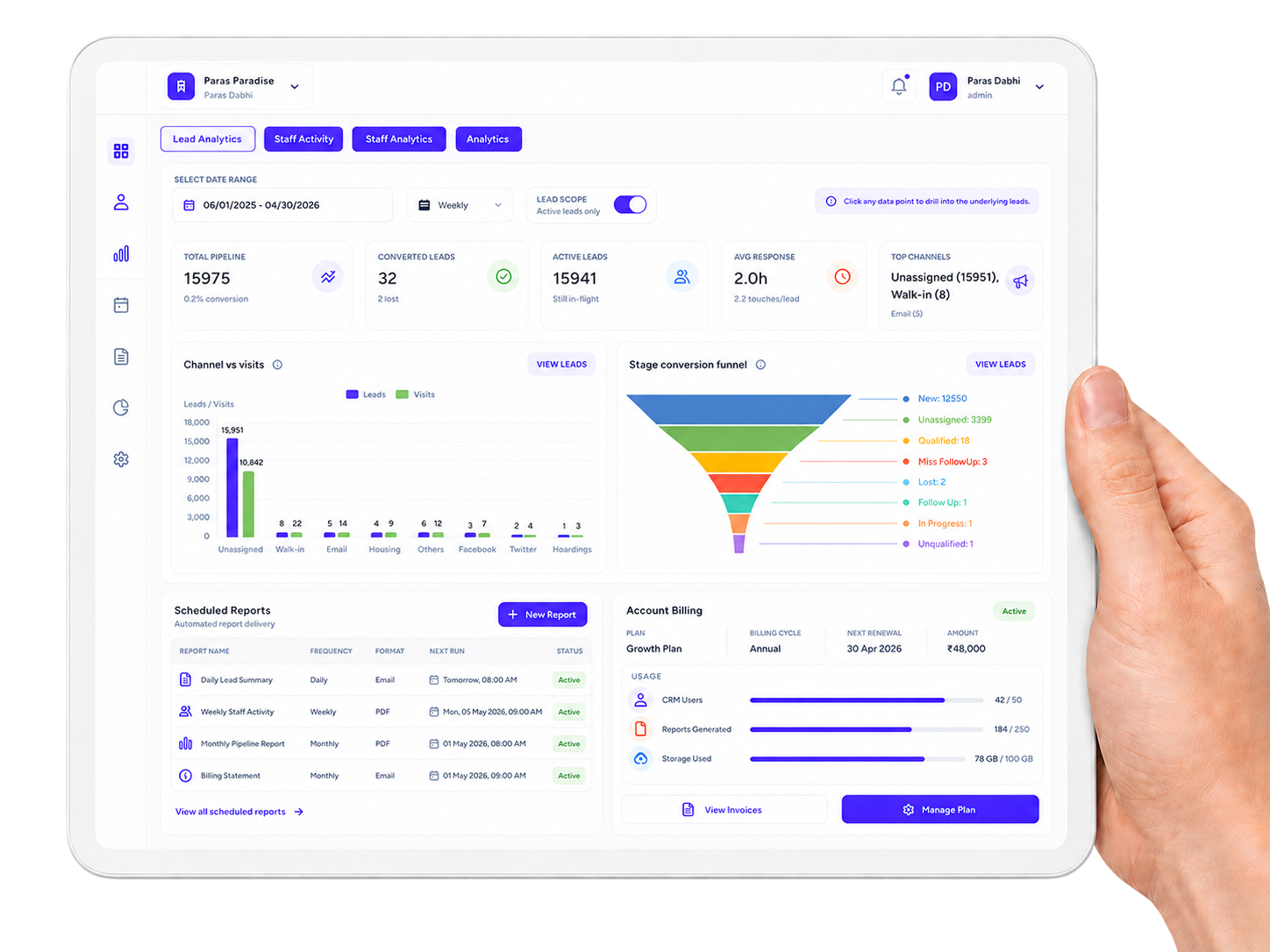
Analytics, Reports, Account & Billing
Gain actionable insights with comprehensive analytics, generate detailed reports, manage user accounts with role-based access, and handle billing operations seamlessly — all from one unified platform.
BUSINESS INTELLIGENCE
From analytics, Reports to billing,every business insight stays clear
Stellivo keeps your analytics dashboards, performance reports, user accounts, role permissions, and billing operations in sync—so no insight is missed, every user has the right access, and financial tracking remains transparent.

Weekly & Monthly
Auto-generated
24 Reports Ready
Understand Sales Performance With Real-time CRM Insights
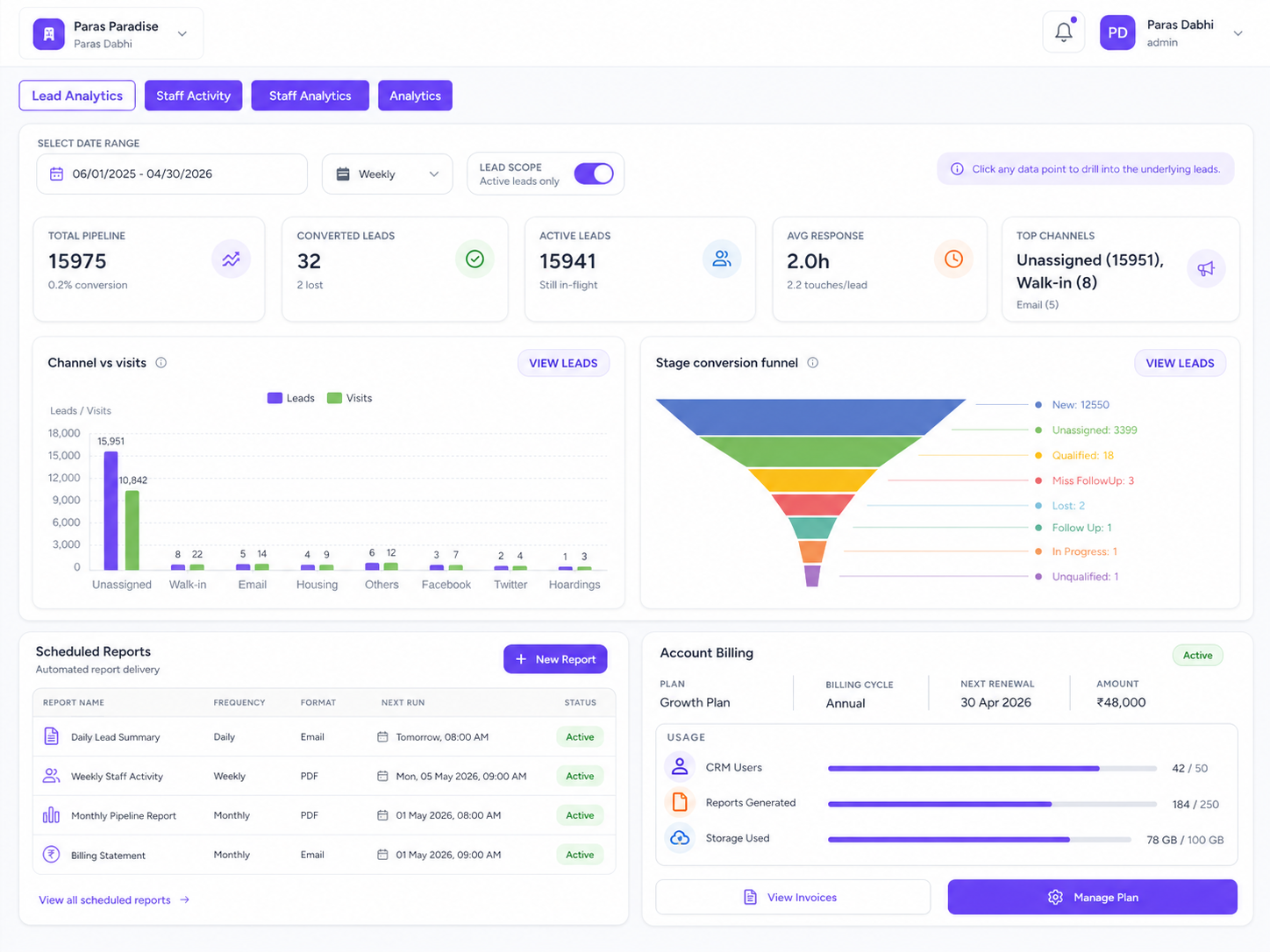
Track leads, conversions, active pipeline, response time, top channels, source-wise performance, stage conversion funnel, sold units, income, gross bookings, and forecast trends from one analytics workspace.
15,975
Total pipeline
32
Converted leads
Lead Source Analytics
Track leads by source such as Facebook, Walk-In, Email, Housing, Twitter, LinkedIn, Instagram, YouTube, and other channels.
Stage Conversion Funnel
See how leads move across stages like New, Unassigned, Qualified, Follow Up, Lost, and In Progress to identify pipeline bottlenecks.
Channel vs Visit Tracking
Compare lead sources against site visits to understand which channels bring high-intent prospects.
Sales Performance Overview
Analyze sold units, lead volume, income, and gross bookings by period so management can understand business growth clearly.
SLA & Response Insights
Monitor response time, touches per lead, SLA compliance, and delayed follow-ups to improve sales execution.
Forecast & Benchmark Reports
Use forecast vs target, pipeline velocity, cohort retention, and channel benchmarks to plan sales strategy with data.
Measure Team Activity and Improve Sales Execution
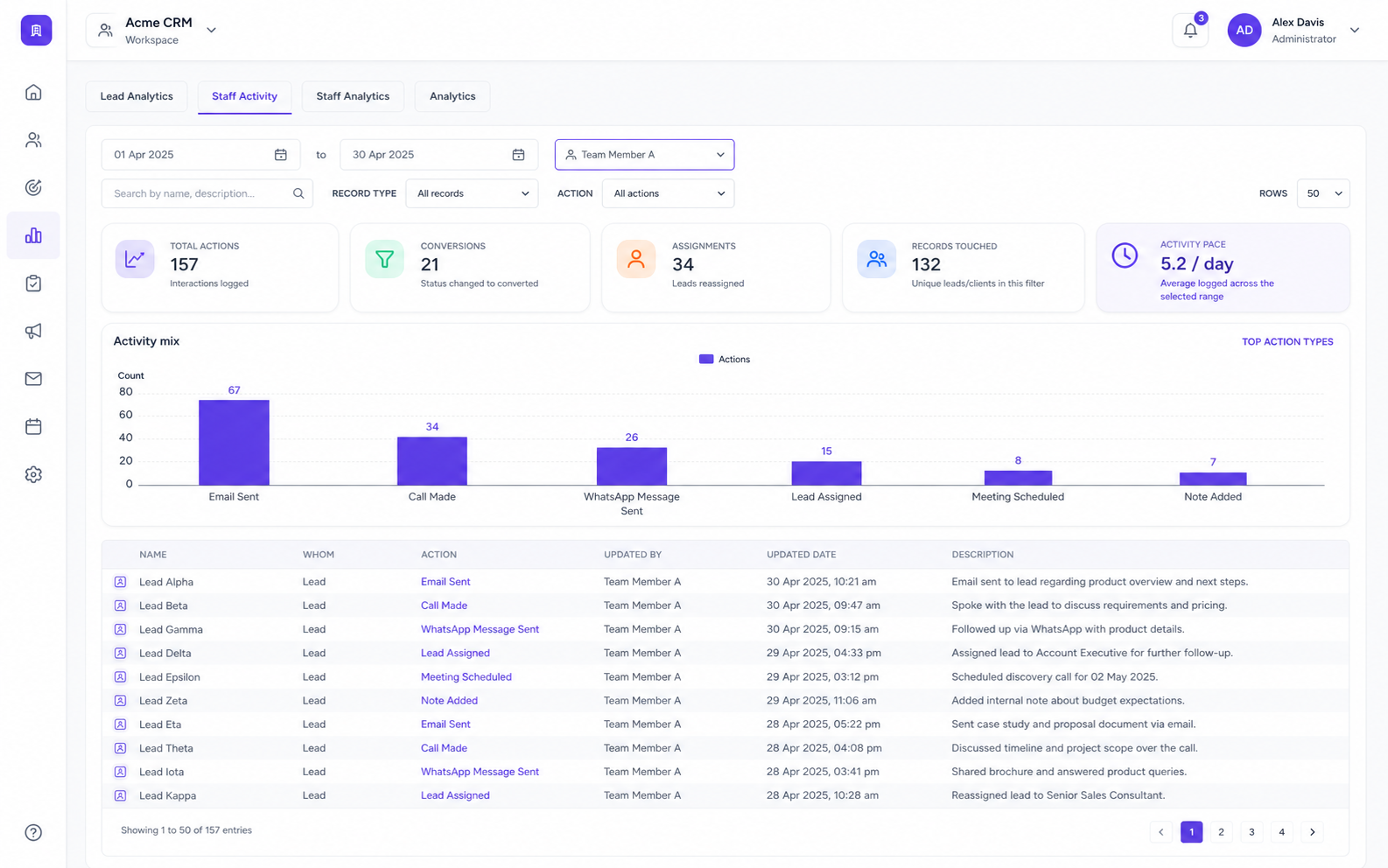
Track staff actions, conversions, assignments, records touched, activity pace, login activity, lead volume, task completion, response quality, and individual performance from one team analytics view.
3
Actions logged
25%
Staff conversion
Staff Activity Log
View every staff action with lead or client name, action type, updated by, updated date, and full activity description.
Activity Mix Analysis
See how many updates, custom actions, created records, and status changes were performed by staff.
Staff Snapshot
Compare pipeline leads, converted leads, and conversion percentage for each selected staff member.
Login & Timeline Tracking
Track staff login activity, activity timeline, and working patterns across selected date ranges.
Task Completion Insights
Measure completed, open, pending, and overdue tasks to understand daily execution quality.
Individual Performance Reports
Analyze staff-wise leads, bookings, revenue, response time, engagement score, and conversion quality.
Automate CRM Reports With Templates and Scheduled Delivery
Create scheduled reports, choose report templates, configure recipient groups, set frequency, preview report logic, track execution history, and deliver recurring CRM insights without manual reporting work.
3
Report templates
1
Active schedule
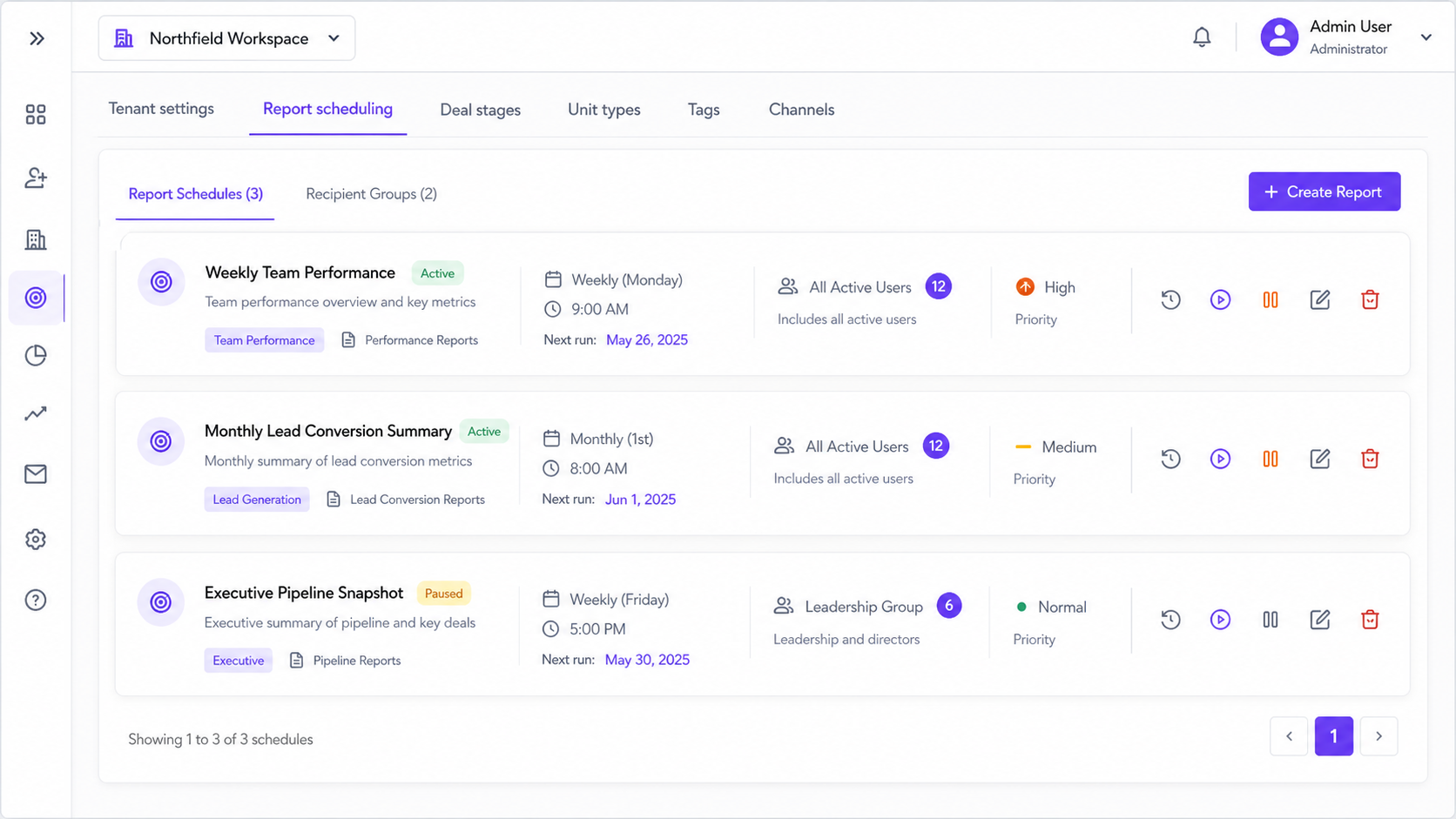
Report Schedule Builder
Create report schedules with report name, report type, description, priority, date logic, and delivery settings.
Template Library
Use pre-configured templates like Basic Task Report, Comprehensive Task Report, and Executive Task Summary.
Recipient Groups
Send reports to selected recipients or groups so managers, admins, and team leads receive the right updates.
Frequency & Date Logic
Configure daily, weekly, or monthly reports with correct date filters for task, lead, and team performance reports.
Execution History
Track report runs with processing, completed, and progress status so every scheduled report has a delivery record.
Preview, Compare & Control
Preview reports, compare report runs, pause schedules, restart schedules, and manage report delivery from one place.
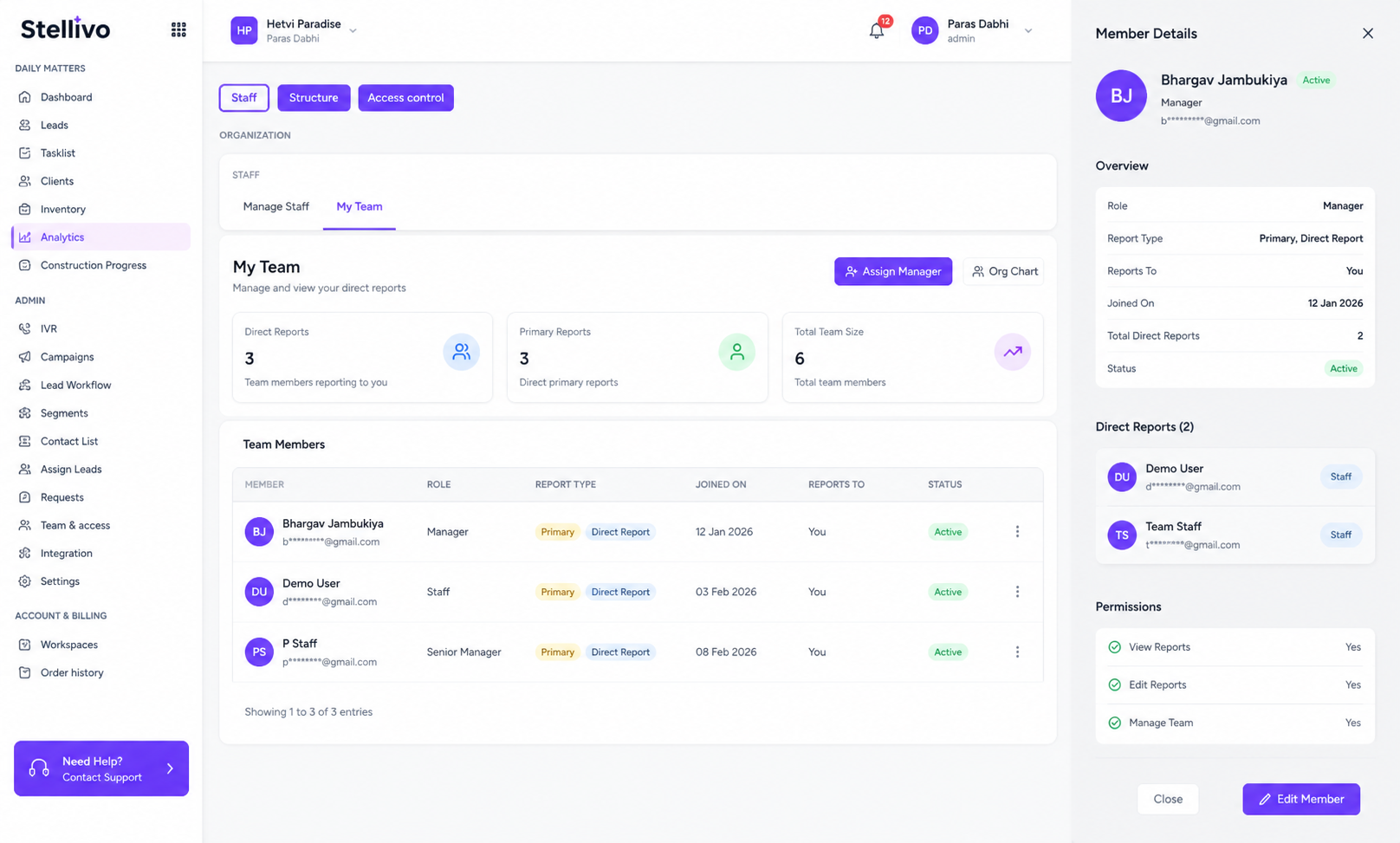
Understand Team Structure and Reporting Relationships Clearly
View headcount, users with managers, reporting coverage, average span of control, reporting type distribution, total relationships, and organizational structure insights for better capacity planning.
7
Total users
85.71%
Coverage
Headcount Overview
See total users, users with managers, coverage percentage, and overall organization structure health.
Span of Control
Analyze how many direct reports managers have so leadership can understand workload distribution.
Reporting Type Distribution
Track reporting structures such as direct, dotted line, project, matrix, and temporary reporting.
Relationship Statistics
View total relationships, users with reports, and reporting gaps to improve organizational clarity.
Snapshot Tracking
Save and view organization snapshots so structure changes can be reviewed over time.
Capacity Planning
Use org analytics to plan hiring, restructuring, manager assignments, and team expansion decisions.
Manage Workspaces, Plans and Billing From One Place
Control multiple workspaces, workspace details, GST settings, subscriptions, staff seats, plan upgrades, additional workspace purchases, order history, invoices, and billing records from one account management area.
2
Workspaces
18%
GST configured
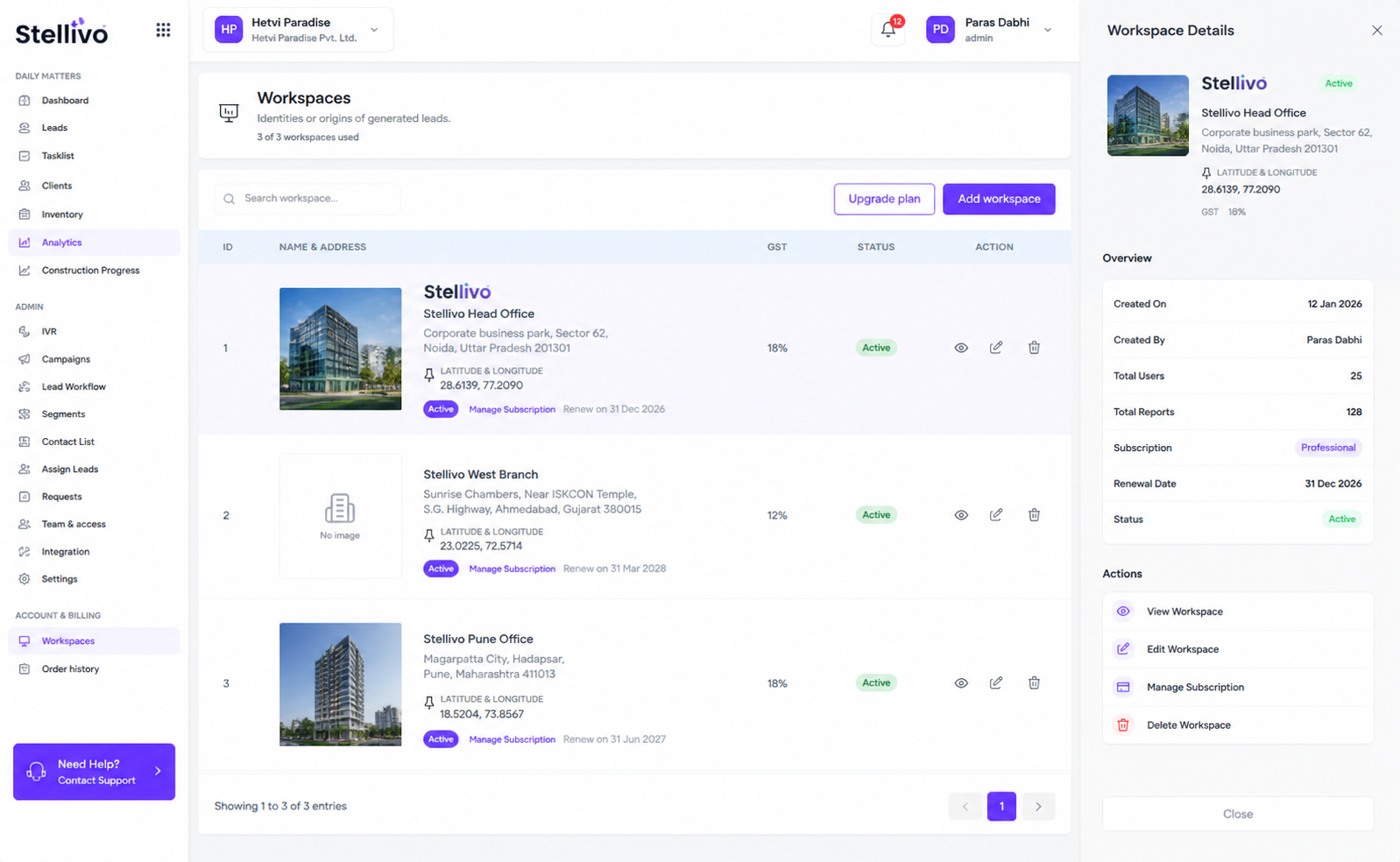
Multi-workspace Management
Manage multiple real estate workspaces or projects from one login with separate CRM data, settings, subscription, and team access.
Workspace Details
View workspace ID, type, address, GST, pincode, subscription status, renewal date, and team member information.
Subscription Control
Manage active subscriptions, renewals, upgrades, and workspace-level billing from the account area.
Add New Workspace
Purchase an additional workspace slot when your business needs to manage another project, site, or brand separately.
Extra Staff Seats
Buy additional staff seats for the selected workspace when your team grows beyond the current plan.
Order History & Invoices
View paid orders, payment references, invoice numbers, dates, workspace names, order type, status, amount, and downloadable GST invoices.
Built For The Teams Who Move Real Estate Forward
Stellivo helps builders, brokers, channel partners, and construction teams work with connected data, clearer responsibilities, and better visibility across real estate sales, communication, inventory, construction, and reporting workflows.
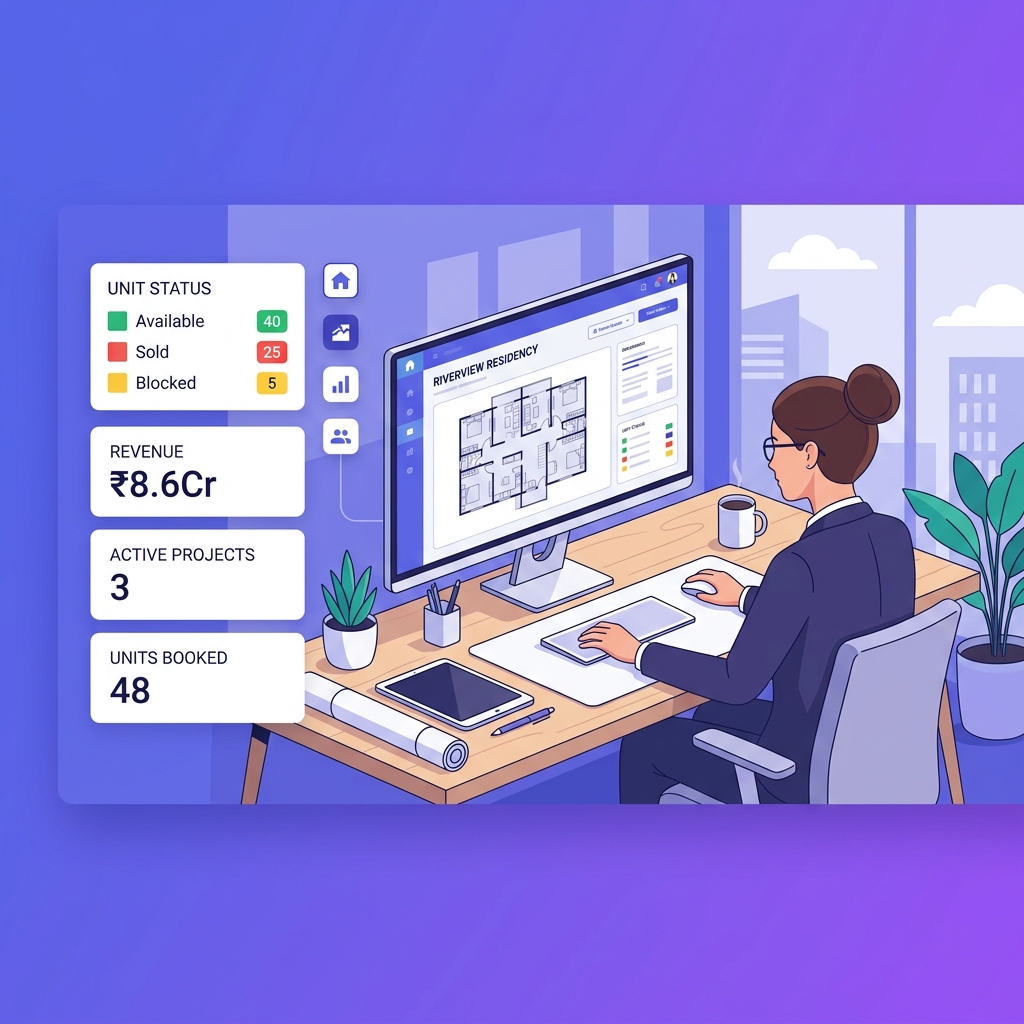
For Builders & Developers
Manage projects, leads, clients, bookings, inventory, documentation, communication, construction progress, and business visibility from one connected real estate CRM platform.
- Project and inventory control
- Booking and client visibility
- Reports and business tracking

For Brokers & Channel Partners
Track assigned leads, customer interactions, follow-ups, visits, bookings, commissions, project-wise activity, revenue visibility, and partner performance.
- Lead and follow-up tracking
- Booking and commission visibility
- Partner performance insights

For Construction & Operations Teams
Manage inventory, stocks, GRN, delivery, quotations, invoices, branches, warehouses, tasks, issues, RFIs, material planning, and site coordination.
- Stock, GRN, and delivery tracking
- Task, issue, and RFI management
- Material planning and coordination
Not sure which plan fits your team?
Talk to our teamFrequently asked questions about analytics, reports, account, and billing management
Find answers to common questions about real estate CRM analytics, automated reports, staff performance tracking, hierarchy reporting, account usage, billing visibility, and business insights with Stellivo.
8
Questions answered
What analytics does Stellivo provide for real estate businesses?
Stellivo helps real estate businesses track important CRM analytics such as total leads, active leads, converted leads, lead sources, follow-up activity, staff performance, channel-wise performance, booking movement, and business reports from one connected dashboard.
How does Stellivo help track sales performance?
Can Stellivo track staff activity and team performance?
Does Stellivo support automated CRM reports?
Can Stellivo show hierarchy and reporting relationships?
How does account and billing management work in Stellivo?
Why are analytics important in real estate CRM?
Why should real estate businesses use Stellivo for analytics and reports?
Still have questions? Our team is happy to help.
Contact our teamReal Estate Software Built for Experts
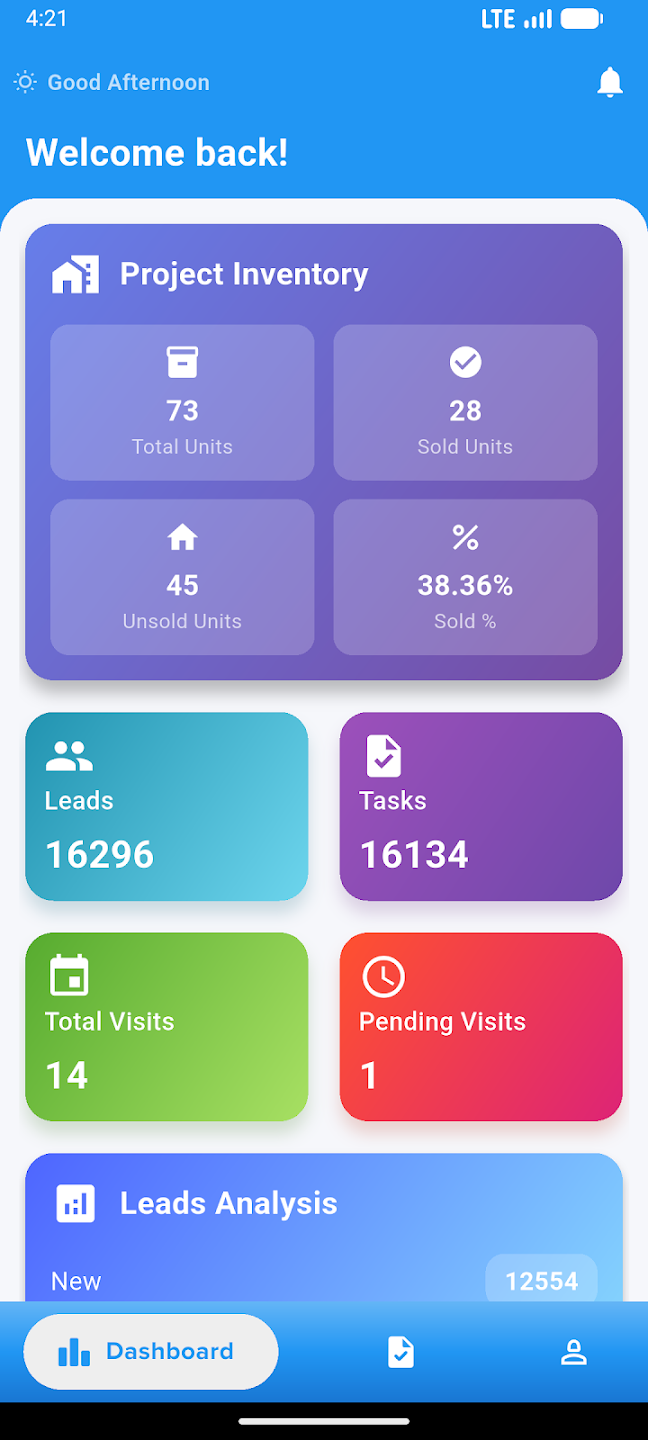
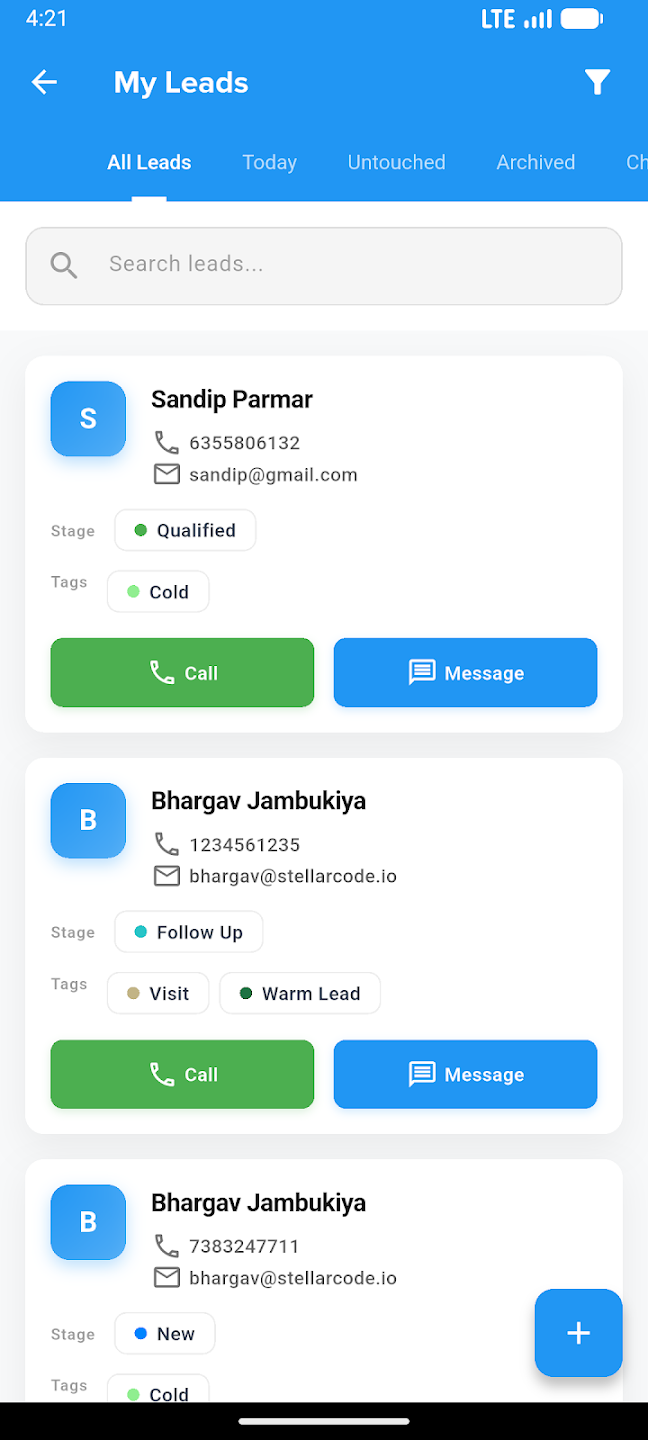
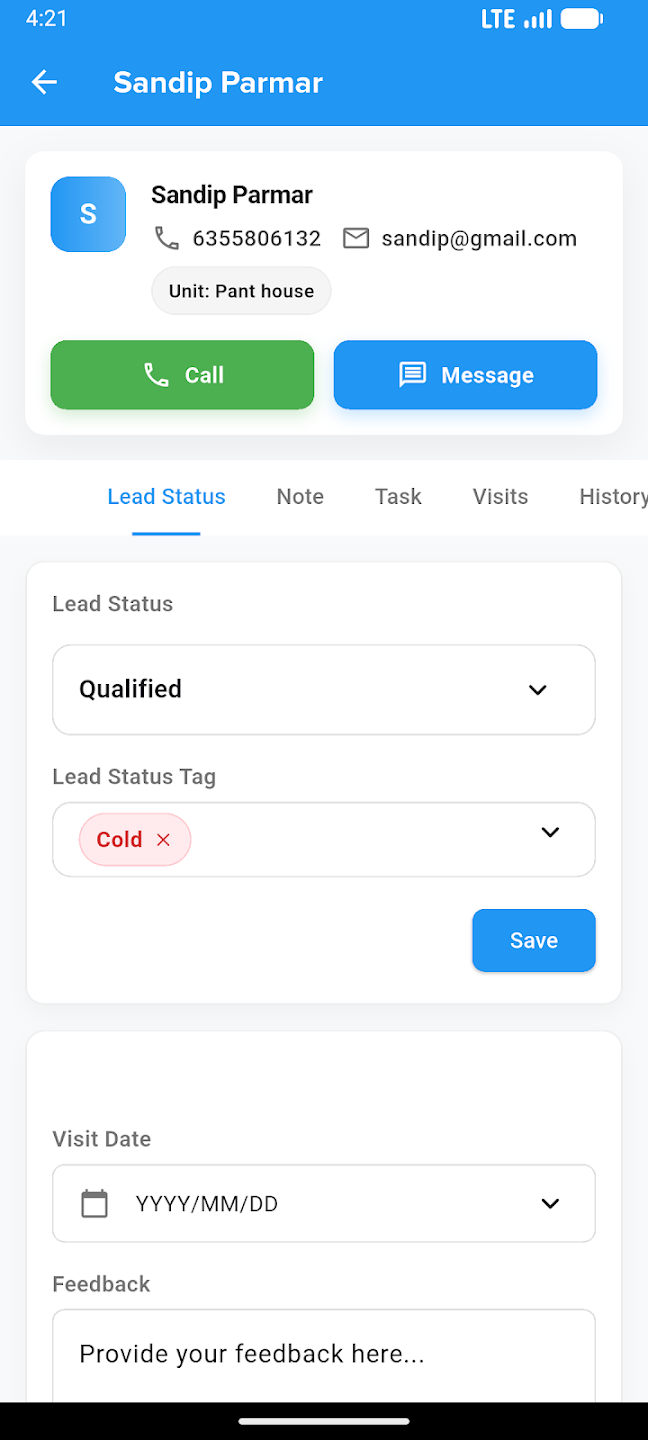
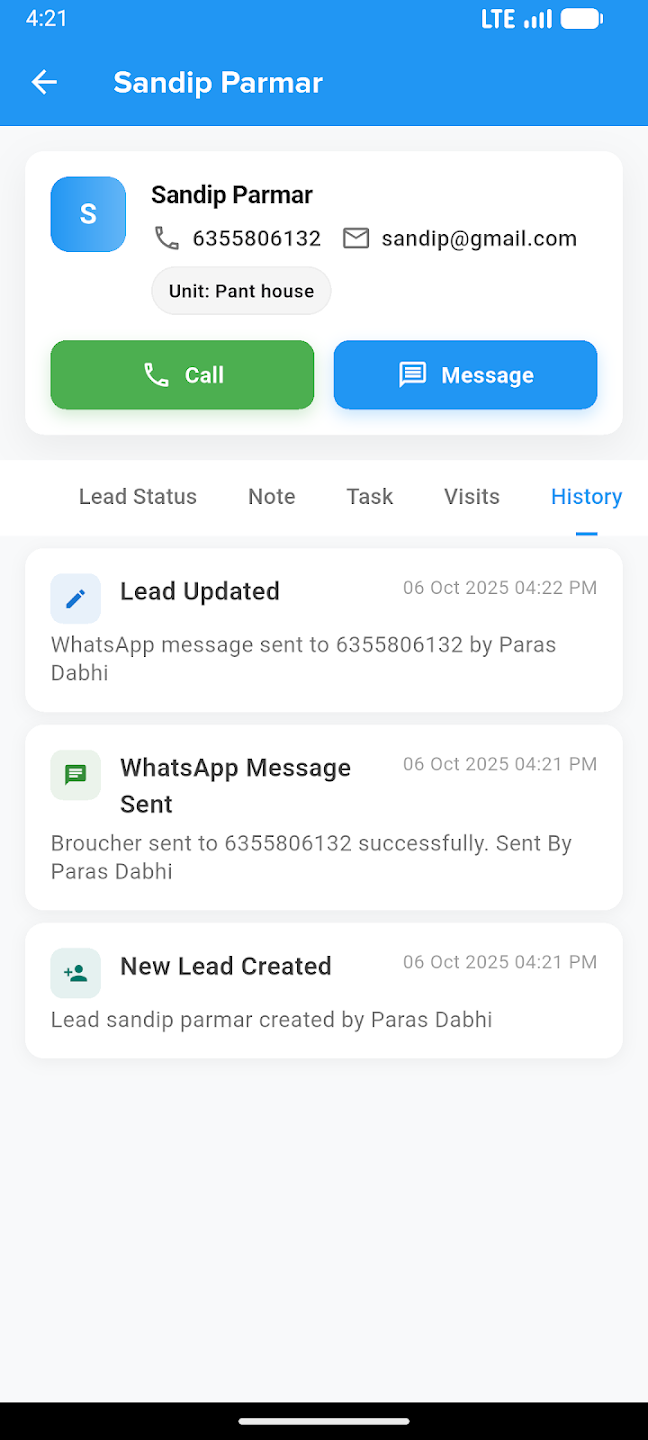
Take your business everywhere. Manage leads, track construction progress, and close deals right from the palm of your hand with our powerful mobile companion.